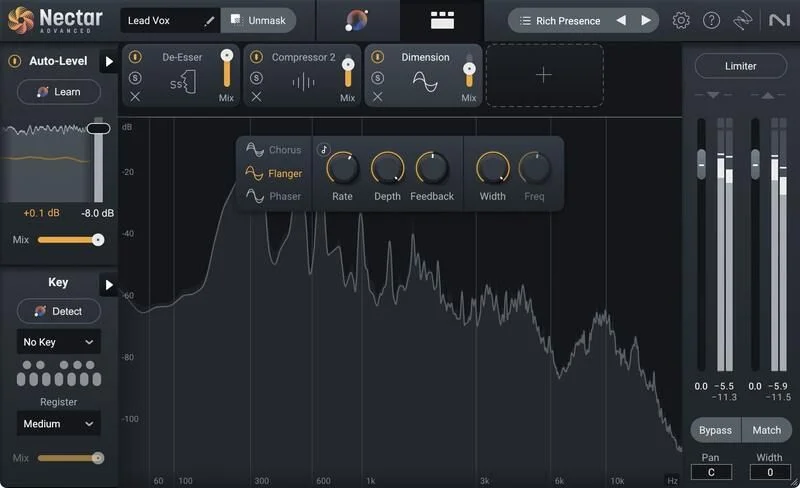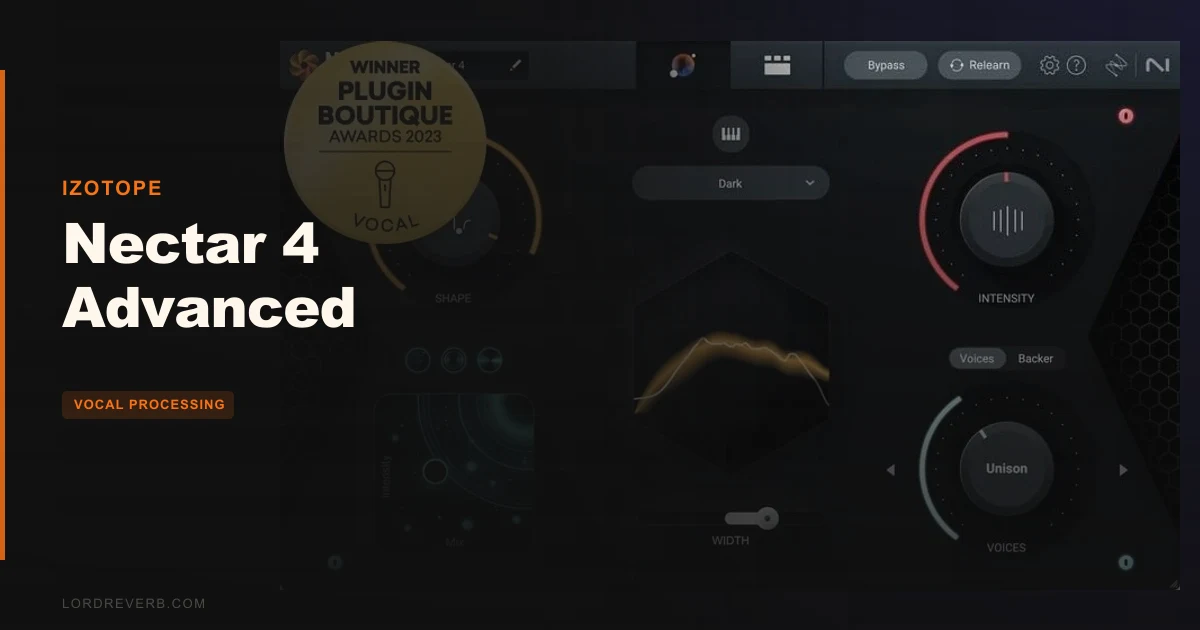
Nectar 4 Advanced gets compared to Auto-Tune Pro and the Waves Ultimate Vocal Bundle constantly, and this review is going to land somewhere more nuanced than those comparisons usually do: it's better than both for complete vocal production workflows, but it concedes ground to each of them in specific areas you should know about before spending $299. This isn't a one-stop substitute for surgical pitch correction or deeply flexible harmony design. What it is, is the most complete single-plugin vocal chain available right now for producers who want fast, natural results across the whole signal path.
At $299, Nectar 4 Advanced sits at the professional end of the vocal plugin market. It's built for producers handling their own mix, mixing engineers who process a lot of vocal sessions, and anyone who wants a finished-sounding vocal without assembling twelve separate plugins in a chain.
How It Compares Out of the Box
Stack Nectar 4 Advanced against the Waves Ultimate Vocal Bundle and the difference is immediate. Waves gives you a collection of separate plugins with preset-driven workflows. Nectar 4 gives you an integrated suite where 13 components talk to each other, and an AI assistant that reads your vocal and applies a starting point before you've touched a knob.
Against Auto-Tune Pro, the pitch correction story is more complicated. Auto-Tune wins on graphical note-by-note editing. Nectar 4 counters by embedding Melodyne 5 Essential via ARA, which is a smarter answer than building a weaker proprietary solution. That partnership shows intelligent design thinking.
If harmonies are one element of a broader vocal production, Nectar 4's integrated approach is more practical.
First impressions: owners report it sounds more natural than version 3. Less aggressive highs, subtler processing out of the gate. That's the right direction.
Performance Deep Dive
Vocal Assistant and Reference Matching
Start a session with the Vocal Assistant and you'll hit the fastest "good enough" baseline of anything in this category. Owners report it correctly identifies genre, applies subtractive EQ and compression, and lands at approximately 80% of a finished sound in roughly 15 seconds. That's not a marketing claim. That's a consistent owner experience across multiple reports.
The cleverness is in the Audiolens integration. Import a reference vocal from any track and the Vocal Assistant matches its tone. You can build a library of custom reference targets over time. For producers working across multiple genres, that's a workflow accelerator that actually changes how sessions run.
The Unmask feature sits inside the Vocal Assistant menu and reduces competing mix elements that eat into the vocal's space. It's the kind of thing that used to require careful manual carving on every instrument bus.
Auto-Level Module
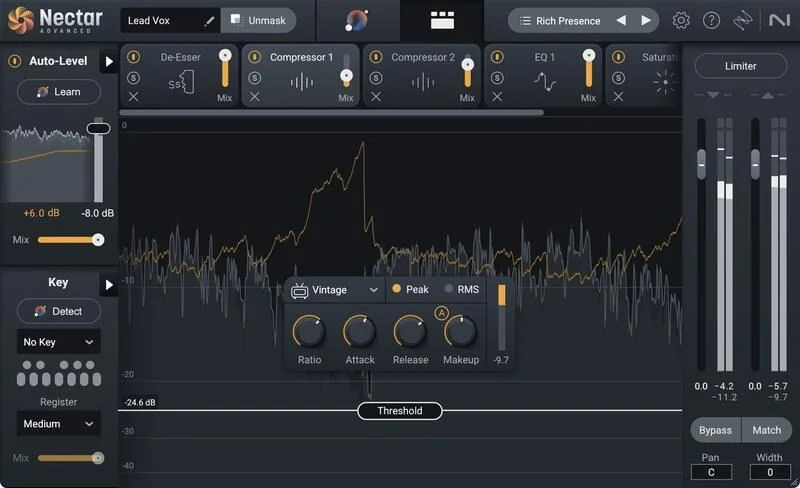
Forget your vocal riding for a minute. The Auto-Level module handles amplitude control intelligently, and owners report it preserves transients more transparently than traditional compression. That's the meaningful claim here: you get consistent level without the squash.
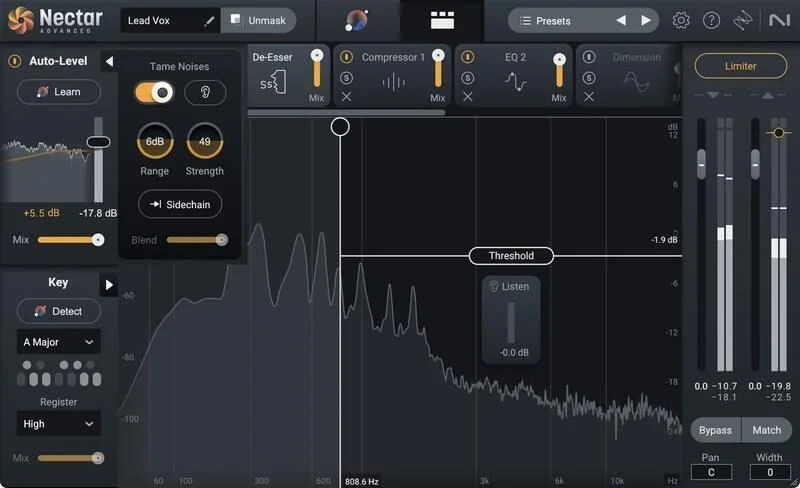
The Tame Noise feature within Auto-Level handles non-sung elements, breaths, room noise, that kind of thing. Mix, Strength, and Range parameters keep it adjustable. The Sidechain Mode is underrated: point it at another track and it aligns that track's level to your vocal automatically. Useful for backing vocal stacks.
Dynamic EQ and Pitch Tracking
Two 24-band Dynamic EQs are built in, and they're specifically designed for vocal material. Adaptive nodes shape frequency responses that move with the signal. The Follow EQ mode tracks pitch as the vocal moves, so your EQ decisions stay accurate as the singer hits different notes rather than applying a static curve to a moving target.
Push these EQs on a problem vocal and they're doing corrective work. Push them harder and they cross into creative territory. Both uses are genuinely valid here, and the developer's claim about transparent processing lines up with what owners report.
Melodyne 5 Essential and Pitch Module
Melodyne 5 Essential is built in via partnership with Celemony, and it operates through ARA integration on compatible DAWs. If your DAW supports ARA, this is pitch correction that actually works, pulling in context from the timeline rather than processing audio as a blind effect.
The honest limitation: the built-in Pitch module handles standard tuning tasks but has no graphical note-by-note editing. For fine surgery, you're in Melodyne's interface. That's not a problem if your DAW is ARA-compatible. It's a workflow snag if it isn't.
Voices Module and Harmonies
Eleven auto-harmony settings plus a MIDI mode for precise note control. The editor lets you adjust the number of voices, the chord structure, and the Direction parameter, which sets whether harmonies sit above or below the main vocal. The Mixer View gives you control over where each voice sits in the stereo field.
The frustrating part: owners report the Voices module sometimes struggles tracking high MIDI notes, causing delayed harmony processing. If you're harmonizing a soprano lead, that delay is audible and annoying. It's not a dealbreaker for most vocal ranges, but it's a real limitation you need to know about.
Backer Module
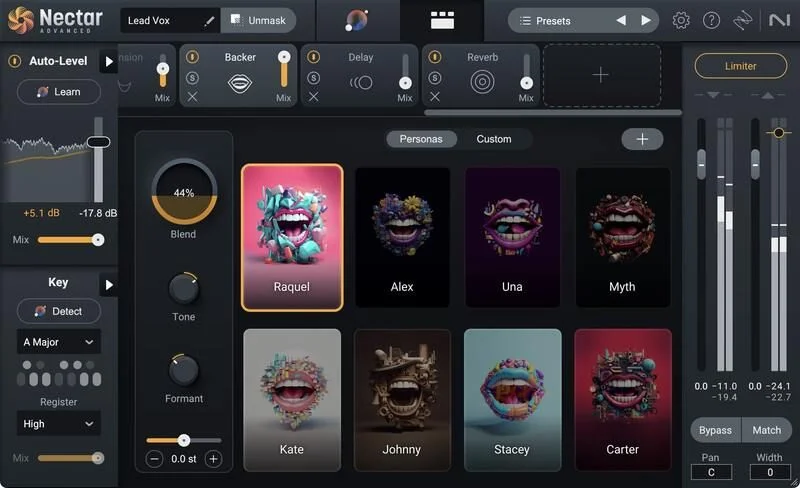
This is the most polarizing part of the whole suite. The Backer module shifts your vocal into eight different backup singer styles, with Tone, Pitch, and Formant controls for blending. You can create a custom style using a reference target. Full automation control over style selection and shifting is available.
The problem is the artifacts. Owners consistently report robotic-sounding results unless the vocal input is very clean. Breathiness, consonants, and pitch variation all increase the chance of glitching. If you're feeding it a polished, well-performed vocal in a controlled acoustic environment, it works. If you're feeding it a rough take or a room-treated live recording with natural character, expect some ugly digital edges.
That's a genuine limitation, not a small one. The concept is brilliant. The execution needs work.
Effects Chain: Reverb, Delay, Saturation, Dimension
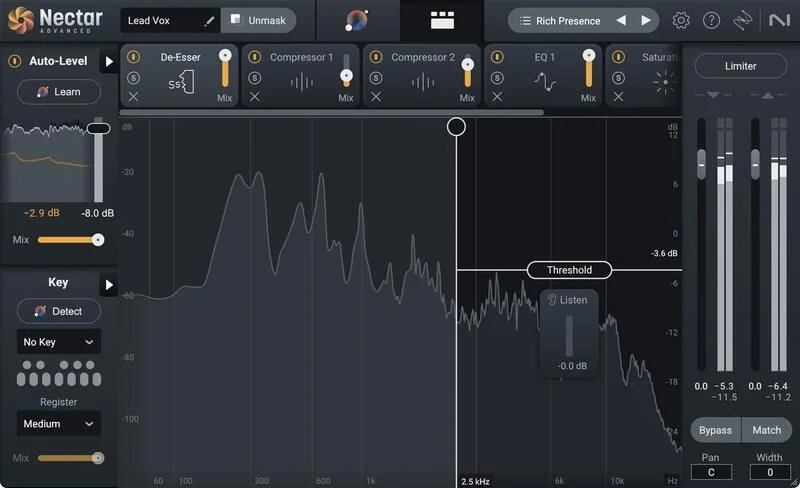
The suite includes Reverb, Delay, Saturation, and Dimension as component plugins. The Saturation module is satisfying for adding harmonic weight, but owners flag a real design miss: no low-cut filter. When you push saturation on a vocal, low-mid buildup is exactly what happens, and there's no clean way to trim it inside the module. You're reaching for another EQ to fix what the Saturation module introduced.
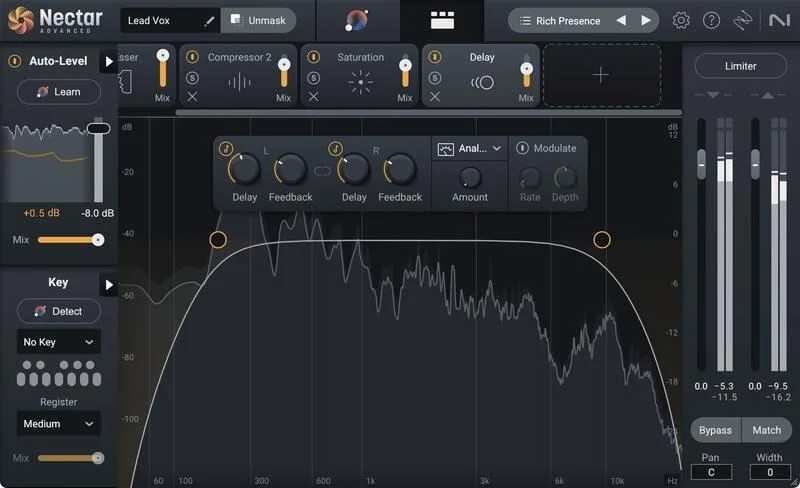
Reverb and delay are competent, but both lack internal ducking. Put a dense reverb on a lead vocal in a busy mix and it fills space that should stay clear. Manual sidechain routing fixes it, but that's extra signal chain work for something other vocal plugins handle automatically.
Where It Wins
The Vocal Assistant plus Audiolens combination is the strongest rapid-result system in its class. Load a reference, and your vocal has a sensible starting point with subtractive EQ and compression already applied. No other single plugin does this as smoothly at this level of quality.
The Auto-Level module's transient preservation separates it from compressor-based approaches. Your vocal stays dynamic and present, not squashed into submission. That matters especially when the song needs energy in the performance to come through.
Having Melodyne 5 Essential built in via ARA is a clever solution to pitch correction. Rather than competing with Celemony, iZotope partnered with them. The result is real pitch correction, not a weaker in-house substitute.
Inter-plugin communication with other iZotope tools means Nectar 4 connects intelligently to Ozone, Neutron, and others via the included Relay plugin. If you're already in the iZotope world, this integration is a genuine advantage. Everything talks.
Where the Competition Wins
The Melodyne integration helps, but only on ARA-compatible DAWs.
Eleven auto-harmony presets and MIDI control is a reasonable set of tools for the Voices module, though some competitors offer more advanced harmony functionality.
Nectar 4's interface is reported as cluttered, and finding specific features takes longer than it should in a professional tool.
Backer module artifacts are a real quality gap. Competing tools in the AI vocal generation space are producing cleaner results. Nectar 4's Backer feels like a first version of an idea that hasn't fully landed yet.
Who Should Buy Which
- ✅ Buy if you produce pop, R&B, or hip-hop and want a complete vocal chain without building it plugin by plugin.
- ✅ Buy if you're already in the iZotope ecosystem and want inter-plugin communication with Ozone and Neutron.
- ✅ Buy if the Vocal Assistant reference-matching workflow will genuinely save you time across a lot of sessions.
- ❌ Skip if surgical pitch correction with graphical note-by-note editing is a core daily requirement.
- ❌ Skip if advanced harmony generation is your main goal. The Voices module isn't deep enough for dedicated harmony work.
- ❌ Skip if you need clean AI backing vocal generation. The Backer module's artifacts are too visible for professional use on anything but the cleanest input.
Specs & Technical Details
| Developer | iZotope |
| Price | $299 |
| Plugin Format | AU / AAX / VST2 / VST3 (64-bit only) |
| OS Support | macOS 12.6–13.5 (Apple Silicon native for VST3/AU, Rosetta 2 for AAX) / Windows 10–11 |
| Activation | N/A |
| CPU Usage | N/A |
| Trial Available | N/A |
| Version Reviewed | Nectar 4 Advanced |
Score Breakdown
| Category | Score | Notes |
|---|---|---|
| Sound Quality | 4.5/5 | More natural than version 3; Auto-Level and Dynamic EQ preserve detail well; Backer artifacts hold it back |
| Value for Money | 4.0/5 | $299 covers 13 component plugins and Melodyne 5 Essential; Backer weaknesses sting at this price |
| Ease of Use | 3.5/5 | Vocal Assistant is fast; overall interface reported as cluttered and hard to navigate |
| Features | 4.5/5 | Comprehensive: Auto-Level, Voices, Backer, Melodyne integration, Audiolens, 13 components |
| CPU Efficiency | N/A/5 | No data available from source material |
| Overall | 4.2/5 | A strong all-in-one vocal suite with real workflow advantages and a few features that need another version cycle |
Alternatives to Consider
Auto-Tune Pro is the right call if graphical pitch correction is your priority. Note-by-note editing, visual feedback, and the graphical interface that professional pitch engineers actually use. It doesn't offer a full vocal production chain, but it handles its core job better than any module in Nectar 4.
Waves Ultimate Vocal Bundle is worth looking at if you want simpler, more immediately approachable tools. The preset-driven approach and artist-approved signature sounds make sessions faster when you know the aesthetic you're chasing. It won't give you Nectar 4's integrated AI workflow, but the interface is cleaner and the learning curve is shorter.
Antares Harmony Engine is the alternative if harmony generation is the central task. The harmony functionality goes deeper than the Voices module in Nectar 4, with more advanced control over voice leading and harmonic motion. It does one thing and does it more completely.
The Honest Verdict
Nectar 4 Advanced is the best complete vocal production suite available at $299 for producers who work across the full signal chain. The Vocal Assistant is legitimately fast, the Auto-Level module handles dynamics more thoughtfully than a standard compressor, and the Melodyne 5 Essential integration is a smarter pitch correction answer than building a weak proprietary tool.
But you need to go in with open eyes. You'll find the interface cluttered when you're trying to locate a specific feature fast under session pressure. You'll wish the Saturation module had a low-cut filter when the low-mids start building. And if you plan to use the Backer module on anything except a very controlled, very clean vocal recording, you'll hear the artifacts and you'll be frustrated.
If harmony generation is the whole job, go to Antares Harmony Engine instead. If pitch surgery is the whole job, go to Auto-Tune Pro. But if you're building a full vocal production workflow and you want it in one place with an AI assistant that actually shortens session time? This is what we'd spend the $299 on. Just don't expect the Backer module to be production-ready on a rough-room take.
Frequently Asked Questions
Does Nectar 4 Advanced work on Apple Silicon Macs?
Yes, with an important distinction. The VST3 and AU versions run natively on Apple Silicon. The AAX version requires Rosetta 2. If you're running Pro Tools on an M-series Mac, check your Rosetta 2 setup before purchasing.
Is Melodyne 5 the full version or a cut-down edition?
It's Melodyne 5 Essential, which is Celemony's entry-level tier. It handles standard pitch and timing correction effectively. It doesn't include the full Melodyne 5 feature set for complex polyphonic editing. For ARA-compatible DAWs, it integrates directly with the timeline rather than operating as a standalone effect.
Can I use Nectar 4 Advanced in FL Studio?
Yes. FL Studio 20.6 is listed as a compatible host. The plugin runs in VST2 and VST3 formats on Windows. ARA integration availability depends on FL Studio's own ARA support status, so check that separately for Melodyne functionality.
Is Nectar 4 Advanced worth it if I already own Nectar 3?
Owners report Nectar 4 sounds more natural with less aggressive highs and a subtler starting point than version 3. The Vocal Assistant, Audiolens integration, Backer module, and improved Auto-Level are new additions. Whether the upgrade justifies the cost depends heavily on how much time you spend on vocal production in a typical session.
How does the Backer module perform in real sessions?
Results depend heavily on the quality and cleanliness of the input vocal. On very clean, well-performed recordings in treated spaces, owners report usable results. On rougher takes with room character, breath noise, or pitch variation, robotic artifacts and glitches are a consistent complaint. It's a feature with a ceiling, not a finished professional tool at the level of the rest of the suite.
Does Nectar 4 Advanced communicate with other iZotope plugins?
Yes. Inter-plugin communication is a core feature of the iZotope suite. The included Relay plugin acts as a central hub connecting Nectar 4 with other iZotope tools like Ozone and Neutron. If you work within the iZotope ecosystem, this integration changes how mix decisions get made across the session.