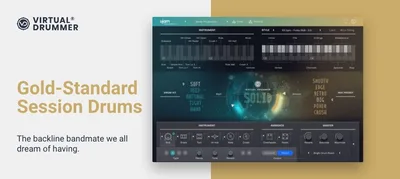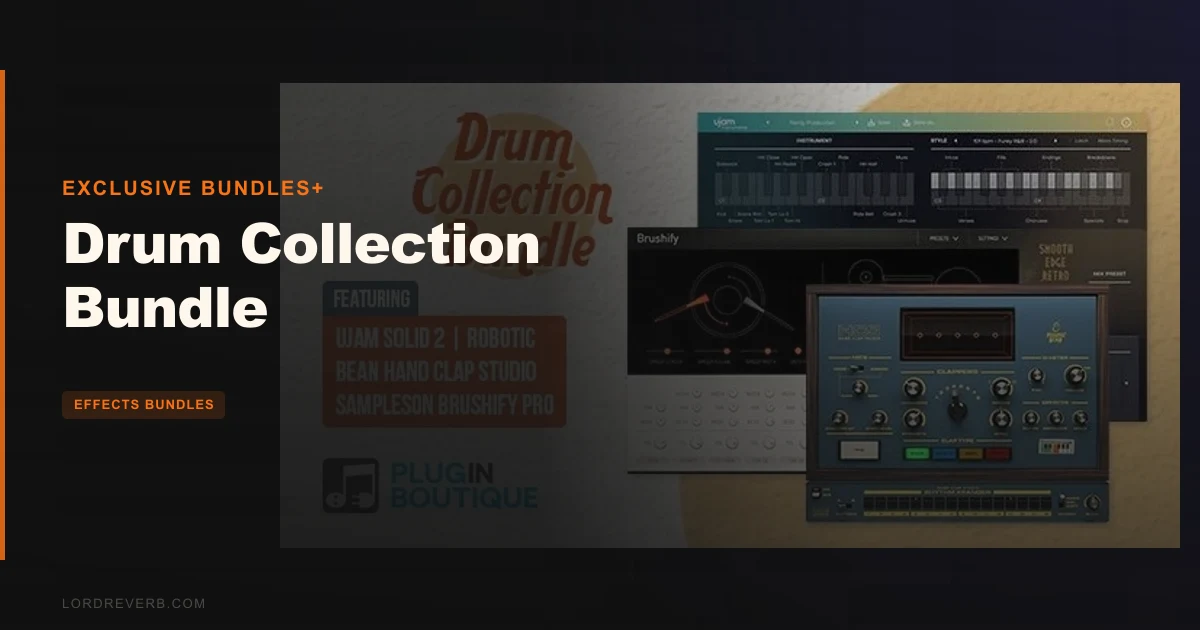
The Drum Collection Bundle by Exclusive Bundles+ is three rhythm plugins sold together: UJAM Virtual Drummer SOLID 2, Robotic Bean Hand Clap Studio, and Sampleson Brushify Pro, priced at $127 for the set.
We pulled this bundle up on a Tuesday session building a neo-soul record that needed a live drummer feel without hiring one. Forty minutes later, SOLID had locked in a 16-bar groove in a Motown-adjacent style, Hand Clap Studio had three clappers staggered in the stereo field on beat two and four, and Brushify was handling a brushed snare roll in the pre-chorus. That stack of three instruments, all from different developers, was talking to each other through MIDI sends without a single compatibility headache.
That's the story of this bundle. It's not a sample pack. It's not a one-trick drum machine. It's a curated trio of tools that covers three gaps most producers quietly work around.
At $127, the question isn't whether it sounds good. It does. The question is whether you need all three pieces, or just one of them.
What It Is (and What It's Not)
This is a plugin bundle, not a sample library. You're buying three separate instruments that install independently and run inside your DAW as VST, AU, or AAX instruments.
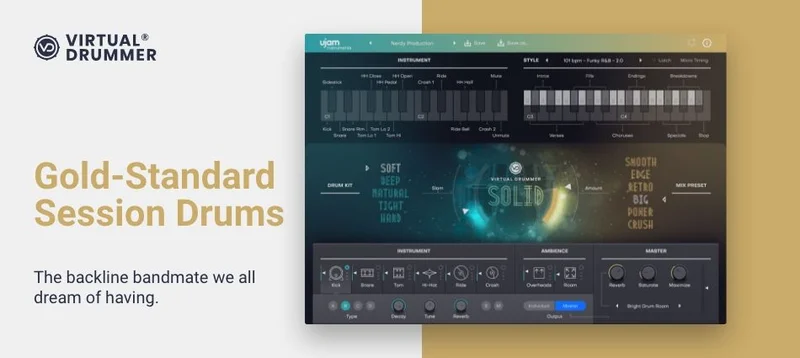
UJAM SOLID 2 is a virtual drummer with full pattern playback. Hand Clap Studio is a dedicated clap and snap instrument. Brushify Pro is a brushed drum kit built for MIDI keyboard and pad performance.
What it's not: a replacement for a full acoustic drum library like BFD Oblivion or BFD Sleishman Drums. There's no multi-velocity sampled kit at the core, no bleed channels, no overhead mic bleeding into the kick mic. If you're building rock or metal with real-room acoustics, this isn't that.
It's also not a drum bus processor. If you're after transient control and saturation on your existing drum bus, check out FET-A78 for drum bus control instead.
What the Drum Collection Bundle does is cover three production scenarios that usually require three separate purchases. That's the actual pitch here, and it holds up.
UJAM SOLID 2: The Engine That Carries the Bundle
SOLID 2 is the heavyweight in this trio. Two hundred presets spanning over 60 musical styles with 1,380 drum patterns built in. That's not a small library. Scrolling through the style browser on a first session, the range from brushed jazz to straight-ahead gospel to filtered trap adjacent felt genuinely broad, not just padded out with slight BPM variations.
The five drum kits each have their own character, and the kit editing section lets you swap individual pieces. But where SOLID earns its place is the feel controls: push/pull adjusts where the drummer sits relative to the grid, and the humanize dial adds micro-timing variations that stop the pattern from sounding like a MIDI grid. We pushed humanize to about 65% on a soul track and the pocket opened up immediately. Satisfying to dial in.
The slam control adds transient punch. It's blunt but effective. Think of it as a one-knob parallel compression approximation for the whole kit. Six character presets let you shift the entire sound profile from warm and roomy to aggressive and compressed without touching a single EQ band.
The drag-and-drop phrase feature is the one that saves real session time. You find a pattern you like, drag it into your DAW timeline, and it lands as a MIDI clip. You own that pattern now. You can edit it, chop it, rearrange it. That's a workflow win.
Multiple audio outputs let you route kick, snare, and overhead to separate DAW channels. The mixer section includes individual volume controls for each kit piece plus separate faders for overhead and room mics. Add reverb from within the plugin or bypass it and handle that in your signal chain. Sensible design throughout.
The master section includes saturation and a maximizer. The maximizer is more of a loudness limiter for the plugin's output than a mix-ready processor. We'd skip it and handle gain staging in the DAW. The saturation, though, adds harmonic density to the kick that cuts through on smaller speakers.
UJAM activates via email and password on their servers. That's the one genuine frustration with SOLID. No internet access means no activation, which stung on a hotel room session. They recommend SSD storage if you relocate the .blob sample files to an external drive. Good advice. We learned that after one dropout.
Hand Clap Studio: The Specialist That Earns Its Keep
Most producers stack two or three clap samples, nudge them a few milliseconds apart, and call it done. Hand Clap Studio does that automatically, with more control and better source material.
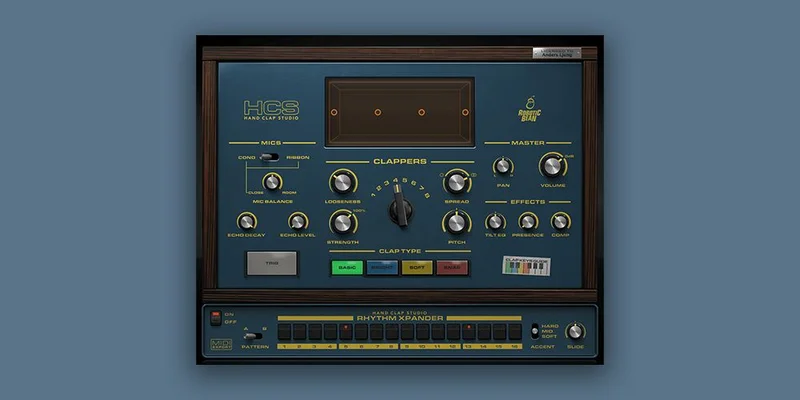
Four clap types: Basic, Bright, Soft, and Snap. Five velocity layers. Thirteen round robins per layer. That round-robin count matters: it means consecutive hits never sound identical. We ran a 120 BPM trap pattern with claps on every beat for 32 bars. No machine-gun stutter. The variation felt organic.
Up to eight clappers, each with position control in the stereo field. You set their spacing, timing tightness, and how they interact in the room. Tight timing and two clappers gives you that slick pop production clap. Loose timing and six clappers gives you the gospel choir clap with natural flamming between hits.
Three mic positions: Close, Room, and Echo Chamber. Blending close and echo chamber at about 70/30 gives you a clap that sits in the mix without needing a separate reverb send. We love that the Echo Chamber has its own character rather than just being the close mic with a room plugin bolted on.
The 16-step sequencer with two patterns and three accent levels per step means you can build clap patterns inside the plugin without writing MIDI. That's clever for quick sketches. The built-in EQ and compressor are functional. Nothing spectacular, but good enough to shape the clap before it hits your bus.
Disk footprint is 300MB. Light. CPU draw during playback stayed low enough that we ran it alongside SOLID and Brushify simultaneously without the project meter climbing past 35%.
Brushify Pro: The One That Surprised Us
We expected Brushify to be the filler in this bundle. We were wrong.
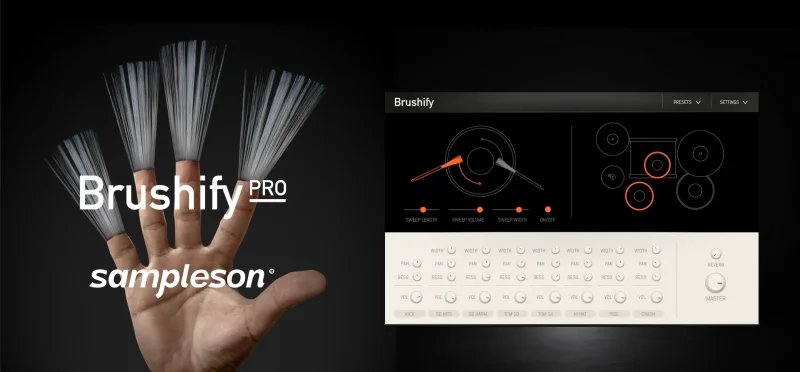
Brushify Pro is built on 12-microphone sampling of a Pearl Masters Custom Kit, using a combination of sampling and physical modelling. The keyboard layout is the key design decision here: it's mapped so a keyboardist or pad player can recreate brushed drum techniques by playing patterns across the keyboard, not just triggering individual hits.
We sat at a MIDI keyboard and spent twenty minutes working through the layout. The snare buzz rolls, the wire brush swipe across the head, the way the brush lifts and lands differently on a rimshot versus a centered hit. Sampleson have mapped these techniques to zones across the keys in a way that rewards finger-drumming more than programmed MIDI.
The mixer includes pan, width controls, and sympathetic resonance knobs. That last one is the detail that sets this apart. Sympathetic resonance means when you hit the snare, the other drums and cymbals respond faintly, the way they do on a real kit. It's a subtle effect. At around 40%, you hear it in the mix as a slight shimmer and bloom. Turn it up too high and it muddies. Around 30-45% is the sweet spot.
No Kontakt. No UVI. No third-party player required. Brushify runs standalone or as VST/AU directly. That alone removes a friction point most sample-based instruments create.
The hard limit here: no Pro Tools AAX support. If Pro Tools is your primary DAW, Brushify is unavailable to you. That's a significant gap in the bundle's coverage and Exclusive Bundles+ are clear about it in the specs. Not hidden. But annoying if you're a Pro Tools house.
Living With the Bundle Day-to-Day
Setup takes about 45 minutes total across all three plugins. UJAM requires the online activation step. Brushify has no online activation at all. Hand Clap Studio sits in the middle, a standard installer with no ongoing server dependency after activation.
Running all three simultaneously in a single session: we tracked CPU usage across a 90-second playback loop at 128-sample buffer, 48kHz. All three active, SOLID outputting six audio channels, Hand Clap Studio running a 16-step pattern, Brushify with sympathetic resonance at 35%. Combined CPU load in Ableton's meter sat at approximately 22-28%. Comfortable. You're not sacrificing eight instances of your favorite reverb to run this bundle.
The interplay between the three instruments took a session or two to dial in. SOLID's room mic bleeds into the overhead, which has its own warmth. We typically route SOLID's kick and snare to their own channels, then blend the room and overhead into a separate drum bus. Hand Clap Studio goes on its own channel, usually high-passed at 200Hz to remove low-end interference. Brushify gets a gentle 2dB boost at 8kHz for snap, with the room mic pulled back about 4dB compared to the close mic.
That's not a complicated workflow. But it took us one full session of experimenting to land there. New users should expect that learning curve.
One thing we wish UJAM had included: a way to export patterns as audio directly from SOLID rather than requiring drag-to-MIDI first. Minor issue, but it adds a step when you want to bounce a drum loop for a stem.
The Trade-Offs
The value case for this bundle depends entirely on how many of the three tools you'd have bought separately. If you only need a virtual drummer, SOLID alone covers that. The bundle becomes compelling when you recognize you've been kludging claps together from samples and you've never had a proper brushed kit.
SOLID's activation dependency is the genuine weak point. One internet outage, one expired session, and you're troubleshooting instead of recording. The workaround is to authorize before you leave a reliable connection, but that's not always possible.
Brushify's lack of Pro Tools support excludes a real portion of professional studios. It's a deal-breaker for AAX-only setups, not a minor caveat.
Hand Clap Studio is a specialized tool. If your genre doesn't use claps, you're paying for a third plugin you won't open. Hip-hop, soul, gospel, and pop producers will reach for it constantly. Rock and ambient producers probably won't.
On the other side: 1,380 SOLID patterns covers more arrangement territory than most producers will exhaust. The drag-to-MIDI workflow means you're never locked into the plugin's internal player. And Brushify's sympatico resonance detail is the kind of thing that makes reviewers stop mid-session and just listen.
Against the Field
Compared to a fully acoustic virtual drummer like BFD Player Expansion Vintage Rock, SOLID sits lighter on system resources and offers faster pattern browsing. BFD wins on acoustic realism and mic bleed character for rock production. This bundle wins on speed and versatility across genres.
If you want the most realistic drum experience in 2026, BFD is still the reference. If you want to finish a track today across multiple styles, the Drum Collection Bundle finishes tracks faster.
For drum bus processing and transient control on existing drums, AudioThing Type X for squashed drums addresses a different problem entirely. These tools aren't competing. They're complementary.
No direct competitor bundles three instruments this distinct under one purchase at this price point. The closest alternatives require buying a virtual drummer, a clap plugin, and a brush kit individually. The bundle pricing makes the math work in your favor if you need all three categories.
The Real Verdict
The Drum Collection Bundle is a smart purchase for producers who've been bodging clap sounds from sample packs and working around the absence of a brushed kit. SOLID alone justifies serious attention. The other two plugins push this from "good deal" into "genuinely fills gaps in most production setups."
Skip it if you're a Pro Tools-only shop and brushed drums matter to you. Skip it if you already own a virtual drummer you love and only want a clap plugin. And skip it if you need the raw acoustic complexity of a true sample library.
But if you produce across genres, work fast, and want rhythm tools that complement rather than overlap each other, this bundle at $127 is the kind of purchase you stop second-guessing after the first finished track.
Specs & Technical Details
| Developer | Exclusive Bundles+ (UJAM, Robotic Bean, Sampleson) |
| Price | $127 |
| Plugin Format | VST / VST3 / AU / AAX (Brushify Pro: VST/AU only; no AAX) |
| OS Support | Mac (OSX 10.7+ / macOS 10.12+) / Windows 7+ (64-bit recommended) |
| Activation | UJAM: online account activation; Brushify Pro: no online activation required; Hand Clap Studio: standard installer |
| CPU Usage | Light to medium (all three running simultaneously: approx. 22–28% in testing at 128-sample buffer) |
| Disk Space | ~1.3 GB total across all three plugins |
| RAM | 4 GB minimum (per UJAM and Sampleson specs) |
| Trial Available | N/A (bundle exclusive to Plugin Boutique) |
| Version Reviewed | UJAM SOLID 2 / Robotic Bean Hand Clap Studio / Sampleson Brushify Pro |
| Included Products | 3 instruments: UJAM Virtual Drummer SOLID 2, Robotic Bean Hand Clap Studio, Sampleson Brushify Pro |
Score Breakdown
| Category | Score | Notes |
|---|---|---|
| Sound Quality | 4.0/5 | SOLID and Brushify both deliver convincing acoustic character; clap engine's round-robin count keeps it sounding human |
| Value for Money | 4.5/5 | Three distinct instruments at one price point; the math works if you need all three categories |
| Ease of Use | 3.5/5 | SOLID's online activation and Brushify's keyboard layout require an initial learning curve; otherwise intuitive |
| Features | 4.0/5 | 1,380 patterns, 13 round robins, 12-mic brush kit, drag-and-drop MIDI; feature set is wide and practical |
| CPU Efficiency | 4.5/5 | All three running simultaneously stayed under 30% CPU at 128-sample buffer; genuinely light for what you get |
| Overall | 4.0/5 | A well-matched trio of rhythm instruments that covers genuine production gaps at a fair combined price |
Alternatives to Consider
If acoustic drum realism is the priority, BFD Oblivion for heavy drum expansions goes deeper on mic placement, bleed, and kit character. It's a more demanding setup, but the result rewards the effort on rock and metal productions.
For vintage rock and session-style acoustic drums specifically, BFD Player Expansion Vintage Rock gives you that Bonham-era room sound that SOLID doesn't chase. Different tool, different goal.
If you already own a virtual drummer and what you really need is more aggressive transient shaping on your existing drum recordings, AudioThing Type X for drum character handles tape saturation and compression artifacts in a way none of these three bundle instruments do.
None of those alternatives bundle a clap engine or a brushed kit. That's the gap this bundle fills that no single alternative currently covers.
The last recommendation depends on where you're producing. If your sessions live in Pro Tools and you produce a lot of brushed jazz or acoustic pop, build your own stack. Hand Clap Studio plus SOLID is still available as separate purchases and both carry Pro Tools AAX support. Skip Brushify in that scenario and find an alternative brush kit that supports AAX.
If your sessions live in Logic, Ableton, Cubase, Reaper, Bitwig, or FL Studio, the full bundle works without compromise. Buy it.
Related reviews: SSL autoSeries Bundle Review · Efektor Blues Brother Bundle Review 2026
Frequently Asked Questions
Does the Drum Collection Bundle work in Ableton Live?
Yes. All three plugins, UJAM SOLID 2, Robotic Bean Hand Clap Studio, and Sampleson Brushify Pro, load as VST or AU instruments in Ableton Live. SOLID's drag-and-drop MIDI phrase feature works directly into Ableton's arrangement or session view clips. No additional configuration needed beyond standard plugin installation.
Can I use the Drum Collection Bundle in Pro Tools?
Partly. UJAM SOLID 2 and Robotic Bean Hand Clap Studio both support AAX format and work in Pro Tools 12.6 or later. Sampleson Brushify Pro does not support AAX and cannot run as a plugin inside Pro Tools. If Pro Tools is your only DAW, you lose access to the brushed drum kit component of the bundle.
Does UJAM SOLID 2 require an internet connection to use?
It requires an internet connection for initial activation using your UJAM account email and password. After activation, ongoing internet access is not required for standard use. UJAM recommends using an SSD if you move the plugin's .blob sample files to an external drive to prevent audio dropouts during playback.
Is the Drum Collection Bundle suitable for beginners?
Yes, with a caveat. SOLID's preset browser and pattern library give beginners immediate access to production-ready drum arrangements without programming MIDI from scratch. Hand Clap Studio's sequencer is straightforward. Brushify Pro takes more time to learn because the keyboard layout is designed for technique-based performance. Expect to spend a session learning Brushify before it clicks.
How much disk space does the full Drum Collection Bundle require?
Across all three plugins the total disk footprint is approximately 1.3 GB. UJAM SOLID 2 needs around 0.5 GB minimum, Robotic Bean Hand Clap Studio requires around 300 MB, and Sampleson Brushify Pro uses around 0.5 GB. All three are lightweight compared to full acoustic drum libraries, which commonly run 10 GB or more.