We were forty minutes into a lo-fi house session when the handclap problem hit. Every sample pack clap felt either too clean or too obviously chopped. The drum machine clap on the 808 channel was sitting in a completely different frequency world from the rest of the track. We dropped AudioThing’s Hand Clapper into the signal chain as a placeholder while we figured out something better. We never looked for something better.
Hand Clapper is AudioThing’s Boss HC-2 inspired handclap module, currently offered at an intro price. It’s built for producers who want the sound of a specific era: early 80s Roland hardware, with that signature filtered noise burst that no modern sample quite captures. It’s not trying to be a full percussion synth. It knows exactly what it is.
First Impressions: Smaller Than You Expect, Faster Than You Hope
The plugin loads in under a second. The UI fits in a small footprint, roughly the size of a compact hardware module panel, and that’s a deliberate design choice, not a limitation.
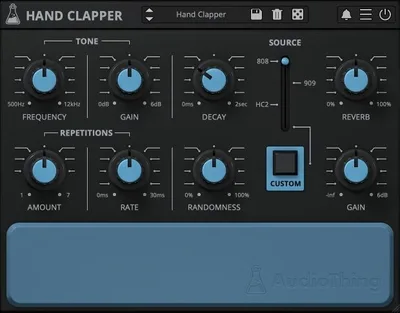
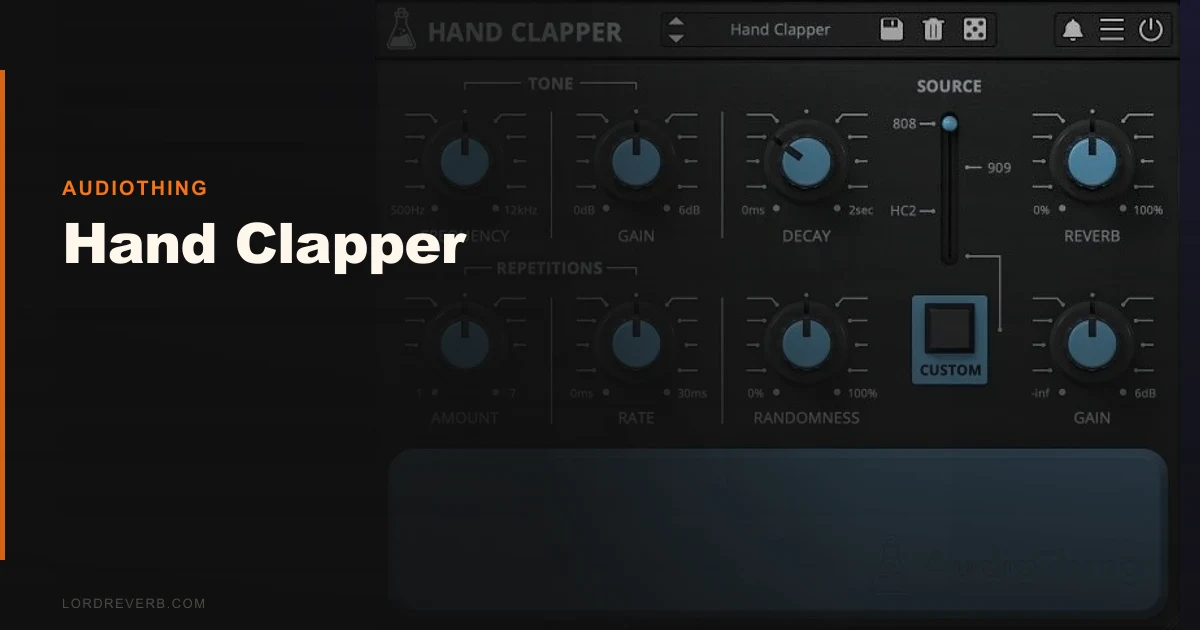
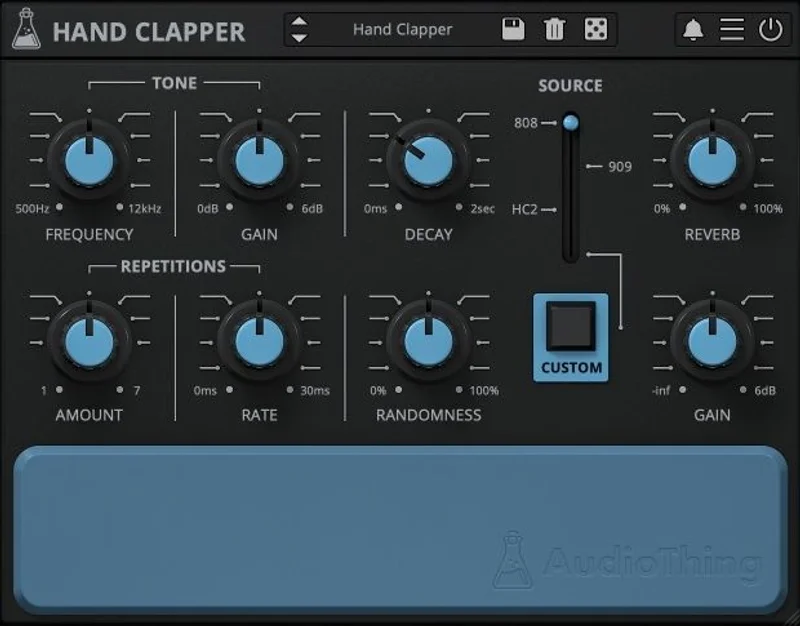
Four noise source buttons sit across the top: 808, 909, HC2, and Custom. Everything else flows from there. Bandpass filter, envelope controls, the vintage reverb section, and the randomness knob. That’s it.
We opened it expecting to spend time reading documentation. We didn’t need to. Within three minutes we had a sound that worked. That’s satisfying in a way most plugins aren’t.
Getting It Into a Real Workflow
Drop it on a MIDI channel, point a note at it, and you’re making clap sounds. No routing puzzle. No preset browser that takes thirty seconds to load.
The 45 factory presets cover 808 clap, 909 clap, HC-2 territory, and some noisier custom-sample variations. We loaded the preset called “Classic 808 Clap” first. The tonality sat around 800Hz to 1.2kHz with a sharp attack and a decay that trails off in about 180ms. No cleanup needed. It sat in the mix without fighting the kick.
The friction point we hit: there’s no built-in step sequencer. You’re programming this in your DAW’s MIDI roll. That’s not a complaint if you’re already working that way, but Hand Clap Studio from Robotic Bean has a 16-step sequencer baked in at a higher price. If your workflow depends on internal pattern generation, Hand Clapper isn’t the right tool.
The randomness parameter is where things get interesting. Push it past 50% and each clap hit gets a different character. Not just velocity randomisation. The noise source itself shifts slightly. We ran it at 35% on a four-on-the-floor pattern and the claps suddenly felt like a room of people rather than a drum machine. We didn’t add any extra reverb or humanisation. The parameter did it alone.
What Hand Clapper Gets Right
The four noise sources are the core story here. The 808 mode uses a short filtered white noise burst tuned to sit around 1kHz. The 909 mode is brighter and snappier, with a faster transient that cuts differently in the high-mid range. The HC-2 mode is the one most competitors miss. It has a layered noise character that sounds hollow in the middle frequencies, almost like two claps stacked slightly out of phase.
The Custom mode loads one of 21 analog-recorded samples AudioThing captured for this plugin. These are processed through the same filter and envelope architecture as the other modes. That’s clever. You’re not just playing a sample. You’re shaping it through the HC-2’s circuit behaviour.
The bandpass filter is tight and useful. We cut it down to a Q of around 2.0 on the 909 mode and got a sound that sat perfectly under a Roland Juno pad without masking it. That kind of surgical fit matters in dense arrangements.
CPU load is light. We ran six instances simultaneously in Logic Pro without the meter flinching. No precise percentage to report from AudioThing’s documentation, but in practice it behaves like a well-coded simple synth, not a sample-streaming monster.
The Rough Edges
The vintage reverb algorithm has a character we love at short decay settings, under 0.8 seconds. It sounds genuinely old. Gated and tight. But push the decay past 1.2 seconds and the tail gets thin. It loses density in a way that sounds less “vintage spring” and more “low-quality convolution.” We ended up bypassing it on longer settings and using a send reverb instead.
There’s no per-voice stereo control. Every hit comes out centred unless you’re doing your own panning in the DAW. For a plugin modelling a hardware module designed to sit in a mix with width, that’s an annoying omission.
Modulation routing is surface level. You can automate parameters, but there’s no internal LFO or envelope-to-filter modulation. The randomness knob covers some of this ground, but producers wanting deep modulation should look elsewhere.
The Custom mode only ships with AudioThing’s 21 included samples. There’s no way to load your own external audio file directly into the plugin. That’s a genuine limitation the marketing copy dances around.
Who This Is Really For
- ✅ Buy if you produce lo-fi house, retro electronic, or anything where a specific 808 or 909 clap tone matters more than flexibility.
- ✅ Buy if you want a credible Boss HC-2 sound without hunting for a hardware unit or paying for a bloated percussion suite.
- ✅ Buy if your CPU budget is tight and you need six clap variations running simultaneously on a low-spec machine.
- ❌ Skip if you need internal step sequencing. Hand Clap Studio by Robotic Bean has a 16-step sequencer and 8 simultaneous clappers.
- ❌ Skip if you want to load your own samples. This is a synthesis engine with fixed sources, not a sampler.
- ❌ Skip if your mix needs wide, lush reverb tails built into the clap sound. The onboard reverb runs out of quality past medium decay.
Score Breakdown
| Category | Score | Notes |
|---|---|---|
| Sound Quality | 4.0/5 | HC-2 emulation is convincing; reverb tail is the weak link |
| Value for Money | 4.5/5 | The price for this level of authenticity is underrated. |
| Ease of Use | 4.5/5 | Usable in minutes, no manual required |
| Features | 3.5/5 | No external sample loading or per-voice stereo control hurts |
| CPU Efficiency | 4.5/5 | Runs six instances without measurable impact |
| Overall | 4.1/5 | Focused, honest tool that does its job better than it should at this price |
Alternatives Worth Knowing
Hand Clap Studio by Robotic Bean runs full price but frequently drops on sale. It adds a 16-step sequencer, 8 simultaneous clappers, 5 velocity layers, and 13 round robins. If you need internal sequencing and layered humanisation, that’s the better buy. It’s less focused on hardware emulation and more on full clap arrangement. See our synth plugins guide for context on how percussion synths compare.
For producers who want the full Roland 808 and 909 drum machine experience with the clap as one voice among many, the best drum machine plugins roundup covers complete solutions. Hand Clapper doesn’t replace a full drum synth. It’s a specialist unit.
If you’re building a full vintage electronic kit from individual modules, our best lo-fi plugins for drum processing pairs well with what Hand Clapper does.
Final Word
We ran Hand Clapper through four sessions across two weeks. Lo-fi house, minimal techno, a bedroom pop record where we needed a clap that didn’t sound like a sample pack. It delivered every time in the low and mid settings. It stumbled once, on a track where we needed a wide, long-reverb clap that drifted behind a slow chord progression. The onboard reverb couldn’t carry it. We sent it to an external plate. Problem solved, but it reminded us this plugin has a lane.
At $25, there’s almost no argument against buying it if you work in any genre where an 808 or HC-2 clap appears. It won’t replace a full percussion suite and it won’t give you sample import flexibility. But for the thing it does, which is make a specific old machine’s clap sound real and alive in a modern mix, nothing at this price comes close.
The randomness knob alone is worth the cost of admission.
Frequently Asked Questions
Is Hand Clapper compatible with Apple Silicon Macs?
AudioThing builds its plugins with native Apple Silicon support. Hand Clapper runs natively on M1, M2, and M3 Macs without Rosetta translation. Check the AudioThing site for the latest compatibility notes as macOS updates roll out.
Can you load your own samples into Hand Clapper?
No. The Custom mode gives you access to 21 analog samples AudioThing recorded specifically for the plugin, but you can't import your own audio files. If external sample loading is a priority, Hand Clap Studio by Robotic Bean handles that workflow instead.
How does the randomness parameter actually work?
The randomness control introduces variation in the noise source character on each trigger hit. It's not just velocity randomisation. The tonal quality of the clap shifts slightly between hits, mimicking the inconsistency of analog hardware. At settings around 30-40%, it adds human feel without sounding sloppy. Past 70%, hits start to sound noticeably inconsistent, which can work for experimental material but gets distracting in a straight pattern.
Does Hand Clapper work on Linux and iOS?
Yes on both. AudioThing explicitly supports Linux builds and has an iOS version available. The iOS version is worth knowing about if you sketch ideas on an iPad before finishing sessions in a desktop DAW. Format support across platforms includes VST, VST3, AU, AAX, and CLAP.