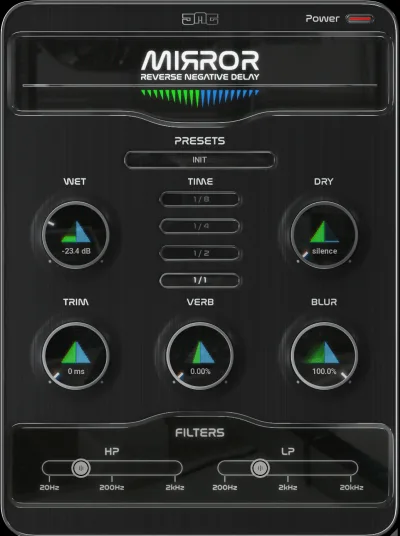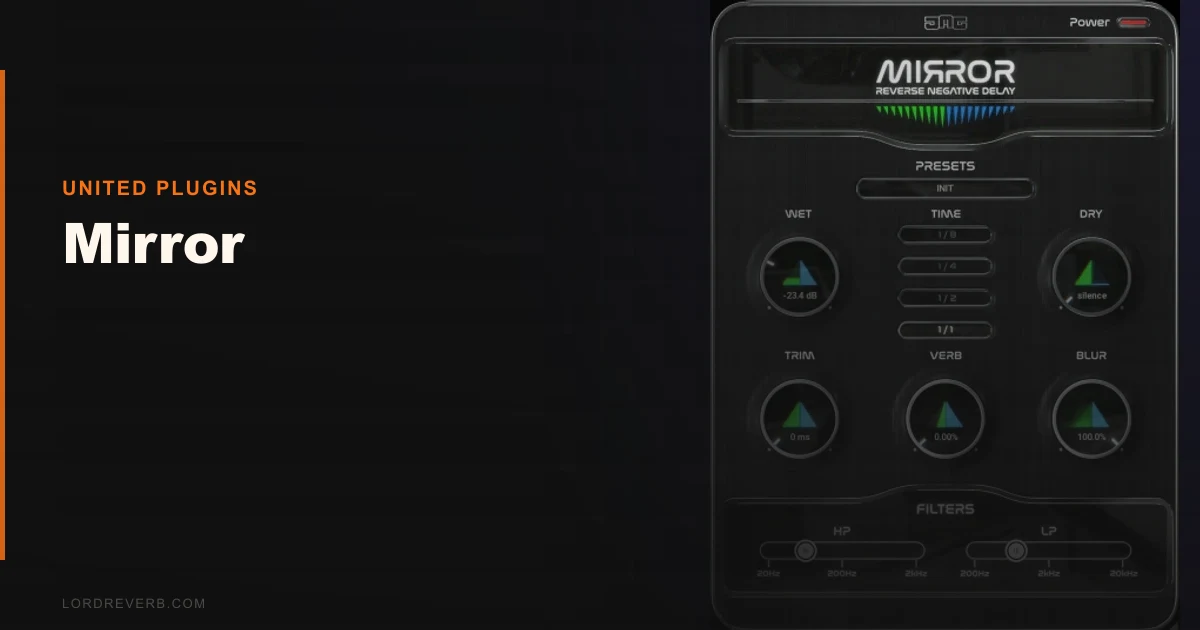
We pulled up a drum bus, dropped Mirror on the snare return, hit play, and heard the reverse swell appear before the crack. That was the moment we understood what this plugin actually does. It’s not a delay in the traditional sense. It records your audio into a buffer and plays it back in reverse, timed so the tail lands exactly when your original hit plays. The effect sounds like you spent twenty minutes in your DAW flipping audio, but it happens automatically.
Mirror is built for producers who want that reverse snare or backward pad swell without the manual setup. At $69, it’s priced to be a no-brainer impulse buy. Whether it earns a permanent slot in your template is a different question.
A Reverse Delay That Plays Backwards in Time
Mirror is a negative delay plugin. That phrase sounds like marketing nonsense until you understand the mechanism. It buffers incoming audio, reverses it, then plays that reversed version timed to land just before the original transient. The result is a classic reverse pre-delay effect, the kind you hear on snare builds in 90s records and modern cinematic soundtracks.
What it is not: a creative delay for live performance, a multi-tap rhythmic effect, or a real-time processor. It needs pre-recorded material to analyze. You cannot use it on a live mic feed. You cannot use it on a virtual instrument track while playing in real time. The plugin works on already-recorded audio, full stop. If you were expecting something else, adjust accordingly.
It supports VST, VST3, AU, and AAX formats on both macOS and Windows. Internal processing runs at 64-bit, and it handles sample rates up to 192 kHz.
Living With Mirror Day to Day
We ran Mirror through three sessions over two weeks. The first was a lo-fi hip-hop beat with layered snare samples. Dropping Mirror on an aux send, blending around 30% wet, gave every snare hit a subtle reverse swell that sat underneath the crack without cluttering the hat frequencies. Satisfying. That took about forty seconds to set up.
The second session was more frustrating. We tried Mirror in Logic Pro on a vocal chop track. Logic’s latency compensation didn’t play nicely with the buffer Mirror needs to build its reverse tail. We heard phasing on playback. The fix is to manually reduce the I/O buffer size in Logic’s audio preferences, which breaks real-time instrument monitoring. Annoying, and not documented clearly anywhere in the plugin’s materials.
Bitwig had a similar issue. Pro Tools and Ableton handled it cleanly without any adjustments.
The third session was scoring a short film. We put Mirror on a synthesizer pad, cranked the reverse time to about 800ms, and let it breathe before an impact hit. Brilliant for that use case. The automation on the mix knob worked without artifacts. That’s where Mirror earns its price.
One quirk worth flagging: the UI renders at a fixed size that doesn’t scale well on high-DPI displays in some Windows setups. The text stays readable, but the knobs look slightly soft. Minor, but annoying if you’re detail-oriented.
The Trade-Offs You Need to Know
The core trade-off with Mirror is simplicity versus flexibility. The plugin does one thing. It does it well and fast. But if you want to shape the character of that reverse tail, options are thin.
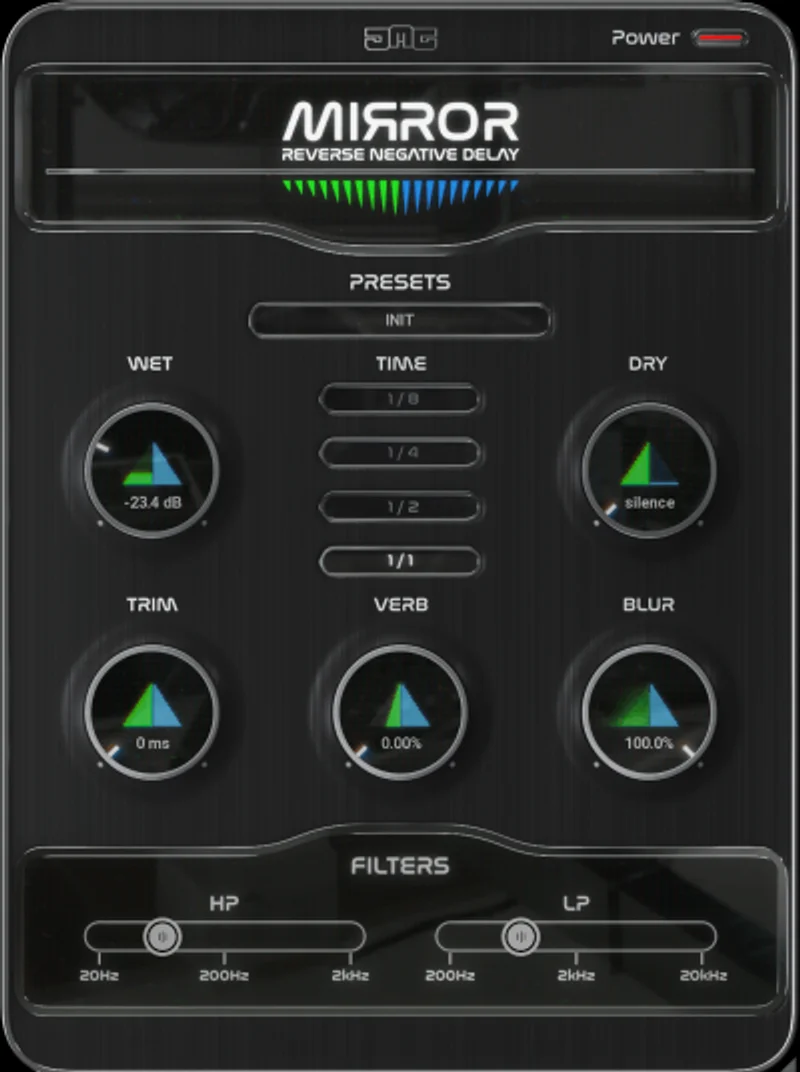
There’s a mix knob, a time control, and basic output level. That’s close to it. Compare that to manually reversing a clip in your DAW, which lets you apply EQ, pitch-shift, or distortion to the reversed segment before it plays back. Mirror skips all of that in favor of speed.
For producers who live in delay plugin workflows, the lack of tone-shaping on the reversed signal is a real limitation. If your reverse tail sounds too bright or too washy against the mix, you’re reaching for an EQ after Mirror in the chain. That adds steps the plugin was designed to eliminate.
The price absorbs a lot of these complaints. You’re paying for a workflow shortcut, not a swiss-army effect unit. Just be honest with yourself about which one you need.
How It Stacks Up Against What Else Is Out There
The main competitor in the reverse-delay space is doing it manually in your DAW. Clip reversal in Ableton, Logic, or Pro Tools costs nothing and gives you complete control. Mirror beats that on speed alone.
Among actual plugins, Halo Delay by Antelope Audio handles reverse delay as one mode inside a larger, fuller-featured delay unit. If you want reverse delay plus ping-pong, tape flutter, and filtering in one plugin, Halo Delay is the better buy. It costs more, but it replaces several tools at once.
Valhalla Delay also includes a reverse mode. It gives you far more sound-shaping options and handles live monitoring without the buffer headaches. If you’re going to use reverse delay regularly across multiple track types, Valhalla wins. Mirror wins if you’re specifically on a budget and mostly treating snare and percussion hits on finished recordings.
Neither is the wrong choice. They’re just different scope.
The Real Verdict
We’d buy Mirror without much debate if reverse pre-delay is a sound we reach for regularly. It delivers that effect cleanly, quickly, and with minimal setup on pre-recorded tracks.
We wouldn’t buy it as our only delay tool. The single-function design and DAW compatibility quirks in Logic and Bitwig make it a specialist plugin, not a workhorse. If you’re a Logic-first producer, budget an extra fifteen minutes to sort the buffer settings before it works right.
Skip it if you need live monitoring or real-time performance use. That’s not a bug. It’s just not what this plugin does.
Score Breakdown
| Category | Score | Notes |
|---|---|---|
| Sound Quality | 3.8/5 | Clean reverse tails, but no tone-shaping on the reversed signal limits character |
| Value for Money | 4.5/5 | A focused, working effect at this price is hard to argue with. |
| Ease of Use | 4.0/5 | Simple UI, but Logic and Bitwig users need manual buffer fixes to avoid phasing |
| Features | 2.8/5 | One effect, minimal controls, no modulation or filter on the reversed path |
| CPU Efficiency | 4.5/5 | Barely registers on any system we tested |
| Overall | 3.8/5 | Clever single-purpose tool that earns its price but won't replace a full delay plugin |
Alternatives to Consider
If Mirror’s limitations frustrate you, here are three plugins worth looking at instead.
Valhalla Delay (check manufacturer’s site for current pricing) includes a reverse delay mode with full tone controls, filter, and modulation. It also handles live monitoring correctly in every major DAW without buffer workarounds. Our first recommendation if you use reverse delay regularly.
Halo Delay by Antelope Audio covers reverse delay as one mode inside a deep, multi-algorithm delay unit. Read our full breakdown in the Halo Delay review if you want the detailed comparison. It costs more, but it replaces multiple tools.
Your DAW’s built-in clip reversal costs nothing. It takes two minutes and gives you full control over what you apply to the reversed audio before it hits the mix. If you do this rarely, skip Mirror and flip clips manually. If you do it constantly, Mirror pays for itself in saved time within a week.
For a broader look at where reverse delay fits into a full signal chain, check our complete delay plugins guide for context on building depth and space across a whole mix.
Mirror is a one-trick plugin that does its trick reliably. At this price, the trick is worth learning.
Frequently Asked Questions
Can Mirror be used on live input or during real-time recording?
No. Mirror only works on pre-recorded audio. It needs a complete audio buffer to reverse and time against the original signal. Inserting it on a live microphone input or a live virtual instrument track will not produce the reverse effect. Record the track first, then apply Mirror on playback.
Why does Mirror cause phasing in Logic Pro and Bitwig?
Both DAWs handle plugin latency compensation differently from Pro Tools and Ableton. Mirror's reverse buffer introduces a reporting delay that Logic and Bitwig don't always resolve automatically. The fix is to reduce your I/O buffer size in the DAW's audio settings before using Mirror. A buffer size of 256 samples or lower usually resolves the phasing. It's a known limitation and not a plugin defect.
What sample rates does Mirror support?
Mirror supports sample rates up to 192 kHz with 64-bit internal processing. It should run cleanly at 44.1, 48, 88.2, 96, and 192 kHz sessions without any additional configuration. Most producers running at 48 kHz for post or 44.1 kHz for music won't encounter any issues.
Is the sale price the permanent price, or does it go back up?
The price was listed as a limited-time sale through United Plugins, with a stated expiry date of May 3, 2026. After that date, the price may increase. Check the United Plugins site directly for the current price before purchasing. We'd still consider it a reasonable buy at a higher price point given the niche it fills.