Is VibratoTremolo worth $10 for adding wobble to loops, chords and melodies? Probably yes if you make LoFi beats and want motion fast. It’s a harder sell if you need precise, tempo-locked modulation.
Thenatan Audio’s plugin combines vibrato and tremolo in one effect. It’s part of the X-Plugins Bundle, and the developer pitches it at everything from LoFi beats to cinematic soundscapes.
This is a source-based review, not a hands-on one. It’s built from the product page, the developer’s feature list and general knowledge of how vibrato and tremolo work. Anything that can’t be verified yet is marked as such. Third-party reviewers’ observations are attributed to them.
What Is VibratoTremolo For, Really?
Think of a dusty sample loop. A Rhodes chord, a vinyl-crackle bed, a muted guitar phrase.
It sounds fine but static. VibratoTremolo exists to make that loop breathe.
Vibrato wobbles pitch. Tremolo wobbles volume. They’re different effects with different jobs, and the plugin puts both behind one window.
The developer describes “silky or jagged modulation options.” That’s the whole pitch: smooth motion or choppy motion, depending on what the track needs.
Who Is This Plugin Actually Built For?
Beat-makers, mostly.
If you build LoFi, chillhop or ambient loops and your samples feel too stiff, this is the problem it targets. The developer also lists cinematic soundscapes and “all music genres.”
That last claim is broad. Every modulation plugin says it. Treat it as marketing, not a feature.
The honest fit is producers who want an obvious, characterful wobble without learning a deep modulation engine. If you want surgical control, this isn’t that.
What Does VibratoTremolo Actually Do?
It modulates your signal in two ways, and you choose how much of the effect you hear.
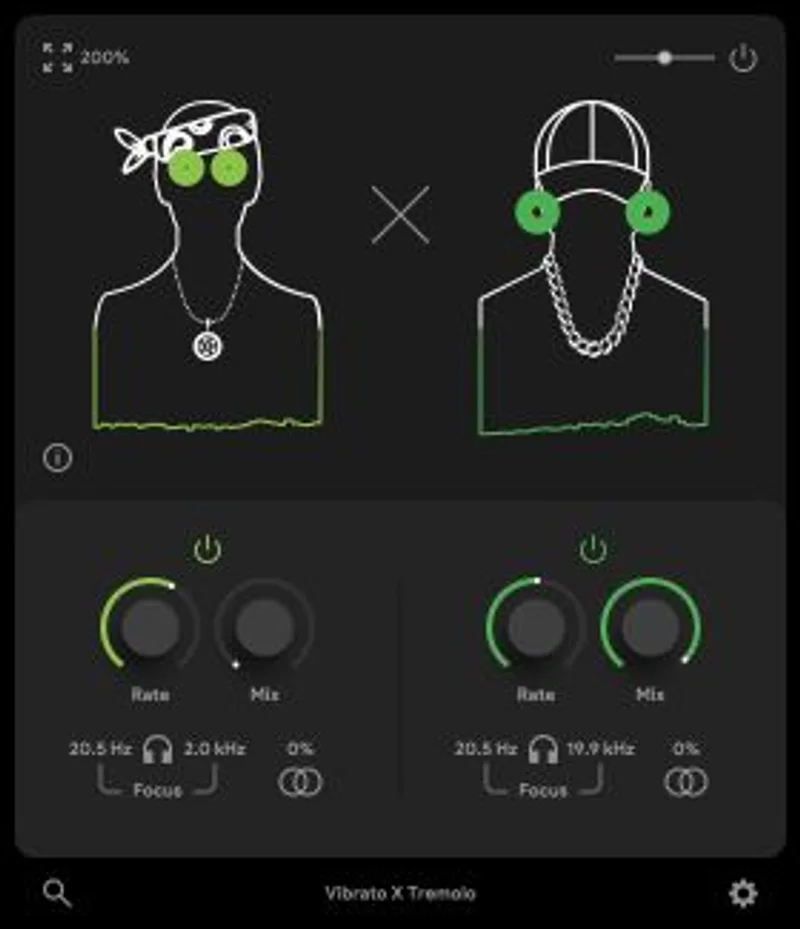
The documented control set is short. A Mix control sets how much of the modulated signal blends with the dry one. A Rate control sets how fast the modulation cycles.
That’s what the product page confirms. One reviewer-reported detail goes further: depth, speed, wave shape and make-up gain controls. Treat that as the reviewer’s account, not something we’ve confirmed against the developer’s own listing.
We like short control lists when the effect is simple. We’re sceptical when a plugin sells “precise modulation” with two knobs.
Vibrato: the pitch wobble
Vibrato is a periodic pitch shift. Done gently, it fakes the slight instability of tape or a vintage chorus-vibrato circuit.
On a loop, it adds that seasick, nostalgic lean. Slow rates feel like warped tape. Faster rates start to sound like a deliberate effect.
The developer calls the vibrato “smooth.” That suggests a sine-like waveform, which is the right choice for believable pitch movement.
Tremolo: the volume wobble
Tremolo modulates amplitude. Think surf guitar, vintage amp tremolo, the pulsing Rhodes on a hundred old records.
The developer calls the tremolo “expressive” and mentions “jagged” options. Jagged usually means a square or sharp-edged shape, which chops the signal on and off.
That’s useful for rhythmic stutter effects. It’s also where reviewers raise a complaint. One tested score put rhythmic control at 5.5 out of 10, which lines up with the idea that the plugin leans on character over precision.
Mix and Rate: the two documented controls
Mix is your safety net. Keep it low and you get subtle motion that lives under the dry signal.
Push it up and the wobble takes over. For LoFi work, somewhere in the middle is usually where the charm lives.
Rate is the other half. Slow rates read as drifting, tape-style instability. Faster rates read as obvious tremolo.
We can’t tell you what the rate range is. The product page doesn’t state it. Whether the rate syncs to host tempo is also not documented in the material we reviewed.
How Would You Set It Up on a Loop?
Here’s the workflow we’d try first. It’s based on how these effects generally behave, not on a verified session.
- Drop it on a sample bus or a single melodic track, not the full mix.
- Start with Mix low, around a quarter turn.
- Set Rate slow and listen for the loop to start drifting.
- Raise Mix until the wobble is noticeable, then back off slightly.
- Bypass and compare. If the dry loop sounds better, you've overdone it.
The bypass check matters more than anything else here. Modulation effects fool your ears fast.
Does It Work Across Genres?
The developer says yes. We’d narrow that.
LoFi and chillhop are the obvious home. Ambient pads and soundtrack textures are a reasonable second use.
Faster, tighter genres are a harder case. If your drums and bass need tempo-locked tremolo, a plugin without confirmed tempo sync is a gamble. We can’t verify sync from the source material.
That’s the honest caveat for anyone producing dance music or anything grid-strict.
The honest caveat: what we can't verify yet
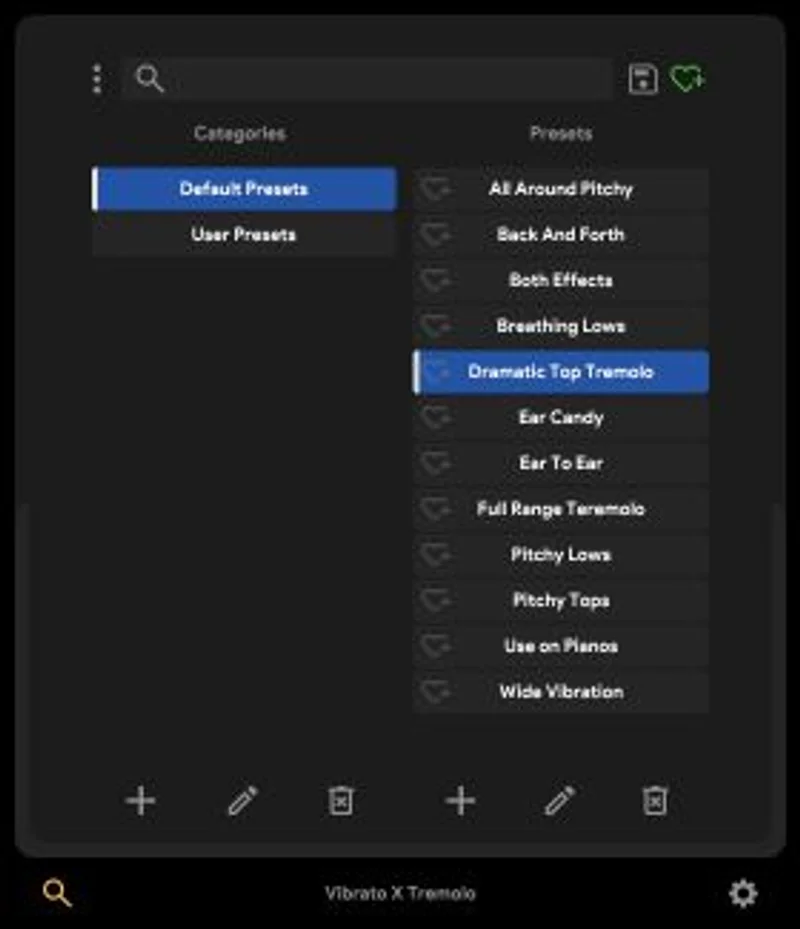
The product page gives no CPU figures, no latency numbers and no preset count. It doesn’t say whether there’s a trial.
A reviewer-reported lo-fi character score of 6.5 out of 10 and an analog character score of 6.5 point to a decent but not standout vintage feel. That’s the reviewer’s number, not ours.
We’d want to hear it on a real session before calling it convincing.
What About the Coarse Controls Complaint?
This is the recurring criticism. Reviewers report limited fine adjustment and a messy workflow.
Here’s what that means in practice. With a short knob list, small moves can produce big sonic jumps. You can’t always land on the exact amount of wobble you hear in your head.
A few workarounds help, and they apply to any coarse modulation plugin:
- Use your DAW's automation lane to nudge Mix in small steps.
- Duplicate the track and blend the wet copy under the dry one.
- Follow it with an EQ to tame any harsh edges the jagged shapes add.
- Print the wobble to audio and trim or time-shift it by hand.
None of that is ideal. Frustrating, but fixable.
Specs and Requirements
| Spec | Detail |
|---|---|
| Developer | Thenatan Audio |
| Price | $10 |
| Plugin Format | VST3 / AU (per reviewer reports; AAX not confirmed) |
| OS Support | Mac / Windows (not confirmed on the product page) |
| Activation | N/A (not stated) |
| CPU Usage | N/A (no figures published; two-effect modulation plugins are typically light) |
| Trial Available | N/A (not stated in the material reviewed) |
| Version Reviewed | N/A (not stated) |
Where VibratoTremolo Wins
Speed. Two effects, two core controls, one window.
For a beat-maker who wants motion on a loop in under a minute, that’s the entire appeal. No menus, no modulation matrix.
It also covers a real gap for people who only own a basic chorus. A dedicated vibrato and tremolo pair is more flexible than a one-trick effect.
And it’s cheap. The developer positions it as a bundle component, which keeps the risk of buying low.
Where It Falls Short
Control resolution comes first. Reviewers report coarse adjustment, and two documented knobs leave little room for fine work.
The UI is the second complaint. Reviewers call it messy.
Then there’s everything we can’t confirm: tempo sync, CPU load, latency, presets, trial availability. A product page that skips all of that makes a careful buyer nervous.
If you need tempo-locked tremolo, rhythmic precision or deep waveform shaping, look elsewhere.
How Does VibratoTremolo Compare?
It isn’t the first of its kind, and it doesn’t pretend to be. Vibrato and tremolo effects have existed in hardware for decades.
Hardware pedals like the Electro-Harmonix Wiggler and Marshall VT-1 VibraTrem offer tactile control and real analogue behaviour. They cost far more than a plugin and aren’t recallable in a session.
On the software side, MeldaProduction’s MVibratoMB splits modulation across frequency bands, which is a different level of depth. See our MVibratoMB review for that comparison.
Sinevibes’ Duality runs two vibrato engines and goes far beyond a simple pair of controls. Our Duality review covers where that extra depth pays off.
Antelope Audio’s Adaptive Vibrato takes a different, performance-aware approach aimed at guitar. We covered it in our Adaptive Vibrato review.
VibratoTremolo sits below all of those in depth. The trade is simplicity and a low barrier to entry.
Also consider the free option: many DAWs ship a native tremolo and chorus-vibrato. If you already own those, the question is whether the character here justifies a purchase. Our vibrato plugins guide explains how plugins compare to real hardware.
Pricing and Value
The plugin costs $10. That’s cheap for an effect with this focus.
Value depends entirely on whether the wobble suits your music. If you make LoFi loops weekly, it earns its slot. If you’d use it once a year, it won’t.
The lack of a confirmed trial is the sticking point. We’d always rather audition a modulation effect on our own samples first.
Who Should Buy This
- ✅ Buy if you build LoFi, chillhop or ambient loops and want quick, characterful motion.
- ✅ Buy if you want vibrato and tremolo in one inexpensive window.
- ✅ Buy if you already like the X-Plugins Bundle approach and want another tool in it.
- ❌ Skip if you need tempo-locked, rhythmically precise tremolo.
- ❌ Skip if you want fine control over waveform shape and depth.
- ❌ Skip if you can't confirm a trial and hate buying blind.
Score Breakdown
These scores rest on the documented feature set and published reviewer figures. We’ll revisit them after longer use.
| Category | Score | Notes |
|---|---|---|
| Sound Quality | 3.5/5 | Reviewer lo-fi and analog scores sit mid-range; character over polish |
| Value for Money | 4.0/5 | Low entry cost for a dual-effect plugin |
| Ease of Use | 3.0/5 | Few controls, but reviewers report a messy UI and coarse adjustment |
| Features | 2.5/5 | Two documented controls, no confirmed sync or presets |
| CPU Efficiency | 3.5/5 | Unverified; simple modulation is usually light |
| Overall | 3.4/5 | Fast, cheap wobble for LoFi work; limited precision and unverified specs |
Alternatives to Consider
MVibratoMB. If you want multiband modulation and far finer control, start here. It costs more and asks more of you. MVibratoMB review
Duality. A dual-engine design for producers who outgrow a simple vibrato. The depth is the point. Duality review
Adaptive Vibrato. A different idea, aimed at guitar and performance-style modulation. Worth a look if your source material is live-played. Adaptive Vibrato review
For the bigger picture on plugin versus hardware behaviour, read our vibrato plugins guide.
The Verdict on VibratoTremolo
It depends, and the split is honest.
If you want quick, cheap wobble on LoFi loops, VibratoTremolo is a reasonable pick at $10. It does one job, and the job is simple.
If you need precision, it’s the wrong tool. Two documented controls and reported coarse adjustment won’t give you surgical results.
We’d still want to see tempo sync, CPU figures and a trial confirmed before recommending it without hesitation.
Cheap wobble, coarse hands. Know which you need.
Frequently Asked Questions
What is VibratoTremolo?
It's a modulation plugin by Thenatan Audio that combines vibrato (pitch wobble) and tremolo (volume wobble). It's part of the X-Plugins Bundle and targets LoFi, ambient and cinematic work.
What controls does VibratoTremolo have?
The product page documents Mix and Rate controls. One reviewer also reports depth, wave shape and make-up gain, but we couldn't confirm that from the developer's own listing.
Is VibratoTremolo good for LoFi beats?
That's its strongest use case. The developer pitches it for subtle motion on LoFi beats, and the wobble character suits loops, chords and melodies.
Does VibratoTremolo sync to tempo?
The material we reviewed doesn't say. If tempo-locked tremolo matters to you, check before buying or use a plugin with confirmed sync.
How much CPU does VibratoTremolo use?
No CPU figures are published. Simple two-effect modulation plugins are usually light, but we can't verify that for this one.
Is there a free trial for VibratoTremolo?
A trial isn't mentioned in the material we reviewed. Check the product page before buying.
Is VibratoTremolo worth it compared to a stock DAW tremolo?
It depends on whether you want its specific wobble character. If your DAW's native tremolo and chorus already do the job, the upgrade is a question of taste, not necessity.