Is MVibratoMB worth $43 when a vibrato is just a pitch wobble? Only if you need more than a wobble, and for organs, guitars and layered pads that need different movement per frequency range, it can justify the cost.
If you want one clean vibrato on a lead vocal, it’s a harder sell.
MVibratoMB is a multiband vibrato from MeldaProduction. It splits your signal into up to six bands, runs a separate oscillator on each, and adds a rotary speaker simulation on top. That is a lot of machinery for something most people think of as a single knob.
This is a source-based review, not a hands-on one. It is built from the product page, the developer’s published feature list and general production knowledge. Anything that can’t be verified from that material is marked as such. The plugin is available now in VST, VST3, AU and AAX formats.
Who is it for? The producer who has outgrown the simple vibrato in their DAW. You want the top of an organ to shimmer while the bass stays rock-steady. You want a guitar pad that drifts in three directions at once. Or you want a rotary effect without loading a full organ emulation.
Does a Multiband Vibrato Actually Solve a Real Problem?
Yes, and the problem is smearing. A standard vibrato modulates pitch across the whole signal. Run a full mix bus or a layered keyboard through one and the low end wobbles along with the highs.
That sounds seasick, not musical.
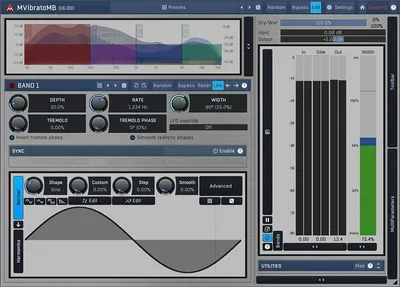
MVibratoMB splits the signal first. According to the developer, you get 1 to 6 independent bands built on three crossover algorithms: analog, linear-phase and hybrid. Each band has adjustable limits and input gain, plus peak meters on every band and the master.
The idea is simple. Leave the lows alone. Modulate the mids slowly. Let the highs flutter faster. You get movement without losing the foundation.
We like this concept a lot. It’s the same logic that makes multiband compression useful, applied to pitch modulation.
What You See When You Open It: The Dual Interface
MeldaProduction plugins have a reputation for being dense. MVibratoMB tries to soften that with two interfaces.
Simple mode
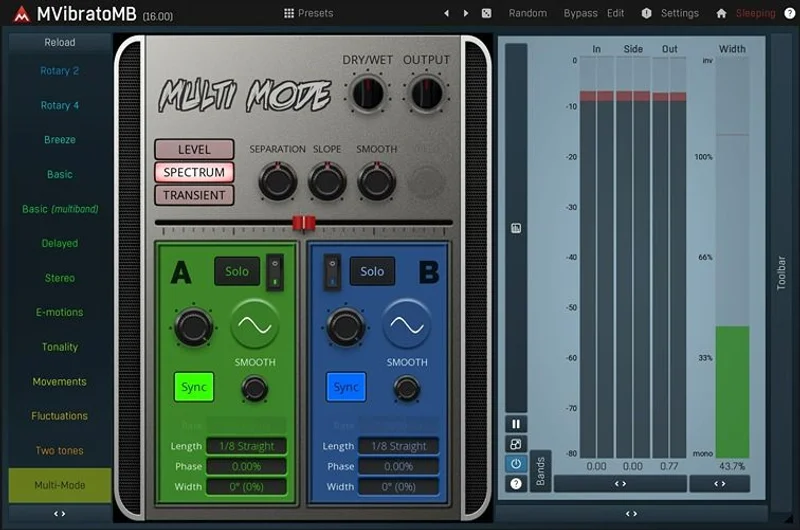
The default view has several predefined modes and a handful of knobs. The developer says you can start without any knowledge: choose what you want, turn a few controls, done.
This is the right call. Most people opening a vibrato plugin want a sound, not a modulation matrix.
Advanced mode
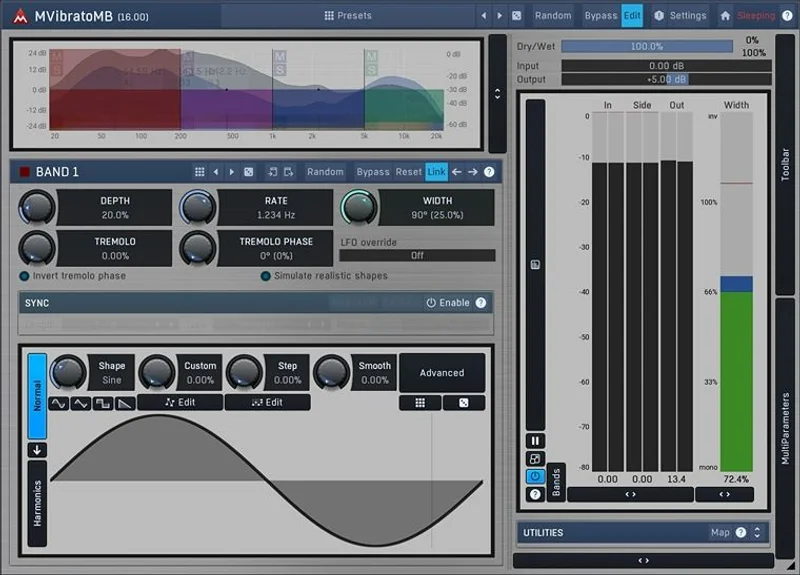
Flip to advanced and everything opens up. Every oscillator, modulator, band and routing option is exposed.
That’s where the real power lives. It’s also where beginners will get lost.
The plugin uses MeldaProduction’s standard GUI. The developer says it supports resizing, styling, textual value editing and near-unlimited zoom on visualisations. Those are the house traits of the whole range.
If you’ve used another MeldaProduction plugin, you’ll feel at home. If you haven’t, expect an adjustment period.
How Does the Multiband Engine Work?
Think of it as up to six vibratos sharing one plugin window.
Each band gets its own oscillator and its own settings. You set the crossover points, then decide how much each slice moves.
The three crossover types
The developer lists three algorithms:
- Analog: classic filter-style splitting, with the phase shift that implies.
- Linear-phase: keeps phase aligned across bands, at the cost of added latency. That is general behaviour of linear-phase filters, not a published figure for this plugin.
- Hybrid: a blend of the two approaches.
The developer calls all three “perfectly transparent”. We’d treat that as marketing until we’ve heard the null test ourselves.
Still, having three options is useful. On a drum bus you’d want linear-phase to protect transients. On a synth pad, analog is fine and cheaper in latency.
Why input gain per band matters
Each band has its own input gain. That lets you push one band harder into the modulation or pull a band back without touching the others.
It’s a small feature that saves a lot of fiddling.
Oscillator Shapes: Where It Goes Beyond a Sine Wave
Most vibratos give you a handful of LFO shapes. Sine, triangle, maybe a square.
MVibratoMB doesn’t stop there. Every oscillator is defined by a mix of predefined shapes, custom waveforms drawn with the MeldaProduction Envelope System (MES), a step sequencer, and several methods of algorithmic post-processing.
In plain terms: you can draw the wobble.
What that means in practice
A sine vibrato sounds mechanical. Real vibrato, from a violinist or a singer, speeds up, slows down and drifts. A drawn or sequenced shape gets closer to that.
You can also go the other direction. A stepped shape gives you a rhythmic, almost sample-and-hold pitch pattern. That’s a sound-design tool, not a realism tool.
The developer calls this “the most advanced approach for defining oscillator shapes”. That’s a big claim, and we’d soften it. It is a deep system. Whether it’s the most advanced anywhere is not something we can verify.
Tempo sync
Every oscillator and modulator can sync to host tempo. The developer says this gives a natural sound without clashing with other tracks.
For rhythmic vibrato locked to the grid, that’s essential. For free-running realism, you’ll probably turn sync off.
The Four Global Modulators
Here’s the part that separates MVibratoMB from a basic multiband tool.
You get up to four global modulators per instance. The developer says they can modulate any set of parameters, including other modulators.
That last bit matters. A modulator controlling another modulator is how you build slow, evolving movement that never repeats exactly.
What each modulator can be
According to the developer, each one can work as:
- An LFO
- An envelope follower
- A MIDI or audio-triggered ADSR envelope
- A pitch detector
- Or a combination of these
An envelope follower is the interesting one. Your vibrato depth can respond to how loud the incoming signal is. Play harder, get more wobble. Play softly, get less.
That’s expressive in a way a fixed LFO never is.
The pitch detector option suggests modulation that reacts to the note being played. We’d want to test how reliable it is on polyphonic material before leaning on it. The material reviewed gives no accuracy figures.
The catch
Power has a price. A modulation system this open means a lot of routing decisions. Without a clear plan you can spend an hour building something that a simple vibrato would have done in ten seconds.
That’s frustrating if you only wanted a quick fix.
The Rotary Speaker Simulation
The developer is “especially proud” of the rotary simulation, and the marketing leans on it hard.
A rotary speaker (a Leslie) spins horns and drums to create pitch and amplitude modulation plus Doppler shift. Organs and some guitars sound great through one.
How MVibratoMB handles it
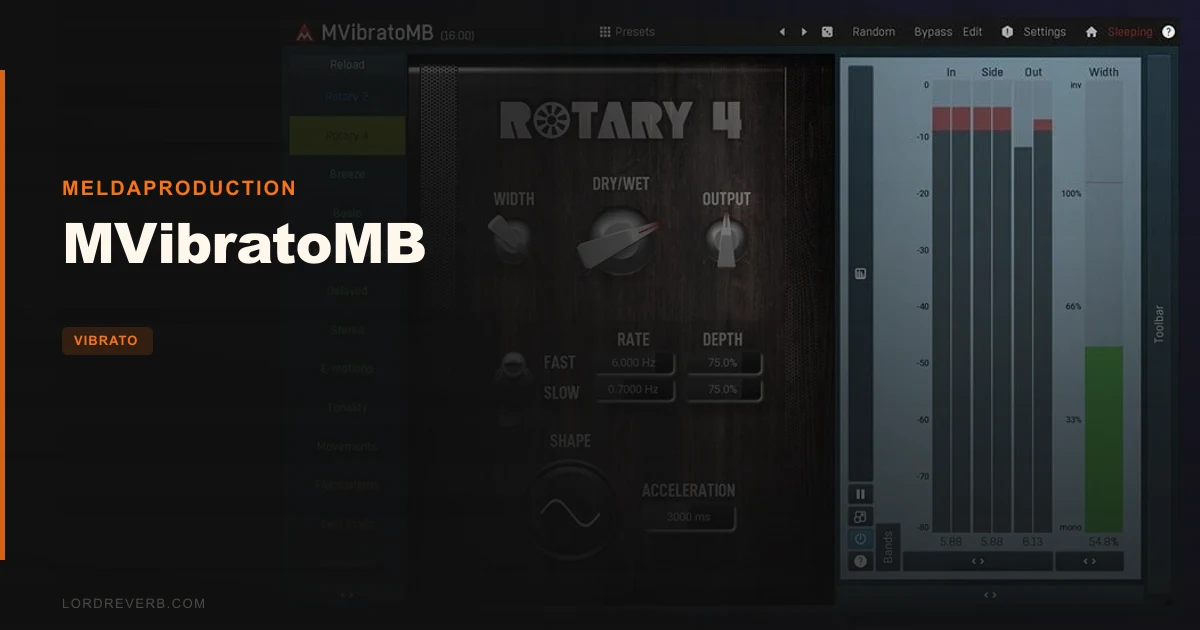
The plugin offers rotary simulation as part of its vibrato and modulation toolkit. The multiband design is a natural fit. In a real Leslie, the horn handles highs and the drum handles lows, and they spin at different speeds.
Splitting bands and giving each its own oscillator mirrors that behaviour.
What we're sceptical about
This is a vibrato plugin with a rotary mode, not a dedicated Leslie emulator.
Dedicated rotary plugins model cabinet resonance, mic placement, speaker break-up and the speed-change ramp between “chorale” and “tremolo”. The material we reviewed doesn’t document those details for MVibratoMB.
So treat the rotary sim as a strong feature of a versatile tool, not a replacement for a purpose-built organ-cab plugin. If rotary is your only goal, check demos first.
Audio Quality: Upsampling and Interpolation
Pitch modulation is hard on audio. Shift pitch badly and you get aliasing: harsh, inharmonic junk above the original signal.
MVibratoMB tackles this two ways, per the developer.
Adjustable upsampling, 1x to 16x
The plugin can oversample from 1x up to 16x to reduce aliasing. Higher settings give a cleaner top end.
They also cost CPU. We have no measured CPU figures for this plugin, so we can’t say how heavy 16x gets. As a general rule, 16x on six bands will be expensive. Use it at the bounce stage, not while tracking.
Sync interpolation
The developer also lists sync interpolation as part of its quality approach. This relates to how the modulated delay is read, which affects how smooth pitch shifts sound.
The product page calls the audio quality “the best available”. That’s a marketing line. We can’t confirm it without a direct comparison, and we’d be wary of any plugin claiming it.
What we can say: the technical approach is sound. Oversampling plus careful interpolation is how you do this properly.
Surround Support: Up to 8 Channels
Most vibrato plugins stop at stereo. MVibratoMB handles mono, stereo and up to 8 channels of surround audio, according to the developer.
For most music producers that’s irrelevant. For film, game and immersive-audio work, it’s genuinely useful.
If you’re mixing in stereo, ignore this line. If you’re doing 7.1 sound design, it could be the deciding feature.
Randomisation and Preset Management
The randomise button
One click generates completely new settings. The developer says there are billions of possible settings to walk through.
Hold Ctrl and it only nudges your existing settings slightly. That’s the more useful mode. Full randomisation on a six-band, four-modulator plugin will mostly produce chaos.
But as a sound-design tool, it’s a fast way to find happy accidents.
Global presets and online exchange
Presets save globally on your computer, so you can reach them from any project. The plugin can also share and download user presets from MeldaProduction’s servers, if you enable that.
Preset library depth is a gap in the material reviewed. We don’t know how many factory presets ship. Check before buying if starting points matter to you.
Workflow Features That Help
A few smaller things add up.
- MIDI learn: map any parameter to a controller or keyboard, then play or record it.
- Full automation: every parameter is automatable.
- Per-band metering: you can see what each slice is doing.
- SSE and SSE2 optimisation: the developer says the plugin is built for speed on those processors.
MIDI learn is great for live use. Map vibrato depth to a mod wheel and play it like an instrument.
A Quick Start That Gets You a Usable Sound
Here’s how we’d approach a first session, based on the documented feature set:
- Load MVibratoMB on an organ or guitar track in simple mode.
- Pick a predefined mode and listen. Don't touch anything else yet.
- Adjust the few main knobs until the movement suits the part.
- If you need frequency-specific movement, switch to advanced mode.
- Set two bands: lows steady, highs moving.
- Raise upsampling only when you bounce.
That path avoids the worst of the learning curve. You get results first, then dig deeper when you need to.
Specs and Requirements
| Developer | MeldaProduction |
| Price | $43 |
| Plugin Format | VST / VST3 / AU / AAX |
| OS Support | Windows 8/10/11 (64-bit), macOS 10.14+ (Intel and Apple Silicon native) |
| Activation | N/A (not stated in the material reviewed) |
| CPU Usage | N/A (no figures published; upsampling up to 16x will raise load) |
| Trial Available | N/A (not stated in the material reviewed) |
| Version Reviewed | N/A (current listing) |
Where MVibratoMB Wins
The multiband approach is the headline, and it earns it. Per-band modulation fixes the oldest problem with vibrato: the whole signal wobbling together.
The oscillator system is the second win. Drawn shapes, step sequencing and post-processing give you control that fixed-LFO plugins can’t match.
The modulation matrix is the third. Four modulators that can modulate each other turn a vibrato into a small sound-design instrument.
And the dual interface is smart. A newcomer can get a sound in a minute. A power user can dive as deep as they like.
That’s rare, and we respect it.
Where It Falls Short
Start with the learning curve. Advanced mode exposes a huge amount, and MeldaProduction’s interface style isn’t known for being gentle. Expect to read the manual.
Next, the rotary sim. It’s a feature, not a specialty. If you want convincing Leslie behaviour with cabinet modelling, the material reviewed doesn’t show that MVibratoMB offers it.
Third, the unknowns. We don’t have published CPU numbers, a factory preset count, or trial details. We can’t verify the “best audio quality available” claim either.
That’s a lot of “check before you buy”. We’d rather say so than pretend.
Who should look elsewhere? Anyone who wants one simple vibrato and nothing else. You’d be paying for six bands and four modulators you’ll never touch.
How MVibratoMB Compares
The closest relative is MeldaProduction’s own free MVibrato. It covers the basics of vibrato without the multiband engine. If you only need a single vibrato, start there.
For dedicated rotary work, plugins built purely as Leslie emulators will likely model cabinet and mic behaviour more fully. That’s an assumption from how that category works, not a tested comparison.
Elsewhere on this site, we’ve covered other takes on pitch modulation. See our Duality review for a dual-engine approach, and our Adaptive Vibrato review for a guitar-focused tool.
MVibratoMB may not be the first multiband vibrato ever made. It is among the more complete ones in terms of modulation depth, going by the documented feature list.
Pricing and Value
The price is $43. For what the feature list covers, that’s reasonable.
You’re getting six bands, three crossover types, four modulators, custom oscillators, rotary simulation and surround support in one plugin. Buying separate tools for each would cost more.
The value case depends on use. If you’ll use the multiband and modulation features, it’s good value. If you’ll only use simple mode, you’re overpaying for depth you won’t touch.
Who Should Buy This
- ✅ Buy if you want different vibrato speeds and depths across frequency ranges.
- ✅ Buy if you work with organs, guitars or pads and want rotary-style movement.
- ✅ Buy if you enjoy deep sound design and modulation routing.
- ✅ Buy if you do surround or immersive audio work.
- ❌ Skip if you only need one basic vibrato. The free MVibrato may do.
- ❌ Skip if you want a full Leslie emulation with cabinet and mic modelling.
- ❌ Skip if you hate reading manuals or learning dense interfaces.
Score Breakdown
These scores rest on the documented feature set and the developer’s published claims. We’ll revisit them after longer hands-on use.
| Category | Score | Notes |
|---|---|---|
| Sound Quality | 3.5/5 | Strong technical approach, but "best available" is unverified |
| Value for Money | 3.5/5 | Good if you use the depth, wasted if you don't |
| Ease of Use | 3.0/5 | Simple mode helps, advanced mode is dense |
| Features | 4.0/5 | Multiband, modulators, oscillators, surround |
| CPU Efficiency | 3.0/5 | No data published; 16x upsampling will be costly |
| Overall | 3.5/5 | Deep and capable, with unverified claims and a learning curve |
Alternatives to Consider
MeldaProduction MVibrato. The free single-band sibling. If you only need classic vibrato, it’s the obvious first stop. See our vibrato plugins guide for how the category sounds against real hardware.
Sinevibes Duality. A different design with two engines. Read our Duality review to see whether that approach suits you better.
Antelope Audio Adaptive Vibrato. Aimed at guitar. Our Adaptive Vibrato review covers who it fits.
The Verdict on MVibratoMB
MVibratoMB is a capable, deep multiband vibrato with a smart two-tier interface. The multiband engine and modulation system are its real strengths.
It is not a no-brainer. The rotary sim is a feature, not a specialty. The learning curve is real. And several claims, from CPU load to “best audio quality”, can’t be verified from the material we reviewed.
Buy it if you want frequency-specific movement and you’ll enjoy the depth. Skip it if you want one quick vibrato or a full Leslie emulation.
What we still want confirmed: real CPU numbers at 8x and 16x, how many factory presets ship, and whether a trial is offered. Until then, it’s a good plugin with homework attached.
Frequently Asked Questions
What is MVibratoMB?
MVibratoMB is a multiband vibrato plugin from MeldaProduction. It splits audio into up to six bands and modulates each one independently. It also includes rotary speaker simulation and four global modulators.
Is MVibratoMB good for organ and guitar?
The developer positions it for both, and the multiband design suits the layered movement those instruments need. For a convincing Leslie sound with cabinet modelling, a dedicated rotary plugin may do more. Check demos for your own use case.
What formats and systems does MVibratoMB support?
It supports VST, VST3, AU and AAX. On Windows it needs Windows 8, 10 or 11 (64-bit). On macOS it needs 10.14 or newer, with native Apple Silicon support.
Does MVibratoMB support surround sound?
Yes. The developer says it handles mono, stereo and up to 8 channels of surround audio. That makes it usable for film and game audio work.
How much CPU does MVibratoMB use?
No CPU figures were published in the material we reviewed. Upsampling up to 16x will raise the load, so keep it low while tracking and raise it when you bounce.
Is there a free alternative to MVibratoMB?
MeldaProduction offers a free single-band MVibrato. It covers basic vibrato without the multiband engine, extra modulators or rotary features. It's a sensible starting point if your needs are simple.
Is MVibratoMB hard to learn?
Simple mode is easy, with preset modes and a few knobs. Advanced mode exposes six bands, four modulators and custom oscillators, which takes time to learn. Plan to read the manual if you go deep.