Getting brass to sit in a trap or hip-hop mix without sounding like a stock loop from 2014 is genuinely one of the more frustrating micro-problems in modern beat-making. You either pay session players, dig through sample packs hunting for the right stab, or spend an hour layering mediocre patches in Kontakt. Thenatan Audio's Brass ($79.50) exists to solve exactly that: a purpose-built, multi-layered brass virtual instrument aimed squarely at producers who need thick, punchy horn stabs they can play live and dial in fast. It's for beat-makers, not film composers. Know that going in.
The Problem This Solves
Full orchestral brass libraries are built for concert-hall realism. That's the wrong tool when you're trying to cut through a 808-heavy mix at 140BPM.
The stab you need is wide in the low-mids, hits hard in the 2–4kHz presence zone, and decays fast enough not to clash with your snare. Libraries like Native Instruments Symphony Essentials give you beautiful ensemble writing, but they are frustrating when all you want is a two-bar Pete Rock-style trumpet hook.
Brass from Thenatan sits in the gap between "sample pack roulette" and "full orchestral commitment." It's purpose-built for urban production styles where the brass line is a percussive element, not a melody instrument. That narrow brief is both its strength and its ceiling.
How It Performs
We loaded Brass into Ableton Live 12 on an M2 MacBook Pro. CPU draw at idle: negligible. The 100MB sample library loads fast, and the interface is immediately legible. No manual needed.
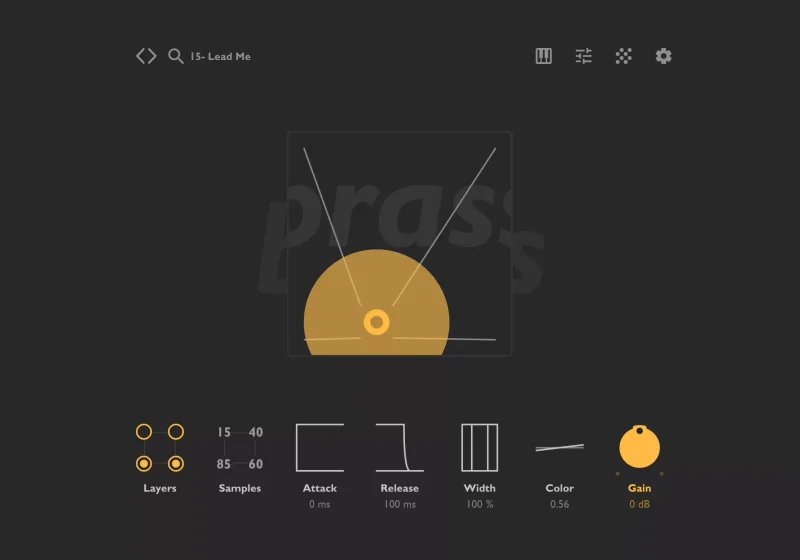
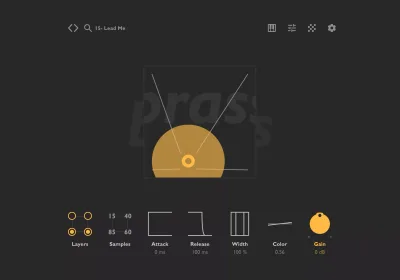
The core engine runs 4 simultaneous samplers. You drag the XY circle to blend between them, which sounds clever on paper. In practice, we pulled a trombone layer hard left on the XY, blended a trumpet hit into the upper-right quadrant, added a brass ensemble sustain at low level, and got a stab that hit around 200Hz with weight, bit into the 3kHz range with presence, and decayed cleanly in about 0.4 seconds. That stab sat over a boom-bap drum bus without a fight.
We then tried something slower. An exposed trumpet melody at 72BPM, single notes, pp velocity. This is where Brass shows its limits. The samples don't breathe at slower attacks. You hear the loop points. A real trumpet passage with any dynamic shaping sounds unconvincing because the velocity layers don't transition smoothly below around 60% MIDI velocity.
For fast, high-velocity stabs and chordal hits? Satisfying. For melodic solos with nuance? Look elsewhere.
The built-in effects chain is more complete than we expected: Drive, Delay, Reverb, 3-band EQ, NY Compressor, BitCrusher, Panner, LP/HP filters, Tremolo, Stereo Widener. That's a full signal chain inside the plugin. We ran the drive at around 30%, pushed the HP filter up to 120Hz to thin the low-end mud, and added 1.2 seconds of short reverb. The stab locked into the mix without additional processing on the insert strip. That's clever design.
Strengths and Weaknesses
The layering engine is genuinely the best thing here. Blending 4 sampler slots with an XY pad rewards experimentation. We found 3 presets we'd never have designed deliberately by dragging the circle around for two minutes. That's satisfying in a way that preset scrolling never is.
The 85 factory presets are well-labelled and cover the expected ground: Rick Ross-style sustained chords, sinister low-end trombone stabs, bright trumpet hooks. Most are production-ready at 100% MIDI velocity.
The weaknesses are real though. No AAX means Pro Tools studios are out. Annoying. That's not a niche omission in 2026. Second, the XY pad sample browsing feels random because the sample names aren't visible while you drag. You don't know what you're blending until you stop. We wish there was a label on each quadrant showing the active sample name at all times.
Third: slow-tempo realism breaks down. At 85BPM or below, exposed single-note lines reveal loop seams and velocity transitions that don't hold up under scrutiny. This isn't a solo instrument. It was never meant to be. But the marketing implies versatility that the samples don't fully deliver.
Value for the Price
At $79.50, Brass is priced below the average VST plugin in its category, which costs considerably more for a comparable library. You're not getting Native Instruments depth. You're getting a focused tool that does one thing well and charges fairly for it.
The built-in effects chain alone saves you 3–4 inserts on your channel strip. For a producer working entirely in the box without a dedicated FX chain, that's real workflow value.
If you produce trap, hip-hop, or any genre where brass is rhythmic rather than melodic, $79.50 is a fair ask. If you need realism for exposed passages, the price doesn't matter. This isn't the right tool and you'll feel like you wasted money regardless of the number on the tag.
Check the manufacturer's site for current pricing and any available sale pricing.
Who Should (and Shouldn't) Buy This
- ✅ Buy if you produce trap, hip-hop, or future bass and need playable brass stabs you can trigger live.
- ✅ Buy if you want a self-contained brass tool with FX built in, reducing your insert chain.
- ✅ Buy if you're a beat-maker who needs 85 ready-to-go presets and a simple XY morphing engine.
- ❌ Skip if you work in Pro Tools. No AAX means it won't load.
- ❌ Skip if you're writing cinematic or orchestral music that needs brass solos with convincing dynamic shaping below 60% velocity.
- ❌ Skip if you already own a full brass library. This doesn't replace depth. It replaces time spent digging.
Score Breakdown
| Category | Score | Notes |
|---|---|---|
| Sound Quality | 3.5/5 | Punchy and wide at high velocities; loop seams audible on slow, exposed lines |
| Value for Money | 4.0/5 | $79.50 with a built-in full FX chain is fair for the genre-specific use case |
| Ease of Use | 4.0/5 | Preset browser and XY pad are quick; sample labelling during XY drag needs work |
| Features | 3.5/5 | 4-layer engine and built-in FX are great; no AAX and limited articulation depth hurt |
| CPU Efficiency | 4.5/5 | 100MB footprint, negligible CPU draw, no drama on any modern machine |
| Overall | 3.8/5 | A tight, genre-focused tool that earns its price for the right producer |
Alternatives to Consider
Soundiron Hyperion Brass Elements is the most direct comparison in the budget bracket. It's more orchestrally oriented, with better solo-instrument realism and smoother velocity transitions. If you write any exposed melodic brass lines, it's the better buy. Hyperion Brass Elements Review
Native Instruments Symphony Essentials Brass gives you a 32-piece ensemble recorded at a real venue, with proper articulation switching. It's more CPU-hungry and demands more routing setup. For cinematic or hybrid-trailer work, it wins. For fast beat-making, it's overkill. Best Brass VST Plugins Ranked
Spitfire LABS Trumpet is free and covers a single solo trumpet with surprising nuance at quiet dynamics. It won't give you the layering or stab-friendly transients of Brass, but it costs nothing and handles the slow-tempo melodic use case where Thenatan falls short. Best Free VST Instruments for Producers
If you need a full hybrid production toolkit that includes brass alongside other orchestral and urban elements, also check out Best Virtual Instrument Bundles for Beat Makers.
Brass by Thenatan is a focused tool with a clear brief. Buy it for stabs. Don't buy it for solos. At $79.50 it earns its keep in the right session. Load it up for a slow ballad and you'll hate it, and that's entirely your fault for ignoring what it was built for.
Frequently Asked Questions
Does Thenatan Brass work in Pro Tools?
No. Brass ships as VST, VST3, and AU only. There is no AAX version, which means Pro Tools is incompatible. If your studio runs Pro Tools as the primary DAW, skip this plugin entirely and look at alternatives that support AAX, such as Spitfire's library range.
Is Thenatan Brass good for cinematic or orchestral music?
Not really. The sample library is built for high-velocity stabs and urban production styles. At slower tempos and lower velocities, loop seams become audible and velocity transitions aren't smooth enough for exposed orchestral writing. If you need cinematic brass, spend a bit more on Native Instruments Symphony Essentials or Soundiron Hyperion Brass Elements.
How does the XY pad work in Brass?
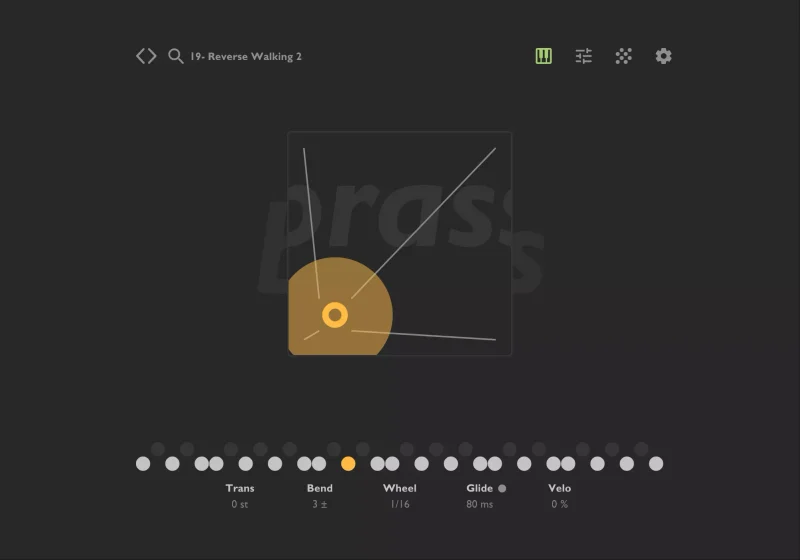
The XY pad sits at the centre of Brass's interface and controls which of the 4 loaded sampler layers are active and at what level. Dragging the circle toward any corner increases that layer's contribution to the output blend. It's fast for sound design but can feel random because you can't see all active sample names simultaneously while dragging.
Does Thenatan Brass run natively on Apple Silicon Macs?
Yes. Thenatan explicitly lists Brass as Native Apple Silicon Compatible, so it runs without Rosetta 2 translation on M1, M2, and M3 series Macs. The 100MB sample library loads fast on modern SSDs, and CPU draw is light even on older Intel machines.