Aparillo is a 16-voice FM synth from Sugar Bytes that earns a genuine recommendation at $99, but only if you accept that it was built for sound designers chasing alien textures, not producers who need bread-and-butter leads and basses.
Aparillo launched in December 2017 and it still sounds like nothing else at its price. Sugar Bytes built a 16-voice, two-operator FM synth around one central idea: make modulation physical, visual, and playable. The Orbiter system does that. The 500+ preset library proves the concept works. But three FM algorithms is a real ceiling, and if you’re looking for a workhorse FM synth to handle everything from electric pianos to punchy bass, Aparillo will frustrate you within an hour. For ambient producers, film composers, and sound designers who live in generative, unpredictable territory, it’s one of the smarter $99 spends in the plugin world.
What You're Actually Getting
Aparillo runs as a 64-bit plugin in VST3, AU, AAX, and standalone. No 32-bit support, full stop.
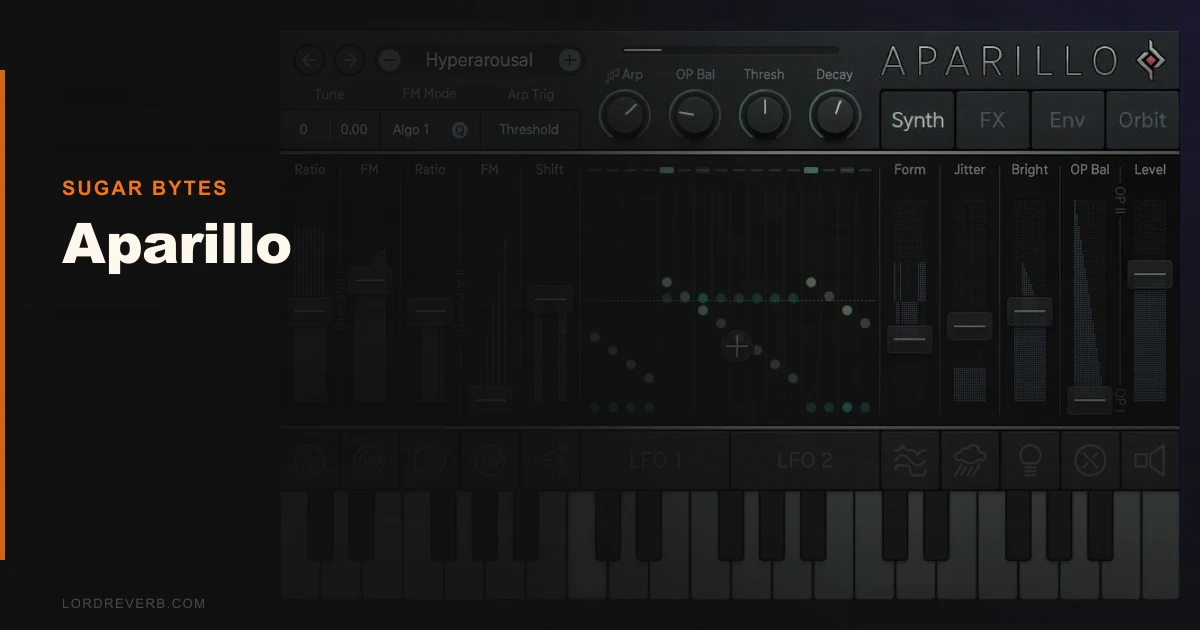
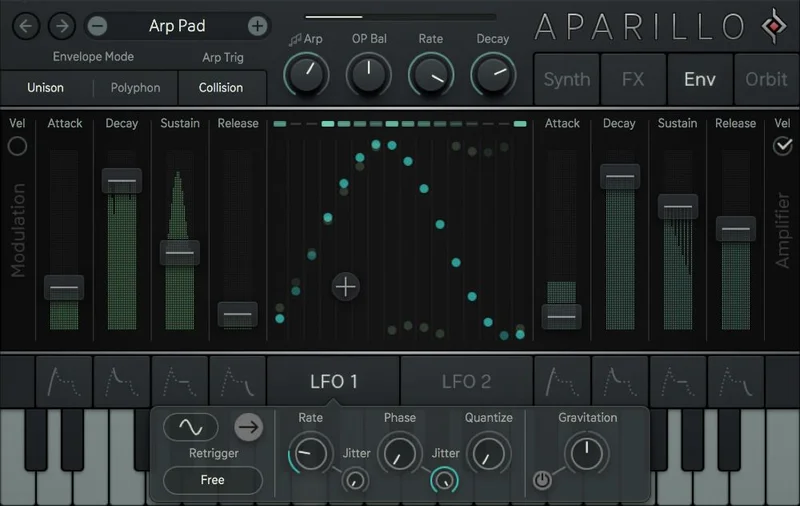
The engine is two-operator FM with 3 algorithms. That’s lean. Each voice runs through that FM core, a wavetable-style oscillator section, and a filter with drive. The signature feature is the Orbiter: a spherical XY control space that governs 15 modulation parameters simultaneously. You grab a point, move it, and the entire sound shifts in ways that feel organic rather than mechanical.
The Dual Complex LFO is the other piece that sets Aparillo apart. It runs in five modes: FM, Gravitation, Oneshot, S+H/Quantize, and Collision. Gravitation mode in particular produces long, slow modulation arcs that breathe without repeating exactly. That unpredictability is the whole point.
The Good
We loaded Aparillo into a session scored to a 90-second film trailer cut. We pulled up a preset called something close to “stellar drift,” dropped the Orbiter center point slightly south, and activated Gravitation LFO on the filter cutoff at 0.08 Hz. The result sat behind strings without competing with them. No EQ needed. That’s the test Aparillo passes every time.
The Orbiter is brilliant. Moving it in real time while recording automation is genuinely satisfying in a way that most XY pads aren’t. Because it controls 15 parameters at once, small movements produce large, coherent shifts rather than a single filtered sweep.
Aftertouch support is underreported. With a keyboard that sends aftertouch, you can map pressure to FM depth and get expressiveness that rivals a hardware synth. We mapped channel aftertouch to FM index at around 40% depth. Playing slow chords felt alive.
The 500+ presets are legitimately well-curated. Not filler. At least 60% of them are session-ready.
The Not-So-Good
Three FM algorithms. That’s the honest ceiling of this synth. Yamaha DX7 shipped with 32 algorithms in 1983. At three, you’re working within tight structural constraints. The sounds you can’t make with Aparillo’s engine are obvious after a few sessions: punchy FM bass with sharp transient character, classic DX7-style electric piano, percussive metallic hits with clean decay.
The documentation is frustrating. Gravitation mode in the Complex LFO is one of the most interesting modulation tools we’ve seen in any plugin. It took us significantly longer than it should have to understand how the Gravitation parameter interacts with Rate because the manual doesn’t explain the relationship in practical terms.
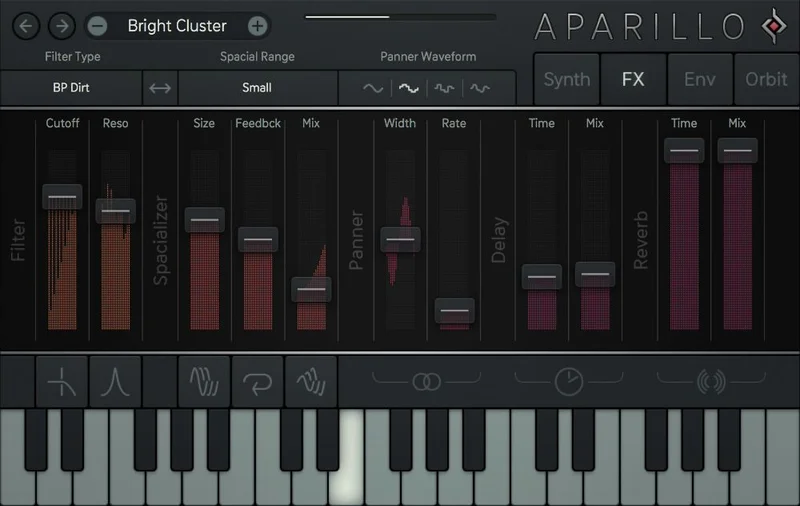
The effects section is shallow. The delay has no per-voice feedback automation. That’s annoying when you’re trying to create polyrhythmic decay tails across a chord. CPU load sits in the medium range, heavier than you’d expect for two operators, but not a session killer.
Polyphonic mode versus unison mode deserves a mention. Unison stacks all 16 voices on one note. It sounds enormous. But you lose polyphony entirely in unison, and there’s no intermediate voice-stacking option. Eight voices in unison with eight remaining for chords would’ve been a smarter design choice.
Compared to the Alternatives
Arturia Pigments 4 costs more and gives you wavetable, virtual analog, harmonic, and sample engines plus a modulation system that rivals Aparillo’s Orbiter in flexibility. If you need one synth to cover everything, Pigments wins. It’s a harder tool to learn, but the ceiling is far higher.
Native Instruments Massive X costs more and handles aggressive bass design and dense FM textures that Aparillo can’t match. Its Phase Modulation engine with multiple wavetable sources gives you tonal options Aparillo’s two-operator setup simply doesn’t have.
For pure generative and ambient work though, neither of those synths produces sounds as effortlessly strange as Aparillo. Pigments requires more deliberate patch building to reach the same territory. Massive X’s character skews harder. Aparillo gets to weird faster.
exploring more synth types and how FM fits into your toolkit
If you’re comparing iOS-grade FM synths, the Imaginando DRC is worth checking for a different take on polyphonic architecture at a lower price point.
Who Should Buy This
✅ Buy if you score films, trailers, or ambient records and need atmospheric textures that sound genuinely organic.
✅ Buy if you own a keyboard with aftertouch and want an expressive FM synth at a low price that rewards performance.
✅ Buy if you build generative or evolving sequences and want modulation that feels alive rather than mechanically cyclic.
❌ Skip if you need FM to cover bass, electric piano, or percussive hits. The three-algorithm engine won’t get you there.
❌ Skip if you’re new to FM synthesis. The learning curve without decent documentation will kill your workflow.
❌ Skip if you need tight effects control. The delay feedback limitation will annoy you on complex sound design work.
Score Breakdown
| Category | Score | Notes |
|---|---|---|
| Sound Quality | 4.5/5 | Organic, complex FM textures that sit in a mix without fighting |
| Value for Money | 4.0/5 | $99 for this preset library and Orbiter system is fair |
| Ease of Use | 3.0/5 | Orbiter is intuitive; underlying FM architecture is not |
| Features | 3.5/5 | Orbiter and Dual Complex LFO are strong; three algorithms and shallow effects hold it back |
| CPU Efficiency | 3.0/5 | Medium load for a two-operator engine; 16-voice polyphony pushes it higher |
| Overall | 4.2/5 | Narrow but deep: exceptional at what it does, limited outside that lane |
Alternatives to Consider
Arturia Pigments 4 covers far more sonic ground with four engine types and a modulation system that scales from simple to deeply complex. It costs more, but if you want one synth to handle everything, it’s the smarter long-term investment. The current price is shown in the buy box on this page.
Native Instruments Massive X is the move for producers who need FM-adjacent textures with more weight and aggression. Its Phase Modulation engine with layered wavetables handles bass and leads that Aparillo can’t touch.
KV331 SynthMaster One for wavetable synthesis at a lower price point
Loot Audio Zero 1 Synth for a different approach to affordable sound design
For producers who need a broader palette without spending more, SynthMaster One covers wavetable and VA synthesis in a way Aparillo never tries to.
The Bottom Line
We’ve run Aparillo on trailer cues, ambient records, and experimental electronic sessions. It earns its place in those sessions every time. Outside them, we reach for something else.
At $99, it’s not overpriced. But it is oversold to people who discover it through its preset library and assume the underlying architecture is as flexible as those presets suggest. The presets are the output of an expert using a narrow tool brilliantly. When you try to go off-script, the three FM algorithms and shallow effects become real walls.
If your sessions have space for a dedicated texture and atmosphere synth, buy it. If you’re looking for an FM workhouse that handles everything from keys to bass to pads, you’ll hate Aparillo within a week and regret the $99.
The one thing we’d tell you before you click buy: download the trial first. Spend 30 minutes with the Orbiter in Gravitation mode. If that doesn’t make you smile, the rest of the synth won’t change your mind.
Frequently Asked Questions
Is Aparillo good for beginners to FM synthesis?
Honestly, no. The Orbiter makes the synth feel approachable at first, but the underlying FM architecture requires some knowledge of operator relationships and FM index to get useful results beyond the preset library. If you're new to FM synthesis, we'd suggest starting with something like a more structured synth architecture first before jumping into Aparillo's workflow. The documentation doesn't teach FM concepts, it assumes you already know them.
How does Aparillo's CPU usage compare to other FM synths?
Aparillo sits in the medium range for CPU load, which is surprising for a two-operator engine. Running 16-voice polyphony with Gravitation LFO active on multiple parameters pushes CPU noticeably higher than a basic two-operator FM synth should. In our sessions, we saw roughly 8-12% CPU usage on a modern machine with a full 16-voice chord held. That's manageable but worth monitoring if your session is already loaded.
Does Aparillo support aftertouch and MIDI CC automation?
Yes, and this is an underrated feature. Aparillo supports channel aftertouch and has solid MIDI CC mapping throughout its interface. We mapped aftertouch to FM index depth during testing and the expressive response was immediate. For live performance on a keyboard that sends aftertouch data, this opens up a dimension of expression that most reviews don't mention.
Can Aparillo replace a general-purpose FM synth like a DX7 emulation?
No. Aparillo has 3 FM algorithms. A DX7 has 32, and most DX7 software emulations replicate all of them. If you need classic FM tones like electric piano, marimba, bells, or FM bass, Aparillo's architecture won't get you there. It was built for cinematic and experimental sound design, not for classic FM patch recreation. Buy a dedicated DX7 emulator for those sounds, and consider Aparillo as a complement rather than a replacement.