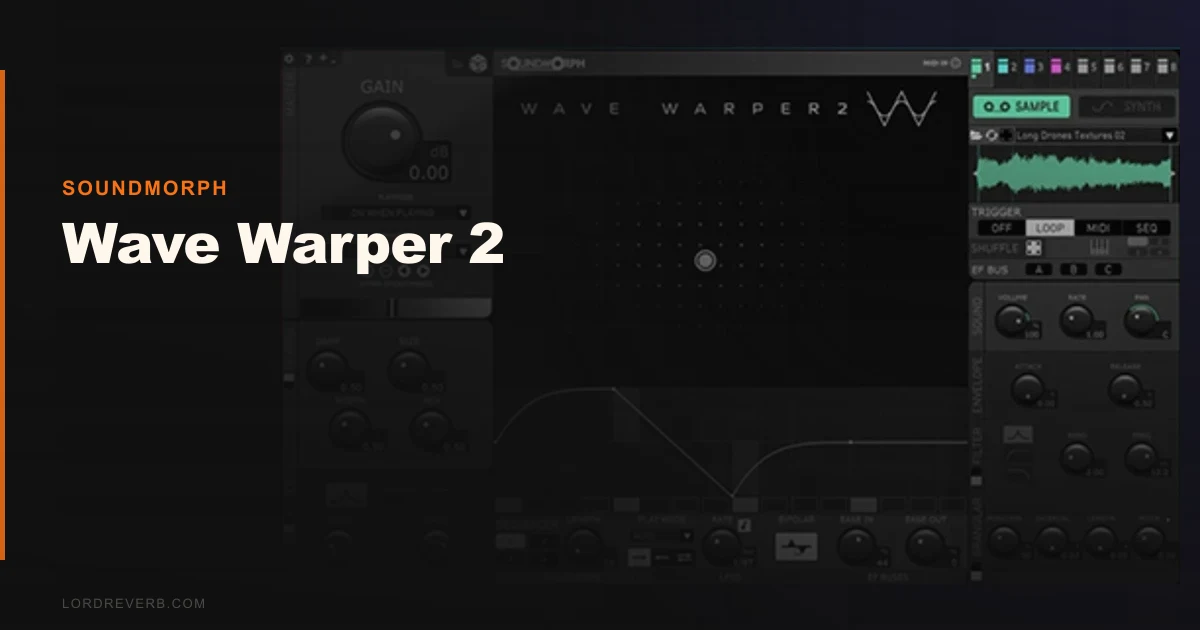
If you're comparing Wave Warper 2 against Arturia Pigments or UVI Falcon 2 for sound design work, here's where we land: it beats both on movement and spatial complexity for cinematic textures, but loses on versatility, stability, and CPU headroom. This is a specialist tool. SoundMorph built it for whooshes, evolving sci-fi atmospheres, and motion-heavy sound design, not for writing leads or pads for a pop record. If that niche matches your workflow, Wave Warper 2 is brilliant. If it doesn't, you'll use it twice and forget the license exists.
Current price is $149, with a sale running through August 2026 at half off. At half price, the conversation changes significantly. We would buy it at the sale price. At full price, we'd think harder.
How It Compares Out of the Box
Pigments 5 opens and you immediately understand what every module does. Wave Warper 2 does not give you that luxury.
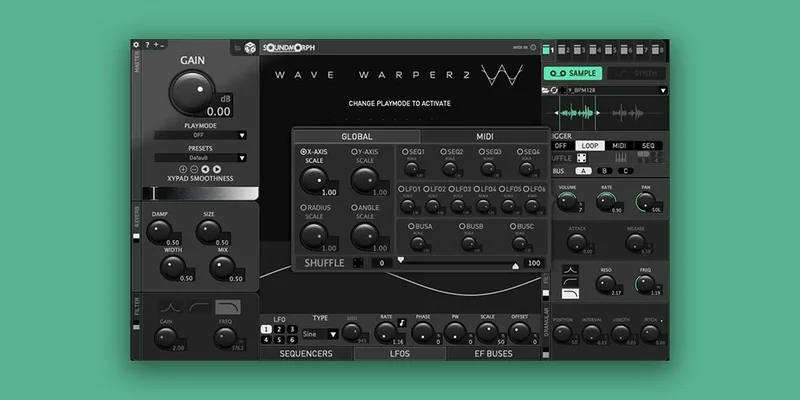
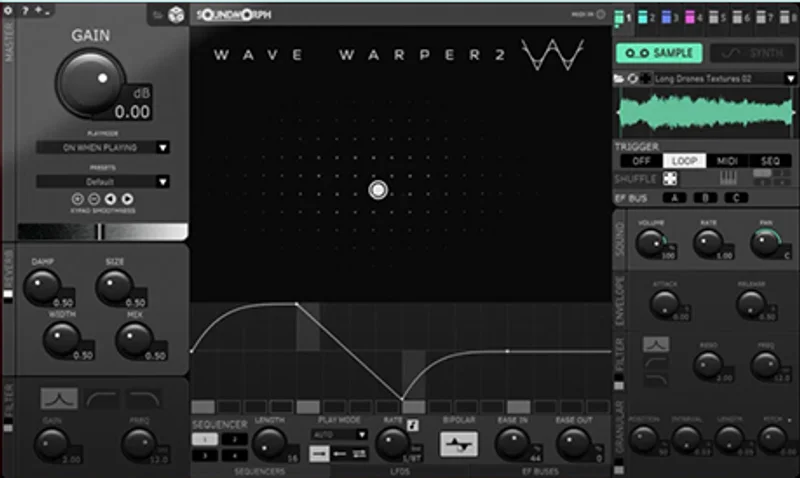
The interface is a real improvement over the original 2013 standalone, but that bar was low. Eight emitter slots dominate the centre panel, each one shapeable via an XY pad with movement algorithm controls built in. It looks dense because it is dense.
Falcon 2 has comparable depth, but its modular routing is cleaner to learn. Wave Warper 2's internal bus routing system takes longer to map mentally. We spent the first 45 minutes just understanding signal flow before we touched a preset.
On the other hand, neither Pigments nor Falcon produces the same layered spatial movement natively. The XY pad's step sequencer integration is genuinely different. That difference is the whole case for buying this plugin.
Performance Deep Dive
We tested Wave Warper 2 version 1.1.0 on an M2 Mac running Logic Pro, and on a Windows 10 machine with an Intel Core i7-10700K at 3.8GHz with 32GB RAM. Apple Silicon support is confirmed and performs noticeably better.
On the M2, a single instance with all 8 emitter slots active and the step sequencer running pulled roughly 12-14% CPU in Logic's performance meter. On the Intel Windows machine, that same patch climbed to 22-26%. Running three instances in a Kontakt-style layered session on the Windows rig pushed us past 60% CPU before we added anything else to the session. That's heavy.
The 8GB RAM minimum is honest. We saw no issues there. But the CPU load on non-Apple-Silicon machines is real, and you'll feel it on older Intel hardware.
We loaded a granular texture preset and ran it through an evolving automation pass. Breathy material tracked cleanly. Metallic transients shaped without aliasing at standard sample rates. The granular engine behaved well at 44.1kHz and 48kHz. We noticed no artifacts on the M2 setup. One freeze on the Windows machine when we hot-swapped a preset mid-playback. Reproducible once, then not again. Annoying, but not catastrophic.
The step sequencer inside the XY pad runs independently per emitter slot. That's 8 independent movement patterns operating simultaneously. No other plugin in this price range does that natively.
Where It Wins
Nothing we've tested at this price point handles spatial movement this way.
We built a sci-fi airlock release sound using three emitter slots: one granular metallic layer, one pitched breath layer, one low-frequency mechanical layer. The XY movement algorithms pushed each one on a different trajectory across the stereo field. The whole thing felt alive. Building that in Pigments would have taken three times the modulation routing and still wouldn't have moved the same way.
The 85 presets aren't filler. About 60 of them are immediately usable in a post-production context. Whooshes, alien atmospheres, mechanical motion textures. This saved us real session time.
Apple Silicon support is tight. Native M1/M2 performance is a legitimate selling point if you're on the new Mac hardware. Compare how SynthMaster One handles M-chip performance
Where the Competition Wins
Pigments 5 is more stable. Period. We've never had a freeze in Pigments. We had one in Wave Warper 2, and even if it's rare, it builds distrust.
Falcon 2 is more versatile. If you need a tool that covers sound design, orchestral layering, and conventional synthesis, Falcon earns its higher price. Wave Warper 2 does not compete in that lane.
Both competitors also have larger user communities, better documentation, and faster support response times. Learning Wave Warper 2 from scratch means leaning heavily on SoundMorph's own video content because third-party tutorials are sparse. That's frustrating when you're on deadline.
The waveshaping architecture is interesting, but if waveshaping is your primary tool, MWaveShaperMB gives you 6-band precision for mix work at a lower price, and InShaper from Sound Particles handles transient waveshaping more efficiently.
Who Should Buy Which
- ✅ Buy Wave Warper 2 if you score films, games, or trailers and need moving atmospheric textures fast.
- ✅ Buy it if you're on an M1 or M2 Mac and can afford the CPU headroom.
- Buy it at the sale price if cinematic so
und design is even 20% of your work.
- ❌ Skip it if you're on older Intel hardware running a dense session, the CPU load will hurt you.
- ❌ Skip it if you need a general-purpose synth or anything conventional.
- Skip it at full price if you are not actively working in post-production or game audio. The niche is too narrow to justify it otherwise.
Score Breakdown
| Category | Score | Notes |
|---|---|---|
| Sound Quality | 4.5/5 | Granular engine is clean; XY movement produces textures no other plugin matches at this price |
| Value for Money | 3.5/5 | Strong at the sale price; harder to justify at full price given the narrow use case |
| Ease of Use | 2.5/5 | Internal bus routing and emitter architecture have a real learning curve; sparse third-party documentation |
| Features | 4.5/5 | 8 XY-driven emitters with step sequencer and granular engine is a genuinely uncommon feature set |
| CPU Efficiency | 3.0/5 | Native M2 performance is solid; Intel Windows performance is heavy under load |
| Overall | 4.1/5 | A love-it-or-leave-it specialist tool; brilliant for its target workflow, wrong for everything else |
Alternatives to Consider
Arturia Pigments 5 is the closest general-purpose comparison. It's more stable, has a larger community, and covers far more musical ground. It won't move sound through space the way Wave Warper 2 does, but if you need a synth that does cinematic design plus everything else, Pigments wins. SynthMaster One is worth comparing if you're on a tighter budget
UVI Falcon 2 is the serious contender. Higher price point, steeper learning curve, but deeper modular architecture and better long-term versatility. If you're building a professional sound design toolkit, Falcon justifies its cost. Wave Warper 2 does not compete with Falcon's breadth, only with its motion design capabilities.
MeldaProduction MWaveShaperMB covers the waveshaping side of Wave Warper 2's engine for mix and design work, at a price point that's easier to absorb. Read our MWaveShaperMB review for the full breakdown And if transient waveshaping is specifically what you're after, InShaper from Sound Particles handles that more efficiently.
Our Verdict
Wave Warper 2 does one thing no other plugin in this price range does as well: it makes sound move through space with eight independent, algorithm-driven XY emitters, and it makes that movement feel organic.
We love it for sci-fi textures. We wish the documentation were deeper. We hate the CPU hit on Intel machines. The one freeze we experienced was fixable but left us slightly nervous on a session.
At the sale price, it is an underrated tool for anyone working in game audio, trailers, or post-production. At full price, the narrow use case makes it a harder sell unless this is your primary workflow.
If you score films and you've been building whooshes manually in Falcon for the last two years, Wave Warper 2 will make you feel like you've been doing it the hard way. That's the buy. If you're a bedroom producer making synth-pop, this is the wrong room entirely.
Frequently Asked Questions
Is Wave Warper 2 good for beginners?
Honestly, no. The internal bus routing and 8-emitter architecture demand real signal chain knowledge before you'll get usable results. The 85 presets help, and you can get sounds out of it on day one by loading presets and tweaking the XY pads. But building patches from scratch takes patience. We'd recommend at least a year of sound design experience before committing to this one.
Does Wave Warper 2 work well on Apple Silicon Macs?
Yes. Native M1 and M2 support is confirmed and performs well. We saw 12-14% CPU per instance with all 8 emitter slots active in Logic Pro on an M2. If you're on new Mac hardware, this is one of the stronger arguments for buying. Intel Mac and Windows users should expect noticeably higher CPU load.
How does Wave Warper 2 compare to Arturia Pigments for cinematic sound design?
Wave Warper 2 wins on spatial movement. Its XY pad movement algorithms and 8-emitter architecture produce evolving atmospheric textures that Pigments can't replicate without extensive manual modulation routing. Pigments wins on stability, versatility, and documentation. For pure cinematic motion design, Wave Warper 2 is the better tool. For everything else, Pigments covers more ground.
Is the Wave Warper 2 sale price worth it?
At half off, yes, if cinematic or game audio sound design is part of your regular work. At that price, the specialist nature of the plugin is easier to absorb as a dedicated tool for a specific job. At full price, we would want to be more certain it fits the workflow before committing. Check SoundMorph's site directly for current sale windows and trial availability.