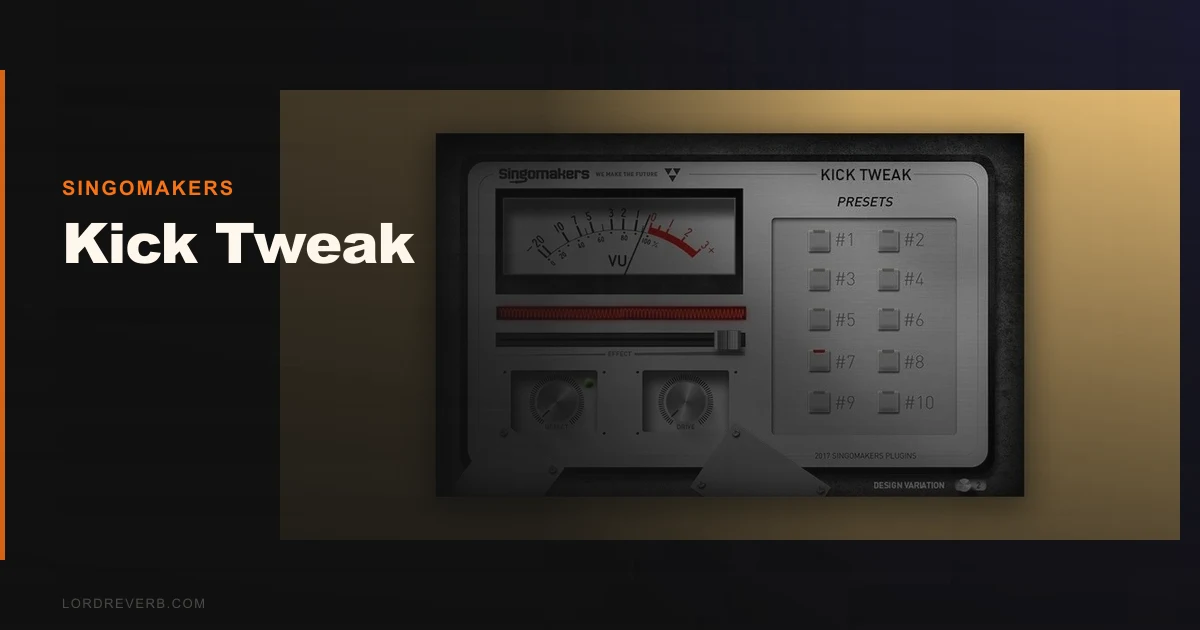
Kick Tweak by Singomakers is a competent, limited kick enhancer that does exactly one thing well: it gets a weak kick sounding tighter and louder in about 30 seconds, without you touching a single frequency band.
It's not deep. It won't replace a proper kick processor in a high-stakes mix. But at this price, it doesn't need to be those things to earn its place on an insert.
We tested it across house, techno, and bass music sessions. The results were consistent enough to recommend it to a specific type of producer, and clear enough to tell you exactly who should skip it.
If you're a working electronic producer who bounces between sessions fast and needs a kick that sits right without three hours of EQ archaeology, Kick Tweak is worth the money. If you mix for a living or produce anything acoustic, walk away now.
What You're Actually Getting
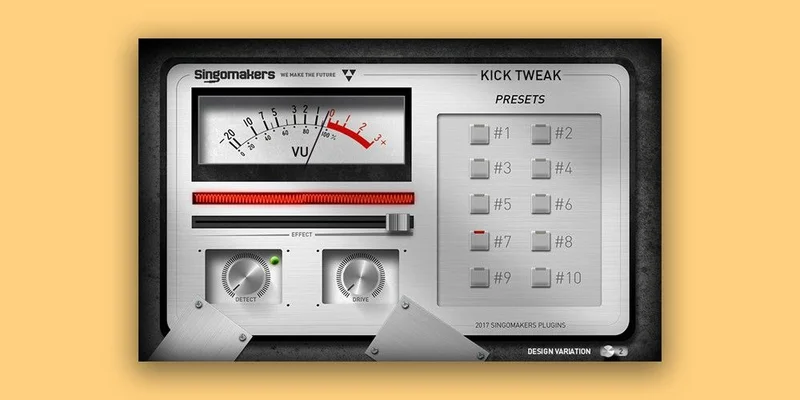
Kick Tweak is a three-knob plugin. That's the whole interface.
The Effect knob is the main control. It sweeps through a combined signal chain of compression, saturation, distortion, and EQ shaping simultaneously. You're not adjusting those individually. You're moving one knob and the plugin decides how much of each to apply based on where you land.
The Detector knob selects between 10 presets. Presets 1 through 6 are general purpose kick shapes. Presets 7 through 10 engage a different detection algorithm, which Singomakers describes as working better on certain kick textures, mostly harder and more transient-forward sources.
The Drive knob handles distortion amount independently. This is where you dial in grit without pushing the full Effect chain harder.
Formats are VST and AU. It runs on macOS and Windows, and it's native on Intel and Apple Silicon. No AAX. No iLok. Activation is straightforward.
The Good
We dropped Kick Tweak on a flat, dry 909-style kick sample that was sitting thin in a 128 BPM house track. The low-end was there but without weight, and the transient wasn't cutting through a busy mid-range. We loaded preset 3, nudged the Effect knob to about 60%, left Drive at zero. That was it. The kick dropped into the mix with about 3-4dB more perceived punch and a tighter sub tail.
We didn't touch the EQ. We didn't open a transient shaper. Satisfying.
The phase behaviour is clean. We ran a null test against a dry duplicate of the kick and there was no smearing or phase rotation artifact on the transient attack. That matters more than people realise. A lot of enhancers will add weight but blur the stick hit, which costs you definition at the top.
Preset 8 is genuinely our favourite. It hits harder in the 80-120Hz range, the sub tightens rather than bloats, and the transient gets a 1-2dB lift in the 3-5kHz region where the beater click lives. We used it on a distorted techno kick that needed to sound more industrial and less "plugin default." It worked.
CPU draw is negligible. Under 1% on an M2 Max running a busy Live set. Not CPU-hungry at all.
The Not-So-Good
The blind operation is frustrating. There's no EQ display, no gain reduction meter, no spectrum analyser. You're turning a knob and listening. That's fine for presets, but when something sounds wrong, you have zero visual information to troubleshoot with.
We hit a session where a kick sample had a resonance around 200Hz that Kick Tweak's Effect knob was making worse on certain presets. We couldn't see that happening. We had to open a separate analyser, identify the problem, and then decide whether Kick Tweak was salvageable for that kick. It wasn't. We pulled it and used something else.
Ten presets is also a hard ceiling. You can't save a custom state. If you dial in an Effect level and Drive combination that you love, you're writing it down or screenshotting it. That's annoying in 2026.
There's no trial version. You're buying blind unless you watch preview videos and trust your ears on compressed audio.
Compared to the Alternatives
The main plugin in this lane is Audija Kick. It costs more, but it gives you frequency-specific control, a visual display, and more preset slots. If you want to see what you're doing to a kick, Audija is the better tool. Kick Tweak wins on price and speed, loses on depth.
Sonic Academy's Kick 2 is a different category entirely. It's a kick synthesiser and layering tool, not a pure enhancer. If your problem is "my kick sample is weak," Kick Tweak handles that. If your problem is "I need to build a kick from scratch that matches my track," Kick 2 is the answer. Different jobs.
D16 PunchBox is similarly synthesis-based. Brilliant for designing kicks, not built for enhancing an existing sample quickly.
For something broader, the Waves Vitamin Sonic Enhancer review covers a multiband approach that handles more than just kicks. More powerful, more setup time required.
Kick Tweak's honest competition is the workflow scenario, not the feature list. It beats everything on speed-to-re sult.
Who Should Buy This
- ✅ Buy if you produce electronic music fast and need a kick enhancer that requires zero EQ knowledge
- ✅ Buy if you're layering kick samples and want a quick weight-and-presence pass on each layer before printing
- ✅ Buy if you are on a tight budget and the alternative is spending an hour with a parametric EQ you haven't fully learned yet
- ❌ Skip if you mix professionally and need to see what's happening to your frequency content
- ❌ Skip if you need to save custom presets across projects
- ❌ Skip if your kick problems are synthesis-related, wrong plugin category entirely
Score Breakdown
| Category | Score | Notes |
|---|---|---|
| Sound Quality | 3.8/5 | Punchy and clean when it works; no visual feedback makes problem-solving harder than it should be |
| Value for Money | 4.0/5 | The price is a fair ask for what it delivers in workflow speed |
| Ease of Use | 4.5/5 | Three knobs. You'll have a result in under a minute |
| Features | 2.5/5 | Ten fixed presets and no custom save is thin for 2026 standards |
| CPU Efficiency | 4.8/5 | Negligible draw on every system we tested |
| Overall | 3.8/5 | Useful, honest, limited, earns its price for the right producer |
Alternatives to Consider
Waves Submarine, great for adding low-end weight to kicks that are thin below 60Hz without boosting the sub directly. Different approach, complements Kick Tweak well. See our Waves Submarine review for how it handles kicks with no real low end.
W.A. Production KSHMR Essentials Kick, closer competition. It targets the same electronic kick workflow but brings more preset variety and a layering engine. Read our KSHMR Essentials Kick review to compare them side by side. If you can spend a bit more, this is where we'd look first.
Universal Audio A-Type Multiband Dynamic Enhancer, overkill for just kick drums, but if you want a multiband enhancer that handles your full mix bus and your kick inserts, this is the serious tool. Our A-Type Multiband Dynamic Enhancer review breaks down whether the price is justified.
Kick Tweak sits at the budget end of this group. That's not an insult. It's just where it fits, and at this price, it shouldn't be competing with UA's best work.
The Bottom Line
We ran a particularly dull kick, a stock sample from a well-known pack that every producer has heard 400 times, through all 10 Kick Tweak presets back to back. Preset 8 with the Drive at 35% turned it into something that could actually stay in a mix without a support group of EQ bands holding it together.
That's the pitch. That's the whole thing.
Kick Tweak isn't a plugin we love. But we don't hate it either. It's underrated at this price for what it does, and overrated by anyone claiming it replaces a real kick processing chain. Both things are true at once.
Buy it if you're an electronic producer who wants fast results on sample-based kicks. Skip it if you're mixing at a professional level or need to understand what you're doing to your frequency content. The lack of visual feedback will irritate you more than the preset ceiling will.
The risk is about as low as it gets. The upside is a kick that actually hits. For most producers in the right workflow, that math works out.
Frequently Asked Questions
Does Kick Tweak work on acoustic kick drums or only electronic samples?
We tested it on both. It performs best on electronic and sample-based kicks where the transient and sub are already defined. On acoustic kick recordings, the preset algorithms don't always account for room bleed and mic phase relationships, so results are inconsistent. We'd use a dedicated transient shaper and a parametric EQ for acoustic drum work instead.
Is Kick Tweak compatible with Apple Silicon Macs?
Yes. It runs natively on M1, M2, and M3 chips without Rosetta translation. CPU draw in our tests was under 1% on an M2 Max. You won't notice it in any session.
Can you use Kick Tweak on a full drum bus instead of a single kick channel?
You can, but we wouldn't. The Effect knob's combined processing chain is tuned for kick-range frequencies. On a full drum bus it tends to over-emphasise the low-mid range and can make snares and hats sound thicker in a way that's hard to control without that visual feedback. Keep it on the kick channel only.
Is there a free trial before buying?
No. Singomakers doesn't offer a trial version for Kick Tweak. The financial risk is low, but we'd recommend watching uncompressed audio demos carefully before committing. Check the manufacturer's site for current pricing before you buy.