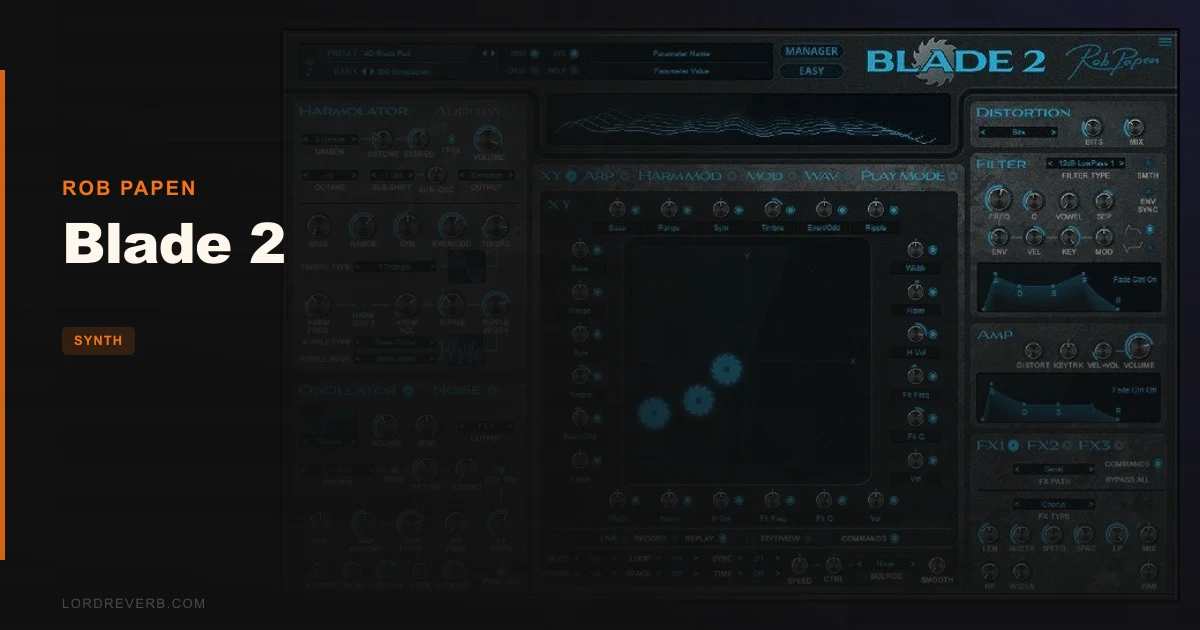
If you looked at the original Blade in 2012 and moved on, Blade 2 is the version that actually makes good on that idea. Rob Papen's XY-pad harmonic synthesizer has been rebuilt from the ground up, and at $99, it's now one of the more interesting synth purchases at that price point for anyone serious about sound design beyond basic subtractive. This is for producers who want to get weird with harmonics, build smooth organ-like textures one moment and piercing digital tones the next, and have a 1,500-preset library to plunder when inspiration runs dry.
This isn't a beginner's first synth. But it might be an intermediate producer's most interesting one.
Does Blade 2 Actually Deliver on Its Unusual Promise?
The original Blade was a niche instrument. Its Harmolator concept, controlling waveform harmonics directly through an XY pad, was clever but underexplored. Nine years later, Blade 2 arrives with that concept intact and a serious list of additions sitting underneath it.
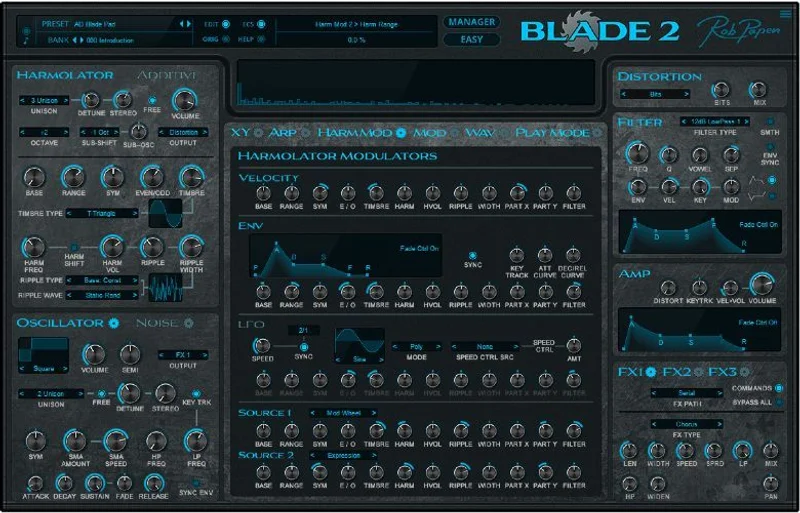
The core idea is still the XY pad. Move it, and you're shaping the harmonic content of the waveform in real time. Record that movement, tempo-sync it to your DAW, and you've got a modulation source that no LFO can replicate. That alone is worth paying attention to.
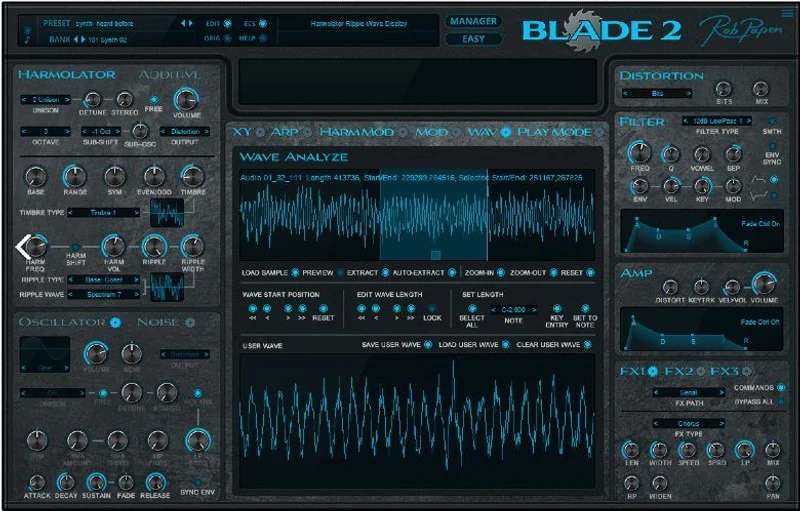
On top of the Harmolator, there's now a full Additive mode. You can morph or mix between four additive waveforms using the same XY pad. You can build your own waveforms from scratch, or run audio through the wave-analyze section to convert sample data into a waveform for use inside either mode. That's a workflow you won't find in most synths at this price.
Reviewers across the board report the same thing: the sounds you get out of Blade 2 sit in a different space from what standard subtractive synthesis produces. Owners describe smooth, organ-like tones at one end and sharp, piercing notes at the other. That's a wide range. The developer's own claim is that Blade 2 generates sounds that differ from both regular subtractive and additive synthesizers. Based on what users report, that claim holds up.
Rob Papen are not a small operation. Their plugin catalogue is well-regarded, and Blade 2 follows the same design philosophy as their other instruments: depth without chaos, and a preset library that actually sounds finished.
Where Blade 2 Shines
The XY Pad and Harmolator
Load a pad preset and start moving the XY pad. You're not adjusting a filter cutoff. You're reshaping which harmonics are present in the waveform itself. That's a different feeling from any knob-per-function synth, and it produces results that sit uniquely in a mix.
The satisfying part is the record function. Drag the XY pad through a movement, record it, and it plays back tempo-locked. Your automation isn't a static LFO sweep. It's a gesture. Use this on a slow-attack ambient pad and the harmonic content shifts along with your gesture instead of repeating a fixed cycle.
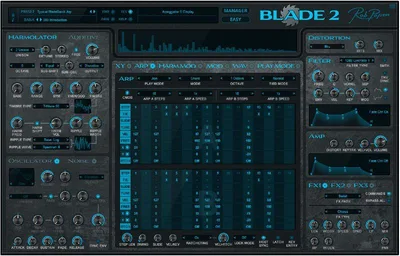
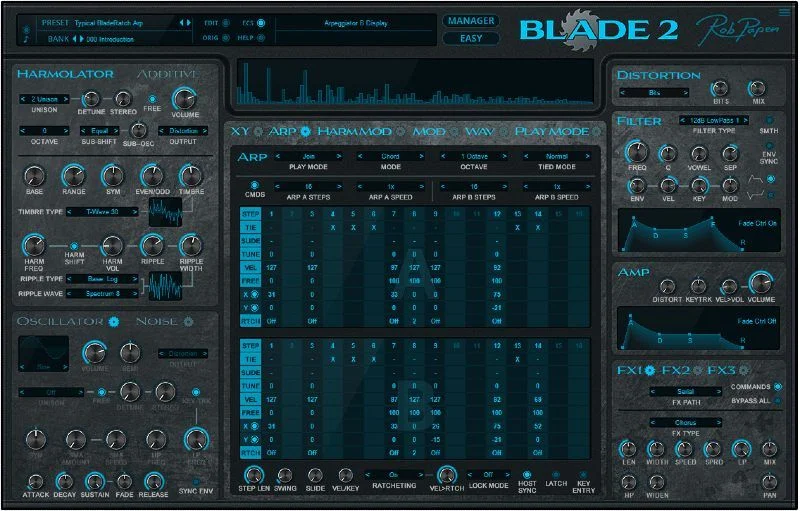
The Arpeggiator now has two dedicated rows controlling X and Y position on the pad. That means you can program XY movements step-by-step inside the arpeggiator, then add ratcheting on top. Ratcheting in an arpeggiator is already a brilliant feature for rhythmic interest. Pairing it with XY control makes Blade 2's arpeggiator one of the more underrated sections in any synth plugin right now.
Additive Mode and Waveform Building
This is the big new addition. Additive mode lets you work with four additive waveforms simultaneously, morphing between them via the XY pad. You can build those waveforms from scratch using the editing tools, or you can feed in a sample via the wave-analyze section and let the synth derive a waveform from it.
That second option is where things get interesting. Drop in a short audio clip and the analyze section pulls frequency data from it and converts it into a usable additive waveform. Your snare top, a vocal vowel, a room tone. All of it becomes raw material.
The wave editor is the kind of tool that rewards patience. Don't expect to dial in something brilliant in five minutes. Expect to spend an hour in there and come out with three sounds that don't exist anywhere else in your library.
The Signal Chain Below the Pad
Blade 2 doesn't stop at the oscillator section. There's an analogue-type oscillator and a noise oscillator running alongside the main engine. That's three distinct sound sources you can layer before you even hit the filters.
Thirty-two filter types. That's not a typo. The filter section is substantial, and it shapes the output of all that harmonic content into something usable across different genres. The product page lists 32.
Effects are handled by three Multi-FX processors stacked inside the synth. Owners report the effects are sonically rich. Reviewers describe the overall sound as detailed and with a quality FX rack that contributes rather than just decorates. CPU load sits between 0.5% and 4% depending on how many voices and FX you're running. That's the developer's figure, and users confirm it holds up: owners keep reporting larger-than-life sounds at low CPU cost.
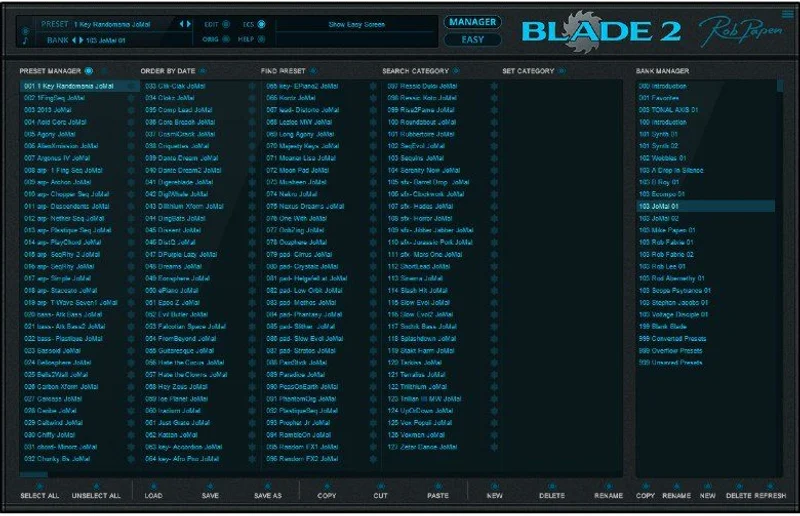
The preset library is 1,500+ sounds. That's a serious starting point. It covers enough ground that you can use Blade 2 as a workstation instrument for a full session before diving into the synthesis engine at all.
Where It Falls Short
Let's be direct. The additive mode is brilliant in theory and genuinely useful in practice, but it demands time. Easy Mode simplifies the interface and shows the main controls in a cleaner layout, which helps beginners. It does not explain additive synthesis. If you don't know what you're doing with harmonics, you'll click around the wave editor and not know what you're hearing or why.
There's no in-app tutorial system. No guided workflow. You get the presets and the manual. For a synth that bills itself as something different from standard synthesis, that gap is frustrating.
Here's the one that will annoy you mid-session: parameter values don't display while you're moving a knob. They appear after you release the click. That's a workflow stumble. When you're dialling in a filter resonance by ear and want a number to recall later, the delay is irritating. It's a small thing. It's still a real thing, and one reviewer flagged it specifically.
Mac users need to check their OS version carefully. Blade 2 supports OS-X 10.9 through 10.15. If you're on anything newer, verify compatibility before buying. That cap is worth knowing.
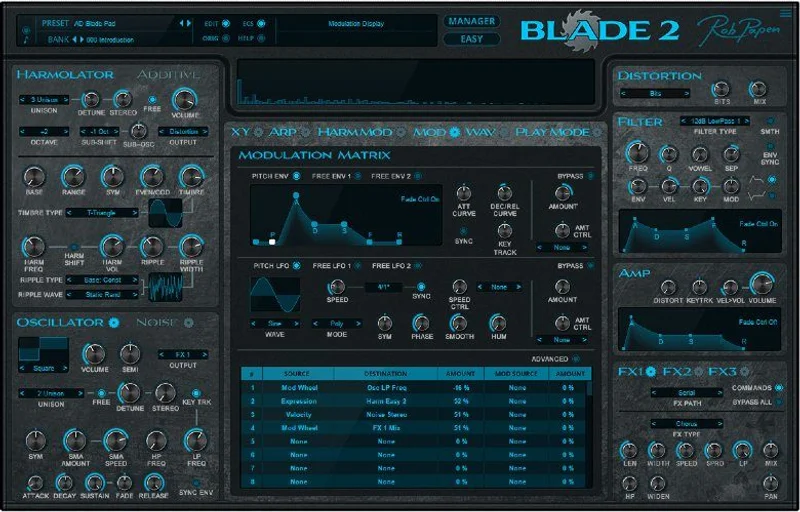
Modulation routing also catches people out. If you assign a modulation source to a destination that's set to zero or bypassed, nothing will respond. Check every destination manually. Not a dealbreaker. Annoying when you're debugging a patch at midnight.
How It Stacks Up Against the Competition
Additive synthesis as a plugin category is not crowded. The two instruments that come up in the same conversation are Arturia MiniFreak V and, for a different angle, Arturia SEM V.
MiniFreak V takes a hybrid approach: digital oscillators with analogue-modelled signal paths. It's broader in scope but doesn't offer the harmonic sculpting that Blade 2's XY pad and Additive mode deliver. If you want preset variety and versatile sound design, MiniFreak V is the more accessible choice. If you want to build sounds at the harmonic level, Blade 2 wins that specific fight clearly.
SEM V is a different animal entirely: a modelled analogue emulation with a narrower, cleaner focus. It doesn't compete directly with Blade 2's sound design depth, but if your workflow is mostly subtractive synthesis with occasional experimental patches, SEM V handles the bread-and-butter work with less of a learning curve.
Blade 2 is for producers who want something that doesn't sound like everyone else's synth. That's the honest comparison.
Specs & Technical Details
| Developer | Rob Papen |
| Price | $99 |
| Plugin Format | VST, AU, AAX |
| OS Support | Mac (OS-X 10.9–10.15, 64-bit only) / Windows 7 or higher (32 & 64-bit) |
| Activation | Serial/licence, registered online; secondary computer serial available |
| CPU Usage | Light to moderate (0.5–4% depending on voices and FX, developer figures) |
| Trial Available | N/A |
| Version Reviewed | Blade 2 |
| Voices | 16 |
| Presets | 1,500+ |
| GUI Scaling | 100%, 125%, 150%, 200% |
| MPE Support | Yes |
| Filter Types | 32 |
| FX Processors | 3 Multi-FX with Rob Papen effects |
Score Breakdown
| Category | Score | Notes |
|---|---|---|
| Sound Quality | 4.5/5 | Owners consistently report rich, detailed tones that sit outside standard subtractive territory |
| Value for Money | 4.5/5 | At $99 for this feature depth and preset library, the maths works out clearly in your favour |
| Ease of Use | 3.5/5 | Easy Mode helps, but additive mode demands real learning time with no in-app guidance |
| Features | 4.5/5 | XY pad, Additive mode, wave-analyze, ratcheting arpeggiator, 32 filters, 3 FX processors: that's a complete instrument |
| CPU Efficiency | 4.5/5 | 0.5–4% per developer figures; users confirm the low footprint even on complex patches |
| Overall | 4.4/5 | A deep, unusual synth with a small number of genuine workflow complaints and a strong value case |
Who Should Actually Buy Blade 2
If you're building ambient or experimental music and you love tools that let you work at the harmonic level, Blade 2 is built for you. Load a patch, start moving the XY pad, and record that movement to play back against your arrangement. It is a different approach from most synths in a typical session.
If you produce electronic music in more structured genres and mostly need punchy leads, basses, and pads from a preset browser, Blade 2 will work. But it might not be the most efficient tool for that job. You'll be navigating a deep instrument to reach things a simpler synth would surface immediately.
The upgrade path is worth noting for Blade v1 owners. If you've already got the original, the step up to v2 is significantly cheaper than the full price. That's a fair deal for nine years of additions.
The XY Pad Is the Whole Argument
Here's the concrete case for Blade 2 in your workflow. You're working on a long intro section. You need something that moves without feeling automated. Load a Blade 2 pad, record a slow XY movement over eight bars, and let it play back tempo-synced. The harmonic content shifts across the bar in a way that doesn't pulse like an LFO and doesn't sit still like a static pad. That's the gap it fills, and nothing in the same price range fills it the same way.
Now try the arpeggiator with ratcheting switched on and XY steps programmed into the two dedicated rows. You're not just triggering notes. You're triggering notes while moving through harmonic space in sync with the rhythm. That's a sound design layer most producers haven't used before, because most synths don't offer it.
For sound design sessions where you want to push past your usual signal chain, load a sample into the wave-analyze section, convert it to a waveform, and use it as raw material inside the Additive mode. You'll get hours of usable material from one audio file you already own.
Alternatives Worth Checking
If Blade 2's learning curve feels steep but you still want additive or harmonic control, Arturia MiniFreak V is a more approachable option with its own hybrid synthesis engine.
For a completely different take on non-standard synthesis, Applied Acoustics Chromaphone 3 uses physical modelling to generate tones from percussion and resonance, rather than harmonics. Useful if you need textured organic sounds rather than electronic harmonic design.
And if you're exploring less common synthesis approaches at the budget end, AudioThing SX1000 is worth a look for its own flavour of outsider-synth thinking.
None of these replace what Blade 2 does. The XY harmonic approach is its own territory.
Is the Price Fair?
At $99 for the full version, Blade 2 is not cheap. It's also not expensive for what it delivers. A 1,500-preset library, a full additive synthesis engine, 32 filter types, three FX processors, MPE support, ratcheting arpeggiator with XY control, and GUI scaling up to 200%. The feature-to-price ratio is genuinely strong.
If you already own Blade v1, the upgrade pricing makes this a fairly easy call. Nine years of updates for a fraction of the full price.
The only scenario where $99 feels wrong is if you buy it thinking it's a quick-access preset synth. It isn't. If you're willing to spend time learning additive synthesis and XY-based harmonic control, you're paying a fair price for a long-term instrument.
Skip it if you need something immediately playable with zero learning investment. Buy it if you're the kind of producer who loves reading the manual and spending a weekend inside the wave editor.
Related reviews: LANDR Horizon · Arturia Pigments 7 + 2 Expansion Packs
Frequently Asked Questions
What is the difference between Blade 2's Harmolator mode and Additive mode?
Harmolator mode controls the harmonic content of a waveform using the XY pad, shaping which harmonics are present and how prominent they are. Additive mode goes further: you work with up to four additive waveforms and morph or mix between them via the same XY pad. Both modes use the pad as the primary control, but Additive gives you more raw material to work with and lets you build custom waveforms from scratch or from sample data via the wave-analyze section.
Is Blade 2 good for beginners?
Honestly, it depends on what you mean by beginner. Easy Mode presents the main controls in a simplified layout, which helps if you're new to this particular synth. But additive synthesis itself has a real learning curve, and Blade 2 doesn't include in-app tutorials or guided workflows. If you're new to synthesis in general, a standard subtractive synth will teach you more foundational skills first. Come to Blade 2 once you understand what harmonics are and why they matter.
Does Blade 2 work on newer Mac operating systems beyond 10.15?
The confirmed support range on the product page is OS-X 10.9 through 10.15. If you're running macOS 11 (Big Sur) or later, you'll want to check directly with Rob Papen before buying. Don't assume compatibility. This is the one spec to verify carefully if you're on a recent Mac.
Can I use Blade 2 for live performance?
It's set up for live use in several ways. MPE MIDI support means expressive controllers like the ROLI Seaboard or Expressive E Osmose can interact directly with the instrument. The XY pad movement can be recorded and played back tempo-synced, which works well in a live context. The low CPU load (0.5–4% per developer figures) also means you're unlikely to run into performance issues even in a demanding live rig. The arpeggiator with XY rows adds further real-time control options.
What's the modulation routing like in Blade 2?
Blade 2 includes a modulation matrix for routing modulation sources to destinations across the synth. The one workflow catch to know about: if a modulation destination is set to zero or bypassed, you'll get no audible effect even if the routing is correctly assigned. Owners flag this as a source of confusion when debugging patches. Check each destination is active and not zeroed out if your modulation isn't behaving as expected. Once you know the quirk, it's manageable.