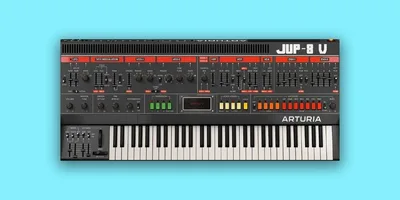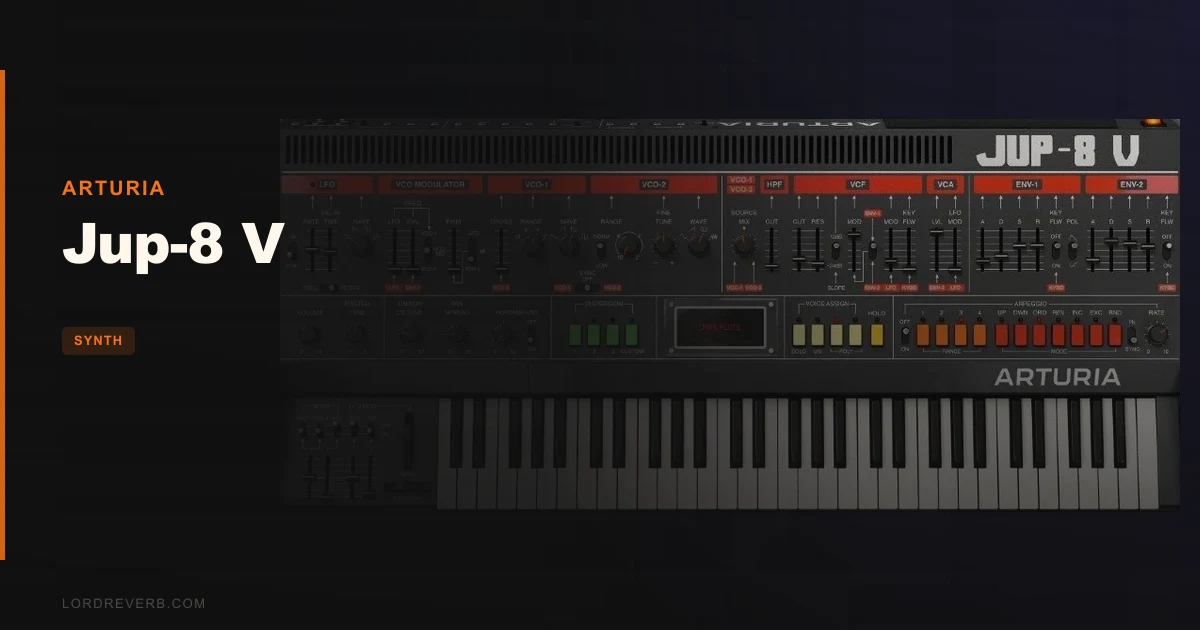
The Jup-8 V is Arturia's component-level software model of the Roland Jupiter-8, and for anyone hunting that specific polysynth sound, it gets closer than most alternatives at $149.
Here's the scene. You're building a synthwave track. The chords need width, they need that particular Roland warmth that sits three inches behind the speakers, and your hardware budget is not "vintage Jupiter-8" territory. You open the preset browser, dial in something close, start tweaking the filter, and before long you're hearing exactly why the Jupiter-8 defined the sound of the early 1980s.
That moment is real. And so is the moment forty minutes later when your Pro Tools session locks up and you lose the take.
Both of those things are this plugin. The Jup-8 V is brilliant at what it does and genuinely frustrating in how it does it. Owners describe the sound as fantastically 3D with rich low end and buzzy Roland character. Reviewers call the filters convincingly analogue and rich. Neither group is wrong. But the CPU costs are high, the oscillator phase behaviour creates inconsistency between notes, and the built-in effects don't all land.
Score: 3.5 out of 5. At $149, it's worth it for producers who know exactly what a Jupiter-8 is for. It's the wrong call if you want a workhorse synth that handles everything.
What the Jup-8 V Actually Is (and What It Isn't)
Jup-8 V is a component-level model of the Roland Jupiter-8, built using Arturia's TAE (True Analog Emulation) technology. That means the synthesis engine isn't just approximating the Jupiter-8's behaviour. It's modelling the individual circuit components that produced the original sound.
Up to 16 voices of polyphony. Free-running phase oscillators. Dual filter configuration with a low-pass VCF and a separate high-pass filter. Two ADSR envelope generators. A 4-shape LFO with tempo sync. These are the hardware's bones, and they're all here.
Arturia has also added things the hardware never had: two additional complex LFOs, a Complex Modulation Mixer, two 32-step sequencers for notes and modulation, Voice Dispersion to emulate voltage variation between voices, 11 digital effects in 3 configurable slots, and advanced macro controls for Brightness, Timbre, Time, and Movement.
What it isn't: a versatile workstation synth. It's not built to cover drum transients, aggressive FM leads, or complex wavetable movement. Reviewers note it's indistinguishable from the hardware on simple-to-moderately-complex patches, but push it toward extreme territory and it diverges. Know what a Jupiter-8 sounds like and you know what this plugin sounds like. If that sound isn't what your session needs, nothing in the browser will fix that.
It also isn't light on your machine. More on that shortly.
The Buyer's Moment: Where You Actually Reach for This
You're producing something that needs a pad layer. Not a wavetable shimmer. Not a digital glass sound. Something warm, wide, and slightly alive, the kind of thing that sounds like it was recorded in 1982 and then somehow got wider on the way through the conversion chain.
That's the Jupiter-8 zone. And that's where the Jup-8 V earns its $149.
Pull up one of the over 300 factory presets and start in the strings or pads section. The filter warmth is immediately there. The filter has a maximum cutoff frequency of around 15.5kHz, which means the top end is naturally rolled back in a way that sounds sweet rather than muffled. Push the low-pass VCF cutoff down, let ENV 1 shape the filter opening, and you get that classic slow bloom that defined decades of pop and film scores.
The arpeggiator with multiple modes and tempo sync means you can lock chord patterns to your DAW grid immediately. The 4-shape LFO with delay and retrig options gives the pad movement without obvious modulation wobble. These are tools for a specific aesthetic, and they're well implemented.
The Unison Detune stacks up to 8 voices. Dial that in on a pad and the stereo width becomes almost uncomfortable in the best way. Pair it with Voice Dispersion, which has 4 customisable modes to emulate the natural voltage drift of analogue hardware, and each voice behaves slightly differently. That's what owners mean when they call the sound "fantastically 3D."
This is where the plugin lives. In the pad layer. In the polysynth brass stab. In the slow-attack chord bed that needs to feel warm without sounding cheap.
The Oscillator Architecture: Where the Character Comes From
The voice architecture is where the Jupiter-8's real personality lives, and it's worth spending time here.
Each voice has two oscillators. They have distinct characters, fine-tuning, noise waveform, and octave range controls. VCO sync is switchable. Cross-modulation between the oscillators is available with 3 modes of pulse-width modulation. These are the actual building blocks of the original hardware's sound.
The free-running oscillator phase is a deliberate design choice that mirrors how analogue oscillators behave. They don't reset on each note trigger. This gives the sound an organic, slightly unpredictable quality that digital oscillators typically lack.
But here's the trade-off that owners have flagged. Random oscillator phase initialization on each note means successive notes can sound tonally different from each other. Sawtooth waves caught at 180° out of phase can effectively cancel the fundamental. Two sine waves can disappear almost entirely depending on where the phase lands.
For pads and long evolving textures, this is rarely a problem. For punchy melodic leads where note-to-note consistency matters, it can be annoying. You'll want to track your patterns carefully and listen back for notes that thin out unexpectedly. This isn't a flaw in Arturia's model, it's an accurate recreation of how the hardware behaves, but you should know it's there before you commit a melodic part to the arrangement.
The TAE technology also recreates the filter's analogue properties including soft clipping, which is what gives the low-pass VCF its warmth rather than the harsh brick-wall behaviour of a purely digital filter. Owners consistently praise this. Reviewers describe it as convincingly analogue and sweet. That consensus is earned.
Envelopes, LFOs, and Modulation Routing
The Jup-8 V ships with the hardware's two ADSR envelope generators, and Arturia has kept the routing logical. ENV 1 modulates VCO pitch, PWM, and VCF cutoff. ENV 2 modulates VCO pitch, VCF cutoff, and VCA level. These cover the core shaping needs of almost any Jupiter-8 patch.
The 4-shape LFO adds tempo sync, a delay parameter, and optional retrig. That delay control is underrated. Set a slow delay on the LFO and the modulation doesn't kick in until the note has already started speaking, which keeps the attack clean while letting the tail develop movement. Works particularly well on strings and brass.
Beyond the hardware's original LFO, Arturia has added two more complex LFOs. This is a genuine extension of what the hardware offered, and it's where the plugin starts to feel like its own instrument rather than just a recreation. Route one of the complex LFOs to filter cutoff and another to PWM and you can create movement that the original Jupiter-8 simply couldn't achieve with its single LFO architecture.
The Complex Modulation Mixer sits on top of all this. It's a dedicated mixing stage for modulation signals, letting you blend multiple sources before they hit a destination. This is clever design. It means you can combine envelope, LFO, and keyboard-tracking signals in proportions you set, rather than just switching between them.
Advanced keyboard expressivity covers Velocity, Aftertouch, Modwheel, and Keyboard Tracking. Each can be assigned to up to 3 destinations with programmable response curves. This is where the Jup-8 V starts to reward deep programming time. If you're playing it live from a controller, particularly an Arturia KeyLab, the expressivity mapping is already configured. With other MIDI controllers you'll set it up yourself, which is straightforward.
The Filters: The Reason Anyone Buys This
Honest truth: the filters are the headline feature. Everything else is context.
The dual filter configuration gives you a low-pass VCF and a separate high-pass filter. You can run them independently or use them together to shape a bandpass-style response. Filter modulation via LFO, ENV, and keyboard control means you have multiple simultaneous signals shaping the cutoff in real time.
That 15.5kHz maximum cutoff on the low-pass matters sonically. It means the filter never opens all the way to full air, which is actually what keeps the top end sounding sweet rather than harsh. Roll-off behaviour through that upper range has the gradual slope of analogue circuitry rather than a sharp digital shelf.
Push the resonance up and the filter self-oscillates in a way that owners describe as rich and sweet. Reviewers consistently flag this as a strength. It doesn't get thin or piercing at high resonance settings the way some digital filter models do. The soft clipping built into the TAE model is doing real work here, catching the peaks before they become unpleasant.
Real-time tweaking is where this filter becomes satisfying to use. Automate the cutoff through a pad section in your arrangement and the movement sounds organic, not stepped. This is the difference between a well-implemented analogue model and a digital synth that's pretending.
One limitation: filter modulation is deep but the filter architecture itself is fixed. You can't reconfigure the signal path in ways that go beyond what the hardware offered. If you want a multi-mode filter with switchable slopes, you're looking at the wrong instrument.
Voice Dispersion and the Sound of Imperfection
Voice Dispersion is one of the most thoughtfully designed features in the Jup-8 V. It emulates the naturally-occurring voltage variations between individual voices in a hardware polysynth.
In a real Jupiter-8, each of the 8 voices has its own discrete circuitry. No two voices are perfectly matched. Temperature, component tolerances, and age all create subtle differences. This is what makes a vintage polysynth feel alive compared to a perfectly cloned digital voice. Voice Dispersion recreates this with 4 customisable modes.
Push the Dispersion control and individual voices drift slightly from each other in pitch, timbre, and envelope timing. A chord becomes something with movement even when no modulation is running. A unison patch gains that characteristic width that no amount of stereo spreading can fake convincingly.
It's one of those controls where you'll feel the difference before you understand what you're hearing. Set a pad, mute the effect, and the chord snaps to a kind of artificial perfection. Bring it back in and the sound breathes again.
Combine Voice Dispersion with Unison Detune and you're in genuinely deep territory. Up to 8 stacked voices each with their own dispersed characteristics, detuned against each other. That's how you get the wall-of-sound pad layers that make this plugin worth talking about.
The Sequencers and Extended Features
The two 32-step sequencers for Notes and Modulation sit well outside what the Jupiter-8 hardware ever offered, and they're a legitimate reason to prefer the plugin over a hardware unit.
Each sequencer has independent length, so a 16-step note pattern can run against a 24-step modulation sequence. The resulting polyrhythmic movement isn't something you'd dial up easily on hardware without additional gear. Pitch values are entered intuitively and scales can be set to constrain the sequence, which makes melodic programming faster than you'd expect.
The arpeggiator with multiple modes and tempo sync is a separate tool from the sequencers. For live playing or arrangement sketching, the arpeggiator is typically faster to configure. For compositional work where you want modulation shapes that follow a specific pattern, the sequencers earn their keep.
The 11 digital effects with 3 configurable slots running in series or parallel round out the sound design toolkit. Owners flag the Galaxy module and the effects flexibility as highlights. The complaint, and it's a legitimate one, is that the chorus lacks the lushness you'd expect from a Jupiter-8 recreation, and the flanger doesn't produce the classic jet-sweep effect. These are not subtle criticisms. If you're using the Jup-8 V for Roland-style ensemble sounds and you're relying on the built-in chorus, you'll want to supplement it with a dedicated chorus plugin in your chain. That's an extra step that shouldn't be necessary at this price point.
The macro controls for Brightness, Timbre, Time, and Movement are worth understanding. They're designed as single-knob controls that simultaneously adjust multiple parameters. Brightness sweeps frequency content. Movement shifts modulation depth and rate. These work well in performance and in automation, and they make the preset browser more useful because you can quickly adapt a preset without going into the full architecture.
The CPU Problem: Real and Documented
This is where we have to be direct. The CPU demands are high, and in Pro Tools they create documented problems.
Owners report freezes. Transport lockup. Audio dropouts. These aren't occasional edge-case reports. They're consistent enough to be a known issue, and if Pro Tools is your primary DAW, that matters before you spend $149.
Performance characteristics vary across DAWs. Other hosts handle the load better than Pro Tools. But multi-instance use is constrained regardless of your host. If you want three or four layers of Jup-8 V running simultaneously in a dense arrangement, you'll hit limits on most modern machines.
The specs require a 4-core CPU at 3.4GHz minimum, 4GB RAM, and 3GB of disk space. ARM processors are not supported on Windows. Mac OS 10.13 or higher and Windows 10 64-bit are the minimum OS requirements. OpenGL 2.0 compatible GPU is required on both platforms.
In practical terms: one or two instances in a session is manageable. Six instances in a dense mix is a different conversation. Freeze tracks aggressively if you're working with multiple instances. This is manageable workflow, but it's extra workflow, and it adds friction to the creative process in a way that shouldn't be ignored.
Heavy CPU usage is the note in the score breakdown. It's not disqualifying if you're working on a machine built in the last few years and you're disciplined about freezing. But if your setup is already running near its limits on busy sessions, this plugin will find the ceiling.
Preset Browser and Learning Curve
Over 300 factory presets, keyword search, and browsing by instrument type and musical style. The browser is genuinely useful.
Start in the pads category and you'll find usable sounds immediately. The strings section covers everything from thin chamber textures to enormous orchestral beds. Brass and leads are represented well. The browser respects the Jupiter-8's character, so you won't find anything that sounds wildly out of place for the instrument's identity.
The intelligent keyword search is worth using. Search "warm" or "brass" or "slow attack" and the results are relevant. This is a browser that actually helps rather than one you scroll through hoping for luck.
Built-in in-app tutorials from Arturia sound designers are included. If you're new to Jupiter-8 architecture or to synthesis in general, these reduce the learning curve meaningfully. The GUI is resizable, which matters for working at different screen sizes and for keeping the interface readable when you're deep in a session.
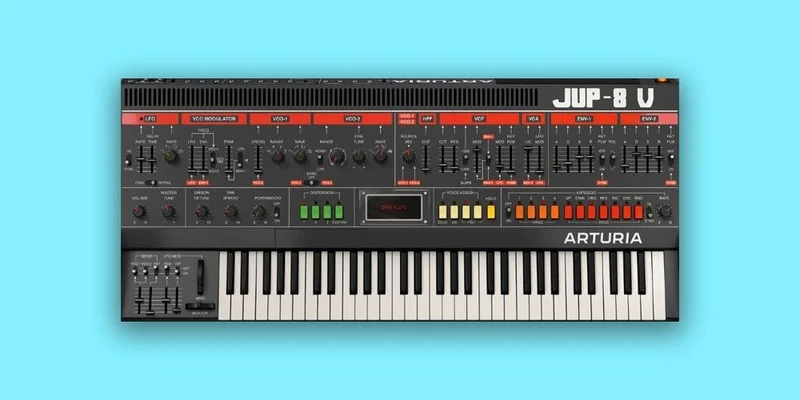
The interface itself maps the original hardware's layout closely enough that anyone who has used a Jupiter-8 will find it familiar immediately. For producers coming to this without Jupiter-8 experience, the layout is logical: oscillators on the left, filter and envelopes in the middle, modulation and effects on the right. It's approachable.
For other Arturia V Collection instruments, the workflow and browser approach is consistent, which means your muscle memory transfers across the lineup.
The Trade-Offs
The Jup-8 V's core trade-off is this: you get exceptional character at the cost of flexibility and CPU efficiency.
The filter warmth and Voice Dispersion are genuinely impressive. Owners' descriptions of a "fantastically 3D" sound with rich low end aren't marketing copy. For lush pads, polysynth brass, and analogue-flavoured beds, this plugin delivers what it promises. The component-level modelling produces a result that reviewers consistently describe as convincingly analogue, and on simple-to-moderately-complex patches it's indistinguishable from the hardware.
But the oscillator phase behaviour creates note-to-note tonal inconsistency that can surface at awkward moments in melodic parts. The CPU demands limit how many instances you can run before your session starts suffering. The built-in chorus and flanger don't reach the Roland ensemble sound they're gesturing toward. And the overall sonic identity is narrow by design: it's a Jupiter-8. If you need it to be something else, it won't cooperate.
The extensions beyond the hardware are genuinely useful. The two extra complex LFOs, the 32-step sequencers, the Voice Dispersion modes, and the modulation mixer all expand what the instrument can do without changing what it sounds like. This is smart design. The problem is that everything runs through the same character filter. You're always making a Jupiter-8 sound, whether you want to or not.
For producers who love that sound, this is a feature. For producers who want a character instrument they can also push into modern territory, it's a constraint worth thinking about before purchasing.
Against the Field
Four main comparisons come up in owner discussions.
The hardware Jupiter-8 is the reference. For simple-to-moderately-complex patches, owners report the Jup-8 V is indistinguishable. For extreme patches, it diverges. The hardware costs orders of magnitude more and needs maintenance. The plugin is the practical answer for almost everyone.
Omnisphere 3 has a vastly broader sonic palette. If you need one instrument that covers everything, Omnisphere is the answer. It won't give you the focused Jupiter-8 character, but it'll give you ten thousand other things.
u-he Zebra 3 is a far more versatile modern workstation. If you want deep modular-style routing with broad sound design range, Zebra wins. It's a different philosophy entirely. The Jup-8 V is about character. Zebra is about capability.
Serum 2 is more modern and flexible. Excellent for anything wavetable-forward, modern electronic, or where you need a synth that'll do any sound type on demand. Not the call for vintage analogue polysynth character.
For a different vintage emulation approach, the Arturia SEM V covers a different slice of vintage analogue territory with a simpler architecture that's more CPU-friendly.
The Jup-8 V wins on one specific thing: sounding like a Jupiter-8. That's not a small win if that's what you need.
The Real Verdict
If your sessions regularly need lush polysynth pads, Roland-style brass, or warm analogue beds, the Jup-8 V is exactly the right instrument at $149. The filter warmth is real. The Voice Dispersion is a clever and satisfying tool. The 32-step sequencers and extended LFOs push it meaningfully beyond what the hardware offered.
If you're a Pro Tools user running dense sessions near your CPU ceiling, this one asks you to do serious homework before committing. The documented performance issues in Pro Tools are not hypothetical, and audio dropouts during a session are an expensive way to find out a plugin doesn't suit your setup.
If you want a synth that covers all your sound design needs in one purchase, look elsewhere. This is a character instrument and it knows it.
For the producer who loves the Jupiter-8 sound and wants the closest software version of it without spending vintage hardware money, there's a strong case here. Just freeze your instances, don't stack six of them in a mix, and budget for a dedicated chorus plugin to supplement the built-in effects.
That's an honest picture of what you're buying. A brilliant, narrow, CPU-demanding instrument with one of the most loveable filter sections in the Arturia lineup, and a few rough edges that should've been smoother at this price.
Specs & Technical Details
| Developer | Arturia |
| Price | $149 |
| Plugin Format | VST3 / AU / AAX / Standalone / NKS |
| OS Support | Mac OS 10.13+ / Windows 10+ 64-bit |
| Activation | N/A |
| CPU Usage | Heavy |
| Trial Available | N/A |
| Version Reviewed | N/A |
Score Breakdown
| Category | Score | Notes |
|---|---|---|
| Sound Quality | 4.5/5 | Filter warmth and Voice Dispersion are genuinely convincing; oscillator phase inconsistency costs half a point |
| Value for Money | 3.5/5 | Strong for a character instrument, but CPU demands and effect shortfalls weigh against the price |
| Ease of Use | 4.0/5 | Browser and tutorials make starting fast; deeper modulation routing takes time to learn |
| Features | 3.5/5 | Sequencers and extra LFOs go beyond the hardware; chorus and flanger underdeliver |
| CPU Efficiency | 2.0/5 | Documented Pro Tools problems and high multi-instance cost are real constraints |
| Overall | 3.5/5 | A specialist instrument with a world-class filter engine and a CPU bill to match |
Alternatives to Consider
If the CPU load is a deal-breaker, the Arturia SEM V is a leaner vintage analogue option within the same V Collection family. Different architecture, different character, but far more forgiving on your machine.
For producers who want a broader Arturia palette without committing to a single instrument, the MiniFreak V covers hybrid analogue and digital ground with more versatile synthesis options. It won't give you the Jupiter-8 width, but it's a more flexible creative tool session to session.
If your interest is in vintage emulation more broadly, Arturia's SEM V takes a different slice of hardware history. Worth checking if you're building out a collection of emulations rather than committing to a single instrument sound.
For producers who need a sound bank rather than a new instrument architecture, Synth City Chromaphone 3 is worth a look as a completely different sonic approach to pad and texture production.
And if you're genuinely undecided between vintage emulation and modern synthesis flexibility, that's a real question to answer before spending $149 on something as focused as the Jup-8 V. The plugin won't change what it is to suit your needs. You'll adapt your workflow to suit it, or you'll wish you hadn't bought it.
Frequently Asked Questions
Is the Jup-8 V accurate to the real Roland Jupiter-8?
For simple-to-moderately-complex patches, owners report the Jup-8 V sounds indistinguishable from the original hardware. On more extreme patches, the emulation diverges. The component-level modelling using Arturia's TAE technology recreates oscillator characteristics, filter properties, and soft clipping behaviour, which is what produces the convincingly analogue character reviewers consistently praise.
Does the Jup-8 V work in Pro Tools?
It supports AAX format and is compatible with Pro Tools on paper. In practice, owners report severe CPU and performance issues in Pro Tools including freezes, transport lockup, and audio dropouts. If Pro Tools is your primary DAW and you run dense sessions, this is a documented risk worth taking seriously before purchasing.
Why do some notes sound thinner or different from others on the Jup-8 V?
This is the result of random oscillator phase initialization on each note trigger. Because the oscillators don't reset to the same phase position on every note, successive notes can sound tonally different. Sawtooth waves caught at 180° out of phase can cancel the fundamental significantly. This is an accurate recreation of how analogue oscillators behave, not a bug, but it can be annoying on melodic parts where note-to-note consistency matters.
How many instances of the Jup-8 V can I run in one session?
This depends on your CPU and DAW, but the plugin has high CPU demands by design. Multi-instance use is constrained on most systems. One or two instances running simultaneously is generally manageable. For dense arrangements with multiple instances, you'll want to freeze tracks aggressively. The minimum spec requires a 4-core CPU at 3.4GHz, but hitting that minimum doesn't mean multi-instance sessions will be comfortable.
Does the Jup-8 V work on Apple Silicon Macs?
The notes specify Mac OS 10.13 or higher is required. ARM processor support is noted as unavailable on Windows. For Mac-specific ARM compatibility details, checking Arturia's current system requirements directly is the right move before purchasing, as this can change between software versions.
Is the Jup-8 V good for sound types other than pads and brass?
The Jup-8 V is positioned as a character instrument built around the Jupiter-8's identity. It covers pads, polysynth brass, and analogue-flavoured beds well. For drum transients, aggressive FM leads, modern wavetable sounds, or highly flexible synthesis across all categories, it's the wrong tool. The sonic identity is consistent and narrow by design. That's a strength if you want that sound and a constraint if you need versatility.