If you already own Rob Papen BIT, the upgrade to BIT-2 is worth it at $99, specifically for the SuperSaw/SuperSquare oscillator stacking, the voice-level distortion, and the ribbon controller, provided you don't plan to push audio-rate filter modulation hard. That's the short answer. Everything below is the long one.
BIT-2 is Rob Papen's analog modeling synthesizer, version two. It's not a hybrid, not a wavetable beast, not a sample mangler. The developer is explicit: the focus is analog modeled synthesis, full stop. That positioning matters, because it sets the ceiling.
Owners report a "superb rich analog sound" with impressive filter depth and character. Reviewers consistently call it underrated in the Rob Papen lineup. For producers who want a solid virtual analog synth that doesn't require a PhD to operate, it checks most boxes. The upgrade path exists for existing BIT owners only. If you're coming in fresh, there's a separate purchase route.
This review walks through every major addition in BIT-2, where the design decisions pay off, where they fall short, and who should either grab the upgrade immediately or wait it out.
What You Are Upgrading To
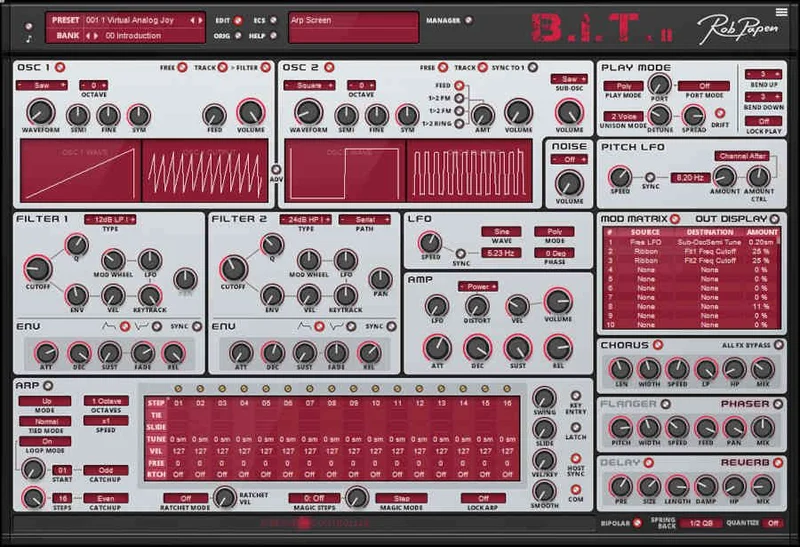
BIT-2 is a 16-voice virtual analog synthesizer. Two oscillators, two analog-modeled filters, a full arpeggiator/sequencer, Modulation Matrix, voice-level distortion, and an effects chain that ends in what the developer calls a "top-notch reverb."
The original BIT gave you analog modeling in a one-page interface. BIT-2 keeps that philosophy and adds layers on top. The headline additions are:
- SuperSaw 1/2/3 and SuperSquare 1/2/3 waveforms in both oscillators
- 11 distortion types at the AMP level, per voice
- Expanded filter modes, now at 38 types across two filters
- Ribbon Controller with tempo-synced spring back, quantized spring back, and unipolar/bipolar modes
- Arpeggiator/Sequencer with automatable loop-start and step-count, plus Magic mode
- Oscillator 2 modulation by Oscillator 1 via FM, PM, and Ring Modulation
- Improved FX processor including Chorus, Flanger/Phaser, Stereo Delay, and HQ Reverb in serial
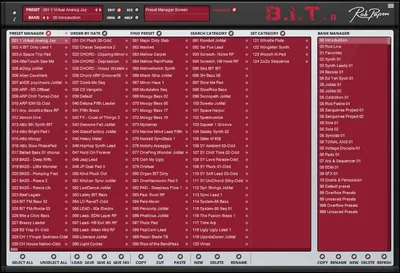
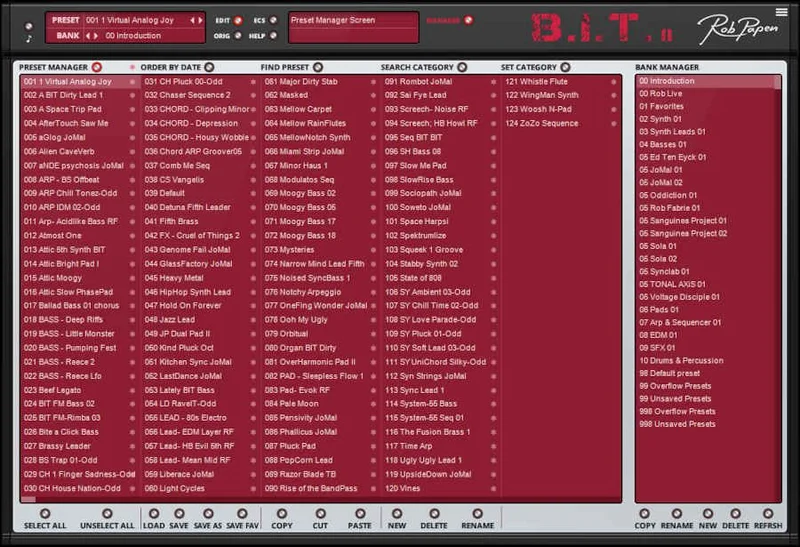
The preset library sits at over 1,500. That's not a typo and it's not padding. Owners specifically call out the preset quality as "really really excellent," and producers cite "tons of producer-friendly presets" as a core reason to stay in the Rob Papen ecosystem.
Activation is offline. No persistent connection to Rob Papen's servers. You can install on two machines simultaneously. NI NKS support is listed as planned, not yet live.
Who Qualifies
This listing is strictly for existing Rob Papen BIT owners. The page makes that clear at the top. If you don't own BIT, this upgrade path isn't yours. Follow the standard purchase route instead.
For BIT owners, the upgrade to BIT-2 runs at $99 at introductory pricing. That climbs to the regular price after the introductory window closes, so there's a timing element to this decision.
You need Windows 7 or higher for PC, or macOS 10.13 or higher for Mac. The Mac version is Apple Silicon native, M1 ARM compatible. On PC, AAX requires Pro Tools 12 or higher. The plugin ships in VST2, VST3, AU, and AAX formats. The 32-bit VST is still available on PC for legacy sessions, which Rob Papen doesn't always carry forward on other instruments.
There's no trial version mentioned on the product page. If you want to hear it before committing, check whether Rob Papen's main site offers a demo of the full BIT-2, not just this upgrade SKU.
The Oscillator Overhaul: SuperSaw, SuperSquare, and More
This is the most immediately usable addition in BIT-2. The SuperSaw and SuperSquare waveforms each come in three variants (1, 2, and 3), and each generates a 3-oscillator sound within a single oscillator slot. Stack both oscillators with SuperSaw and you're running what effectively behaves like a six-oscillator wall of sound without touching the Modulation Matrix.
Try setting Oscillator 1 to SuperSaw 2 and Oscillator 2 to SuperSquare 1. Pull the filter cutoff to around 60% and let the filter envelope open across two bars. That's where the density becomes useful for pad work without turning muddy. If it clouds up, pull the oscillator detune slightly on Oscillator 2. The spread control on the SuperSaw variants is where the width lives.
Both oscillators still carry the classic waveforms including Tuned Noise, which is one of those features that sounds niche until you actually need it for industrial textures or pitched percussion layers. Oscillator 2 adds a Sub-Oscillator with Sine, Square, and Saw options, which is the fastest way to add low-end body without touching the filter.
The wave feedback feature is on both oscillators. It's the kind of control that's easy to overlook in a preset browser session and genuinely satisfying when you find it mid-patch.
A dedicated Noise Oscillator handles White and Pink Noise separately from the main oscillators. That matters if you want noise as a texture layer while the main oscillators do something else entirely, like a rhythmic FM patch with breathiness underneath.
Oscillator 2 Modulation: FM, PM, and Ring
Oscillator 2 can be modulated by Oscillator 1 in three modes: FM, PM, and Ring Modulation. The developer says this "expands the sound palette massively," and that's not an overstatement for the PM and Ring options specifically.
Here's where the honest caveat lands. Owners have flagged that audio-rate modulation of the filters sounds problematic in BIT-2, with one reviewer specifically noting that the "frequency of modulation update wasn't high enough," which introduces artifacts at faster rates. The PM, FM, and Ring Mod on Oscillator 2 are a different signal path to the filter modulation issue, and owners who raised that complaint still noted the oscillator-to-oscillator modulation "sounds nice."
So the distinction matters. Oscillator 2's FM/PM/Ring routing from Oscillator 1 works. Pushing the Modulation Matrix to do audio-rate filter modulation is where you hit the ceiling. If you come from synths like Repro or Legend and use audio-rate filter FM as a core technique, that limitation is frustrating. That's a real complaint from a real user, not a nitpick.
Oscillator 2 can also Sync to Oscillator 1. Classic hard sync for that snapping, aggressive harmonic lock. Combine it with the filter envelope's Fade control and you can get sync sweeps that feel like they belong in a different price bracket entirely.
The Filters: 38 Types, Two Filters, and Smart Routing
Two analog-modeled filters. Thirty-eight different character types and modes between them. That's a lot of filter real estate for a synth at this price point, and owners consistently highlight filter depth as one of BIT-2's genuine strengths.
The routing options give you three configurations: serial (both filters in line), split-oscillator (each oscillator gets its own filter), and split-noise (the noise oscillator runs through a separate filter). The split-oscillator routing is underused in preset design and worth exploring manually. Put a lowpass with heavy resonance on Oscillator 1 and a bandpass on Oscillator 2. Then detune them against each other. That's a harmonic texture you can't get from a single filter signal chain.
The dedicated Filter Envelope has Attack, Decay, Sustain, Fade, and Release. The Fade stage is the one most designers skip and shouldn't. It holds the envelope at a set level after Sustain before the Release kicks, which gives you control over pad shapes that a four-stage envelope can't reach. Tempo-based sync and inverted mode are both included.
The new filter modes added in BIT-2 are where the "enhanced capabilities" claim from the developer lives. The exact character differences between all 38 types aren't documented per-filter in the product page, so this is one area where pulling up the full manual and working through the filter types systematically is worth the hour.
AMP Distortion: Per Voice, Not Per Bus
This is a design decision that doesn't sound like much until you hear the difference. BIT-2's distortion in the AMP section runs at voice level. Eleven distortion types. Per voice, not applied to the output bus.
The developer explains this directly: applying distortion per voice "avoids ugly sounds if you play chords." That's correct. When you apply saturation or clipping to a polyphonic output bus, the intermodulation between voices causes harmonic buildup that turns into mud or harsh artifacts fast. Doing it per voice keeps each note's harmonic content independent before the voices sum.
For lead sounds, that means you can push distortion harder without the whole chord collapsing. For bass patches with the synth in mono/legato mode, the per-voice architecture is irrelevant, but the 11 distortion types still give you a wide range from subtle saturation to aggressive clipping without leaving the instrument.
It's a clever engineering call. And it's one of the cleaner arguments for BIT-2 over a more generic softsynth where distortion gets bolted onto the output as an afterthought.
The ARP/SEQ: Magic Mode and the Automation Trick
The arpeggiator/sequencer runs 16 steps with multiple modes. The new additions in BIT-2 are the automatable loop-start and step-count, and the Magic parameter.
The loop-start automation is more useful than it sounds. You can automate which step the sequence starts on. Combine that with automating the step count (the total number of steps active) and you get sequence variation that doesn't require drawing in a bunch of MIDI notes. The pattern breathes without you touching it mid-session.
Magic mode adds intelligent variation to what the arpeggiator plays. "Intelligent" is the developer's word. From user reports, it functions more as a variation engine than a randomizer, keeping results musical rather than chaotic. For live use or sketch sessions where you want movement without precise sequencing, it's the right tool.
The ARP/SEQ can also function as a modulator. There's an additional free row in the sequencer that routes to the Modulation Matrix. You can use that row to modulate filter cutoff, oscillator pitch, or anything else in the matrix in step-time. That's sequenced modulation without running an external LFO or envelope, and it's the kind of workflow shortcut that saves multiple signal chain steps.
Load a SuperSaw patch, run the ARP in 16-step mode, and point the free modulation row at Filter 1 Cutoff. Set the steps to alternating high and low values. That's a rhythmic filter sequence locked to your arpeggio without any additional routing outside the instrument.
The Ribbon Controller
Most software synths bolt on a pitch wheel and a mod wheel and call it done. BIT-2 adds a Ribbon Controller in the lowest section of the GUI. It's a horizontal strip you can move with a mouse or a MIDI controller, and it maps to multiple parameters simultaneously.
The tempo-based spring back is the detail that makes it usable for performance rather than just preset design. Set the spring back to tempo sync and the ribbon returns to center in time with your DAW tempo. That gives you a rhythmic performance tool, not just a static knob replacement.
Quantized spring back is the other mode worth knowing. Instead of a smooth glide back to center, it snaps to defined positions. For pitch-based ribbon use, that means you can do quantized pitch bends that land on musical intervals without the tail sliding through unwanted pitches.
Unipolar versus bipolar mode sets whether the ribbon affects a parameter in one direction from zero or in both directions from center. For filter cutoff: bipolar means you can push up or pull down from wherever the cutoff is sitting. Unipolar means you're adding on top. Both have their place depending on whether you're using the ribbon for tonal sweep or for expressive pitch work.
It's one of the more satisfying additions in BIT-2. Worth mapping to a physical controller rather than mousing it.
The Modulation Matrix and Advanced Panel
BIT-2 has no patch cables. That's stated plainly on the product page. But it's "modular by design" through two systems working together: the Modulation Matrix and the Advanced panel.
The Advanced panel sits below the oscillators and is accessed via the ADV switch. It pre-wires common modulation connections: LFO to oscillator pitch, envelope to oscillator waveshape, that kind of thing. It's the fast path for standard modulation routing without opening the full matrix.
The Modulation Matrix is the full patching system. This is where you route the ARP/SEQ's free modulation row, where you build unusual connections like using Filter Envelope as a pitch modulator or feeding the Noise Oscillator level from an LFO. The matrix approach keeps the GUI relatively clean compared to a full modular patchbay, but it does mean you need to know what you're looking for before you open it.
For producers working primarily from presets, the matrix is optional. For sound designers, it's where BIT-2's analog modeling depth actually shows up. Load a preset, look at what the matrix is already doing, and reverse-engineer from there. That's the fastest way to understand what the instrument can actually do.
Play Modes and the Unison Architecture
BIT-2 covers Poly, Poly MPE, Mono, and Legato play modes. The Unison modes sit under Play Mode and there are multiple configurations available.
The Poly MPE mode is the detail that future-proofs this instrument for anyone using a Roli Seaboard, a Linnstrument, or any MPE controller. Per-note pressure, slide, and lift routing through a 16-voice MPE-capable synth is genuinely useful, and it's not something every virtual analog in this price range offers.
The 16-voice polyphony is the ceiling. That's enough for dense chord work and unison stacking, though heavy unison with all voices active on complex SuperSaw patches will push voice allocation. Owners report good CPU efficiency overall, which means you likely won't be voice-stealing often under normal playing conditions.
Legato mode plus wave feedback on the oscillators plus the Ribbon Controller in bipolar pitch mode is a specific combination worth trying for expressive lead patches. You get pitch continuity between notes, harmonic feedback on the oscillator wave, and real-time ribbon control over whatever you've mapped. That's a lot of expressive range in a synth that's priced well below the instruments it's competing with for that use case.
The Effects Chain
The FX section runs serial: Chorus first, then Flanger or Phaser (you choose one), then Stereo Delay, then HQ Reverb. All in that order, all in one chain.
The developer is confident about the reverb. "You won't have to go outboard for adding reverb" is the claim. That's a strong statement. What we can say is that owners are consistently positive about the overall sound quality in BIT-2, and the effects are cited as a strength rather than a weakness.
The serial routing is worth understanding before you go hunting for a parallel FX option. Everything feeds into everything. That means your Chorus is getting processed by the Delay, which is getting processed by the Reverb. For pads and ambient work, that creates a cohesive wash. For precise rhythm patches where you want a tight delay without reverb smearing it, you might want to bypass the reverb and handle it on the channel in your DAW.
It's not a major limitation, but it's a workflow note if you're used to parallel effects routing in other instruments.
What the GUI Costs You
The interface. This is the honest section.
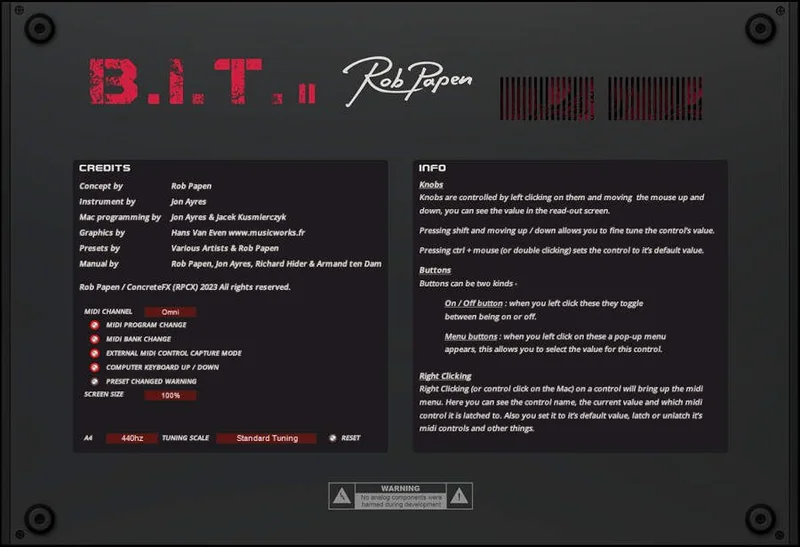
Users consistently criticize the BIT-2 GUI as ugly. That's their word, not ours. Multiple owners describe it as increasingly cluttered as Rob Papen adds features with each version. The aesthetic is dated by current plugin standards. If you spend time in Pigments or Phase Plant, you will feel the difference immediately.
The scaling options help: 100%, 125%, 150%, and 200% are available. But owners specifically flag that high-DPI and Retina support is inadequate, with at least one reporting serious difficulty reading the interface on a 4K Windows display. That's an annoying problem for anyone running a 4K monitor as their main screen. Rob Papen has been slow to address this across their catalog, and BIT-2 doesn't appear to be an exception.
It doesn't affect the sound. But it does affect daily workflow, and for a synth that otherwise punches well for the money, it's a frustrating gap.
The Value Case
BIT-2 at $99 for the upgrade from BIT is the question on the table. The answer is yes, with two conditions.
First condition: you use BIT regularly enough that the new oscillator waveforms, filter modes, and ARP/SEQ additions will show up in your actual work. If BIT is sitting dormant in your plugin folder, the upgrade won't change that.
Second condition: you're not primarily a sound designer who relies on audio-rate filter modulation as a core technique. If you are, that specific workflow has a ceiling in BIT-2 that owners have been clear about. Synths like Repro, OB-E, or Legend handle audio-rate modulation better for that use case. BIT-2 is the stronger value play for producers working from presets and doing moderate sound design, not for deep FM-style synthesis or audio-rate filter FM specialists.
For everything else: 38 filter types, SuperSaw and SuperSquare stacking, voice-level distortion on 11 types, a 1,500-preset library with strong producer coverage, MPE support, a ribbon controller, and offline activation. At $99, that's a lot of instrument for the money. Reviewers who know the Rob Papen catalog consistently call BIT underrated. BIT-2 makes that case easier to argue.
Who Should Skip It
Skip the upgrade if audio-rate filter modulation is core to your sound. One owner was direct: the modulation update rate isn't high enough, and the artifacts are real. That's not a complaint to dismiss. If your patches depend on fast, clean filter FM, look at Legend, Repro, or OB-E first.
Skip it if you're on a 4K Windows display and you need a plugin UI that's actually readable without squinting. The scaling options exist but the high-DPI implementation isn't there yet. That's not a minor inconvenience if you're working eight-hour sessions.
Skip it if BIT never clicked for you in the first place. The update improves and expands the instrument. It doesn't redesign the workflow or the aesthetic. If you found BIT frustrating or found the GUI repellent before, BIT-2 won't fix your relationship with it.
And skip it if you're not a BIT owner. That's the eligibility rule, not a recommendation.
Alternatives to Consider
If the GUI and audio-rate modulation limitations are deal-breakers, here's where to look instead.
For analog modeling depth with better audio-rate modulation, check how Arturia SEM V handles its filter character. It's a different instrument with a narrower scope, but the filter design is a benchmark for virtual analog work.
If you want a broader virtual analog platform with a cleaner UI and deep modulation routing, the MiniFreak V is worth a close look for 2026. It's a hybrid rather than a pure analog model, but the workflow is faster for producers who want results quickly.
Within the Rob Papen lineup, Go 2 and Blue 3 are both worth considering depending on what you're after. Go 2 is simpler and faster for quick results. Blue 3 goes deeper into hybrid synthesis if you want more than pure analog modeling. Neither replaces BIT-2 directly, but they're the honest alternatives if this upgrade doesn't fit your needs.
For something completely different in the preset-first category, the Synth City Chromaphone 3 sound bank covers acoustic modeling territory that BIT-2 doesn't touch, but if your library needs variety rather than more analog depth, it's worth knowing about.
The Verdict
BIT-2 is a genuinely solid analog modeling synth with a well-constructed upgrade path for BIT owners. The SuperSaw and SuperSquare additions are immediately useful. The voice-level distortion is clever engineering. The 1,500-preset library is a real asset. The ribbon controller is underrated.
The GUI is ugly and the 4K scaling is annoying. Audio-rate filter modulation has a real ceiling that some users will hit and others won't notice. Those aren't dealbreakers for most producers. They're dealbreakers for a specific minority, and if you're in that minority, you know who you are.
At $99 for existing BIT owners, we'd take the upgrade. It's more instrument for a price that doesn't require a significant commitment, and the additions are practical rather than cosmetic. The presets alone give you working material to pull from immediately.
Skip it if you're chasing audio-rate modulation depth. For everyone else: worth it.
Specs & Technical Details
| Developer | Rob Papen |
| Price | $99 |
| Plugin Format | VST2 / VST3 / AU / AAX |
| OS Support | Mac (10.13+, Apple Silicon native) / Windows (7+) |
| Activation | Offline, no persistent internet connection required |
| CPU Usage | Owners report efficient CPU performance |
| Trial Available | Not listed on the upgrade page |
| Version Reviewed | BIT-2 (upgrade from BIT) |
Score Breakdown
| Category | Score | Notes |
|---|---|---|
| Sound Quality | 4.5/5 | Owners consistently report superb analog character and deep filter sound |
| Value for Money | 4.5/5 | 1,500 presets, 38 filter types, voice-level distortion, and MPE at this price is hard to argue with |
| Ease of Use | 3.5/5 | GUI is cluttered and 4K scaling is inadequate; preset browsing covers the gap for most producers |
| Features | 4.5/5 | SuperSaw/SuperSquare stacking, ribbon controller, and ARP magic mode are real additions |
| CPU Efficiency | 4.0/5 | Owners report good efficiency; no published CPU figures from the developer |
| Overall | 4.2/5 | Underrated analog modeler with specific audio-rate modulation limits and a UI that's showing its age |
Related reviews: Paraphrasis Review
Frequently Asked Questions
Do I need to own Rob Papen BIT to purchase this upgrade?
Yes. This listing is strictly an upgrade path for existing BIT owners. If you don't already own BIT, you'll need to follow the standard full-purchase route for BIT-2. The upgrade and the full version are separate products at separate prices.
Is BIT-2 compatible with Apple Silicon Macs?
Yes. BIT-2's Mac version is M1 ARM processor compatible, running natively on Apple Silicon hardware. It also supports macOS 10.13 or higher for Intel Macs. Both VST3, AU, and AAX formats are available on Mac.
What are SuperSaw and SuperSquare waveforms in BIT-2?
SuperSaw 1/2/3 and SuperSquare 1/2/3 generate a three-oscillator sound inside a single oscillator slot. Each variant offers a different density or spread characteristic. You can use them in both Oscillator 1 and Oscillator 2 simultaneously, creating a wide-stacked sound without additional routing or voice allocation outside the standard 16-voice count.
How does voice-level distortion in BIT-2 differ from a regular distortion plugin?
Standard distortion applied at the output bus processes all voices summed together. That creates intermodulation between notes when you play chords, which can produce harsh artifacts or mud. BIT-2 applies its 11 distortion types per individual voice before they sum, so each note's harmonic content is independent. The result is cleaner chord distortion at higher drive settings.
Can the BIT-2 arpeggiator/sequencer be used as a modulation source?
Yes. The ARP/SEQ includes a free additional row that routes through the Modulation Matrix. You can assign that row to modulate any compatible parameter in BIT-2, including filter cutoff, oscillator pitch, or amplitude. This makes the sequencer function as a step-time LFO without requiring a separate modulation source.
What are the main limitations reported by BIT-2 users?
The two most consistent complaints are the GUI design and the audio-rate modulation ceiling. The interface is described as cluttered and aesthetically dated, and high-DPI scaling on 4K Windows displays is reported as inadequate. On the technical side, one owner specifically flagged that audio-rate modulation of the filters suffers from a low update rate, which produces artifacts at faster modulation speeds. Both are real issues, not edge cases.