If you're upgrading from Traktor Play to Traktor Pro 4, the upgrade path is available direct from Native Instruments, so check the manufacturer's site for your regional pricing. That's a one-time payment, no subscription, and it's the most important thing to understand before we get into anything else.
We loaded up a two-hour session of mixed-tempo records: some 1970s funk at 98 BPM, some fast techno at 145 BPM, then a chunk of hip-hop sitting around 87 BPM. The old beatgrid system in Traktor would have started drifting by the third genre transition, and we'd have been manually nudging to salvage loops. With the flexible beatgrids in Pro 4, every tempo map followed the track accurately through its changes. Sync held. Loops fired clean. That alone changed the session.
This review is for DJs who bought Traktor Play, got serious, and are now asking whether the upgrade price is justified. Short answer: yes. Longer answer below.
What It Is (and What It's Not)
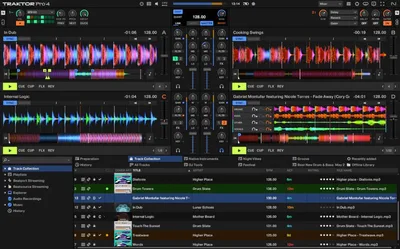
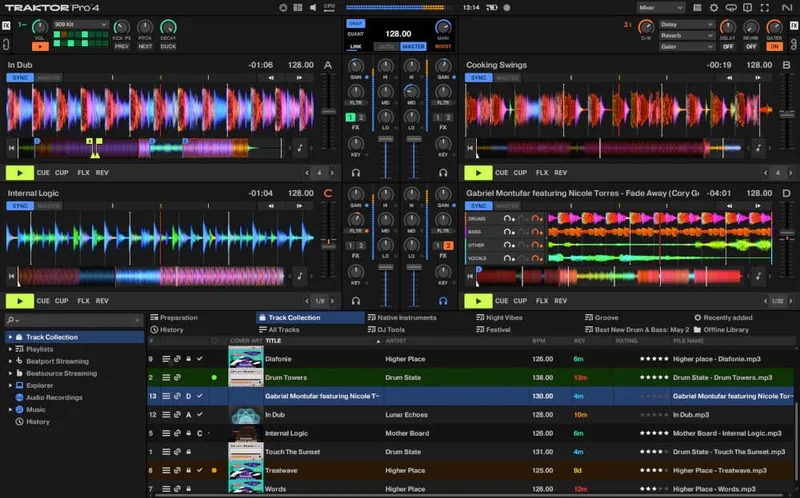
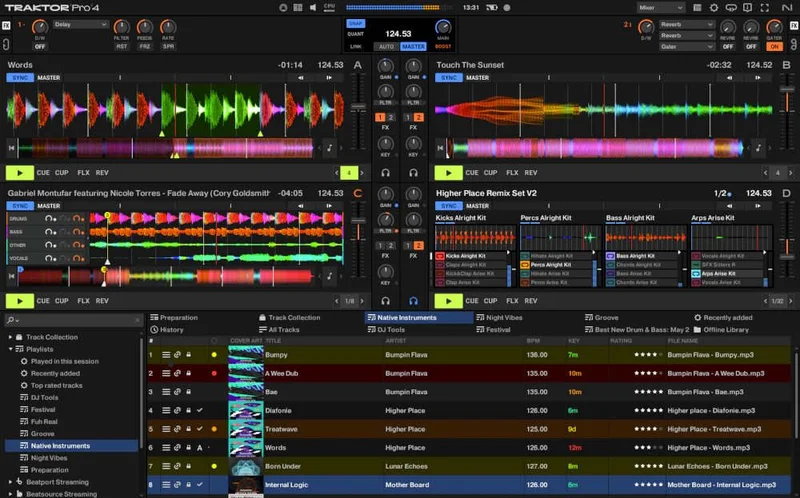
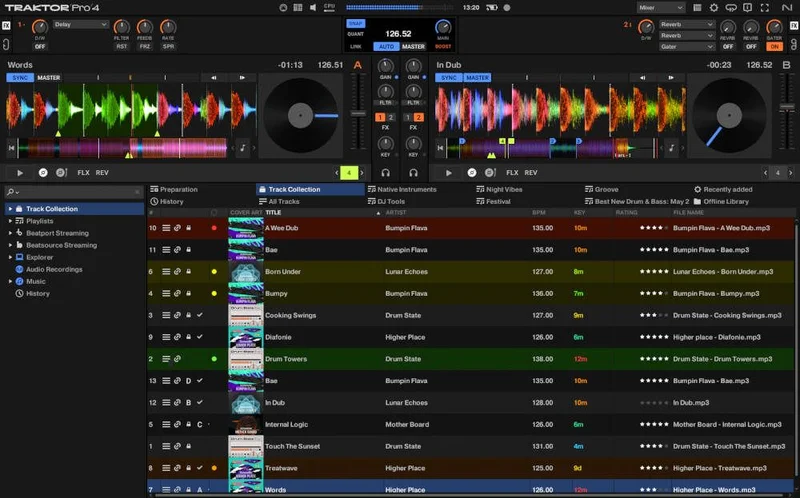
Traktor Pro 4 is Native Instruments' full-featured, 4-deck DJ software. The upgrade from Traktor Play unlocks everything Play locked away: stem separation, Pattern Player, Ozone Maximizer integration, flexible beatgrids, all 40+ effects, and Remix Decks.
It is not a DAW. It won't replace Ableton for composition. It won't do multi-track recording or plugin hosting outside its own effects chain.
It's also not a beginner tool anymore once you unlock it. Traktor Play is designed to be approachable. Pro 4 hands you the full control surface, and that means more decisions. If you were struggling with basic beat matching in Play, upgrading won't fix that. Practice will.
For understanding what DJ software actually unlocks, this upgrade is the clearest example of a tiered model done right.
Living With It
Setup took about 15 minutes. We re-used our existing Traktor Play library, and everything migrated without drama. Playlists, cue points, track metadata: all intact.
The stem separation is where we spent most of our first week. We ran a vocal-heavy deep house track through it, isolated the vocal stem, dropped the fader on everything else, then blended the acapella over a second track. The isolation wasn't perfect at the frequency edges, there was some low-mid bleed around the 200Hz to 400Hz range on the vocal stem, but it was clean enough to use live without embarrassment. This is iZotope RX technology doing the heavy lifting, and you can feel the difference compared to competitors using older ML models.
CPU load during stem separation was noticeable. On an Intel Core i5 with 8GB RAM, we saw spikes to around 60-70% when running stems on two decks simultaneously. Native Instruments sets the floor at an i5 with 4GB RAM, but we'd call 8GB the real practical minimum for a comfortable session.
The Pattern Player is satisfying once you spend time with it. It's packed with kits from Rebekah, Len Faki, Luke Slater, Chris Liebing, and Dubfire, which tells you immediately that this feature was built for techno and industrial DJs. House DJs and hip-hop selectors will find the kit options thin. We wish there were more jazz and soul percussion kits in there. That's a real gap.
The Ozone Maximizer sits in the master chain. We pushed a mix that was hitting around -6 dBFS peaks, engaged the Maximizer, and brought the output up to -1 dBFS. Transients stayed sharp. No pumping. The Intelligent Release Control does what it claims. It's not a substitute for proper gain staging throughout your signal chain, but it's a genuinely useful safety net for loud club output.
For context on how Play compares before you commit: Can Traktor Play Handle a Real Gig in 2026?
The Trade-Offs
The flexible beatgrid system is brilliant for live genres. Jazz, disco, hip-hop, afrobeat: anything with natural tempo drift now works properly. But it creates a new problem: your existing Traktor library has old static beatgrid data. You'll want to re-analyse your most-played tracks, and that takes time if you have a large library. Not a dealbreaker, but annoying if you're prepping for a gig next weekend.
The stem separation CPU cost is real. If you're running an older laptop, you need to test this before relying on it live. The feature is impressive. It's also hungry.
The one-time purchase model is the right call. Paying once instead of a recurring subscription is a straightforward win for DJs who don't want to think about billing cycles. The frustrating part is that Native Instruments historically changed pricing without notice. Lock in when you see the upgrade price listed.
The 40+ effects chain is deep, maybe overwhelmingly so if you're coming from Play's stripped-back FX access. We'd recommend spending a dedicated session just running effects without mixing anything. Learn the Reverb, Delay, and Filter first. The more exotic options reward patience.
Against the Field
Serato DJ Pro is available as a yearly subscription or a perpetual option, so check current pricing on their site. It wins on DVS stability and hardware compatibility breadth, especially for DJs on Rane or Pioneer setups. If you're already deep in the Pioneer CDJ ecosystem, Serato or rekordbox makes more sense.
Rekordbox DJ, also check manufacturer's site for current pricing, wins on library portability to club booths running CDJ-3000s. If you need your library readable on club hardware without bringing a laptop, rekordbox is the answer.
Traktor Pro 4 wins on in-software creativity: stems, Pattern Player, Remix Decks, and effects depth. It's the choice for DJs who want to perform, not just play files. The upgrade from Play is the best entry point into that world. See our full head-to-head: Can Traktor Pro 4 Pull You Back From Serato in 2026?
The Real Verdict
This upgrade is worth it. The flexible beatgrids alone are worth the price if you play anything with tempo variation. Stem separation and the Ozone Maximizer are real tools, not marketing features.
Skip it if you're happy with simple two-deck mixing and never need stems, effects, or Pattern Player. Traktor Play does the basics competently, and there's no shame in staying there.
Buy it if you're gigging, if you want to perform rather than just DJ, or if you've already outgrown Play's locked feature set. Don't wait for a sale. It's already priced fairly.
Score Breakdown
| Category | Score | Notes |
|---|---|---|
| Sound Quality | 4.5/5 | Ozone Maximizer and iZotope RX stem separation set a high bar for DJ software audio quality |
| Value for Money | 4.5/5 | This one-time purchase for this feature set is hard to argue with. |
| Ease of Use | 3.5/5 | Feature depth is a double-edged thing; the jump from Play's UI is real |
| Features | 4.5/5 | Stems, Pattern Player, flexible beatgrids, 40+ effects, Remix Decks: the list is long and mostly useful |
| CPU Efficiency | 3.5/5 | Stem separation on two decks pushed a mid-spec i5 to 60-70%; needs headroom |
| Overall | 4.2/5 | Strong upgrade for any Traktor Play owner ready to perform rather than just play |
Alternatives to Consider
Serato DJ Pro is the right call if your hardware is Pioneer or Rane and DVS vinyl control is central to your setup. It's more expensive on a subscription basis but the hardware ecosystem support is wider. Can Traktor Pro 4 Pull You Back From Serato in 2026?
rekordbox DJ wins if you play club booths with CDJ-3000s and need your library portable without a laptop. The workflow centres on USB export to club hardware, which Traktor doesn't prioritise.
Traktor Pro 3 upgraders have a different calculation. If you're already on Pro 3 and weighing whether stems and flexible beatgrids justify the step up: Traktor Pro 4 Upgrade: Worth It for 3 Key New Features
For a DJ who lives inside the Native Instruments ecosystem, none of the alternatives touch this feature ratio at this price. Buy it. Re-analyse your library over a weekend. Then learn the Pattern Player before your next gig. You'll use it.
Related reviews: Scratch Track Review 2026
Frequently Asked Questions
Do I need to own Traktor Play to use this upgrade path?
Yes. This upgrade is specifically for existing Traktor Play licence holders. If you don't own Traktor Play, you'll need to purchase the full Traktor Pro 4 licence instead at a higher price. Native Instruments verifies your existing licence through Native Access during installation.
Will my Traktor Play library and cue points transfer to Pro 4?
Yes. Your entire library, playlists, cue points, and track metadata carry over cleanly. The one thing we'd recommend is re-analysing your most-played tracks after upgrading, since the new flexible beatgrid system will produce more accurate grid data than the old static analysis, especially for tracks with tempo drift.
How does the stem separation in Traktor Pro 4 compare to competitors?
Traktor's stem separation is powered by iZotope's RX technology, which puts it ahead of most competitor implementations that use older ML models. In our testing, vocal isolation had some low-mid bleed around 200-400Hz, but it was clean enough for live use. The CPU cost is higher than passive stem playback, so test your laptop's performance before relying on it mid-set.
Is the Pattern Player useful outside of techno and electronic music?
Honestly, less so. The included drum kits from Rebekah, Luke Slater, Len Faki, Chris Liebing, and Dubfire are high quality but lean hard toward techno and industrial sounds. House DJs will find some useful kits, but hip-hop, jazz, and soul selectors will feel underserved. Native Instruments does offer additional free remix sets to download, so keep an eye on their site for new kit additions.