
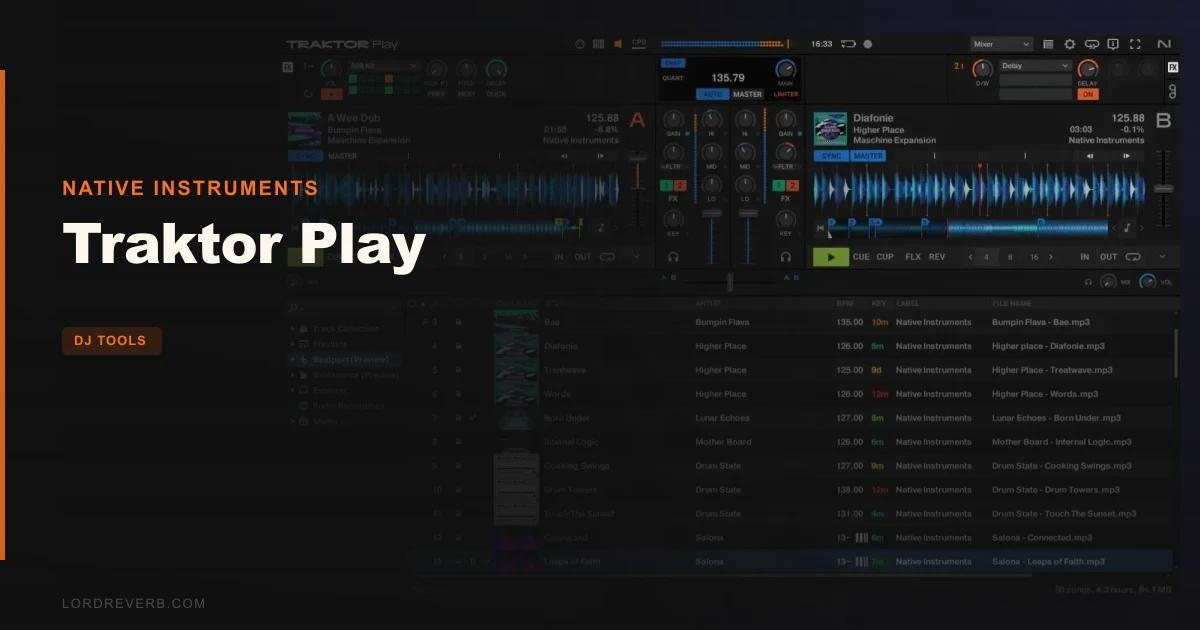
Traktor Play is a $49 streamlined DJ software from Native Instruments, built on the same engine as Traktor Pro 4, aimed at beginners who want serious tools without serious complexity.
We loaded it up mid-Sunday afternoon with a DDJ-FLX4 plugged in and a folder of 140 BPM techno tracks ready to go. No setup wizard nonsense. The controller mapped instantly, the waveforms appeared, and we were mixing inside three minutes. That first session told us a lot about what Native Instruments got right here.
It also told us where the compromises bite. If you're coming from a bedroom with a streaming playlist and no record collection, Traktor Play is clever and well-priced. If you're a Spotify DJ hoping to mix your own library the way you browse it, you'll hit a wall fast.
This review is for the person deciding between Traktor Play and just pirating a full DAW they won't use properly. Don't do that. Read this first.
First Impressions: Cleaner Than Expected
The install is small and fast. Native Instruments has stripped the interface back to what you actually need: two decks, a mixer strip, a browser, and the effects section sitting quietly at the top.
It doesn't feel dumbed down. It feels edited. There's a real difference.
The waveforms are sharp and colour-coded by frequency, same as Pro 4. Hot cues sit clearly across the bottom of each deck. The stem separation button, a single click to pull all drums out of a track, is right there in the deck controls. We half-expected that to be locked behind an upgrade prompt. It isn't.
First impression: surprisingly honest about what it is. No fake Pro features with paywalls hidden inside them.
Getting It Into a Real Workflow
Playing with just a laptop works. It's not ideal, but the keyboard controls are mapped sensibly and you won't embarrass yourself at a house party.
Plug in the DDJ-FLX4 and the experience gets properly satisfying. The jog wheels respond without lag. Pitch faders behave exactly as you'd expect. We ran three back-to-back mixes with no dropouts on a mid-spec MacBook Pro, which is the kind of stability that matters at $49.
The friction point we hit: the browser. Beatport Previews gives you millions of tracks without logging in, which sounds brilliant. In practice, browsing a streaming library mid-set while also managing two live decks feels clunky. You want a track you already know, not a search bar you have to type into while watching a waveform hit the red.
Our honest recommendation: build a local folder of tracks you know before any session. Use Beatport Previews for discovery at home, not under pressure. The AutoMix feature covers you while you browse, but leaning on it too much defeats the point of learning to DJ.
The full Traktor Pro 4 workflow is considerably more flexible here. Four decks and a proper library management system change everything once your collection grows.
What It's Genuinely Good At
The sync engine is the best argument for buying this over cheaper alternatives. Traktor's beat detection has always been sharp, and Play inherits it intact. We threw a set of older vinyl rips with inconsistent BPM grids at it, the kind of tracks that make lesser software stutter, and the sync held without manual grid editing on most of them.
Key detection and key correction are also carried over from Pro 4. Mixing in key with one click, without paying extra for it, is genuinely useful for beginners who don't yet have the ear to catch clashing harmonics.
The Pattern Player is a love letter to bedroom producers. Load the 808 kit, drop a four-bar pattern into your mix, and suddenly you're layering percussion over a track that didn't have enough low-end punch. We spent a ridiculous amount of time on this during testing. It's the kind of feature that makes a set feel personal rather than just pressed play.
The master limiter is transparent up to about -0.3 dBFS. Push harder and it softens transients slightly, but it won't let you clip into distortion. Good safety net for beginners.
For more on how DJ tools fit into a wider production setup, see our DJ tools plugins guide.
The Rough Edges
The Beatport Streaming lock-in is the most frustrating limitation. Every competitor in this space is moving toward multi-platform library support. Traktor Play goes the other direction. You get Beatport or you get your local files. That's it.
If your music life lives in Spotify or Apple Music, that's a real problem. Not a dealbreaker for everyone, but annoying enough that we'd want you to know before buying.
Two decks is the other ceiling. For most beginners it's fine. But the moment you want a third deck for an acapella or a sample loop, you're hitting a software wall. The upgrade path to Pro 4 exists, and Native Instruments offer it at a discounted price from within the app. That's fair. But it does mean Traktor Play can feel like a deliberate restriction rather than a natural product tier.
We launched it on launch week and stability was solid. But this is a November 2025 release and we'd want to see six months of real-world bug reports before calling it bulletproof. Post-launch reliability is the one thing we can't fully test in a review window.
Who This Is Really For
- ✅ Buy if you're a complete beginner who wants a credible Native Instruments product without spending full Pro 4 money upfront.
- ✅ Buy if you own a DDJ-FLX2, DDJ-FLX4, Reloop Ready, or Reloop Buddy and want plug-and-play software that actually works day one.
- ✅ Buy if you're a producer who wants to start DJing and likes the idea of the Pattern Player for live 808 layering mid-set.
- ❌ Skip if your music library lives in Spotify or Apple Music. The streaming integration won't accommodate you.
- ❌ Skip if you're an intermediate DJ who already owns Traktor DJ or another two-deck setup. The step up from Play to Pro 4 is worth paying directly.
- ❌ Skip if you need four decks. You'll outgrow this inside a year and pay twice total.
Score Breakdown
| Category | Score | Notes |
|---|---|---|
| Sound Quality | 4.5/5 | Pro 4 engine inherited in full. Key correction and sync are best in class at this price. |
| Value for Money | 4.0/5 | $49 with stem separation, Pattern Player, and two months Beatport Streaming is a fair deal. |
| Ease of Use | 4.0/5 | Genuinely beginner-friendly without feeling condescending. Browser could be smoother under pressure. |
| Features | 3.5/5 | Two decks and Beatport-only streaming hold it back from a higher mark. |
| CPU Efficiency | 4.5/5 | Light footprint. No issues on a mid-spec machine running two decks and stem separation simultaneously. |
| Overall | 3.5/5 | Strong entry point let down by platform lock-in and a two-deck ceiling that intermediate players will hit quickly. |
Alternatives to Consider
Traktor Pro 4 is the obvious next step. If you're reading this and already know you want four decks, Stems in full, and a proper library manager, skip Play entirely and buy Pro 4. The Traktor Pro 4 review breaks down whether the full version justifies its price against Serato.
rekordbox (free tier) is worth considering if your controller is Pioneer-branded and your music lives in local files. The free tier is more limited on effects, but the library management is stronger than Traktor Play's browser for DJs who own a lot of music.
Serato DJ Lite is the direct rival. It's free with compatible hardware, supports local libraries without streaming dependency, and has a large community. It doesn't have stem separation or a pattern player at any price point close to this. The Traktor Pro 4 vs Serato comparison gives you a sharper picture of where the two ecosystems diverge.
If you want context on how Traktor Play sits in the wider category, our guide to Traktor Pro 4's key new features shows you what else the engine can do once you outgrow the entry tier.
Buy It or Leave It
Traktor Play is $49. For that, you get the sharpest sync engine in DJ software, a Pattern Player that makes beginner sets sound considered, and a clear runway to Pro 4 when you're ready. That's a genuinely good deal.
The Beatport lock-in is real, and it's the reason we can't score this higher. If Native Instruments ever opens the streaming layer to Apple Music or Spotify, the score goes up a full point overnight.
Buy it if you're starting from zero and want software that won't embarrass you. Skip it if you're already past the beginner stage or your music doesn't live on Beatport.
The best DJ software is the one you'll actually open. At $49, Traktor Play makes that easy to answer.
Frequently Asked Questions
Is Traktor Play different from Traktor DJ?
Yes. Traktor DJ was discontinued in 2024. Traktor Play is its replacement, built on the Traktor Pro 4 engine rather than the older Traktor DJ codebase. That matters because the sync engine, key detection, and sound quality are substantially better in Play than they were in the final version of Traktor DJ.
Can you use Traktor Play without a controller?
You can. Traktor Play works on a laptop alone using keyboard controls and mouse interaction. It's not the ideal setup for live mixing, but it works for practice and for getting familiar with the software before buying hardware.
Does Traktor Play support Spotify or Apple Music?
No. Traktor Play integrates with Beatport Previews for free browsing and Beatport Streaming Advanced for full playback. Spotify and Apple Music are not supported. If your library lives on those platforms, you'll need to source DRM-free files separately to use them in Traktor Play.
Can you upgrade from Traktor Play to Traktor Pro 4 later?
Yes, and Native Instruments offer an exclusive discounted upgrade price directly from within Traktor Play. It's a sensible path if you start on Play and find yourself wanting four decks, full Stems, and advanced library management. We'd just say go into Play knowing that upgrade is likely in your future if you take DJing seriously.