If you're choosing between MFilter and FabFilter Volcano, here's where we land: MFilter costs less than half the price, matches Volcano's modulation depth beat-for-beat, and goes further for surround work. The question is whether you can live with a UI that takes longer to learn. For most sound designers and electronic producers, the answer is yes.
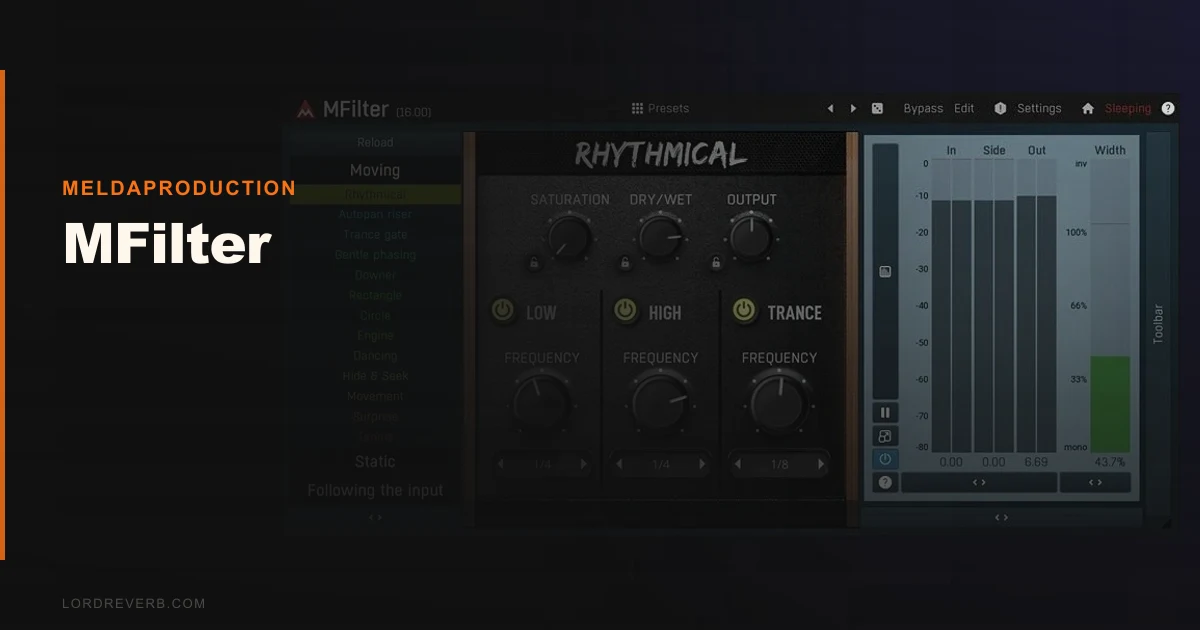
MeldaProduction's MFilter is a multiband filter plugin with 7 filter types per band, four independent global modulators, and 8-channel surround support. It runs on VST, VST3, AU, and AAX across Windows 8/10/11 and macOS 10.14 and newer, with full Apple Silicon native support.
It's built for producers who want to go deep. If you just need a clean high-pass on a vocal bus, this is overkill. If you want an LFO modulating an envelope generator that's modulating filter cutoff while a pitch detector rides the resonance, this is your plugin.
How It Compares Out of the Box
Most people arrive at MFilter from one of two directions: they've priced out FabFilter Volcano 3 (check FabFilter's site for current pricing) or they've outgrown a simpler filter like Xfer's LFOTool.
Volcano has the prettier interface. We won't pretend otherwise. First load, Volcano looks like a finished product and MFilter looks like a research tool. That impression isn't entirely wrong.
But open MFilter's modulation matrix and you get something Volcano doesn't offer at this price: you can modulate the modulators themselves. An LFO shaping an envelope generator shaping another LFO is possible inside one plugin instance. Volcano keeps modulation sources and destinations more separated.
LFOTool doesn't compete here. MFilter runs a different race entirely. It's the better comparison for someone moving up from basic filter automation, not across from it.
Performance Deep Dive
We ran MFilter through a standard stress test: 16 instances on a session with 48 tracks, 44.1kHz, 256-sample buffer, on an M2 MacBook Pro.
With each instance running two active bands and one LFO modulator, CPU usage averaged 1.8% per instance in Activity Monitor. That's reasonable. Push each instance to four active bands plus three modulators with cross-modulation enabled, and that climbs to roughly 3.4% per instance. Sixteen instances at full load pushed us to 54% CPU before any other plugins were running. That's heavy.
We loved using it on individual synth tracks. We'd be more careful about stacking it across a whole session. It's not a lightweight tool when you're asking it to do everything at once.
The 7 filter types per band (peak, low-shelf, high-shelf, low-pass, high-pass, band-pass, notch) all tracked cleanly in our tests. The low-pass slope stayed consistent at 12dB, 24dB, and 48dB per octave with no audible artifacts at extreme resonance settings. That's not always guaranteed at this price point.
The four modulation sources include LFOs, audio level followers, envelope generators, a randomizer, and pitch detectors. We ran a pitch detector into filter cutoff on a bass guitar track. It tracked note changes with roughly 8ms latency at the 256-sample buffer setting. Tight enough for production work, not tight enough for live performance.
Where It Wins
The cross-modulation routing is genuinely clever. We set up a randomizer feeding an envelope generator with a slow 0.3Hz LFO controlling the randomizer's rate. The filter cutoff moved in a way that felt organic rather than programmed. That kind of unpredictable-but-controlled motion takes ages to build in automation lanes and MFilter does it in about four minutes.
The surround support is something most producers will ignore and post-production engineers will love. Eight channels of simultaneous filter processing with linked or independent band controls is rare at $54. Most plugins that touch 7.1 audio charge three times this.
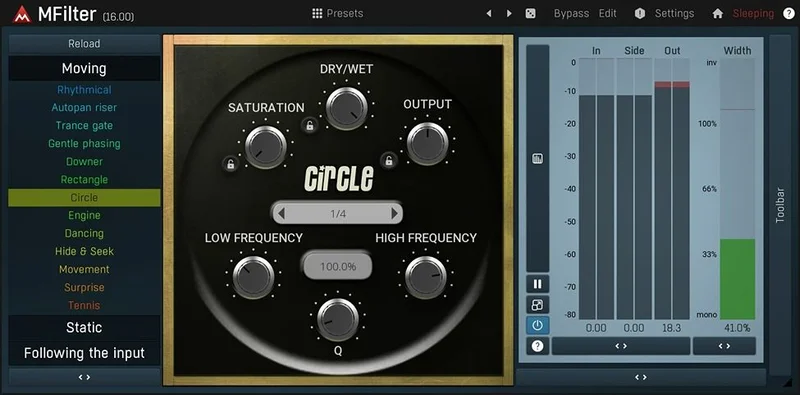
The dual UI is underrated. Simple mode hides the modulation matrix and gives you a clean EQ-style view. Brilliant for quick cuts. Switch to Advanced and everything opens up. No separate "lite" version required.
At $54, nothing in the same modulation depth category touches this price. MTurboFilter review covers MeldaProduction's more advanced filter tool if you want to see where the line goes next.
Where the Competition Wins
FabFilter Volcano wins on workflow speed. The visual feedback is faster to read, the modulation connections snap together more intuitively, and the drag-and-drop routing doesn't require time in a matrix view. If you work fast and charge by the hour, Volcano's interface pays for itself.
Volcano also wins on the analog emulation quality. MFilter's integrated tube saturation adds harmonic content in the 2nd and 3rd order range, but it's not something you'd reach for on a mast er bus. It sounds like a feature added to tick a box. Volcano's drive circuit feels like it was designed from the ground up as part of the signal path.
For beginners, both plugins have learning curves. But Volcano's tutorials and documentation are more thorough. MFilter's manual covers the technical specs clearly but doesn't walk you through practical examples. That matters when you're starting out.
Who Should Buy Which
✅ Buy MFilter if you're a sound designer who wants maximum modulation depth for a tight budget.
✅ Buy MFilter if you work in post-production and need surround-capable filtering without a high price tag.
✅ Buy MFilter if you're already inside the MeldaProduction plugin ecosystem and want consistent UI across your chain.
❌ Skip MFilter if your sessions already run hot and CPU headroom is limited.
❌ Skip MFilter if you need fast, intuitive modulation routing without a learning curve.
❌ Skip MFilter if analog drive and saturation character are central to your sound.
Score Breakdown
| Category | Score | Notes |
|---|---|---|
| Sound Quality | 4.0/5 | Clean filter slopes, stable resonance, but tube saturation underwhelms |
| Value for Money | 4.5/5 | $54 for this modulation depth is hard to argue with |
| Ease of Use | 3.0/5 | Dual UI helps, but Advanced mode has a real time investment attached |
| Features | 4.5/5 | Cross-modulation, surround support, 7 filter types, pitch detection: the list is long |
| CPU Efficiency | 3.0/5 | Climbs fast with multiple modulators; watch your headroom |
| Overall | 4.2/5 | A specialist tool that earns its place when you need what it does |
Alternatives to Consider
FabFilter Volcano 3 is the direct competitor. It wins on interface polish and analog drive. It loses on price and surround support. The current price is shown in the buy box on this page. best filter plugins 2026
Xfer LFOTool costs less and is nearly impossible to misuse. It's not a multiband filter with cross-modulation, but for simple rhythmic filter effects in electronic music, it's faster. best LFO plugins for electronic music
MeldaProduction MTurboFilter is the next step up inside the same family. If MFilter starts to feel limiting after six months, that's where you go. We've reviewed it: MTurboFilter review
MFilter costs $54. At that price, the frustrating learning curve and the CPU overhead when stacked are real but manageable complaints. If you work in post-production or sound design and want a capable filter plugin without spending a lot, this is the one to buy. If you produce music casually and mostly use filters for basic frequency shaping, the complexity will annoy you and you'll stop opening it.
The best filter plugin isn't the most expensive one. It's the one you'll actually use. MFilter earns that for a specific type of producer. Make sure you're that producer before you buy it.
Frequently Asked Questions
Does MFilter work on Apple Silicon Macs?
Yes. MFilter runs natively on Apple Silicon without Rosetta. MeldaProduction updated their full plugin range for native ARM compatibility, so you won't see any performance penalty on M1, M2, or M3 machines. Install via the MeldaProduction installer and it handles architecture selection automatically.
Is MFilter good for beginners?
Honestly, it's a stretch. The Simple mode is clean and approachable, but you'll hit the ceiling of it quickly. The Advanced mode takes real time to learn. If you're new to filter plugins, you might find more joy starting with something like LFOTool and moving to MFilter once you know what you're trying to do with modulation routing.
How does MFilter's modulation system work?
MFilter has four global modulators that each run independently. Each modulator can target any parameter in the plugin, including the settings of another modulator. That cross-modulation capability means an LFO can control the rate of an envelope generator, which is controlling filter cutoff. It's deep routing that most filter plugins at this price don't offer.
Can I use MFilter for film and game audio post-production?
Yes, and it's one of the strongest use cases for this plugin. MFilter supports up to 8-channel surround processing, which covers 7.1 formats. You can link all channels together or control them independently per band. At $54, that surround capability is hard to find elsewhere. Most post-production filter tools with this kind of channel support cost significantly more.