
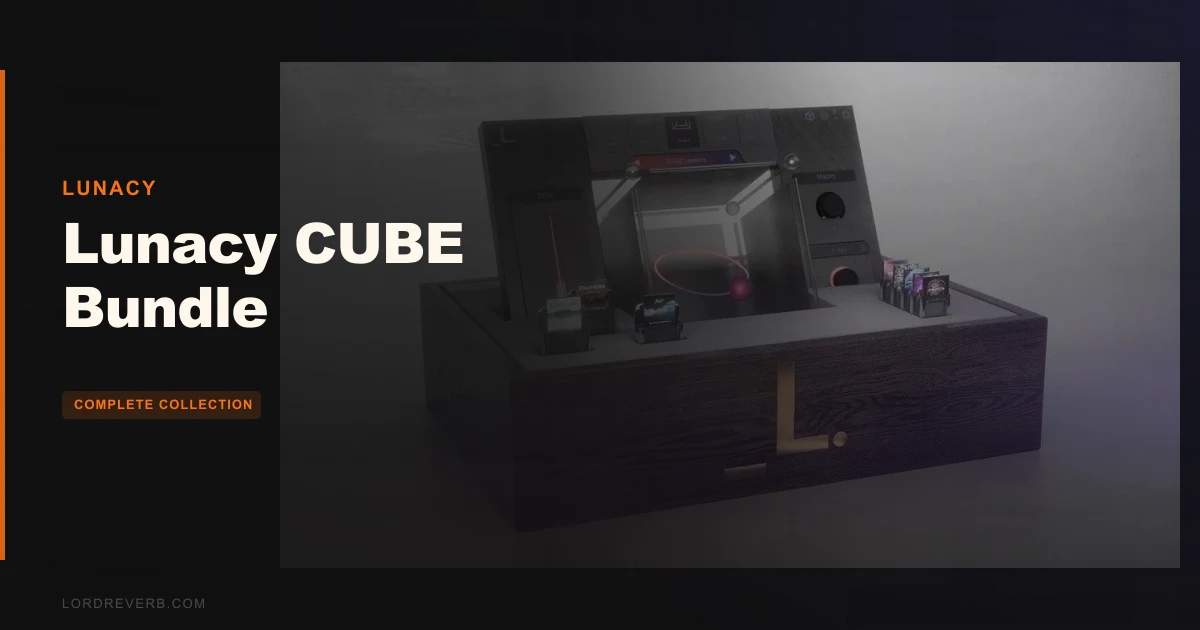
Lunacy CUBE sits in the same conversation as Output’s Portal and Audiomodern’s Opacity, and the full bundle beats both for sheer evolving-texture depth, as long as you can stomach a heavy CPU and no demo. At $479, it’s a serious buy for sound designers, ambient and cinematic writers, and producers who live on pads, basses and leads that never sit still.
Sample Logic’s 3D blending approach gets mentioned alongside it too. That comparison is fair, but CUBE’s orbit system pushes it further.
It isn’t for everyone. Beginners will hit a wall, and anyone who wants per-layer effects will grumble.
Still, we’d rather own this than most plugins in its class. Here’s the reasoning.
How It Compares Out of the Box
Open Portal and you’re in effects-processing territory. It’s built around real-time manipulation of sound, so the fun comes from mangling something you already have.
Opacity leans toward randomization and generative sounds. You roll the dice and see what falls out.
CUBE does neither of those first. It’s a sampler and vector synth, so the game is blending sources. You load up to 8 sounds across 8 sample editors, then move a point through a 3D orbit space to crossfade between them.
That’s a different instinct from both rivals. You’re sculpting motion between sounds you chose on purpose.
The result is the near-constant movement owners keep describing. Sustain a chord and the sound keeps changing underneath you.
The Bundle: What You Actually Get
The bundle includes CUBE itself, ten premium expansion packs, and four preset packs. CUBE alone ships with 250+ sound sources and 1,000 presets.
The expansions stack real weight on top of that. Rumble adds 40 sound sources and 120 presets. Threads adds 35 sources, 120 presets and over 1,400 recorded samples. SKY brings 30 sources and 100 presets, while Neon and Air each add 35 sources.
Some of the packs carry notable names. Astra was built with sound designers K/V. Botanica comes from Phritz. Canopies is by Benn Jordan (The Flashbulb), and Dust is by Venus Theory.
The preset packs are smaller but useful. Graphite adds over 30 presets, 5 new orbits and 10 arp sequences. Breeze adds 25 presets and 5 orbits. Particles brings 30 and Remnants 25, and Glo leans synth.
That’s a lot of library. Honestly, it’s the main reason to buy the bundle over the plugin alone.
The Orbit System: Where the Plugin Earns Its Price
Orbits are the headline. There are 40+ preset orbit paths, and each one defines how the plugin travels between up to 8 sounds.
Pick a path, hit a chord, and the timbre drifts along it. You can build your own orbits too, which is where it gets addictive.
Drawing a custom orbit
Say you’ve got a glassy bell, a breathy vocal sample and a gritty tape loop. Load all three, then draw a path that bends from bell to vocal and dips toward the tape on the return. Hold a low chord and listen to it breathe.
That’s a pad you can’t get from stacking three presets. It moves like it has opinions.
The 3D interface
The developer calls the orbit interface seamless, and owners back up the basic claim: loading sources, changing orbits and assigning modulation goes quickly despite the unusual workflow. OpenGL acceleration keeps the graphics from straining your DAW’s own interface.
The Eight Sample Editors
Each of the 8 sample editors is a small instrument on its own. You get an arpeggiator, filters, envelopes and a step sequencer per source.
On top of that sit reverse, monophonic mode, glide, pan and tuning. That’s a lot of control per layer.
Reverse a single source in one editor and leave the other seven forward. Suddenly your pad has a backwards swell hiding inside it.
Mono mode with glide turns any source into a bass or lead voice. Set glide short on a sub layer and it slurs between notes without smearing the rest of the patch.
The step sequencers and arps let you pattern a layer independently. Run a fast arp on one editor while the others hold long tones, and you get rhythmic shimmer over a static bed.
It’s clever design. It’s also where beginners get lost, because every editor has its own set of controls to understand.
Modulation: Powerful and Occasionally Maddening
There are 4 LFOs, macro control and a modulation matrix. Owners report you can assign multiple modulation sources to virtually any parameter.
That freedom is the point. It’s also the problem.
When the matrix gets crowded
Stack two LFOs and a macro onto a filter cutoff, then add the same macro to a pan position. A few sessions later you can’t remember why the patch wobbles the way it does.
Users describe modulation management as mind-bending, even with the UI helping. We believe them. The system is deep enough that you’ll want a naming habit for your macros.
Macros as a safety net
Macros are your friend here. Map the dangerous, tangled stuff to a handful of knobs and play those instead of digging through the matrix mid-session.
Effects: 13 Modules With One Big Catch
The FX section is stacked. You get filters, a visual EQ, saturation, waveshaping distortion, a bitcrusher, a compressor, chorus, phaser, delay, an algorithmic reverb, a convolution reverb and a limiter.
That’s 13 modules, enough to finish a patch inside the plugin without reaching for anything external.
Here’s the catch. Effects are only assignable through global controls. There’s no per-sound-layer routing.
So if you want reverb on the bell but a dry, crunchy tape loop, you can’t do it inside CUBE. You’d have to process the whole blend, or bounce and treat layers separately in your DAW.
For a plugin built around blending eight distinct sources, that’s a real omission. It’s the one limit that annoys us most.
Performance Deep Dive
Users report that CPU usage is demanding, especially with multiple instances or complex patches. Older systems may need you to bounce tracks to keep sessions moving.
Specs give you the floor. CUBE needs at least 4 GB of RAM, with 8 GB recommended, and 2 GB of free drive space. It runs 64-bit only on macOS 10.15 and later (Intel and M1) and Windows 7 and later.
Formats are AU, VST and AAX plus Standalone on Mac. On Windows you get VST, AAX and Standalone.
Eco-Mode is the relief valve. It’s built to minimize RAM usage and CPU load, so reach for it when a project gets crowded.
A practical plan: run one or two instances for your hero textures, bounce them to audio, and keep the session light. Don’t stack five CUBEs on a laptop and expect it to behave.
Activation needs a stable internet connection for downloading and activating. Plan for that before a gig or a flight.
Bring Your Own Sounds
You can load user audio as WAV or SFZ sample files. Owners say this expands the plugin’s potential considerably, and it’s easy to see why.
Feed it your own field recordings, a hardware synth capture or a vocal take. Then drop those into an orbit alongside the bundled sources.
That turns CUBE from a preset library into a personal instrument. The built-in sources get you started, but your own material makes patches nobody else has.
There’s also a randomization feature for creating unique patches. It won’t replace deliberate design, but it’s a decent way to break a creative block.
Where It Wins
Against Portal and Opacity, CUBE wins on blending depth. Eight sources in a navigable 3D space is more than either gives you for building evolving timbres.
It wins on library size for the money, once you count ten expansions and four preset packs. The named expansion designers add real character, not filler.
It wins on modulation reach. Four LFOs, macros and a matrix touching nearly any parameter beat simple one-knob movement.
It wins on openness too. WAV and SFZ import means you’re never trapped in someone else’s sound palette.
Pads, basses, leads, special effects and arpeggios all come out sonically complex, according to owners. Complexity like that is hard to fake.
Where the Competition Wins
Portal is the better call if your real goal is processing existing audio in real time. CUBE is a sound-source instrument first, so that’s not its fight.
Opacity wins if you want generative surprises with minimal effort. CUBE can randomize, but its personality is deliberate blending, not dice rolls.
Both are likely easier on a beginner. CUBE’s steep learning curve is real, and we won’t pretend otherwise.
And nothing in this bundle fixes the global-only effects problem. If per-layer FX routing is non-negotiable for you, that’s a legitimate reason to look elsewhere.
No demo means you’re buying on trust. At $479, that’s a lot to ask without a free trial.
Who Should Buy Which
The sound designer
This is the person CUBE was built for. Custom orbits, your own samples and deep modulation reward exactly this workflow. Buy it.
The working producer
If you write ambient, cinematic or electronic music and lean on evolving beds, the bundle pays off fast. Just bounce your heavy patches and watch the CPU. Buy it.
The beginner
Wait. The editors, orbits and matrix will swamp you before you finish a track, and there’s no demo to test your patience. Build up on something simpler first.
- ✅ Buy if you want sounds that keep evolving and you enjoy building modulation yourself.
- ✅ Buy if you want a huge expansion library plus the ability to load your own WAV or SFZ files.
- ✅ Buy if you can bounce to audio and manage CPU on a modern machine.
- ❌ Skip if you need effects routed per sound layer.
- ❌ Skip if you're new to synthesis and want quick wins.
Specs & Technical Details
| Spec | Detail |
|---|---|
| Developer | Lunacy |
| Price | $479 |
| Plugin Format | AU / VST / AAX / Standalone (Mac); VST / AAX / Standalone (Windows) |
| OS Support | macOS 10.15+ (Intel and M1), Windows 7+, 64-bit only |
| Activation | Online, requires stable internet connection |
| CPU Usage | Heavy with multiple instances or complex patches; Eco-Mode available |
| Trial Available | No |
| Version Reviewed | N/A |
Score Breakdown
| Category | Score | Notes |
|---|---|---|
| Sound Quality | 4.6/5 | Owners report complex, constantly moving pads, basses and leads |
| Value for Money | 4.2/5 | Huge library, but no demo at this price |
| Ease of Use | 3.5/5 | Quick to load and assign, but steep learning curve |
| Features | 4.6/5 | 8 editors, 4 LFOs, 13 FX, custom orbits, WAV/SFZ import |
| CPU Efficiency | 3.3/5 | Demanding with complex patches, Eco-Mode helps |
| Overall | 4.3/5 | A deep, rewarding sound-design tool held back by global-only FX and a heavy load |
Alternatives to Consider
Output Portal
Pick it if real-time effects processing of existing audio is your main interest. It’s the better fit for mangling sound, while CUBE is the better fit for building it.
Audiomodern Opacity
Choose it if you want randomization and generative results without heavy programming. It trades CUBE’s deliberate blending for happy accidents.
Sample Logic
Worth a look if the idea of 3D blending appeals but you want a different library and workflow. Hear how its approach feels next to CUBE’s orbits before you commit.
The Verdict
CUBE is the evolving-texture instrument we’d pick from this group, and the full bundle at $479 is a lot of sound for the money. Buy it if you design sounds for a living or for love, and budget some patience for the matrix.
Don’t buy it if you want per-layer effects, a gentle first synth, or a free trial before you commit. For those people, it’s the wrong tool at an awkward price.
Related reviews: Everything Bundle V4 · Ultimate Bundle
Frequently Asked Questions
What's included in the Lunacy CUBE Bundle?
The bundle includes CUBE itself, ten premium expansion packs and four preset packs. CUBE alone brings 250+ sound sources and 1,000 presets. The expansions and packs add more sources, presets, orbits and arp sequences.
Does Lunacy CUBE offer a demo?
No. There's no demo available to try before purchase, which is a sore point given the price.
Is CUBE heavy on CPU?
Users report demanding CPU usage, especially with multiple instances or complex patches. Older systems may need bouncing to audio. Eco-Mode is built to reduce RAM use and CPU load, so turn it on for crowded sessions.
Can I use my own samples in CUBE?
Yes. CUBE loads user audio as WAV or SFZ sample files. You can drop your own recordings into the 8 sample editors and blend them with the bundled sources through the orbit system.