Is Fameboy worth $36 for gritty, handheld-console drums? Yes, if you already own full Kontakt and you want the dirt built in rather than bolted on afterwards.
Most people will compare it to Native Instruments Maschine and to a pile of free 8-bit sample packs, and we’ll land in a specific place on both. It’s cheaper and more focused than the first, and far more playable than the second.
Fameboy is a Kontakt drum instrument from Loot Audio, built by Divergent Audio Group, with samples recorded through a handheld game console. Loot Audio’s product page lists it for Kontakt 5.6 and above, Mac and Windows.
This review is based on the product page, the feature documentation and the developer’s published figures. We haven’t put it through a session, so every claim below is attributed to its source, and anything that can’t be verified yet is marked as such.
It suits beatmakers, lo-fi producers and anyone who wants crunchy, limited-bandwidth drums with a sequencer attached. It’s a harder sell if you need clean acoustic kits or you don’t own full Kontakt.
How It Compares Out of the Box
The closest comparison most producers will make is Native Instruments Maschine. That’s a groove box and sampler with a huge ecosystem. Fameboy is a single-purpose lo-fi drum machine inside Kontakt.
That’s a fair fight on scope, and not on size. Maschine does everything. Fameboy does one thing and gives you a lot of knobs to do it with.
The second comparison is the free chiptune and 8-bit sample packs floating around the internet. Those give you one-shots. You load them, you drag them, you build your own kit and your own groove tools.
Fameboy gives you the sounds and the groove tools in one window. That’s the real pitch.
The developer’s own wording is telling. The product page says it can be used for any purpose and “it’s not just a Chiptune machine.” That’s a claim about range, and we’ll come back to whether the architecture backs it up.
One more point matters here. Kontakt-based drum instruments live or die on workflow. A great sample set that takes ten minutes to program is a worse tool than an average set you can sequence in thirty seconds.
Fameboy leans hard into the second approach. Sequencing, export and mixing all live in one place.
What Fameboy Actually Does
The core idea is simple. It’s a drum synthesiser built around samples recorded through a handheld game console, then wrapped in sequencing, a mixer and a master effects page.
The product page calls it a “classic drum synthesiser propelled into the modern age.” That’s marketing, but the structure behind it is concrete.
You get 16 channels. Each channel offers up to 16 samples. Each sample has 4 variations.
Do the maths and that’s a large pool of sounds, and the instrument’s own description puts the library at over 1,200 unique samples. Treat that count as the developer’s figure.
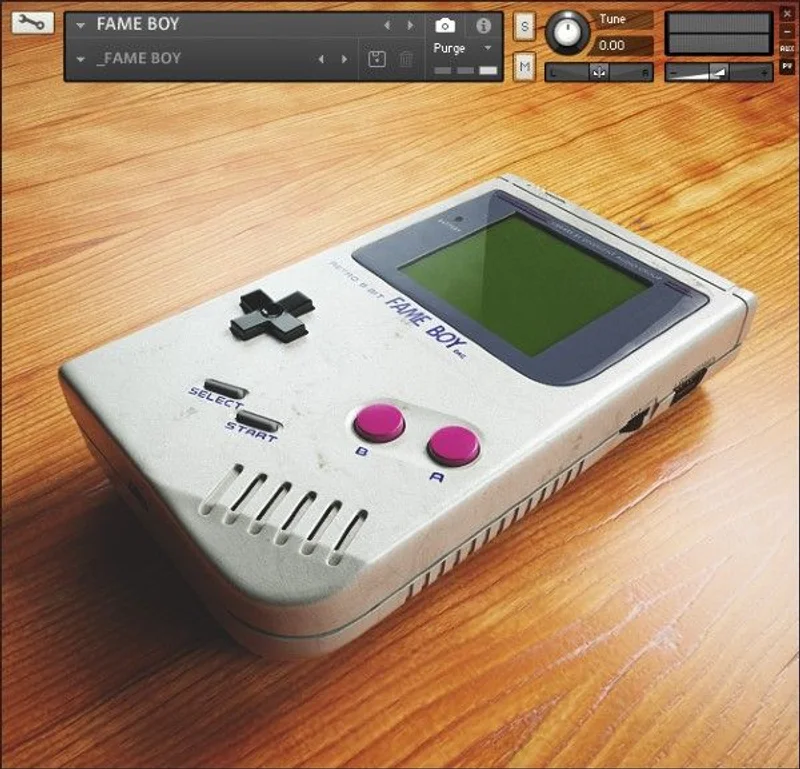
Everything sits behind a retro 3D interface with loading animations and a startup sound effect. The developer says that’s “just for fun.” We like that it’s honest about it being a bit silly.
The interface is a talking point. Plenty of Kontakt instruments look like spreadsheets. This one looks like a toy you found in a drawer.
The Voice Page: Where You'll Spend Your Time
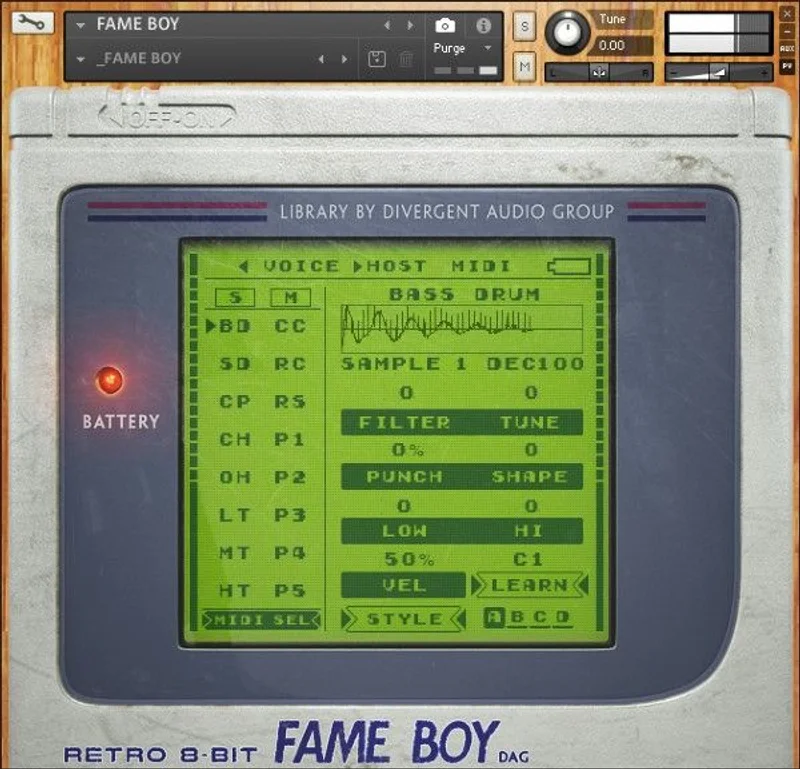
The developer says the Voice page is where you’ll spend most of your time, and the layout agrees. It’s the front door to the whole instrument.
Sixteen channels, each with its own sample choice. You can pick a sample for editing by sending the matching MIDI note, which saves a lot of mouse travel.
That’s a small feature with a big effect. Any drum machine that makes you click around to select a pad gets old fast.
The four Style engines
Each sample has four variations, and the Style controls move you through them. The developer describes them like this:
- Style A: a clean and modern playback engine.
- Style B: a gritty and filtered playback engine.
- Style C: a gritty playback engine.
- Style D: a gritty playback engine that's similar to C but differs from it.
Three of the four are described as gritty. That’s the honest tension in this instrument.
Style A is your clean option. B, C and D are different flavours of dirt, and the descriptions don’t tell you how far apart they sit. We’d want to audition them side by side before promising you meaningful differences.
That’s the first thing we can’t verify yet. The words “similar to but differs from” are doing a lot of work.
Sound-design controls
Each sound can be shaped further with a set of sound-design controls. The developer doesn’t list every parameter on the product page, so we won’t invent them.
What we can say is that per-sound shaping plus four playback engines means you can sculpt one kick several ways before it ever reaches the mixer.
The MIDI-note selection ties it together. Play a pad, edit that pad. Simple.
The Sequencers
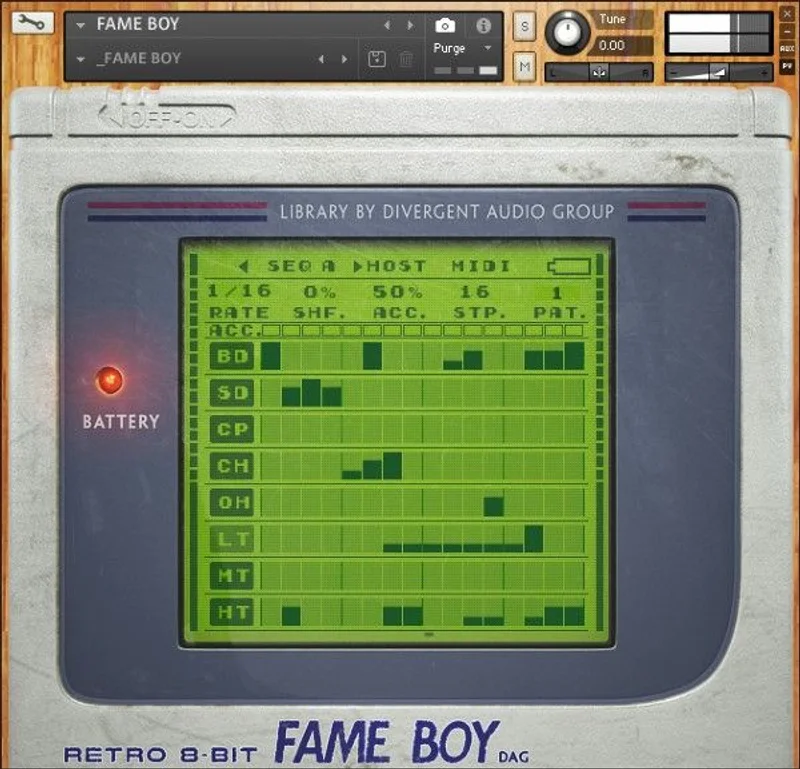
The developer calls the sequencers “small but very powerful,” offering many functions for creating unique patterns. That’s the claim, and the structure supports it.
Each sequence holds up to 8 unique patterns. Each pattern can be triggered on the fly using key switches.
Eight patterns per sequence, switched by key, is a live-performance feature. You can jam variations without stopping playback.
MIDI drag-and-drop
This is the feature we’d buy it for. Click the MIDI button, a small icon appears, and you drag that icon into a sequencer lane in your DAW.
Suddenly your Fameboy pattern is editable MIDI. You can nudge notes, change velocities and swap it onto another instrument.
The developer says “we love this feature,” and for once that’s a reasonable thing to love. Kontakt instruments with built-in sequencers often trap the pattern inside. This one lets it out.
It’s also a workflow fix. Build a rough groove inside Fameboy, drag it out, then keep working in your DAW’s piano roll.
A quickstart
Here’s the path the documentation describes, in the order you’d actually do it:
- Load Fameboy into Kontakt (full version, 5.6 or above).
- Copy the [Fame Boy] snapshots folder into your user content folder.
- Open the Voice page and pick samples for your channels.
- Use the Style controls to move through the four variations.
- Build a pattern in the sequencer.
- Click the MIDI button and drag the icon into your DAW.
Step two is easy to miss. The snapshots don’t just appear. You copy that folder yourself.
The Mixer Page
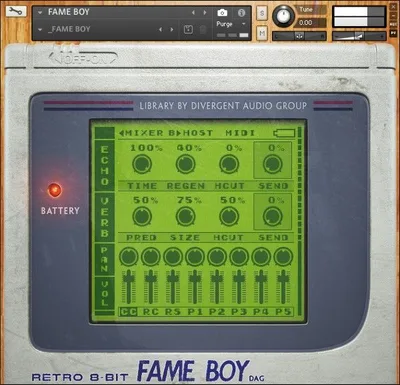
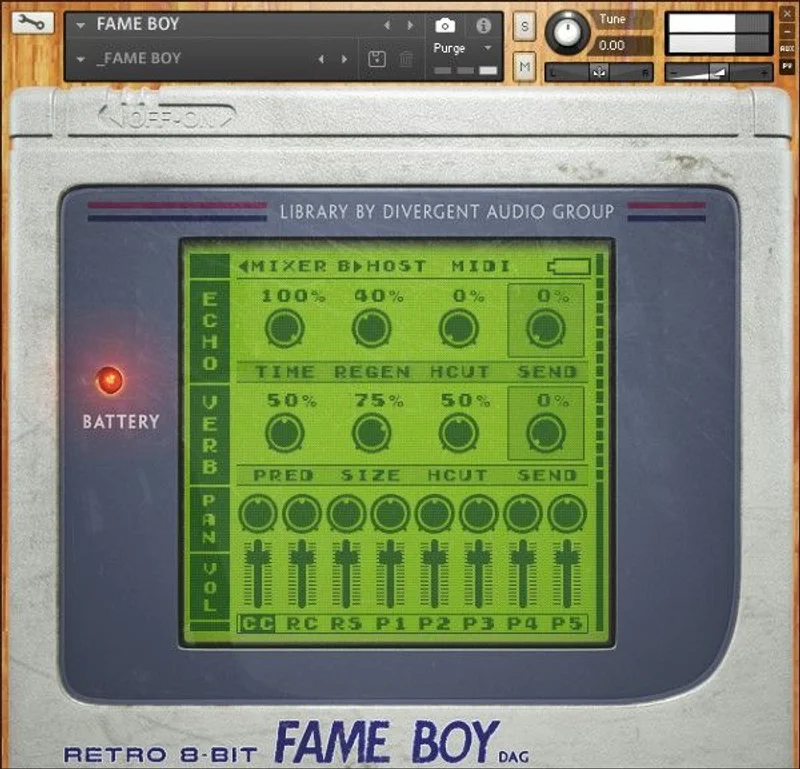
Every sound in Fameboy gets its own mixer channel. That’s 16 channels with individual controls, and the developer lists them:
- Channel volume
- Pan
- Reverb (pre-delay, size, hi-cut, send)
- Echo (time, regen, hi-cut, send)
Per-sound send levels matter more than they sound like they do. You can drench the snare in reverb and keep the kick bone dry without touching a bus.
The echo section has regen and hi-cut, which is what you want for dubby, filtered repeats. A hi-cut on the echo keeps the repeats from stacking up as harsh top end.
That’s a practical detail. Lo-fi drums already carry a lot of high-frequency fizz, and a rolled-off echo tail keeps the mix from getting brittle.
The mixer is simple by design. It isn’t trying to be a full console, and that’s a good call for an instrument built around speed.
Master Effects
The Master page is where the character gets finished. The developer calls it “a wealth of effect controls that operate across the entire mix.”
The list is long, so here it is as the product page gives it:
- Crush: bit rate reduction
- Redux: sample rate reduction
- Saturation: master saturation
- Slam: heavy compression
- Master EQ: low, low-mid, high-mid, high
- Comp: threshold, attack, release and gain
- Width: stereo width
- Limit: master limiter gain and release speed
Crush and Redux are the lo-fi core. One lowers bit depth. The other lowers sample rate. Together they’re the shortcut to that crunchy, aliased, handheld-console texture.
Slam is the one we’d reach for on a drum bus. Heavy compression on lo-fi drums is half the genre.
The four-band master EQ is a nice touch. You can carve the low-mids without opening a separate plugin.
Master and Multi-Out
One switch changes how you use the whole instrument. When Master and Multi-Out is enabled, the master effects are bypassed and each channel goes to its own output in Kontakt.
That’s the professional route. Send the kick, snare and hats to separate DAW channels and process them your own way.
It also tells you who the instrument is built for. It’s a drum machine you can use alone, or a sound source you can pull apart and mix in the box.
The trade-off is obvious. Go multi-out and you lose the built-in master chain. You pick one workflow or the other.
Tape Drive
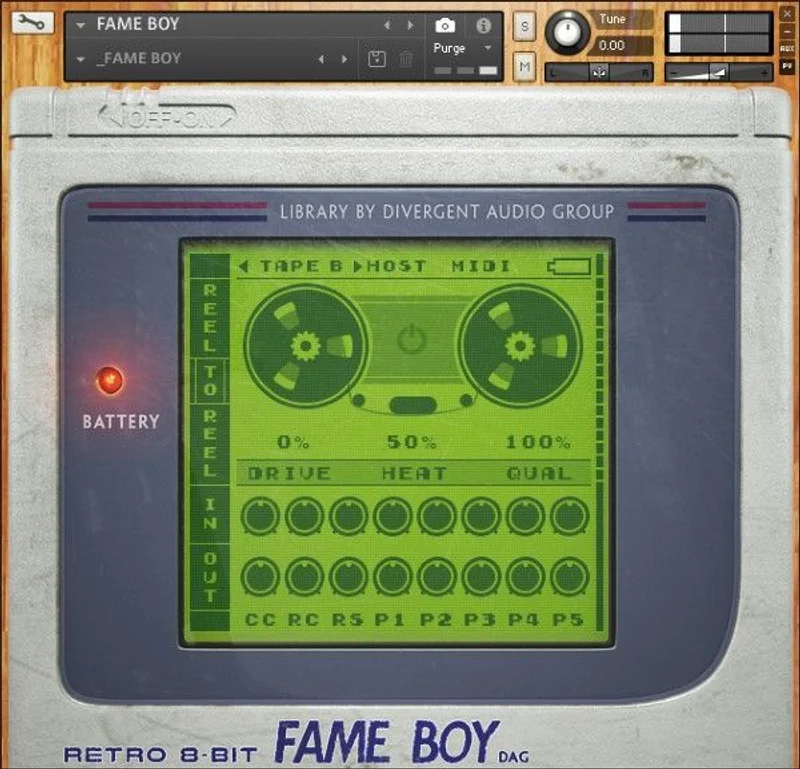
The Tape Drive pages offer “a full set of controls to emulate classic tape degradation effects.” The goal is an authentic layer of analogue grit on your drums.
The developer doesn’t list the individual parameters on the product page, so we won’t guess at them. The description points to wow, flutter, saturation and general wear as typical tape behaviour, but we can’t confirm which of those Fameboy models.
That’s the second thing we can’t verify yet. A “full set of controls” is a promise, and the detail lives in the 13-page manual rather than the store listing.
What we can say is that stacking tape degradation on top of bit crushing is a coherent idea. Digital grit from the console samples, analogue grit from the tape layer. They shouldn’t fight each other.
Snapshots and Presets
Snapshots are the preset system. The developer calls them the easiest way of loading and saving presets inside Kontakt, and says a vast selection ships with the instrument.
Sound design and sequencer presets come from producer Si Begg. That’s a useful starting point, because sequencer presets show you how the pattern tools are meant to be used.
You’ll want to read the install note carefully. Go to the snapshots folder inside your product folder, find the folder named [Fame Boy], and copy it to your user content folder.
It’s one extra step. Skip it and you’ll wonder where the presets went.
Specs and Requirements
| Spec | Detail |
|---|---|
| Developer | Loot Audio (built by Divergent Audio Group) |
| Price | $36 |
| Plugin Format | Kontakt instrument (not a standalone VST3/AU/AAX plugin) |
| OS Support | Mac / Windows |
| Activation | Via Kontakt |
| CPU Usage | N/A (no independent figures found) |
| Trial Available | N/A (none mentioned in the material reviewed) |
| Version Reviewed | N/A (source-based review) |
The requirement that matters most is the Kontakt version. The product page says the full version of NI Kontakt 5.6 or above is required.
The free Kontakt Player won’t do. If you only own the free player, this isn’t for you.
That’s the single biggest barrier to entry. It shrinks the audience to people who already own Kontakt.
Where Fameboy Wins
It wins on workflow. Sequencer, mixer, master chain and MIDI export all live in one window, and that’s rarer than it should be.
The MIDI drag-and-drop is the standout. Getting a pattern out of a plugin and into your DAW as editable MIDI is the thing that makes a drum instrument feel like part of your session.
It wins on focus, too. This is one job done with commitment. The aesthetic is cohesive, from the console-recorded samples to the retro interface.
It wins against loose sample packs on playability. Sixteen channels, sixteen samples each and four styles per sample is a kit builder, not a folder of one-shots.
And it wins on the master page. Crush, Redux, Saturation and Slam in one place means you can get from clean to crunched without opening another plugin.
We love that the developer built the lo-fi chain into the instrument rather than leaving it to you. It’s a small decision that saves time.
Where It Falls Short
The Kontakt requirement is the big one. Full Kontakt 5.6 or above is mandatory, and the free player is out.
If you don’t own Kontakt, the real cost of Fameboy is the instrument plus a Kontakt licence. That changes the value maths.
The Style options overlap. Three of the four are described as gritty, and the product page doesn’t explain how far B, C and D sit apart. That’s annoying when you’re trying to choose.
Independent coverage is thin. The research we drew on found a very small number of user reviews. A perfect average from a tiny sample proves little, and we won’t lean on it.
We also can’t verify CPU load, DAW stability or Mac behaviour from the material we have. If you’re on an older Mac, check before you buy.
And it isn’t a general-purpose drum library. If you need natural-sounding acoustic kits, this is the wrong tool, whatever the “any purpose” line suggests.
What we can't verify yet
A few things need a hands-on session to confirm. We’d want to hear the differences between Style B, C and D, check the Tape Drive parameter list against the manual, and measure CPU use with several channels running.
Until then, treat the developer’s range claim with a raised eyebrow. A chiptune-flavoured sample set can be bent a long way, but it won’t turn into a vintage 808 kit.
How Fameboy Compares
Fameboy isn’t the first lo-fi drum instrument, and it doesn’t pretend to be. The category already has strong players.
Native Instruments Maschine is the broad answer. It’s a full groove production platform with sampling, a huge library and tight hardware integration. If you want one tool for everything, that’s the bigger investment.
Fameboy is narrower and cheaper. It trades breadth for a distinct sound and a quicker path to it.
Against free 8-bit sample packs, the difference is structure. Packs give you audio files. Fameboy gives you sounds, a sequencer, a mixer and effects in one Kontakt patch.
Against other Kontakt drum instruments, the angle is the console-recorded source material and the retro interface. We can’t claim it sounds better than a given rival without hearing them side by side.
For broader context on picking instruments in this category, see our Kontakt instruments guide. If you want to see how Loot Audio’s other work stacks up, we’ve covered the Blossom review and the Palm Mute Piano review.
Pricing and Value
Fameboy is $36 at the time we checked. That’s a modest sum for a focused instrument with a built-in sequencer, mixer and master chain.
The value case is workflow and character. You’re paying for a finished lo-fi drum environment rather than raw samples.
The catch is the hidden cost. If you don’t already own full Kontakt, you need to factor that in before calling it cheap.
We didn’t find a free trial or demo mentioned in the material we reviewed. If one exists, check the store page before buying.
For a Kontakt owner who loves gritty drums, the price is easy to justify. For everyone else, it depends on how much you’d use it.
Who Should Buy This
- ✅ Buy if you already own full Kontakt and want lo-fi drums with a sequencer built in.
- ✅ Buy if you want MIDI patterns you can drag straight into your DAW.
- ✅ Buy if you make lo-fi, chiptune-adjacent or crunchy beat music and want the dirt baked into the sound.
- ❌ Skip if you only have the free Kontakt Player.
- ❌ Skip if you need natural acoustic drums or a clean, modern kit.
- ❌ Skip if you want proof of CPU and stability before you spend money.
Score Breakdown
These scores are based on the documented feature set and the developer’s published figures. We’ll revisit them after longer hands-on use.
| Category | Score | Notes |
|---|---|---|
| Sound Quality | 4.0/5 | Distinct console-sourced grit, but Styles B, C and D overlap on paper |
| Value for Money | 4.0/5 | Strong for Kontakt owners, weaker if you need to buy Kontakt too |
| Ease of Use | 4.5/5 | One-window workflow, MIDI-note selection and drag-and-drop export |
| Features | 4.5/5 | Sequencer, per-channel mixer, master chain and Tape Drive all included |
| CPU Efficiency | N/A | No independent figures found, so we won't guess |
| Overall | 4.2/5 | A focused, well-built lo-fi drum instrument held back by the Kontakt requirement |
Alternatives to Consider
Native Instruments Maschine. The broad option. It does far more than lo-fi drums, and it costs more and asks more of your time to learn. Pick it if you want a complete beat-making platform. See our Kontakt instruments guide for how it fits the wider picture.
Free 8-bit and chiptune sample packs. The budget route. You get raw audio and build your own kit and sequences. Pick this if you’d rather pay nothing and don’t mind the extra setup.
Other Kontakt percussion instruments. If Fameboy’s retro angle isn’t your thing, there are plenty of Kontakt-based drum tools with different sound sources. Check the Blossom review and the Palm Mute Piano review to see how Loot Audio’s catalogue varies in style.
The Verdict on Fameboy
We’d buy Fameboy if we already owned Kontakt and wanted gritty drums without assembling a chain of plugins. At $36, it’s a fair deal for what it packs in.
The best part is the workflow. A built-in sequencer, a per-channel mixer, a crunchy master page and drag-and-drop MIDI export is a smart bundle.
It’s wrong for you if you don’t own full Kontakt, if you need clean acoustic kits, or if you want stability and CPU data before committing. We can’t give you those numbers yet.
What we still want confirmed is how different Styles B, C and D really sound, and what the Tape Drive page actually models. Both are answerable in ten minutes with the manual and a pair of headphones.
Tape grit, bit crush and a sequencer that lets go of its patterns. That’s a good combination.
Related reviews: Venus Symphonic Women's Choir Still Beats the Field in 2026 · Can 2 Sounds Make FIELD RECORDING Floatation Worth It?
Frequently Asked Questions
Is Fameboy worth buying in 2026?
It's worth it if you own full Kontakt and want lo-fi, console-flavoured drums with a sequencer built in. It's a harder sell if you'd need to buy Kontakt just to run it. At $36, the instrument itself is modestly priced.
Does Fameboy work with the free Kontakt Player?
No. The product page states that the full version of NI Kontakt 5.6 or above is required. The free Kontakt Player isn't supported.
How many sounds does Fameboy include?
It offers 16 channels, each with up to 16 samples, and every sample has 4 variations. The research we reviewed cites over 1,200 unique samples recorded through a handheld game console. Treat that count as the developer's figure.
Can I use Fameboy for more than chiptune?
The developer says yes, and that it isn't just a chiptune machine. The master effects, Tape Drive and per-sound shaping give you room to push it toward lo-fi hip-hop and crunchy electronic drums. It won't replace a clean acoustic kit, though.
Can I get Fameboy patterns into my DAW?
Yes. Click the MIDI button, then drag the small icon that appears into a sequencer lane in your DAW. That gives you editable MIDI you can tweak further. Each sequence holds up to 8 patterns, triggered with key switches.
What is Fameboy's Master and Multi-Out mode?
When enabled, this mode bypasses the master effects and sends each channel to its own output in Kontakt. It's the route for mixing drums on separate DAW channels. You give up the built-in master chain when you use it.