The One Thing Amplifikation VVV Actually Does
Amplifikation VVV nails one specific tone: the brown sound. That compressed, harmonically rich, singing high-gain guitar tone Edward Van Halen coaxed out of a Peavey 5150 back in the '80s. That's the target. Kuassa built the entire plugin around it.
We were tracking rhythm guitars for a hard rock record, 7-string, drop A, wall of sound. The session needed bite with sustain, clarity without fizz. We loaded Type A, hit the Red channel, set the gain around 7, and had something workable in under four minutes. Not "it's on in the background" workable. Actually usable.
That doesn't happen often with a $49 plugin.
This review is for the metal producers, the hard rock session guitarists, and the beatmakers who need a convincing high-gain amp sim that won't eat their CPU or their wallet. If you're chasing clean jazz tones or vintage blues crunch, stop here. This isn't your plugin.
First Impressions
Install is painless. VST, VST3, AU, AAX, Rack Extension, and standalone are all in the package. That's six formats. We had it authorized and open in DAW in about eight minutes.
The UI loads and your first feeling is: dense. Everything is on one screen, which we love in principle. In practice, the knobs sit close together and the font choices feel like something from 2014. It's not ugly, exactly. Functional is the word.
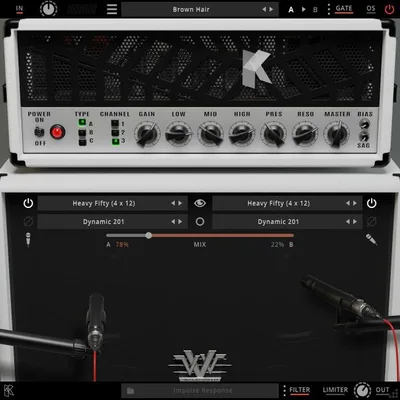
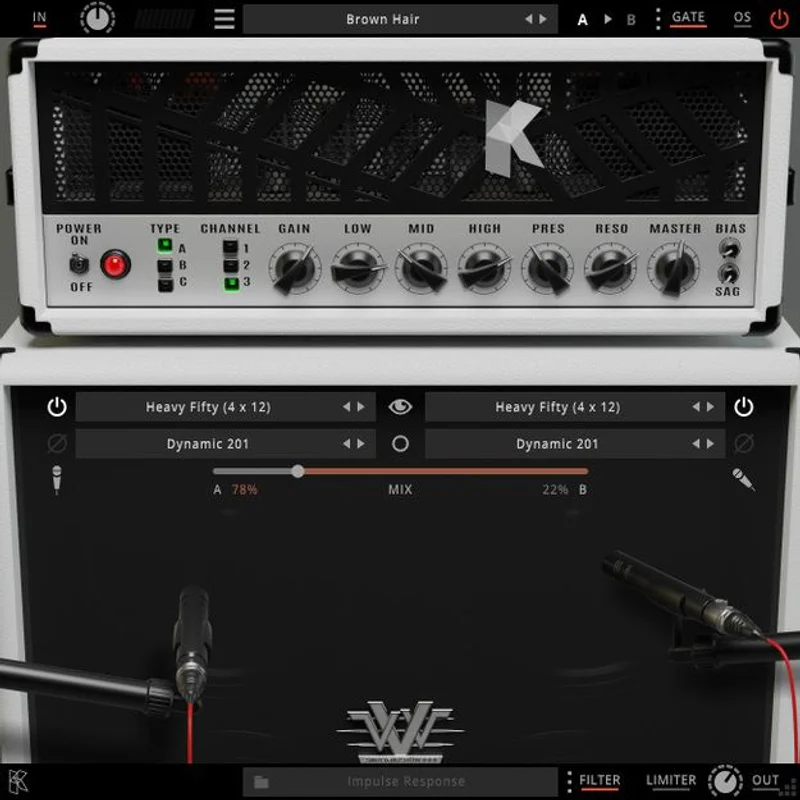
What you see immediately: three amp types labeled A, B, and C along the top. Three channels, Red, Green, and Blue, below that. A noise gate, high and low cut filters, a power amp section, and a limiter. Then the cab section with 9 mic models and 5 Peavey cabinet IRs.
No tutorial needed. Every control maps logically to what you'd find on a real amp head. That's satisfying.
Getting It Into a Real Workflow
We dropped VVV straight onto a DI guitar track, no pre-gain staging, no external noise gate. First thing we noticed: the built-in noise gate is better than expected. Set it around 40%, it killed the hum between chord hits without clamping the attack. We've paid more for standalone gates that do worse.
The signal chain inside is clean. We ran the DI in, dialed Type B on the Green channel, gain at 6.5, presence at 8, and ran it into mic position 3 on Cabinet 2. That combination gave us a midrange-forward crunch that sat in the mix without fighting the bass. We cut 80Hz with the high-pass filter inside the plugin. Done. No additional EQ needed on that pass.
One friction point worth flagging: the Amplifikation 360 module integration. If you want to access the A360 cab and routing section, you need Amplifikation 360 updated to v1.1.1. Kuassa mentions this in the documentation, but not prominently. We wasted about 20 minutes confused before finding it. Annoying.
The standalone mode is genuinely useful for live monitoring or quick A/B tests outside your DAW. We used it to compare amp types without the overhead of a full session. That's a nice touch for a plugin at this price.
What It's Genuinely Good At
The brown sound is real. Type A on the Red channel with gain between 6 and 8, presence boosted to 7, is the closest we've heard to a Peavey 5150 in software at this price point. The third-generation tube engine Kuassa uses handles harmonic saturation without turning into sandpaper above 5kHz. That's the exact failure mode of cheaper amp sims.
We A/B'd a riff recorded through VVV against the same riff through a well-regarded amp sim costing three times as much. The expensive one had more headroom at extreme gain settings. But VVV had more character in the 1kHz to 3kHz presence range, which is exactly where rhythm guitars need to cut through a dense mix.
The three amp types aren't just minor EQ shifts. Type A is tighter and more compressed. Type B opens up in the mids. Type C pushes the bass response and is brilliant for dropped tunings. Three genuinely different tools inside one plugin.
Nine mic models gives you real tonal control without needing to load a third-party IR loader. best guitar amp sim plugins We counted six useful positions out of nine. Three we'd never touch. That's an honest ratio for any mic collection at this price.
The Rough Edges
Let's be direct. VVV is a one-genre plugin. Outside high-gain territory, it falls apart fast. We tried it on a clean chord progression. The results were sterile and slightly phasey. We tried a mid-gain crunch setting for a blues track. It sounded choked and unconvincing. Don't fight this plugin's nature.
The UI frustrates us on smaller screens. Running a 13-inch laptop monitor in the studio? The knobs are fiddly. There's no resizable window in the version we tested. That's a legitimate complaint in 2026 when most competing plugins scale freely.
The limiter built into the output stage is blunt. It prevents clipping, which we appreciate, but it doesn't behave gracefully under heavy t ransients. We'd rather have a proper soft-clipper there. best limiter plugins On sustained chords it's fine. On hard picking attacks at extreme gain, it can sound slightly squashed.
No free trial is available at the time of writing. $49 isn't a huge risk, but it's still money spent blind for some producers.
Who This Is Really For
- ✅ Buy if you produce metal, hard rock, or djent and want a convincing 5150-style tone without installing a dozen third-party IRs to get there.
- ✅ Buy if you're tracking high-gain rhythm guitars ITB and need something fast to dial in, with the built-in cab and mic section handling most of the heavy lifting.
- ✅ Buy if you're building a lean plugin setup and want one high-gain sim that does the job without the CPU overhead of heavier competitors. lightweight amp sim plugins
- ❌ Skip if you need a versatile amp sim that covers clean, crunch, and lead across genres. This is the wrong tool.
- ❌ Skip if you record country, jazz, blues, or anything that lives below moderate gain settings. You'll hate it.
- ❌ Skip if UI design and resizable windows matter to your workflow. VVV is showing its age visually.
Score Breakdown
| Category | Score | Notes |
|---|---|---|
| Sound Quality | 4.0/5 | Excellent brown sound within its lane; falls apart outside high-gain |
| Value for Money | 4.5/5 | $49 for this level of high-gain tone is hard to beat |
| Ease of Use | 3.5/5 | Logical controls, but the A360 integration snag and non-scalable UI cost points |
| Features | 3.5/5 | Nine mic models and three amp types are solid; limiter is blunt |
| CPU Efficiency | 4.0/5 | Runs light compared to most amp sims we've tested at this fidelity level |
| Overall | 4.1/5 | Specialist tool that earns its price if you're in the right genre |
Alternatives to Consider
Neural DSP Archetype: Nolly is the main competitor at this tier. It costs more (check Neural DSP's site for current pricing), covers more tonal ground, and the UI is considerably more polished. If you produce across multiple heavy subgenres, it's worth the extra spend. Neural DSP Archetype Nolly review
STL Tones Howard Benson Plugin handles modern hard rock and metal tones with strong cab sim integration. It's a different flavor, leaning more toward the produced radio-rock side, but it competes directly for the same producer. best amp sim plugins for metal
Kuassa Amplifikation Creme is VVV's sibling plugin, built for British-style crunch and classic rock. If you need both brown sound and British tones, buying both Kuassa plugins together is a better value proposition than one more expensive alternative. Kuassa Amplifikation Creme review
Final Word
Amplifikation VVV costs $49 and does one thing with real conviction: it sounds like a 5150. That's the whole pitch. We'd buy it for that specific job without hesitation.
We'd skip it if you need a workhorse that covers the whole tonal spectrum. It's not that plugin. It never claimed to be.
If your session has a riff that needs to sound like it was tracked through a real Peavey head in a real room, VVV gets you there faster than anything else at this price. That's not nothing. In a lot of sessions, that's exactly everything.
Frequently Asked Questions
Is Amplifikation VVV good for genres outside metal and hard rock?
Not really. We tested it on clean and mid-gain settings and the results were unconvincing. The plugin is built around the Peavey 5150 high-gain character, and that's where all its sonic engineering effort went. For anything below heavy crunch territory, you'll want a different amp sim in your signal chain.
Does Amplifikation VVV come with its own cab IRs, or do you need third-party ones?
It ships with 5 Peavey cabinet IRs and 9 microphone models, all built in. You don't need an external IR loader to get a complete sound. That said, you can bypass the internal cab section and route to your own IRs if you prefer.
What's the difference between Type A, Type B, and Type C in VVV?
Type A is the tightest and most compressed, closest to the classic 5150 rhythm sound. Type B opens up the midrange response and handles leads and melodic playing better. Type C pushes the low end and is our pick for drop-tuned guitars in D or lower.
Do I need Amplifikation 360 to use Amplifikation VVV?
You don't need it to use VVV as a standalone amp sim. But if you want to access the A360 routing module for advanced cab and signal chain control, you'll need Amplifikation 360 updated to version 1.1.1 or later. Make sure you've run that update before expecting the integration to work.