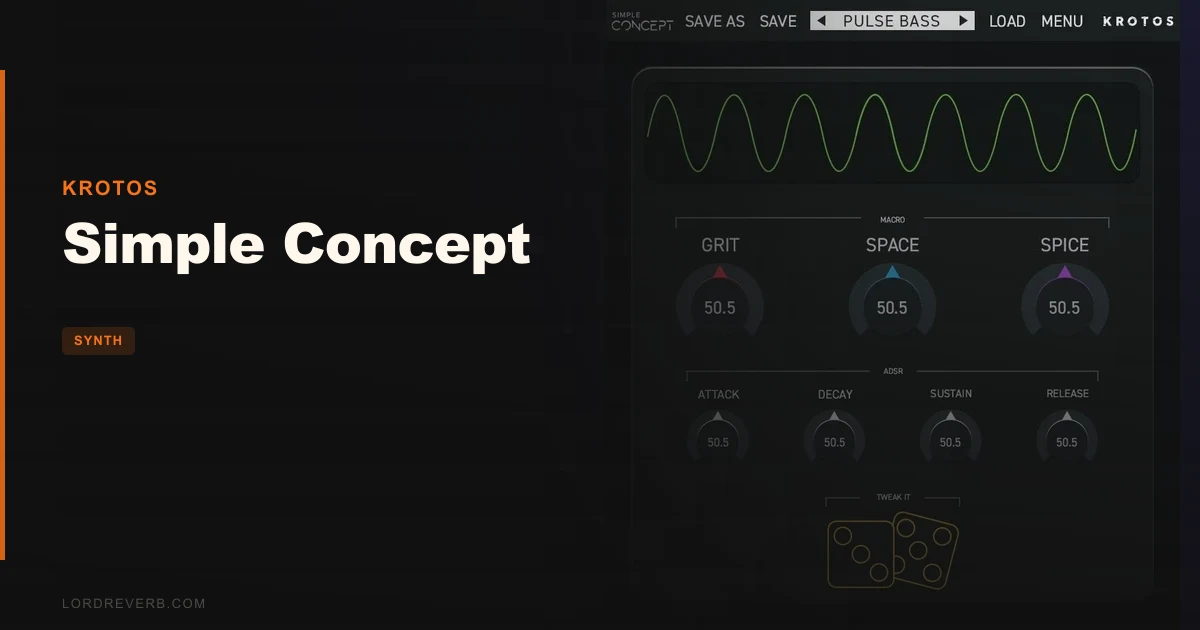
Krotos Simple Concept is a streamlined, preset-based soft-synth that costs $25 and is built for producers who want to stay in the music, not the menus. It runs on the same engine as Krotos' Concept 2, but strips the interface down to 7 controls per patch: 3 macro knobs and a full ADSR envelope. That's the whole pitch. We spent two weeks running it across a lo-fi hip-hop sketch, a dark cinematic cue, and a house session, and we have clear feelings about it. It's clever where it counts and limiting where it hurts. Here's exactly when to buy it and when to walk away.
That Moment a Synth Earns Its Place
We were 40 minutes into a cinematic cue. Strings were stacked, the low-end drone was sitting somewhere between interesting and ugly, and we needed a texture pad. Not a designed one. Something that felt accidental and human.
We loaded Simple Concept into an instrument track in Ableton Live, landed on a preset called "Frozen Glass" (a slow-attack pad with a filtered top end), and hit Tweak It three times. Third click gave us a darker, slightly detuned version with more harmonic movement in the 2–4kHz range. We put it in the send bus, rolled off below 300Hz, and it sat perfectly behind the strings.
Total time from opening the plugin to that sound in the mix: under four minutes. That's the honest pitch for Simple Concept. It's not a deep synthesizer. It's a fast one.
First Impressions
Activation runs through iLok License Manager. A free iLok account is required, but no physical iLok USB dongle is needed. That’s fine in 2026, though it adds one extra step versus competitors that just use a serial number.
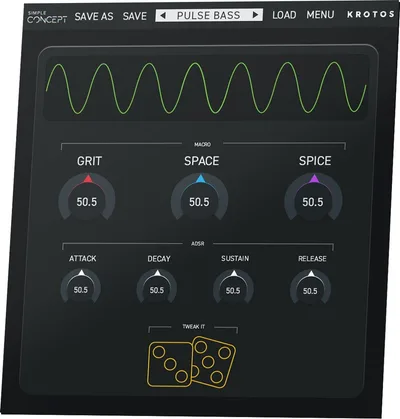
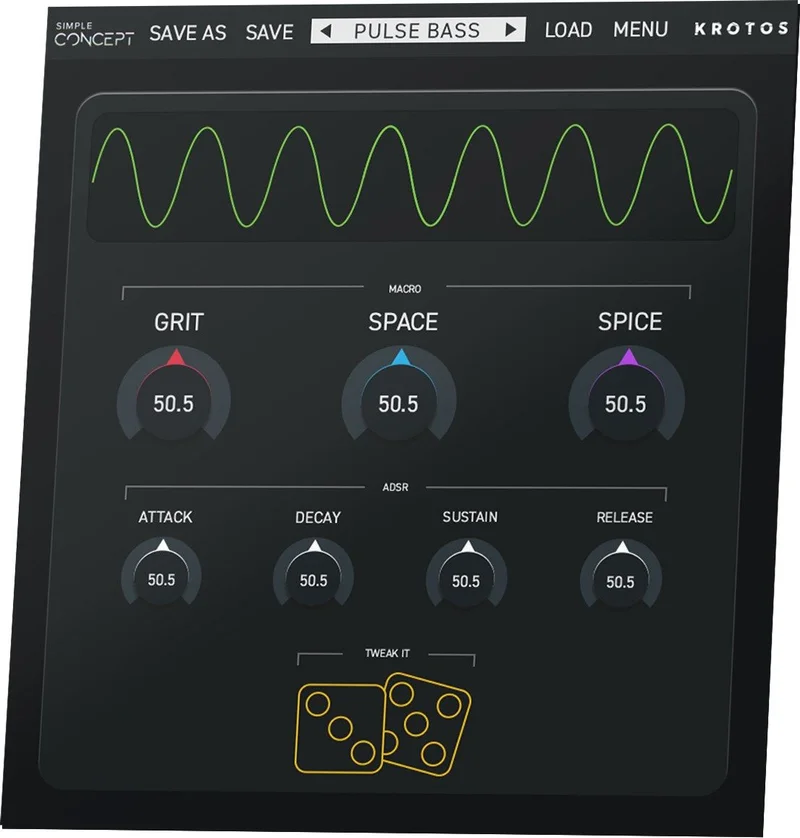
The UI opens instantly. It's compact. One large waveform display in the centre (the oscilloscope), a preset browser strip across the top, three macro knobs in a row below it, and the ADSR under that. Nothing hidden behind tabs. Nothing to configure before you make a sound.
Simple Concept’s oscilloscope gives you real-time visual feedback based on the master output of the plugin. That’s a satisfying touch. You watch the waveform shift as you dial in attack and release. For anyone learning what ADSR actually does to a sound shape, it’s genuinely useful. Not decorative.
We had audio in 90 seconds from first launch. That's the fastest onboarding we've seen from any Krotos product.
Getting It Into a Real Workflow
Simple Concept drops into your signal chain with zero friction. Instantiate, browse, play. The preset browser is fast, the 80 presets are labelled clearly by category (Bass, Lead, Keys, Pad, FX, Texture), and you don't need to read a manual to understand what any control does.
Tweak It creates infinite preset variations with a single click. In practice, each click rerandomises internal parameter values within a range that stays musically coherent. It doesn’t just throw noise at you. We clicked through a bass preset 12 times and got 12 different but usable tonal characters, from a clean sub-focused low-end to a grittier, harmonically saturated version with more upper-mid energy.
The friction point is the ceiling, not the floor. Three macros per patch means you adapt to what the preset offers. You can't reroute modulation, you can't swap oscillator types mid-patch, and you can't add LFOs beyond what's already baked in. We hit that wall during the house session when we wanted to sync filter movement to tempo. Can't do it here.
The Audio Input feature is not supported on FL Studio or Studio One. If you’re on either of those DAWs, that’s a real limitation worth knowing before you buy.
What It's Genuinely Good At
Speed. Honest, no-asterisk speed.
We timed ourselves going from an empty project to a committed synth part three times across different sessions. Average time to a sound we kept: 3 minutes, 20 seconds. That's not because the sounds are average. The 80 presets have real range. The cinematic textures hold up next to dedicated sound-design tools, and the bass presets have enough low-end weight to sit under a 808 without fighting it.
You can shape modulation and effects and choose from a diverse range of 80 presets, then use Tweak It to instantly create endless preset variations with just a few clicks. That combination is genuinely satisfying in practice. It’s not just “random”. The variations stay tonally consistent with the source preset, which means Tweak It functions like a smart variation engine rather than a slot machine.
CPU footprint is light. We ran 8 simultaneous instances in Ableton on an Intel i9 with no noticeable hit on the CPU meter. That's a real advantage over heavier wavetable synths like Serum when you're stacking synth layers on a dense arrangement.
At $25 with a 10-day free trial, the value-per-sound-per-minute is hard to argue with. For context, Vital's free tier gives you fewer presets with a steeper learning curve. Simple Concept trades depth for immediacy and prices itself accordingly.
The Rough Edges
The 64-bit only spec is expected. The M1/Apple Silicon caveat is annoying in 2026. macOS support tops out at macOS 11 Big Sur, and M1 Macs are not yet supported. If you're on an M2 or M3 MacBook Pro, you'll need to run it under Rosetta. It works, but it's not ideal, and it's not something Krotos has patched two years into the Apple Silicon era.
The bigger limitation is architectural. Concept 2 is Simple Concept's full synth engine. Concept 2's flexible synth engine enables you to create everything from traditional synth sounds to more complex evolving textures and custom sound design elements. Simple Concept is a deliberately simplified wrapper around that engine. The audio input modulation that makes Concept 2 distinctive (running external audio through the engine as a modulation source) is completely absent here.
That's not a surprise. It's by design. But if you buy Simple Concept hoping it'll grow with you as your sound design skills develop, you'll hit that ceiling fast. This isn't a synth you'll still be reaching for in two years the way you'd reach for something like Chromaphone 3's physical modelling engine.
Seven controls per patch is a creative constraint. We love constraints. But this one has no bypass.
Who This Is Really For
- ✅ Buy if you sketch tracks quickly and want a reliable go-to for pads, textures, and leads without opening a mod matrix.
- ✅ Buy if you produce lo-fi, ambient, cinematic, or pop and need 80 pre-shaped sounds with one-click variation built in.
- ✅ Buy if you are new to synthesis and want real-time visual feedback (the oscilloscope) while learning what ADSR actually does.
- ❌ Skip if you want to grow into deep sound design. You'll outgrow Simple Concept's 7 controls in weeks.
- ❌ Skip if you are on an M1/M2/M3 Mac and don't want to think about Rosetta compatibility in 2026.
- ❌ Skip if you are on FL Studio or Studio One and need the audio input modulation feature. It doesn't work there.
Score Breakdown
| Category | Score | Notes |
|---|---|---|
| Sound Quality | 3.5/5 | Concept engine sounds clean and capable; preset range is solid but the hard ceiling on customisation limits expression |
| Value for Money | 4.5/5 | $25 with a 10-day trial and 80 presets is an easy yes for what it does |
| Ease of Use | 5.0/5 | Fastest onboarding we've tested in this category; 90 seconds from install to sound |
| Features | 2.5/5 | 7 controls and no audio input modulation is thin; Tweak It saves it from a lower score |
| CPU Efficiency | 4.5/5 | Light footprint; 8 instances running clean on Intel i9 in testing |
| Overall | 3.5/5 | Brilliant for speed and sketching; frustrating if you need depth or run Apple Silicon natively |
Alternatives to Consider
Vital (Free tier): Vital's free version gives you a proper wavetable engine with LFOs, mod routing, and effects. It's harder to learn but you'll never hit a ceiling. We'd pick Vital if you have any interest in going deeper on synthesis. See our full bass synth comparison for where Vital fits
Krotos Concept 2: If Simple Concept interests you, Concept 2 is the honest upgrade path. A fresh approach to modulation in Concept 2 allows any parameter to be mapped to one of four highly editable multi-mode modulators. Options include an Envelope/Pitch Follower, an X/Y Capture pad, and the unique Tweak It customisation system. That's the version with audio input modulation and full sound design freedom. The current price is shown in the buy box on this page.
Audio Blast ABX3 Bundle: If you want an entry-level synth with more acid and bass-focused character than Simple Concept's polished presets, ABX3 is worth a look. We reviewed it here
For producers who want grit and tape-flavoured textures instead of Simple Concept's cleaner output, the Tape Synths expansion is worth stacking on top of whatever synth you already own.
The Verdict
Simple Concept does one thing better than almost any synth at this price: it gets out of your way. At $25 with a 10-day free trial, buying it to find out is a lower-risk decision than most plugin sales you'll impulse-click during a sale.
But be honest about what you're buying. This is a sketch tool. It's brilliant for ideas and frustrating for refinement. If you're producing cinematic, lo-fi, or pop and you spend more time playing than programming, it earns its place in the signal chain. If you're the kind of producer who opens the mod matrix and reads the manual for fun, skip it and go straight to Concept 2.
M1/M2/M3 Mac users: confirm your Rosetta situation before you commit, even if it is just a $25 call.
Frequently Asked Questions
Does Simple Concept work on Apple Silicon Macs?
Not natively. As of 2026, Simple Concept's system requirements list Intel Macs and macOS up to Big Sur (11), with M1 listed as not yet supported. You can run it on M1/M2/M3 machines via Rosetta 2, and most users report it works fine in that mode, but it's not an officially supported configuration. Check the Krotos site for the latest compatibility updates before buying.
What's the difference between Simple Concept and Concept 2?
Both run the same underlying Concept synth engine, but Concept 2 is the full version. Simple Concept gives you 7 controls per patch (3 macros plus ADSR) and no audio input modulation. Concept 2 adds a full modulation system with four mappable multi-mode modulators, an X/Y capture pad, envelope and pitch follower options, and audio input as a modulation source. If you want to design patches from scratch, go with Concept 2. If you want to browse presets and sketch quickly, Simple Concept at $25 is the smarter entry point.
How does Tweak It actually work?
Tweak It is a one-click variation engine. Each click rerandomises internal synthesis parameters within musically constrained ranges, so you get different but coherent versions of the active preset rather than purely random results. In our testing, it produced usable variations on most presets within 2–5 clicks. It's most useful for pads and textures where slight harmonic differences don't break the sound's character.
Is iLok required to use Simple Concept?
A free iLok account and the iLok License Manager software are required for activation. A physical iLok USB dongle is not needed. The license can be stored directly on your computer. You get 2 activations with your purchase, so you can run it on a desktop and a laptop without buying again.