It was 11pm on a Tuesday when the vocal track from a bedroom session landed in our project folder with a hum riding underneath it the whole way through. Not subtle. A 60Hz ground loop baked into every take.
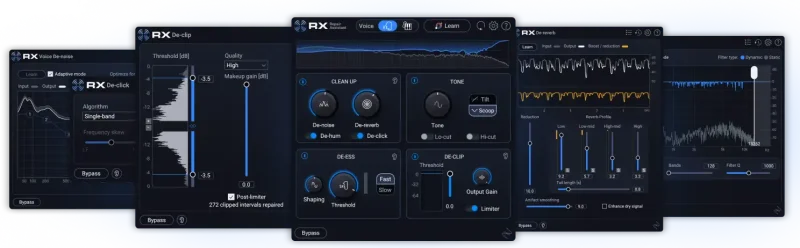
We had RX Elements loaded inside Logic Pro. We dropped it on the vocal, opened De-hum, set the frequency to 60Hz, and listened to the first pass. The hum lifted. The consonants stayed intact. That took about four minutes from “problem identified” to “playback sounds clean.”
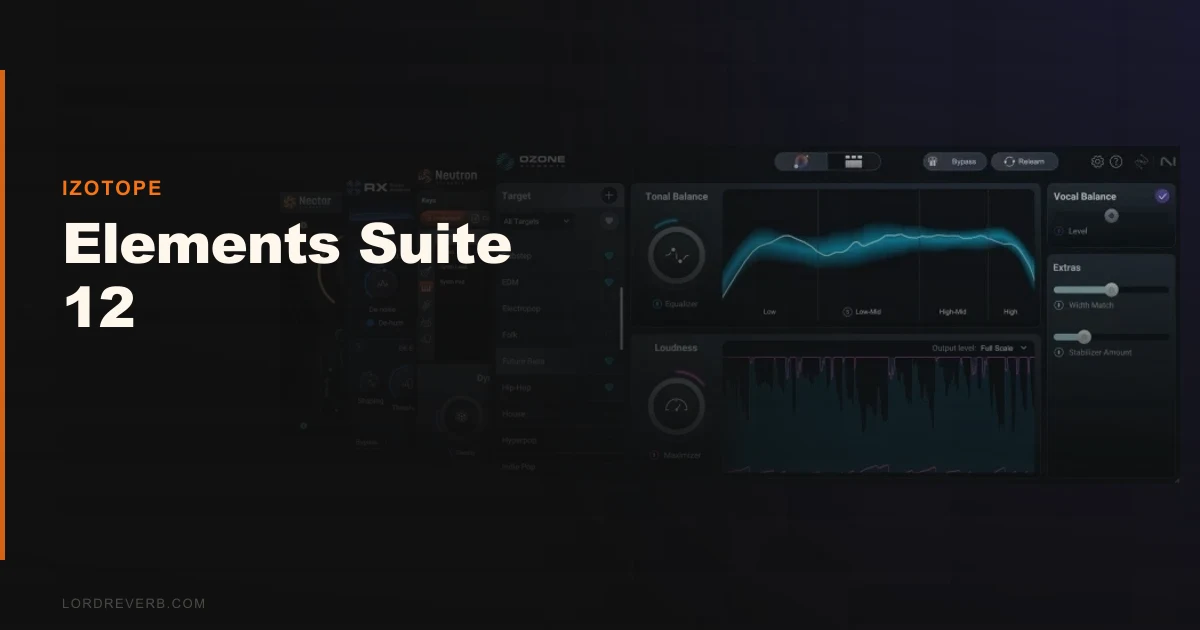
That’s the honest pitch for iZotope’s Elements Suite 12. At $149, it’s four plugins covering the four biggest workflow headaches in home production: mixing, mastering, vocal treatment, and audio repair. It won’t replace the full iZotope stack. But for the right person, it’s a genuinely useful toolkit that earns its price on the first session it saves.
First Impressions
Installation runs through iZotope’s Product Portal. It’s clean. No serial-number chaos, no third-party activation dongles. You log in, click install, and all four plugins show up in your DAW within minutes.
Opening them feels polished. The GUIs are consistent across the suite, which matters when you’re jumping between Ozone 12 Elements for mastering and Neutron 5 Elements for mixing in the same session.
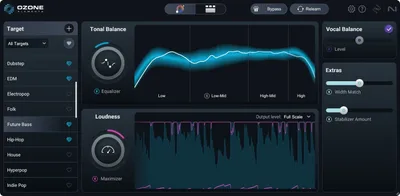
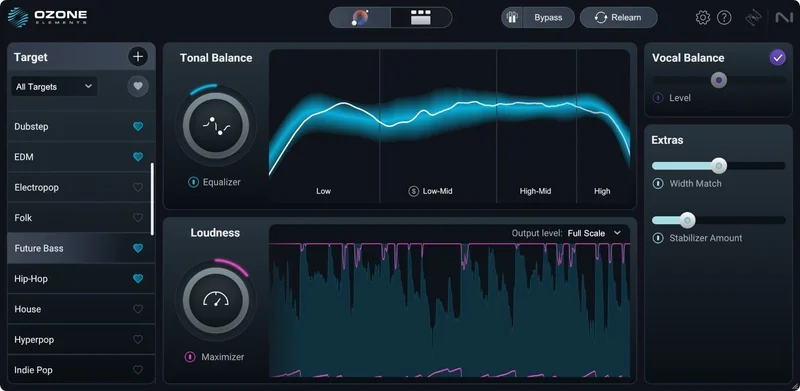
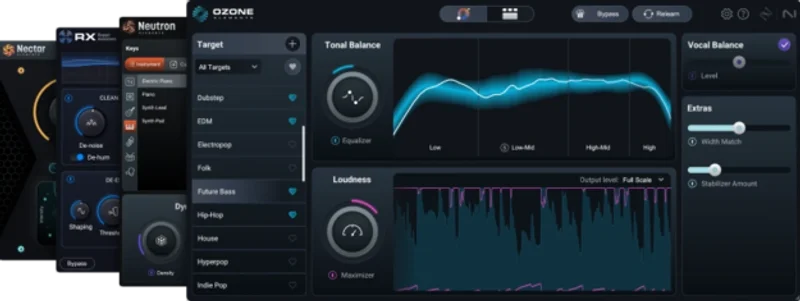
The first thing we noticed was how fast the AI assistants spin up. Master Assistant in Ozone 12 Elements analyzed a stereo bounce in under ten seconds and gave us an EQ curve, a limiter ceiling, and a stereo image setting to start from. That’s a satisfying experience. It doesn’t feel like a toy.
What feels slightly annoying is how quickly you bump into walls the first time you want to go deeper. More on that below.
Getting It Into a Real Workflow
We tested the suite across three different session types: a singer-songwriter acoustic recording with room noise, an electronic track needing a quick master, and a podcast edit with background hum and some clipped dialogue.
Ozone 12 Elements sits on the master bus. We used Master Assistant to load a reference track, and it produced a starting curve we actually kept about 60% of. We pulled back 1.5dB around 250Hz ourselves where the mix was getting boxy, but the limiter ceiling it suggested, around -1.0 LUFS true peak, was exactly where we’d land manually.
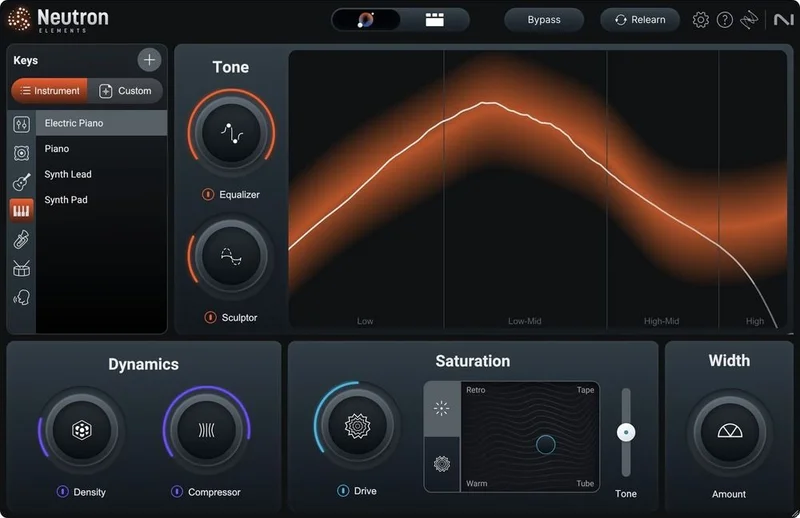
Neutron 5 Elements went on the drum bus. The Track Assistant analyzed the signal and placed an EQ, a transient shaper, and a compressor. That’s fine. What’s frustrating: the Elements version doesn’t include the Visual Mixer or the Masking Meter, which are the two features that make Neutron actually special. You’re getting the assistants without the tools that make them mean something.
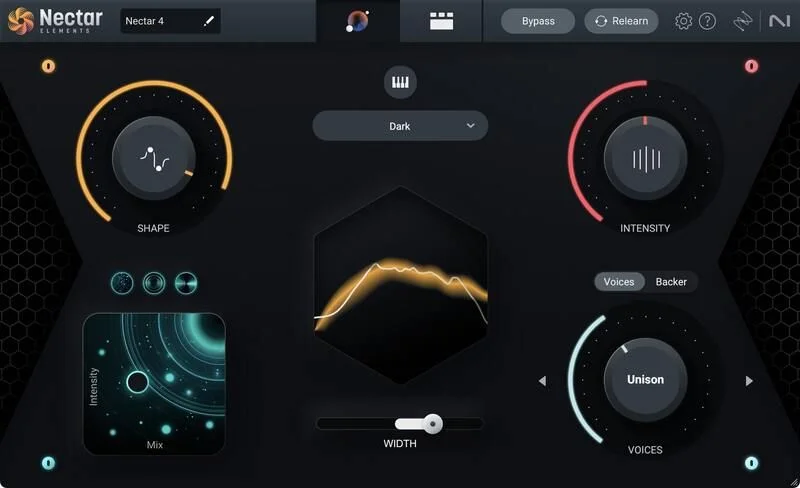
Nectar Elements handled the vocal. We inserted it, hit Vocal Assistant, and got a reasonable starting chain in about eight seconds. The pitch correction is subtle and transparent. It’s not Auto-Tune in terms of creative flexibility, but for tightening a slightly pitchy vocal without artifacts, it does the job.
RX Elements was the star for the podcast edit. De-clip recovered two sentences where the guest had peaked into 0dBFS. RX’s repair tools explained We ran De-hum as mentioned above. What we couldn’t do inside RX Elements: spectral repair. That’s locked to higher tiers. For anything more surgical than clip and hum removal, you’ll hit the ceiling fast.
What It's Genuinely Good At
The repair tools are the strongest argument for buying this bundle.
We ran a clipped spoken-word track through De-clip with the algorithm set to “Moderate.” It recovered transient detail we honestly expected to lose. Peak reduction from +4.2dBFS artifacts down to a clean waveform, with the consonants still sharp afterward. That’s not nothing.
De-hum handled both 50Hz and 60Hz scenarios cleanly across our tests. We set the harmonic reduction depth to around 75% to avoid thinning the low end of an acoustic guitar. The result held up on headphones and on monitors.
Master Assistant is smarter than we expected at $149. It’s not just slapping a loud limiter on your bounce. It reads frequency imbalances and responds to them. We compared its starting point against our own manual chain on the same track. The AI landed within 1.2dB of our EQ decisions across three of four frequency moves.
Native Apple Silicon compatibility means these plugins run efficiently on M-series Macs. We saw CPU usage averaging around 4-7% across all four plugins running simultaneously in Logic Pro on an M3 MacBook Pro. That’s light.
How the Nugen Focus Elements Bundle compares at a similar price point
The Rough Edges
Here’s what we wish iZotope would say plainly in the marketing: this is a gateway product, not a destination.
Neutron 5 Elements has no Visual Mixer. No Masking Meter. The two features that make Neutron worth using in a multi-track mix context are both Standard-tier and above. What’s left is an EQ and compressor with an AI starting point. That’s useful, but it’s not Neutron.
RX Elements has no spectral repair, no Music Rebalance, no Dialog Isolation. For a podcast producer dealing with overlapping voices or a location recording with birds in the background, Elements runs out of answers immediately.
The upgrade path is also expensive. If you buy Elements Su
If you buy Elements Suite 12 at $149 and later want to upgrade Ozone alone to the full version, check the manufacturer’s site for current upgrade pricing. Buying all four individual Elements plugins separately costs more than the bundle, so the bundle saves you money if you need all four. That math is real. But the feature ceiling is also real.
One more thing. Nectar Elements has no standalone pitch editor. No formant shifting. If you want that level of vocal control, you need the full Nectar or a different tool entirely.
Who This Is Really For
✅ Buy if you’re a home studio producer who records acoustic instruments or vocals and needs a starter repair and finishing toolkit without paying for tools you won’t use yet.
✅ Buy if you’re a podcaster dealing with 60Hz hum, light clipping, or inconsistent vocal levels. RX Elements alone will cover 80% of your repair needs at this level.
✅ Buy if you’re already curious about iZotope’s workflow and want to learn the interface cheaply before committing to Standard or Advanced upgrades later.
❌ Skip if you’re producing multi-track sessions where you need inter-plugin communication between Neutron instances. That’s not here.
❌ Skip if your audio repair problems involve spectral noise, dialogue isolation, or Music Rebalance. You’ll outgrow RX Elements in a week.
❌ Skip if you already own any of the four individual plugins. The savings only work if you need all four.
Nugen Stereoizer Elements review for another budget option
Score Breakdown
| Category | Score | Notes |
|---|---|---|
| Sound Quality | 3.8/5 | AI assistants produce clean, usable starting points; artifact-free on de-clip and de-hum tests |
| Value for Money | 4.0/5 | $149 vs. Buying individually costs more; the bundle math works if you need all four |
| Ease of Use | 4.3/5 | Assistants flatten the learning curve; consistent GUIs across all four plugins |
| Features | 3.0/5 | Hard feature ceilings in every plugin; Neutron loses its best tools, RX loses spectral repair |
| CPU Efficiency | 4.5/5 | Native Apple Silicon support; all four running simultaneously stays light |
| Overall | 3.8/5 | Solid starter bundle let down by stripped-back feature sets that frustrate growing producers |
Alternatives to Consider
If you need more repair depth and don’t care about the mixing and mastering tools, RX 12 Elements standalone gets you the same repair toolkit at a lower entry cost. You’d put the money you save toward whatever your actual bottleneck is.
If you’re looking at Elements Suite 12 mainly for mastering, the iZotope Ozone 12 Elements educational version is worth checking if you qualify. It’s the same Ozone Elements engine at a fraction of the price.
For producers who want a different angle on stereo imaging and mix focus, the Nugen Audio Focus Elements Bundle covers loudness metering and stereo width in a lighter package. It’s not a direct competitor in scope, but it’s worth comparing if your needs are narrower.
Waves also offers bundles in a similar price range during frequent sales, with a broader plugin count but less focused AI assistance. The repair tools in Waves’ budget tier don’t match RX Elements’ quality on de-clip specifically.
Elements Suite 12 is the right product for a specific person: someone making their first home studio investment who wants to stop Googling “how do I fix hum on my vocal” and start finishing tracks. For that person, $149 is honest money.
If you’re past that stage and you need Neutron to actually talk to your other tracks, or RX to do spectral surgery, this bundle will frustrate you within a month. Save up for Standard. It’s a different product.
Frequently Asked Questions
Is Elements Suite 12 a subscription or a one-time purchase?
It's a one-time purchase at $149. You own the license outright through iZotope's Product Portal, no monthly fee required. Updates within the version are included, but major version upgrades (like moving to a future Suite 13) would be priced separately.
Can Elements Suite 12 run on an M1 or M2 Mac without Rosetta?
Yes. All four plugins in Elements Suite 12 are native Apple Silicon. You won't see the Rosetta 2 translation layer running in Activity Monitor, which keeps CPU and memory overhead low on M-series hardware.
What's the difference between Elements Suite 12 and the Standard or Advanced tiers?
Every plugin in the suite has a feature ceiling at the Elements tier. Neutron Standard adds the Visual Mixer and Masking Meter. RX Standard adds Spectral Repair, Music Rebalance, and Dialog Isolation. Ozone Standard adds Vintage modules and more granular mastering controls. Elements is a starting point, not a full toolset.
Does RX 12 Elements work as a standalone application?
No. RX Elements runs only as a plugin inside a supported DAW. If you want the standalone RX application with its full editing environment, you need RX Standard or Advanced. This is a meaningful limitation for podcasters who prefer an audio-first repair workflow outside their DAW.