The real question about Mosaic Tape isn't whether it sounds good. It does. The question is whether you need a dedicated tape-processed Kontakt instrument or whether you'd be better served running your existing library through a tape emulation plugin. The answer depends on what you're actually building, and we'll get specific about that.
Mosaic Tape is Heavyocity's fourth entry in the Mosaic Series, sitting at $119. It's built for composers scoring to picture, sound designers chasing 80s, synthwave, or vaporwave textures, and producers who want cinematic hybrid layers that already carry tape character rather than adding it in the signal chain afterward.
If you score trailers or work in hybrid orchestral territory, this tool deserves your attention. If you mostly mix in tape-style saturation as a finish, you might not need it.
Does It Actually Deliver on the Tape Promise?
Heavyocity built Mosaic Tape around one specific idea: tape isn't just a processing tool, it's a sound source identity. They sampled 113 different sources across orchestral, keys, tuned percussion, choir, noise, and attack categories, then ran creative tape processing into every one of them before the samples even hit the library.
That matters. You're not applying a tape effect to a clean string patch. You're playing a string patch that already sounds like it came off a worn reel, then shaping that character further with the Aging controls: wear, warble, and mono.
The Mosaic Engine layers up to three of these sources simultaneously across three channels. That's where the instrument earns its keep. Stacking a processed choir pad against a noise layer and a gritty keys source, all sharing the same MACRO knob, produces textures that would take significant routing work to replicate otherwise.
Reviewers report the results feel organic rather than processed. We'd agree with that read based on how the architecture is designed. The tape character is in the DNA of the samples, not applied on top.
Where It Genuinely Shines
The layering system is the main event. Three channels, 113 sources, and the Mosaic Engine means the combination count is enormous. We loaded a choir source in channel one, a noise layer in channel two, and a tuned percussion hit in channel three, then adjusted each channel's tape aging independently.
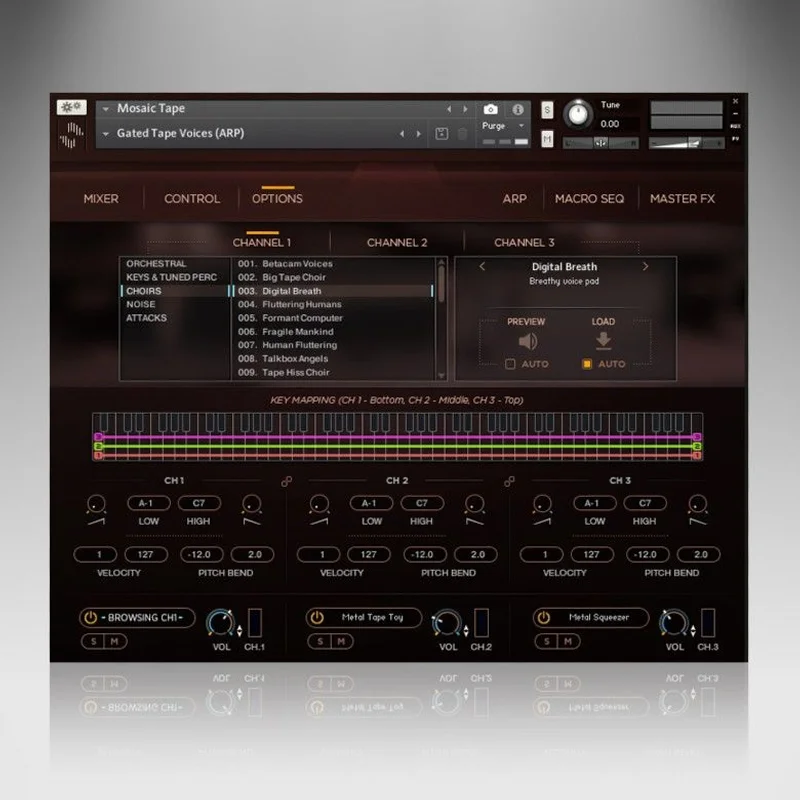
The result sat in a cue immediately. No EQ, no additional saturation. The warble on the choir was subtle enough not to distract but present enough to feel alive. That's satisfying in a way that post-processing rarely achieves at the same speed.
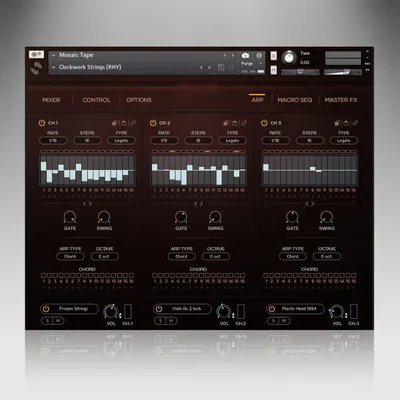
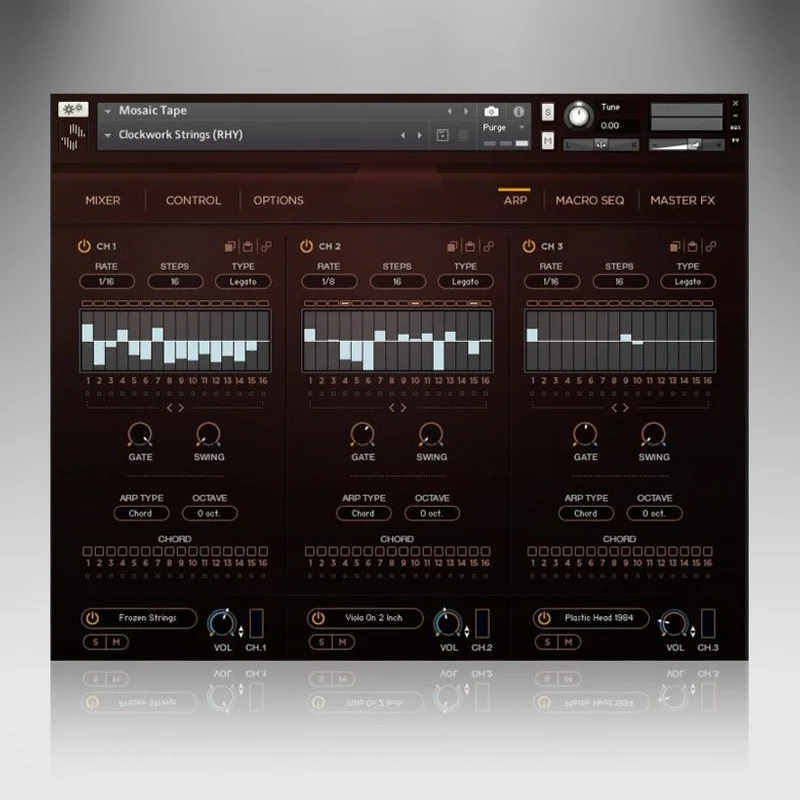
The 106 snapshot presets are well-curated. Heavyocity's team built them specifically for modern scoring, and they span the range from sparse and emotional to rhythmic and dense. The ARP is a clever addition: it transforms what could be static pad textures into rhythmic sequences without leaving the instrument.
The MACRO knob is legitimately useful. One knob mapped to multiple parameters means you can automate a whole texture shift with a single lane in your DAW. For fast-moving picture work, that's a real workflow win.
The 1,264 samples include 23 orchestral sources, 30 keys and tuned percussion, 10 choir sources, 36 noise layers, and 14 attack layers. That breakdown matters: the noise and attack layers are what push this into hybrid territory rather than keeping it in traditional orchestral instrument space.
Where It Falls Short
The Kontakt dependency is the most frustrating constraint. You need Kontakt Player 6.4.2 or later, minimum. If you're on an older Kontakt version or haven't updated, this won't load. That's not Heavyocity's fault, but it's annoying.
The library weighs in at 3.2 GB uncompressed, 2.43 GB on disk with NI's lossless compression. That's reasonable for what it is, but if you own multiple Mosaic Series instruments, the combined footprint stacks up. Drive management becomes a real task.
The tape effects within the instrument, while great for creating texture, don't replace a dedicated tape emulation plugin in your signal chain. Softube Tape gives you hardware-modeled head bump, noise floor control, and frequency-specific saturation that Mosaic Tape doesn't attempt to replicate. These tools do different jobs, but buyers hoping to consolidate their tape processing into one purchase should know that.
Users also report that without the 106 presets as a starting map, dialling in the three-channel combinations from scratch takes time. The instrument rewards patience. Fast sessions may find that frustrating.
How It Stacks Up Against the Alternatives
Softube Tape and Waves J37 are dedicated tape emulation plugins. They model specific hardware machines and give you physical tape characteristics: wow, flutter, head bump, and saturation that responds to input level. They're brilliant for processing existing material. They don't give you 113 pre-processed sources to layer.
Universal Audio's Studer A800 is the most detailed tape emulation available ITB. It wins on pure tape physics modeling. It loses on composition utility: it has no layering engine, no ARP, no sample content.
Mosaic Tape wins on composition speed for hybrid cinematic work. If you need to score a 90-second cue with organic, worn texture and you want it done fast, this instrument beats any tape plugin workflow. If you need to make a clean recording sound like it was tracked to 2-inch tape, get a dedicated tape plugin instead.
See also: Heavyocity Keys & Synth Bundle review for how this fits into the wider Heavyocity ecosystem.
Is $119 a Fair Ask?
Yes. Conditionally.
For a composer working in cinematic, hybrid, or any genre where 80s tape aesthetics matter, $119 is money well spent. The three-channel engine alone saves hours of routing work. The presets are actually good, which is rarer than it should be.
For a producer who mainly works in pop, hip-hop, or electronic genres and wants tape character on specific elements, a dedicated tape emulation plugin at a lower price point does more targeted work. Know your use case before you buy.
Specs & Technical Details
| Developer | Heavyocity |
| Price | $119 |
| Plugin Format | VST3 / AU / AAX (via Kontakt) |
| OS Support | Mac (10.12+) / Windows (7, 8, 10) |
| Activation | Native Access (NI) |
| CPU Usage | Medium (dependent on Kontakt engine and active layers) |
| Trial Available | No |
| Version Reviewed | Kontakt 6.4.2+ compatible release |
| Library Size | 2.43 GB on disk / 3.2 GB uncompressed |
| Presets | 106 Snapshot Presets |
| Sources | 113 (1,264 samples) |
| NKS Ready | Yes |
Score Breakdown
| Category | Score | Notes |
|---|---|---|
| Sound Quality | 4.5/5 | Tape processing baked into the samples produces genuinely organic textures |
| Value for Money | 4.0/5 | Strong for cinematic composers; less compelling for genre producers with narrower tape needs |
| Ease of Use | 3.5/5 | Preset browsing is fast; building from scratch in the Mosaic Engine takes learning time |
| Features | 4.0/5 | Three-channel layering, ARP, MACRO, and aging controls cover serious ground |
| CPU Efficiency | 4.0/5 | Kontakt-based performance is stable; three active layers at high quality will draw reasonable CPU |
| Overall | 4.1/5 | A well-designed, focused instrument that delivers exactly what it promises for the right buyer |
Alternatives to Consider
Heavyocity Vocalise 3, If vocal textures are your main target, Vocalise 3 review covers how Heavyocity handles dedicated vocal sound design. Different scope, same build quality.
Softube Tape, The clearest alternative if you want tape as a processing effect rather than a sound source instrument. Hardware-modeled wow, flutter, and saturation. It doesn't layer sources, but it does model tape physics more precisely for treating existing recordings.
Loot Audio Palm Mute Piano, A left-field comparison, but Palm Mute Piano review shows how instrument designers are building character directly into sample libraries rather than relying on post-processing. Similar philosophy to what Heavyocity does here.
And if you're new to the Kontakt format entirely, Kontakt instruments guide for beginners covers what you need to know before buying into any library of this type.
Mosaic Tape is a love-it-and-use-it-constantly purchase or a skip, depending on one thing: whether you compose music where the worn, aged texture is the point, not the polish. If it is, buy it. If you're chasing tape character on already-recorded material, get a dedicated tape plugin instead and save this one for when your work asks for it. The instrument is too focused to be a lukewarm recommendation. It's excellent at the specific thing it does. Know whether that thing is your thing first.
Related reviews: Pito de Ave (Marbella)
Frequently Asked Questions
Does Mosaic Tape work with the free Kontakt Player?
Yes. Mosaic Tape runs on Kontakt Player 6.4.2 or later, which is free from Native Instruments via Native Access. You don't need the full paid Kontakt license to run it. Make sure your Kontakt Player version is up to date before purchasing, since older versions won't load the instrument.
Is Mosaic Tape good for genres outside film scoring?
The 80s, synthwave, and vaporwave aesthetic it naturally produces makes it genuinely useful in those electronic genres. Producers working in lo-fi beats or any style where tape degradation is a deliberate aesthetic choice will find real value here. It's less suited to clean pop or contemporary R&B production where the tape character would work against the sound.
How does the three-channel layering actually work?
The Mosaic Engine gives you three independent channels, each loaded with a different source from the 113-source library. You set the pitch, level, and tape aging character for each channel separately, then the MACRO knob links multiple parameters across all three for a single automation point. The ARP runs across the combined layer output, so rhythmic sequences draw from your full stack rather than a single source.
What's the difference between Mosaic Tape and a standard tape emulation plugin?
A tape emulation plugin processes audio that passes through it. Mosaic Tape is a sample-based instrument where the tape character is built into the recordings themselves. You play tape-processed sounds rather than applying tape processing to clean sounds. For composition, that's often faster and more cohesive. For post-processing recorded material, a dedicated plugin like Softube Tape or the UA Studer A800 does more targeted work.