At the crossgrade price, Bloom Drum Breaks is a solid loop-and-chop instrument with a frustrating learning curve and one missing feature that will annoy anyone doing serious drum editing in the box.
If you already own Bloom or any other Full Bloom product from Excite Audio, this crossgrade is available at a reduced price until May 31st, 2026. That is a meaningfully lower entry point than the full version’s retail price. The question isn’t whether the crossgrade price is cheap. It is. The question is whether the workflow earns a permanent slot in your signal chain, or ends up as a demo you load twice before going back to what you know.
We put it through three sessions across drum & bass, hip-hop, and breakcore. Here’s the honest read.
What You're Actually Getting
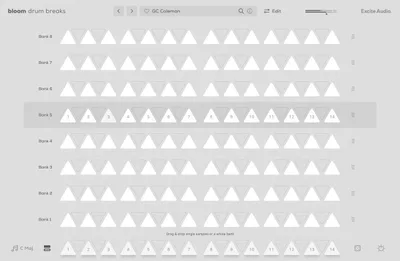
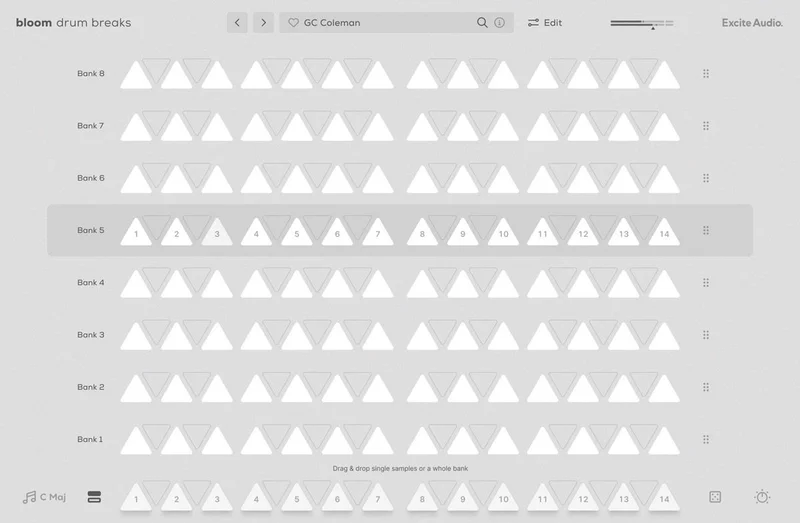
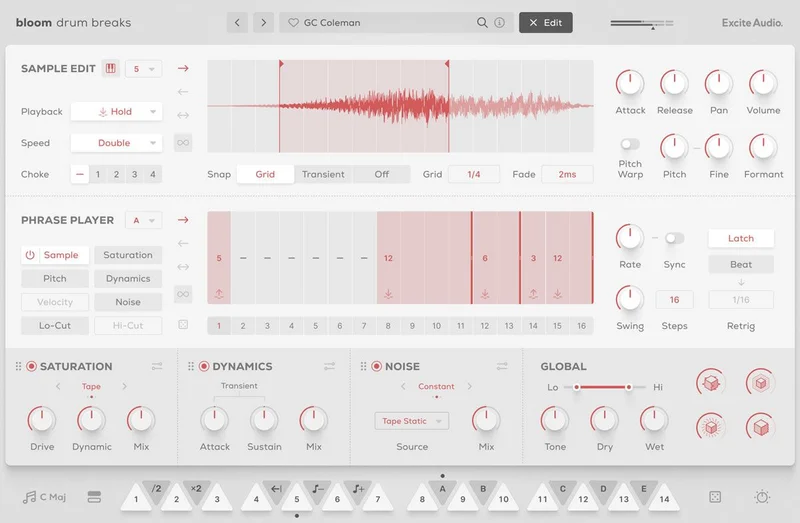
Bloom Drum Breaks ships with 112 drum loops split across 8 sample banks, each bank holding 14 tempo-synced phrases keyed to a Sample Key selector. You’re not browsing a flat folder of files. You’re navigating a structured grid where tempo and key lock together automatically.
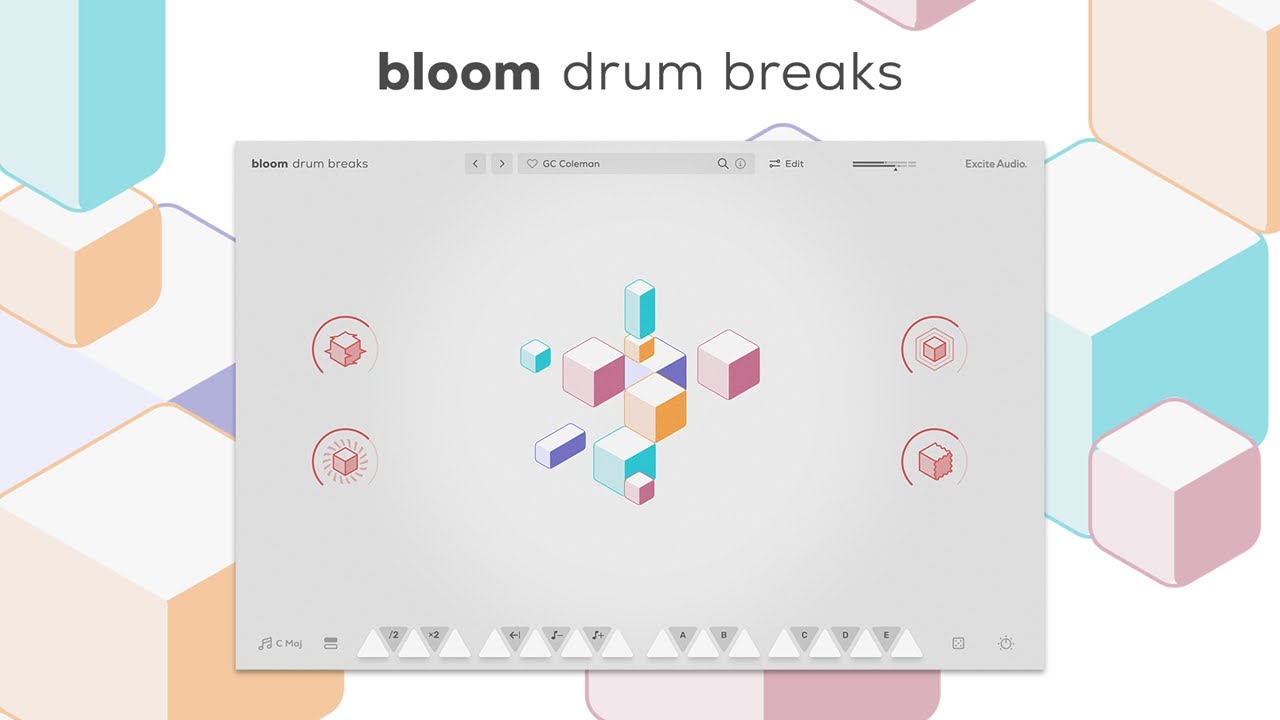
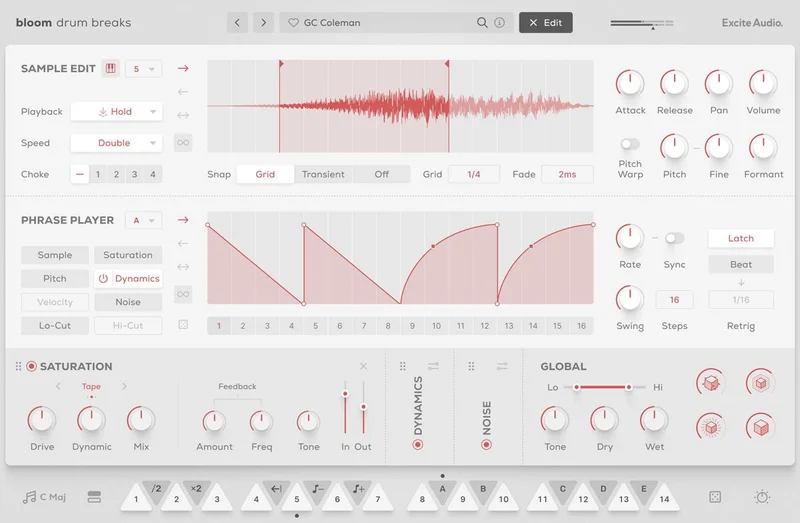
On top of the loops, you get three dedicated effects modules: Saturation, Noise, and Dynamics. These aren’t send effects bolted on as an afterthought. They sit inside the instrument’s signal path and colour the drum sound at a structural level.
The editing layer covers sample chopping, trigger point adjustment, playback direction reversal, and pitch and formant control. You can also drag your own samples in, and the plugin reads their BPM and key data automatically. Four macro knobs sit at the top for fast, performance-ready tweaks. 250 presets come loaded at install.
What We Actually Liked
The Saturation module is the star. We ran a classic amen chop through it with the drive pushed to about 70%, and the top-end crispness that tends to get buried in dense mixes stayed intact. The harmonic distortion it adds sits in the 2kHz to 6kHz range audibly, which means snare transients stay present without turning harsh. That’s a specific, useful thing.
Noise is cleverer than it looks. We added it lightly to a hip-hop breakbeat, around 15-20% wet, and it added the kind of room noise and tape hiss that would otherwise take a dedicated plugin on a separate channel. It’s not replacing Vinyl Distortion or RC-20. But at this price point, having it inside the drum instrument saves routing time.
The drag-and-drop import genuinely works. We pulled in a custom break recorded at 132 BPM. The plugin read it correctly and snapped it into the tempo grid without manual entry. That’s satisfying in the way that time-saving tools should be satisfying.
The crossgrade price is also just honest value. The crossgrade price for owners of any Full Bloom product means Excite Audio is rewarding their existing users rather than charging them again for a new product in the same family. We appreciate that policy.
Where It Falls Short
The sequencer logic is annoying to learn. There’s no gentle on-ramp. The relationship between the trigger adjustment system and the chopping tools isn’t explained clearly in the UI, and we spent more time reading documentation than we should have in session two.
The bigger problem is the lack of multiple outputs. You get one stereo output from Bloom Drum Breaks. If you want to run the kick to a separate compression bus, the snare to its own reverb send, and the hi-hats dry, you can’t do it natively. Every serious ITB drum workflow depends on parallel processing. One stereo bus isn’t enough.
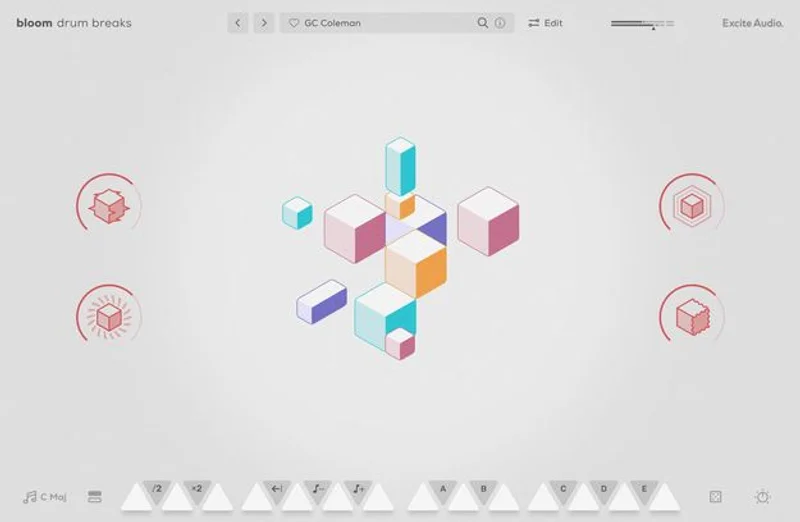
The GUI is ugly. We’ll say it plainly. The interface looks like it was designed around 2019 and hasn’t been touched since. At the crossgrade price this is a minor complaint. At full price, it’s harder to forgive.
CPU load sits at medium under our test conditions in Ableton 12 on an M2 Mac, roughly comparable to a mid-weight sampler. Not CPU-hungry, but not invisible either.
Compared to the Alternatives
Native Instruments’ Maschine software paired with a breakbeat expansion costs significantly more and requires hardware to unlock its full routing capabilities. The multiple output support there is excellent. The loop browsing workflow is faster once you know it. But the price gap is large.
Splice and Loopmasters libraries give you raw audio files and nothing else. No effects chain. No macro controls. No pitch or formant tools. You’re paying for content, not an instrument. Bloom Drum Breaks gives you an instrument. These aren’t the same thing.
Blooming Vibes review covers a different entry point in the Excite Audio range. If you haven’t bought into the Full Bloom ecosystem yet, that review is worth reading first.
best drum plugins for drum and bass
The honest comparison for Bloom Drum Breaks is against other loop-based instrument plugins in a similar price bracket. At the crossgrade price, it competes well. At full price, the missing output routi
ng becomes a real objection.
Who Should Buy This
✅ Buy if you already own any Full Bloom product and work in drum & bass, hip-hop, or breakcore regularly.
✅ Buy if you want an all-in-one loop instrument with built-in saturation and noise tools and don’t need multiple outputs.
✅ Buy if you’re building out a starter studio on a budget and the crossgrade price fits your current situation.
❌ Skip if you need individual drum stems routed to separate mixer channels. This can’t do that.
❌ Skip if you’re buying your first drum instrument and have no Full Bloom product to crossgrade from. Pay the full price or wait for a sale.
❌ Skip if a polished, modern interface matters to your daily workflow. It’s genuinely not that.
Score Breakdown
| Category | Score | Notes |
|---|---|---|
| Sound Quality | 4.0/5 | The saturation and noise modules genuinely improve the raw loop material |
| Value for Money | 4.5/5 | The crossgrade price is hard to beat for the feature set delivered |
| Ease of Use | 3.0/5 | Sequencer and trigger workflow requires more documentation time than it should |
| Features | 3.5/5 | Strong editing tools, but no multiple outputs is a real gap |
| CPU Efficiency | 3.5/5 | Medium load, acceptable but not lightweight |
| Overall | 3.9/5 | Great value crossgrade with one frustrating workflow ceiling |
Alternatives to Consider
Output Arcade offers a subscription-based loop instrument with far more content, a cleaner interface, and better routing. It costs more per year than Bloom Drum Breaks costs outright, but the workflow ceiling is higher. Output Arcade review
Native Instruments Battery 4 is the benchmark for drum instruments that need flexible routing. Multiple outputs, deep layering, and a massive library. It’s overkill for pure loop work, but if your sessions need parallel drum processing, it’s where we’d point you. best drum samplers for producers
Splice Sounds subscription gives you raw loop content without any instrument layer. If you just need breaks and you’re happy cutting them yourself in your DAW, a monthly subscription gets you access to an enormous library. Less instrument, more raw material.
The Bottom Line
If you own any Full Bloom product and you produce breakbeat-adjacent music, buy the crossgrade. You’ll get real use out of the saturation module, the auto-BPM import will save you time this week, and 112 tempo-synced loops covers more ground than you’ll exhaust quickly.
But walk in knowing the sequencer will take a session to click, you’ll hit the single-output ceiling faster than you expect, and the interface won’t make your studio feel modern. The crossgrade pricing window closes May 31st, 2026. After that, you’re paying $39 for the same limitations.
Worth it at the crossgrade price. Less convincing at $39. A hard sell at full price without a sale.
Frequently Asked Questions
Who qualifies for the Bloom Drum Breaks crossgrade pricing?
Any owner of a full version Excite Audio Full Bloom product qualifies. The crossgrade price is $39 until May 31st, 2026, rising to the regular crossgrade price after that. You'll need to verify ownership through your Excite Audio account at checkout. The Lite version of Bloom does not qualify as a crossgrade trigger, only the full paid version.
Does Bloom Drum Breaks support multiple outputs for individual drum routing?
No. This is one of our main criticisms. Bloom Drum Breaks outputs a single stereo bus. If you need to route kicks, snares, and hi-hats to separate mixer channels for parallel compression or individual reverb sends, this plugin can't do that natively. You'd need to work around it with resampling or stem bouncing.
Can I use my own drum samples in Bloom Drum Breaks?
Yes. The drag-and-drop import system accepts custom samples and reads their BPM and key data automatically. We tested this with a custom break at 132 BPM and it integrated into the tempo grid correctly without manual entry. It's one of the more practical features in the plugin.
How does Bloom Drum Breaks compare to just buying a Splice sample pack?
They're different tools. A Splice pack gives you raw audio files you cut and arrange yourself. Bloom Drum Breaks gives you an instrument layer: tempo sync, effects modules, macro controls, pitch and formant manipulation, and a structured browsing system. If you want to play and perform with loops rather than just place them, Bloom Drum Breaks is the better fit. If you just need raw content, Splice is cheaper per loop at scale.