
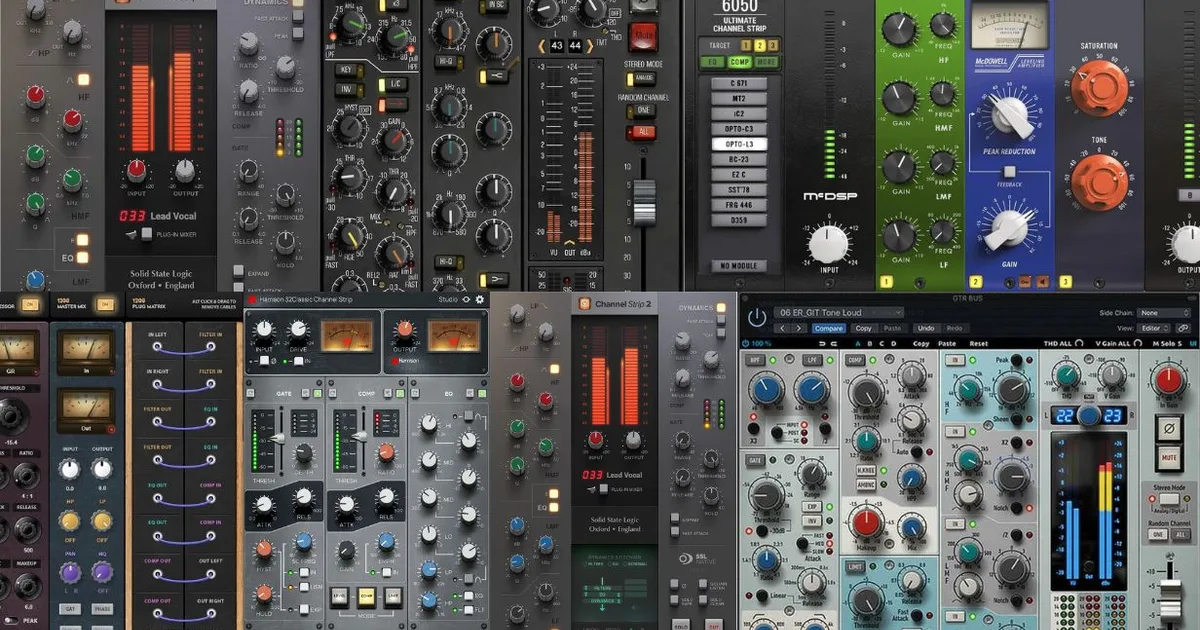
A channel strip plugin combines EQ, compression, and gating into one processor that models a specific mixing console, letting you shape tone, dynamics, and character in a single instance. The console it emulates determines your sonic signature: SSL for punch and control, Neve for warmth and glue, API for aggression and cut-through.
Channel strip plugins are the fastest route to a consistent, professional-sounding mix. One plugin per track. One signal chain decision. No switching between seven separate processors and losing the thread of your sound.
But that simplicity hides a real decision underneath. The console you pick isn't just an aesthetic choice. It shapes frequency response, transient behavior, harmonic distortion, and how every element sits relative to everything else. We've mixed records on SSL desks, Neve consoles, and API frames in real rooms, then chased those sounds in the box for years. What we learned is that most producers pick the wrong one for their genre, then wonder why their mix feels off.
This guide covers every component inside a channel strip plugin, how the major console types actually sound in measurable terms, and exactly which option fits which workflow. We'll also be honest about CPU, price, and the free options that punch above their weight.
What's Actually Inside a Channel Strip Plugin?
Every channel strip, hardware or software, runs your signal through three core stages: EQ, compression, and dynamics control (gate or expander). The order and interaction of those stages is where the character lives.
EQ Section
The EQ in a channel strip is always shelving-based at the extremes with peak bands in the middle. That's the classic console architecture. You're not getting a 31-band graphic here.
SSL-style EQs offer four bands plus high-pass and low-pass filters. The bell curves are proportionally narrow, which is why SSL cuts feel surgical. Neve-style EQs use transformer-coupled inductors in hardware, and the plugin emulations model that as wider, rounder curves that add harmonic content even when you're boosting.
API's 550 EQ (used in channel strip emulations like the SSL 4000 channel's rival API Vision) uses proportional Q: the harder you push a boost, the narrower the band gets. That's why API sounds aggressive. You're automatically creating a focused lift rather than a broad smear.
Compression Section
SSL buses used VCA compression. Fast attack, program-dependent release. When you drive an SSL channel strip compressor hard, it grabs transients and pushes the sustain forward. Neve's 33609 and Portico compressors use feedback-style VCA or Class A circuits. The attack is slightly slower, so more transient passes through. That's why Neve compression feels "looser" but more musical on material like acoustic guitar or piano.
Inside a plugin, these behaviors are modeled through attack and release curves baked into the algorithm. Waves SSL E-Channel models the VCA compression circuit from the SSL 4000 E. The knee, the release curve shape, even the way the gain reduction meter responds: it all reflects the hardware behavior.
Gate and Expander
Most channel strip plugins include either a hard gate or a softer expander. The gate is binary: signal above threshold passes, everything else is cut. The expander reduces gain below threshold by a ratio rather than cutting completely. For drums, a gate with a fast attack (1-2ms) and medium release (200-400ms) isolates the hit. For vocals, an expander with a 2:1 ratio smooths out the silence without sounding chopped.
The gate section is where we see the most CPU savings from channel strips versus stacking individual plugins. One processor handles all three tasks, sharing processing overhead.
How Do the Major Console Emulations Actually Sound?
Not "warm" or "punchy." Here's what those words actually mean in frequency and dynamic terms.
SSL (Solid State Logic) 4000 and 9000
SSL adds a subtle high-frequency air lift around 10-16kHz and a tight, defined low-end below 80Hz. The transformer emulation (on SSL 4000 models specifically) introduces second-order harmonic distortion at around 0.1-0.3% THD at normal operating levels. That's barely audible in isolation, but across 40 tracks it adds a consistent texture.
The compression circuit has a fast attack that starts responding at 0.1ms. That catches kick transients aggressively. We ran a drum bus through the SSL G-Comp emulation at 4:1 with a medium attack and fast release. The kick and snare locked together in under 10 minutes of dialing in. The mix felt tighter without touching faders. That's the SSL character at work.
Genre fit: electronic, hip-hop, pop, anything where control and definition matter more than character.
Neve (1073, 1084, 8078)
Neve's transformers add second and third harmonic distortion simultaneously, but with more third harmonic content than SSL. That's what creates the "three-dimensional" character people describe. In measurable terms: you get a slight boost around 60-80Hz (the transformer resonance), a gentle presence lift around 3-5kHz, and a soft roll-off above 16kHz.
We tracked a bass guitar DI through a Neve 1073 emulation (UAD Neve 1073) with no EQ engaged and no compression. Just the preamp model active. The low-mids at 200-400Hz gained density compared to a clean bypass. Not a boost. A harmonic addition. That's what producers mean when they say Neve "fattens" a signal.
Genre fit: rock, folk, jazz, soul, any material where tonal richness matters more than attack precision.
API (550A, 550B, 2500)
API consoles use a discrete op-amp design that produces odd-order harmonic distortion (third and fifth harmonics). Odd harmonics create a sharper, more aggressive texture than the even harmonics of Neve. The EQ's proportional Q means a +6dB boost at 2kHz with an API-style EQ sounds fundamentally different from the same numbers on a Neve: it's more focused, more forward, harder to ignore.
For guitars in a dense mix, API cuts through because the EQ and preamp both add presence at the frequencies the ear is most sensitive to (2-5kHz). Annoying in solo. Perfect in context.
Genre fit: rock, blues, funk, country. Any guitar or drum-heavy production where aggression and presence are tools.
Helios and Rupert Neve Designs
Helios (the desk used for many classic Led Zeppelin and Bob Marley recordings) has less low-end transformer weight than Neve but more midrange harmonic complexity. The EQ is slightly more colored than 1073 even at neutral settings. Rupert Neve Designs (separate from vintage Neve, this is Rupert's post-Neve company) creates a controlled version of that character: more headroom, more linearity, but with his signature harmonic approach intact.
Plugins like the Neve Portico II Channel (UAD) and Burl B2 emulations target this space. Underrated for producers who find classic Neve too colored but want more character than a clean modern console.
What's the Real CPU Cost of Running Channel Strip Plugins?
CPU efficiency varies more than most guides admit. Here's what we actually see.
A well-optimized channel strip plugin like the SSL E-Channel (Waves) runs at roughly 0.2-0.5% CPU per instance on a modern machine at 44.1kHz. Across 40 tracks, that's 8-20% CPU dedicated to channel strips. Manageable.
UAD channel strips (running natively without a UAD card on supported machines) are heavier. A single UAD Neve 1073 instance runs closer to 1.5-2% CPU natively. Forty instances can push 60-80% CPU on a mid-range machine. That's before your reverbs, delays, and master bus processing.
The math is straightforward: if you're on a laptop with 16GB RAM and a 6-core processor, stick to lighter channel strips or use UAD hardware. If you have a dedicated mixing machine with a 12-core processor and 32GB+ RAM, the heavier emulations become viable.
Our advice: run your most CPU-intensive channel strip only on your most important tracks (lead vocal, kick, snare, bass). Use a lighter, more efficient strip on your background elements. You get the character where it matters without maxing your buffer.
Worth Bookmarking
- Sound On Sound, deep hardware and plugin comparisons with technical measurement data, not just listening impressions.
- Gearslutz (now Gearspace), real-world producer threads on specific channel strip plugins, including A/B comparisons and latency reports across DAWs.
- Plugin Alliance, offers a 30-day free trial of their full bundle including multiple channel strip options, worth running before you buy anything.
Free vs. Paid: Where Should You Start?
The free options in this category are better than most producers realize. The paid options are better than the free ones in specific, measurable ways. Here's the honest breakdown.
Free Channel Strip Plugins Worth Using
Tokyo Dawn Labs' SlickEQ is a free surgical EQ, not a channel strip. But Analog Obsession's CONSOLET (free, cross-platform) models an SSL-style channel strip with EQ, compression, and gate. It doesn't have the depth of a paid SSL emulation. The compression knee behaves differently, and there's less harmonic saturation at the input stage. But it sits tracks reliably and costs nothing.
We ran a rock snare through CONSOLET with 3dB of compression at 4:1, a 6dB boost at 5kHz, and a 2dB cut at 300Hz. It sounded clean. Not SSL-clean. But better than the stock DAW channel, and it got the snare sitting in the mix without drama. Satisfying result for $0.
Paid Channel Strips: Where the Money Goes
Waves SSL E-Channel is $29.99 on sale (watch Waves' rotating deals). At that price, it's the first paid channel strip we'd tell anyone to buy. The compression circuit modeling is close enough to the real desk that engineers who've mixed on actual 4000 Es recognize it immediately.
Waves Scheps Omni Channel 2 (co-designed with mixer Andrew Scheps, check the manufacturer's site for current pricing) is more flexible than a pure console emulation. It doesn't model one specific desk. Instead it gives you modular blocks: a pre-amp model, three EQ choices, two compression types, and a gate. For engineers who work across genres, that flexibility is brilliant. For engineers who want the purity of one console's character, it can feel like it lacks identity.
SSL Native Channel Strip 2 (check SSL's site for current pricing) is the first-party option. It uses SSL's own code rather than a third-party model of their hardware. For some engineers that's the only version they'll touch. For others, the third-party Waves model sounds close enough at a fraction of the cost.
Waves SSL E-Channel Review
How Do You Actually Build a Workflow Around Channel Strip Plugins?
One channel strip per track isn't just convenient. It creates sonic coherence across your mix because every element shares the same harmonic signature, the same EQ curve behavior, the same compression character.
Pick one console family per project. Don't mix an SSL strip on your drums with a Neve strip on your vocals. The different harmonic profiles will work against each other at the mix bus. You'll spend time compensating for a problem you created yourself.
Our workflow: SSL strips across the whole rhythm section (drums, bass, rhythm guitar or synths). Add the Neve strip on the lead vocal and any instrument you want to sit slightly forward with warmth rather than aggression. Two console families maximum per project, and they should be complementary, not competing.
For the signal chain order inside the strip: high-pass filter first, then EQ, then compression. That's the hardware order and it works. If you compress before you EQ, you're compressing frequencies you haven't shaped yet. The result is a less predictable dynamic response.
Gain staging matters more with channel strips than with individual plugins. Hit the input at around -18dBFS average. That's the sweet spot where analog hardware historically operated, and it's where the harmonic models in most channel strip plugins are calibrated to behave correctly. Push it hotter and you'll get unintended saturation. Pull it back too far and the compression won't respond as designed.
How to Gain Stage Plugins
Summary
Channel strip plugins combine EQ, compression, and gating in one processor, with the console emulation determining the sonic character. SSL gives you control and definition for electronic and pop. Neve gives you warmth and harmonic richness for organic material. API gives you aggression and cut-through for guitar-heavy productions. Start with one console family per project. Gain stage at -18dBFS average. Use a lighter plugin on your background tracks and save your heavy emulations for the tracks that matter most. Free options like CONSOLET work. Paid options like Waves SSL E-Channel at $29.99 work better.
Part of our complete Music Production Plugins Guide: Complete Beginner's Overview series.
Frequently Asked Questions
What's the difference between a channel strip plugin and using separate EQ and compressor plugins?
A channel strip models the interaction between components as they exist in a specific console circuit. In hardware, the EQ and compressor share transformer coloration and the same input stage. Stacking separate plugins gives you independent processors with no shared character. Channel strips are faster, use less CPU than three separate plugins, and produce a more cohesive sound. For mixing at scale across 30-40 tracks, the workflow difference is significant.
Can I use multiple different console emulations in the same project?
You can, but we'd limit it to two families maximum. SSL and Neve complement each other: SSL's tight low-end and Neve's harmonic midrange create contrast without fighting. Add API into that mix and you'll have three competing harmonic signatures across your frequency range. That creates extra work at the mix bus. Pick one primary, one secondary, and commit to the decision.
Do channel strip plugins work in all DAWs?
Most major channel strip plugins ship as VST3, AU, and AAX formats, covering Ableton, Logic, Pro Tools, Cubase, Studio One, and Reaper. UAD plugins require UAD hardware or a compatible Apollo interface for full functionality on older versions, though newer UAD Spark subscriptions run natively. Check your DAW's supported plugin format before buying.
Is the Waves SSL E-Channel still worth buying in 2024?
Yes, at its current sale price (regularly $29.99 or less), it's one of the best-value channel strips available. It's not the deepest SSL emulation on the market. The SSL Native Channel Strip 2 sounds more accurate to us. But the Waves version is light on CPU, reliable across DAWs, and close enough to the real desk to be genuinely useful. We'd rather own the Waves version than own nothing and wait for budget to clear for the SSL first-party plugin.
How do I choose between an SSL, Neve, or API channel strip for mixing vocals?
For lead vocals in pop or R&B, SSL gives you control: the fast compression response catches consonants and the EQ sits the vocal cleanly without adding weight. For rock or soul vocals where you want presence and depth, Neve adds the harmonic richness that makes voices feel three-dimensional. API works best for backing vocals that need to cut through a dense guitar mix. Choose based on the genre and where the vocal needs to sit, not based on brand prestige.
Are there free channel strip plugins that are actually usable in professional sessions?
Analog Obsession's CONSOLET is the free option we'd actually load on a professional session without apologizing for it. It models an SSL-style circuit with gate, compressor, and EQ, runs light on CPU, and tracks consistently. It doesn't have the input saturation or the compression knee accuracy of a $30-$200 paid option. But for background tracks, reference mixes, or producers on a tight budget, it's a legitimate tool, not a compromise.