
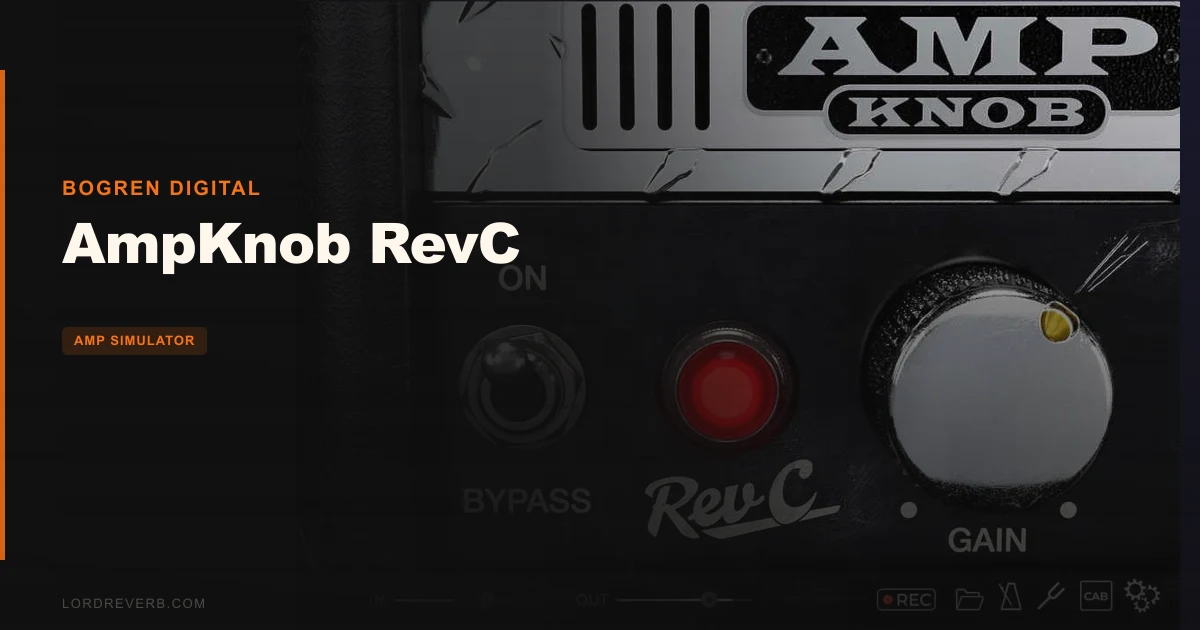
AmpKnob RevC is a focused, one-trick amp plugin that nails a rare pre-500 serial Mesa Boogie Dual Rectifier Revision C with one knob, $24.99, and zero apology for what it doesn't do.
If you're a metal guitarist who's spent more time tweaking amp plugins than actually tracking guitars, that sentence might just end your search. And if you need something flexible enough to cover cleans, crunch, and leads in one plugin, close this tab now.
Bogren Digital built this thing around a specific philosophy: the amp is already dialled in by someone who knows metal tones cold. Your job is to play. That's either a relief or a dealbreaker, and knowing which one it is for you tells you everything about whether $24.99 is a steal or a frustration.
This review is built around who you actually are. Find your type below.
What You're Actually Getting
AmpKnob RevC models a pre-500 serial number Mesa Boogie Dual Rectifier Revision C. These amps are rare, they're expensive on the used market, and they have a particular character that separates them from the later Recto revisions most players know.

The interface is one knob. That's not a simplified view of a deeper settings page. That is the whole thing.
There's a built-in tuner, a Cab-Off button for experimentation with user impulse responses, and a pedal in the signal chain handling low-end tightness. The cab model is fixed otherwise. You can't swap it out.
It runs in VST3, AU, AAX, and Standalone. Compatible DAWs include Reaper, Logic, Cubase, Pro Tools, Studio One, and Luna. Sample rates from 44.1 kHz to 96 kHz. Latency sits at approximately 0.4ms. A 10-day free trial exists, so you can test it before committing.
The Good
For the Metal Guitarist Who Just Wants to Track
You've got a session booked. You want to plug in, get a great tone, and record. You don't want to spend forty-five minutes moving virtual microphones.
This is where AmpKnob RevC wins hard. Owners consistently report it sounds like the real hardware, and the responsiveness to playing dynamics is what gets mentioned most. Roll your guitar's volume knob back and the gain cleans up. Dig in with a pick and it pushes forward. That relationship between your hands and the amp is what separates a good sim from a great one.
The tone is mix-ready out of the box. Users report minimal need for EQ adjustments after the fact. The built-in pedal handles low-end rumble so you're not chasing that in your DAW. For tracking heavy rhythm guitars, this workflow is satisfying in a way that more complex plugins rarely are.
Verdict for this type: Buy it.
For the Mixing Engineer Running Session Files
Say you're mixing a metal record and the guitarist tracked through this. You open the session, load the plugin, and there's one knob. That's either brilliant or annoying depending on what you need to fix.
If the tone is already close, you'll love it. The mix-ready quality means you're doing less corrective work downstream. But if the tone needs reshaping and you can't touch the amp parameters, you're going back to the guitarist or reaching for an EQ to compensate. That's a workflow snag.
The 0.4ms latency is a non-issue for mixing. CPU is a bigger concern. Some users report higher CPU usage compared to alternatives, so check your machine before loading it across eight guitar tracks.
Verdict for this type: Cautious buy. Test with the trial first.
For the Guitarist Who Plays More Than Metal
Honest answer? This isn't your plugin. The design is built around high-gain metal tones. One user specifically notes it sounds a little too scooped and bass-heavy for solo guitar playing. That's not a flaw in the plugin. That's the plugin doing exactly what it was designed to do.
If you need clean tones, edge-of-breakup crunch, or the flexibility to dial between styles, AmpKnob RevC will frustrate you inside a week. The single knob won't get you there.
Verdict for this type: Skip it.
The Not-So-Good
The CPU situation is worth watching. Users report higher usage than some competing plugins. If you're running a dense session on an older machine, that matters. The trial exists, so stress-test it before you buy.
The fixed cab is a genuine limit. The Cab-Off button is there for experimentation with user impulse responses, but you can't load custom impulse responses into the plugin itself. You're either using their included cabinet or you're routing around it. Some users find that annoying. It's a fair complaint.
And the pricing question is real. At $24.99, some users feel the feature set doesn't justify the cost compared to plugins that give you multiple amp configurations for similar or slightly higher prices. If you buy this knowing what it is, $24.99 is reasonable for a specialist tool. If you buy it hoping it'll expand into something more, you'll regret it.
The scooped character that makes it brilliant in a dense metal mix is the same thing that makes it ugly as a solo tone. That's not versatility. It's a trade-off.
Compared to the Alternatives
Amplitube gives you multiple amp, cab, mic, and pedal options. If you need a toolkit across multiple genres and configurations, that breadth is what you're paying for over there.
Neural DSP provides more comprehensive amp and effects customization. Their plugins are built for players who want to dial in their own character, not just play through a preset signal chain.
STL features multiple amp, cab, mic, and pedal configurations. Again, more moving parts by design.
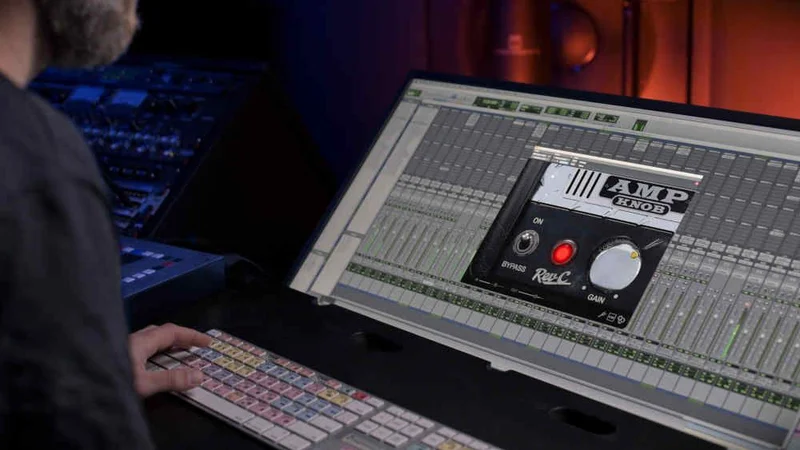
Fractal is in a different tier entirely. Comparable sound quality, but vastly more parameters. If you want deep control and you're willing to pay for it, that's your direction.
AmpKnob RevC wins when none of those options appeal to you. When you hate the menu-diving. When you want one tone, that tone, every time, with no decisions to make. That's a real use case. It's just a narrower one than the competition covers.
Who Should Buy This
- ✅ Buy if you track metal rhythm guitars regularly and want a consistent, mix-ready tone without touching parameters.
- ✅ Buy if you're chasing the specific character of a Mesa Boogie Dual Rectifier Revision C without buying the hardware.
- ✅ Buy if simplicity is a genuine workflow priority and you're happy to route out for IRs if needed.
- ❌ Skip if you need flexibility across clean, crunch, and high-gain tones from one plugin.
- ❌ Skip if you want to load your own impulse responses directly into the plugin.
- ❌ Skip if CPU overhead is a concern on your current setup and you haven't tested the trial yet.
Specs & Technical Details
| Developer | Bogren Digital |
| Price | $24.99 |
| Plugin Format | VST3 / AU / AAX / Standalone |
| OS Support | macOS 10.13 or newer (Intel & M1) / Windows 10 or newer |
| Activation | N/A |
| CPU Usage | Heavy (reported by some users) |
| Trial Available | Yes (10 days) |
| Version Reviewed | N/A |
Score Breakdown
| Category | Score | Notes |
|---|---|---|
| Sound Quality | 4.5/5 | Owners confirm it sounds like the real hardware; dynamic response is the highlight |
| Value for Money | 3.0/5 | At $24.99 it's reasonable as a specialist tool, but some users feel the feature set is thin for the price |
| Ease of Use | 5.0/5 | One knob. That's it. You cannot get lost. |
| Features | 2.5/5 | Intentionally minimal; no custom IR loading, no amp parameter control |
| CPU Efficiency | 2.5/5 | Higher usage than some competing plugins, per user reports |
| Overall | 3.5/5 | Outstanding at one specific thing; too narrow for anyone who needs more than that |
Alternatives to Consider
Neural DSP is the natural next step if you want to stay in high-quality amp simulation but need more control over your signal chain. More comprehensive amp and effects customization across their range.
STL is worth checking if you want multiple amp, cab, mic, and pedal configurations in a single plugin. More flexibility without leaving the metal-focused world.
Amplitube suits you if you need a broader palette. Multiple amp, cab, mic, and pedal options across a wide range of styles. More decisions to make, more sounds available.
The Bottom Line
AmpKnob RevC is a clever and deeply specific piece of software. It does one thing: sounds like a rare Mesa Boogie Dual Rectifier Revision C, responds like the real hardware, and sits in a metal mix without asking you for anything except a guitar and a pick.
If you've wished, more than once, that you could just plug in and get a great tone without touching a single virtual knob, this is probably your plugin. The 10-day trial removes the risk. Use it on a real session before you buy.
But if you're imagining growing into more tone-shaping options down the line, that's not how this was designed. What you see is what it is, permanently. For the right player, that's a feature. For everyone else, it's a wall.
At $24.99, it's a specialist purchase that earns its keep when you're the right person. It's a waste of money when you're not. Know which one you are before you click buy.
Frequently Asked Questions
Can I load my own impulse responses into AmpKnob RevC?
Not directly into the plugin. The included cab model is fixed. The Cab-Off button disables the internal cabinet, which lets you route into an external IR loader in your signal chain. It's a workaround that works, but it adds steps to the routing if you want to use your own IRs.
Is AmpKnob RevC good for anything other than metal?
Realistically, no. The plugin is built around a high-gain Mesa Boogie voicing that's scooped and bass-heavy by design. That character is a strength in a dense metal mix and a limitation everywhere else. If you play clean or low-gain styles, this isn't the right tool.
How does the single knob actually control the tone?
The knob handles the overall drive and tone character of the amp. Beyond that, the plugin responds to your guitar's own volume and pickup output. Hot humbuckers dial in varying shades of dirt as you adjust the guitar's controls. That dynamic relationship is where most of the tone-shaping happens.
Does AmpKnob RevC work on Apple Silicon Macs?
Yes. It supports both Intel and M1 Apple Silicon on macOS 10.13 or newer. Windows 10 or newer is also supported. A 10-day free trial is available if you want to confirm compatibility with your specific setup before buying.