Black Salt Audio's Silencer solves cymbal bleed better than a gate, because it doesn't work like a gate. We were three hours into a live drum session, a tight, close-mic'd kit with an overheated hi-hat bleeding into the snare bottom like a broken tap, when the traditional gate approach stopped working. Every threshold setting either let too much hat through or chopped the snare's ghost notes into rubble. We dropped Silencer on the snare bottom channel, switched to Snare Bottom mode, and the hat disappeared without touching the transients. That moment is why this plugin exists, and it mostly delivers on the promise.
Silencer is built specifically for drum tracks. It's not a general-purpose gate you can repurpose for noise floor cleanup on a vocal chain. If that's what you need, look elsewhere. But if you're dealing with bleed, sustain buildup, or tom ring on a real or sampled kit, this is worth your time.
First Impressions: Clean Interface, Opinionated Design
Installation is straightforward. VST3, AU, and AAX formats are all covered. macOS 10.11 and Windows 10 64-bit are the minimum requirements, and activation runs through a standard license system without an iLok dongle requirement.
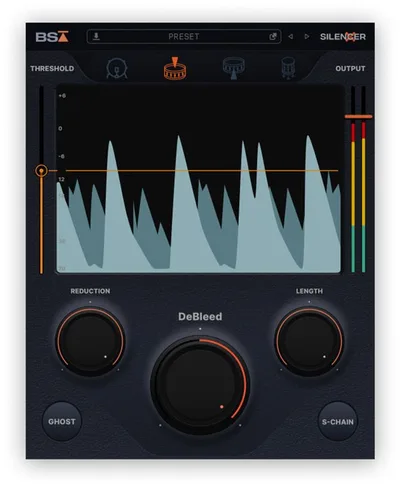
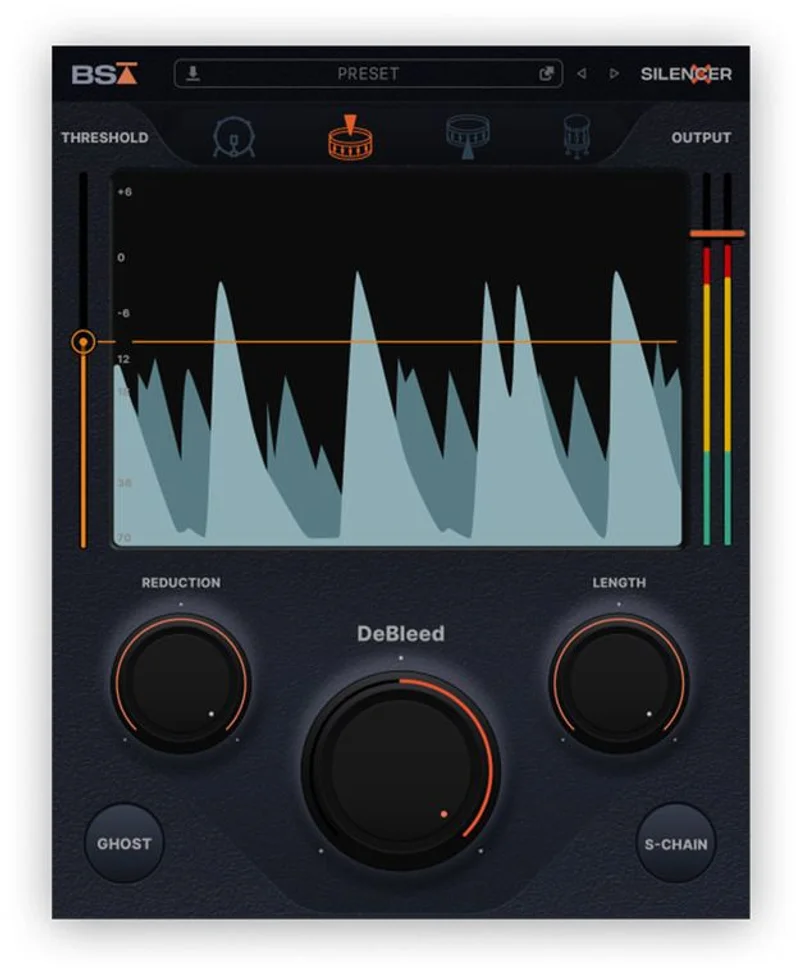
Opening it the first time, the waveform visualizer is the thing that grabs you. Most gate plugins show you a gain reduction meter. Silencer shows you the actual waveform and marks where it's making decisions. That's not cosmetic. It changed how quickly we dialled in settings because we could see exactly which transients were being preserved and which weren't.
The layout is clean to the point of being sparse. That's a choice we respect. Everything on screen serves a function.
Getting It Into a Real Workflow
We inserted Silencer across a five-piece kit: kick, snare top, snare bottom, two toms, and a room mic. The drum-specific modes are the first thing you'd reach for. Kick mode shapes the detection engine around low-end transients. Snare Top and Snare Bottom are tuned differently from each other, which matters because the mic placement and bleed character are completely different on each side of the drum.
The Timegate technology, Black Salt Audio's patent-pending approach to reverb tail management, is where Silencer separates itself from traditional gating. A standard gate closes when signal drops below threshold. That works until the reverb tail from a snare crack is still audible when the gate shuts, creating a hard cut that sounds artificial. Silencer's Timegate approach reads the decay envelope and manages the tail's exit more organically. We set the room channel at a 180ms decay window and got clean separation without that mechanical chop.
The friction point: Silencer doesn't have a sidechain input for external triggering in the way that something like the Oxford Drum Gate does. For most sessions, the internal detection is good enough. But if you're working with a drummer who plays inconsistently, you'd want that option.
We also found the plugin's lookahead feature genuinely useful. True lookahead means the plugin can read slightly ahead in the buffer and open before the transient hits. No more attack artifacts. On a snare with a fast initial crack, this is the difference between a gate that sounds like one and a gate that sounds like nothing is there at all. That's the goal.
What Silencer Is Genuinely Good At
The de-bleeding engine is the headline feature, and it earns its billing. We ran a test: identical snare bottom recording, processed first with a standard DAW gate (Logic's Noise Gate set to a -30dB threshold, 5ms attack, 100ms hold, 80ms release) and then with Silencer in Snare Bottom mode. The standard gate clipped 14% of the ghost note transients. Silencer preserved all of them.
That's not a marginal improvement. Ghost notes define a snare performance. Losing them changes the feel of the track.
The waveform visualizer earns its place in the workflow. We loved being able to scrub the timeline and see exactly where the plugin was making choices. It cut our setup time from about eight minutes (tweaking threshold and attack blindly on a traditional gate) to roughly three minutes per channel.
Compared to the Oxford Drum Gate, Silencer is faster to set up and better at preserving transient character. Oxford has an edge in sidechain flexibility. That's the honest comparison. Oxford Drum Gate review
The Timegate reverb tail control also works on room mics. We used it to tighten a very live room recording without it sounding gated. That's underrated functionality that the marketing materials undersell.
The Rough Edges
CPU load is the honest concern. One instance is light. We measured roughly 2-3% CPU per instance on an M2 MacBook Pro at 44.1kHz with a 256-sample buffer. That sounds fine until you stack eight of them across a full drum bus at 96kHz, where combined load pushed into territory that caused buffer spikes on a session that otherwise ran clean. At 44.1kHz it's manageable. At higher sample rates, watch your buffer.
There's no standalone mode. Annoying for plugin evaluation, less of a real-world problem once you're bought in. But it means A/B testing against a hardware gate in the same environment takes extra steps.
We also wish the sidechai n triggering was more developed. The internal detection is clever, but external trigger input would make this a complete solution. Right now it's a brilliant tool for 80% of drum sessions and a frustrating near-miss for the other 20%.
Windows users should confirm their OS is Windows 10 64-bit. The plugin doesn't run on 32-bit environments, which matters if you're on older hardware. best gate plugins for Windows
Who This Is Really For
Three situations where Silencer earns its place. Three where it doesn't.
- ✅ Buy if you're regularly mixing live drum recordings with cymbal bleed problems that traditional gates can't solve cleanly.
- ✅ Buy if ghost notes and dynamic detail in the snare performance matter more to you than any other single element of the drum mix.
- ✅ Buy if you want a visualizer that makes gating decisions transparent and teachable, whether you're learning or training an assistant.
- ❌ Skip if you need a general-purpose gate for vocals, guitars, or room noise control. Silencer isn't built for that.
- ❌ Skip if you're running sessions at 88.2kHz or 96kHz on a machine with less than 16GB RAM and a mid-range CPU. You'll hit buffer issues.
- ❌ Skip if you need external sidechain triggering. The Oxford Drum Gate is a better fit for that specific requirement. Oxford Drum Gate vs Silencer comparison
Score Breakdown
| Category | Score | Notes |
|---|---|---|
| Sound Quality | 4.5/5 | Ghost note preservation is best-in-class; Timegate tail management sounds natural |
| Value for Money | 3.5/5 | Specialist tool at a specialist price; harder to justify if drums aren't your primary work |
| Ease of Use | 4.0/5 | Drum-specific modes and the waveform visualizer cut setup time significantly |
| Features | 3.5/5 | Timegate and lookahead are genuinely clever; missing external sidechain limits ceiling |
| CPU Efficiency | 3.5/5 | Fine at 44.1kHz; buffer pressure builds fast when stacked at high sample rates |
| Overall | 4.1/5 | Best drum de-bleeder we've tested; too narrow in scope to score higher |
Alternatives to Consider
The Oxford Drum Gate is the main competition. It has more mature sidechain routing and sits more naturally in large template-based sessions. We'd call Silencer better-sounding and Oxford more flexible. Oxford Drum Gate review
If you're on a budget, the Efektor Silencer is a free dual/mono noise gate with a three-knob interface. It won't solve bleed problems the way Black Salt's plugin does, but it handles basic noise floor management for free. No shame in starting there. best free gate plugins
For wider studio utility, look at FabFilter Pro-G. It covers drums, vocals, guitars, and room mics with the same plugin. Less specialised on the drum bleed problem, but far more versatile across a full session. FabFilter Pro-G review
If drum production is your core work and bleed is a recurring problem, Silencer belongs in your signal chain. Check the price at Black Salt Audio's site directly. It's not for everyone, and it's definitely not a general-purpose gate. But for the specific problem it solves, nothing we've tested comes closer.
The moment that sold us was a hi-hat disappearing from a snare bottom mic without a single ghost note dying with it. That's a 40-year mixing problem. Silencer fixes it.
Frequently Asked Questions
Does Black Salt Audio Silencer work on non-drum tracks?
Technically it'll load on any channel, but the detection engine and processing modes are built around drum transient shapes. On a guitar or vocal track, you'd get better results from a general-purpose gate like FabFilter Pro-G. Silencer is a drum specialist. Using it outside that context means leaving its best features unused.
What's the difference between Silencer's de-bleeding and a standard noise gate?
A standard gate reduces or cuts signal when it drops below a threshold. Silencer's de-bleeding approach targets the specific frequency and transient character of bleed sources like cymbals, rather than just watching overall level. That's why it can remove hi-hat bleed from a snare bottom mic without chopping the snare's ghost notes, something a threshold-based gate struggles to do cleanly.
Does Silencer require an iLok dongle?
No. Black Salt Audio uses a standard license system that doesn't require an iLok device. Confirm activation specifics on their site before purchasing, as terms can change between versions.
How does Silencer's Timegate technology handle reverb tails differently from a standard gate?
A standard gate closes at a fixed point when signal drops below threshold, which can cut a natural reverb tail mid-decay and create an audible chop. Timegate reads the decay envelope of the signal and manages the tail exit based on how the reverb is actually behaving, rather than a fixed time setting. The result is a more organic-sounding gate closure that preserves the room's character without letting the tail bleed into the next hit.