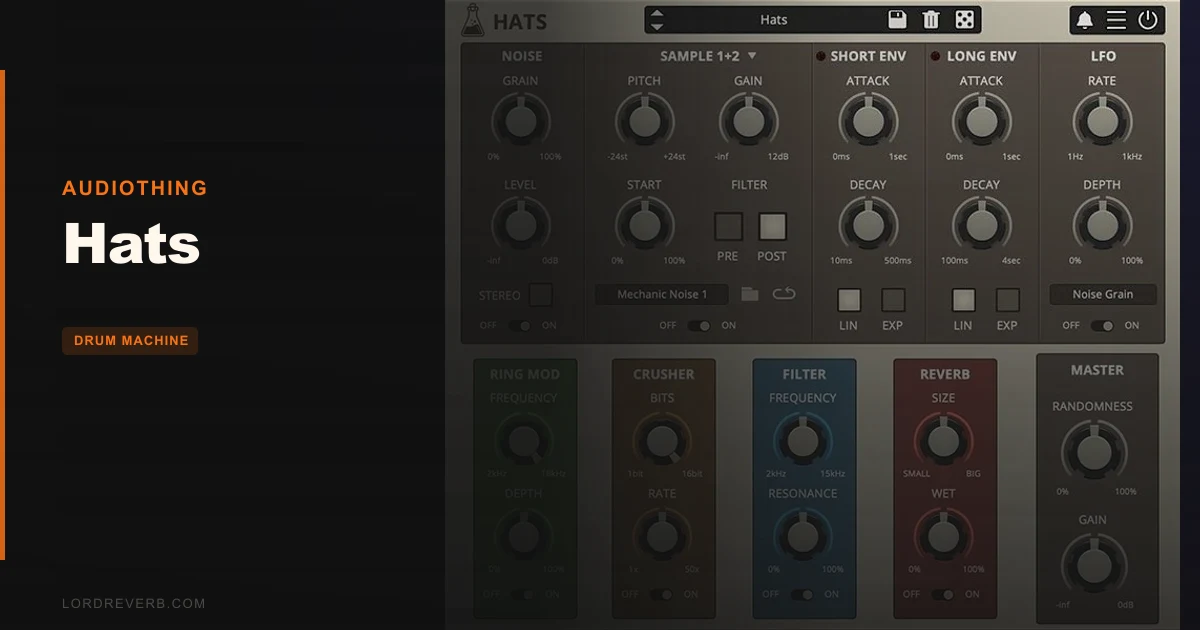
AudioThing Hats is a dedicated hi-hat and cymbal plugin that combines a 6-oscillator noise synthesizer with a sample library of 55 samples, and it's built for producers who want more from their top end than a stock 808 hat looping on 16ths.
Quick verdict: Hats earns a 4.0/5. At $49, it's a focused, cleverly designed tool for anyone who wants to sculpt metallic cymbal tones from the ground up or layer synthesis with real acoustic samples. The dual-source architecture is the whole point, and it works. The one-LFO-per-parameter limit is genuinely annoying if you like deep modulation, and the niche scope means it's a bad fit if you need a full kit plugin. But for hi-hat obsessives? This is the one.
What's In The Box
Hats ships with two independent sound engines running in parallel. The first is a noise synthesizer built from 6 square wave oscillators, each running at a different pitch and phase. That stacking is where the metallic character comes from.
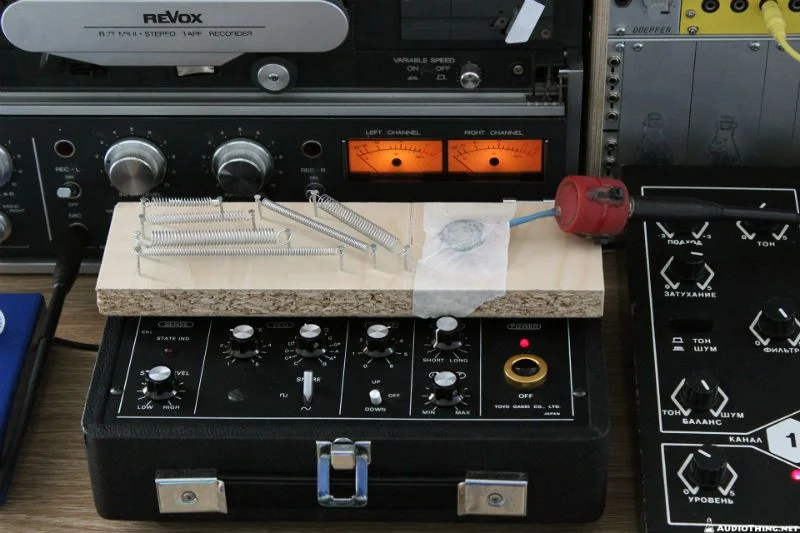
The second engine is a sample player. The factory library holds 55 samples: rare analog drum machines, real acoustic hi-hats and cymbals, and some material processed through an Aphex Aural Exciter and recorded to a Revox B77 MkII reel-to-reel tape machine before being baked in.
Four effects are included: Ring Modulator, Bit Crusher, Filter, and Reverb. You can reorder all four via drag and drop. The filter section gives you HighPass and BandPass filters in series, both 12dB/oct state variable designs with zero delay feedback.
On top of that: an LFO limited to modulating one parameter at a time, an amp envelope, a preset randomizer, and 80 factory presets. Formats covered are VST2, VST3, AAU, AAX, and CLAP, all 64-bit. iOS is also supported. Version 1.5.2 is current as of late 2023.
Where It Fits In Your Workflow
Picture this: you've got a beat that's close, but the hats feel like they came off a sample pack CD from 2009. You want something with edge. Something that sits in the mix like a real metal object, not a JPEG of one.
That's exactly where Hats shows up. You load it on a MIDI track, pull up a preset, and start there. The 80 presets aren't wallpaper. Owners report they're a genuinely useful starting point, not just filler to pad the library count.
From there, you're shaping the noise engine for the body, pulling in a sample for texture, then routing through the effects chain. Reorder the Ring Modulator before the Filter, or drop the Bit Crusher last to crunch the whole signal. The drag-and-drop chain makes iteration fast.
What it won't do is replace a full drum plugin. It's single-purpose: hi-hats and cymbals only. If you need kicks and snares in the same interface, look elsewhere. But as a dedicated instrument sitting on its own track in your session, it slots in cleanly and doesn't beg for CPU overhead.
Linux users will want to know: owners report it runs natively on Linux without issues, which is rare enough to call out.
The Noise Engine: Six Oscillators, One Goal
The synthesis side of Hats is what separates it from a sample player with some filters bolted on. Six square wave oscillators, all running at different pitches and phases, combine to produce the dense, complex noise that real metal sounds are made of.
Square waves are naturally harmonically rich. Stack six of them, offset in pitch and phase, and you get something that buzzes and rings in a way that white noise never quite manages. That's where the metallic character comes from, and the developer describes it as controllable. You're not just turning a noise knob up or down.
Push the synthesis hard and the top end turns gritty. Pull it back and blend in a sample, and you get a hybrid sound that neither engine could produce on its own. That layering is where Hats gets interesting.
Owners describe the tuning and envelope controls as detailed enough for real sound design work. You can dial in the decay on the noise engine independently from the sample, which means you can have a snappy synth transient with a longer acoustic tail underneath. That kind of control is satisfying in a way that a basic hi-hat sampler just isn't.
The Sample Section: 55 Sounds Worth Having
Fifty-five samples is a tight library. No bloat, no filler collections of the same hat at twelve velocities.
The source material covers rare analog drum machines alongside real acoustic cymbals. Some of those acoustic recordings went through an Aphex Aural Exciter before being committed to a Revox B77 MkII tape machine. That's a specific, deliberate process: the Exciter adds harmonic presence above 10kHz, and tape introduces saturation and high-frequency rolloff. The result is a character that's different from a clean digital sample.
You're not getting a Foley library of every country's cymbals. You're getting a curated set built to work with the synthesis engine. Layer a drum machine hat sample under the oscillator noise and the two sources merge into something that sounds synthesized but alive.
The sample section supports envelope and LFO modulation, same as the noise engine. You can shape the attack and decay independently, which matters when you're trying to make the two sources feel like one coherent sound rather than two things fighting for space.
Effects Chain: Ring Mod, Bit Crusher, Filter, Reverb
Four effects. Drag-and-drop ordering. This is where producers will spend real time.
The Ring Modulator is the wild card. Drop it early in the chain and it transforms the raw oscillator noise into something genuinely alien. Move it post-filter and it affects a sound that's already been shaped. Position matters, and the ability to reorder without jumping through menus is one of the smarter design decisions in Hats.
The Bit Crusher is the aggressive option. Run your carefully sculpted hat through it last and everything crunches down. Run it first and you're crushing the source before the filter cleans it up. Different results, both usable, depending on what you want.
The filter is a proper implementation: HighPass and BandPass in series, both 12dB/oct state variable filters with zero delay feedback. Zero delay feedback matters because it keeps the filter stable at high resonance settings without the aliasing artifacts you get in cheaper designs. You can push the resonance hard without the top end collapsing.
Reverb is the tail. Short room settings keep hats tight and present. Longer decays are there if you want a washed-out, ambient cymbal that hangs in the air. It's not a deep reverb plugin, but for hat-specific use it covers the range you'd actually need.
Modulation: LFO and Envelope
The LFO and amp envelope are both included, and they add movement to what would otherwise be a static synthesizer.
Here's the honest frustration: the LFO is limited to one parameter at a time. If you want the filter cutoff sweeping while the Ring Modulator depth also moves, you can't do it inside Hats. You'd need to use your DAW's automation or a modulation routing system outside the plugin. For producers who think in terms of interconnected modulation, that limit is annoying.
It's not a dealbreaker for everyone. If you want a simple LFO sweep on the filter, or a rhythmic pulse on the output level, the LFO does its job cleanly. But if your hi-hat sound design relies on complex, layered modulation, you'll feel that restriction.
The amp envelope gives you control over the shape of each sound source independently. Dial in a fast attack with a short decay for a tight hat, or stretch the decay for a longer open sound. Combined with the sample engine's own envelope settings, you can create fairly detailed transient shapes.
The preset randomizer is worth mentioning here. Hit it, and Hats generates a new sound from the available parameters. It's not just random noise; the randomizer works within the plugin's parameter space, so results stay in the ballpark of useful rather than jumping to ear-destruction territory. It's a legitimate sound-discovery tool.
What It's Genuinely Good At
The dual-source architecture is the strongest argument for Hats. No other part of this plugin would be worth much without it, but as a system it works well together. Start with synthesis, add sample texture, shape with effects, add motion with the LFO. That's a complete workflow for a hi-hat sound.
Owners report that the metallic tones it produces genuinely sound like synthesized cymbals, not like noise filtered into approximating a cymbal. The difference is audible: it has the physical quality of metal hitting metal, not just frequency content in the right range.
The tape-processed samples are a genuine asset. Recordings committed to a Revox B77 MkII carry a specific warmth: high frequencies soften slightly, transients round, and there's a low-level saturation that makes digital samples feel more organic. If that's your aesthetic, those samples will earn the $49 on their own.
The CLAP format support is a nice addition in a world where most plugins still treat it as optional. If your DAW supports CLAP, you'll appreciate having it.
The Rough Edges
The single-parameter LFO limit is the most legitimate complaint. It's a real workflow constraint for modulation-heavy producers, not a minor inconvenience. If you love building evolving, living hi-hat sounds with multiple parameters in motion simultaneously, Hats will frustrate you.
The niche focus cuts both ways. It's clever design, but it does mean Hats sits on its own track in your session doing one job. If you're working with a tight plugin slot budget or prefer consolidated drum instruments, that's a fair reason to hesitate.
Workflow documentation for rapid hi-hat iteration is thin. The presets and randomizer help, but if you're trying to understand the fastest path from idea to finished hat sound, you're partly working it out yourself. For a plugin with this much flexibility in its effects chain, a more detailed workflow guide would go a long way.
Honestly? For producers who want a simple sample player with some effects, Hats is overkill in the wrong direction. The synthesis engine requires engagement. You can't just grab a preset and leave it.
Who This Is Really For
- ✅ Buy if you produce electronic, industrial, or experimental music and want precise control over metallic cymbal tones from synthesis up.
- ✅ Buy if you're after rare drum machine samples processed through tape and harmonic exciters, baked into a playable instrument.
- ✅ Buy if you like sound-designing hi-hats from scratch and want a randomizer to speed up exploration without flying blind.
- ❌ Skip if you need a full kit instrument. Hats does cymbals only, full stop.
- ❌ Skip if your workflow depends on simultaneous multi-parameter LFO modulation inside the plugin. You'll hit that wall fast.
- ❌ Skip if you want a plug-and-play sample library and don't want to engage with synthesis. The noise engine is the whole point, and ignoring it wastes what you paid for.
Specs & Technical Details
| Developer | AudioThing |
| Price | $49 |
| Plugin Format | VST2, VST3, AAU, AAX, CLAP (all 64-bit) |
| OS Support | Windows 7-11 / macOS 10.9-14 (Apple Silicon native) / iOS |
| Activation | N/A |
| CPU Usage | N/A |
| Trial Available | N/A |
| Version Reviewed | 1.5.2 |
Score Breakdown
| Category | Score | Notes |
|---|---|---|
| Sound Quality | 4.5/5 | Six-oscillator noise engine produces genuinely metallic tones; tape-processed samples add real character |
| Value for Money | 4.0/5 | At $49, the dual-source architecture and curated sample library justify the cost for the right user |
| Ease of Use | 3.5/5 | Preset randomizer and 80 presets help, but thin workflow documentation slows learning the synthesis engine |
| Features | 4.0/5 | Drag-and-drop effects chain and dual engines are clever; single-parameter LFO limit holds back the score |
| CPU Efficiency | N/A | No data available |
| Overall | 4.0/5 | A focused, well-made cymbal instrument that rewards producers willing to engage with its synthesis engine |
The Bottom Line
Hats is a love letter to the top end of a drum kit, written in square waves and tape hiss. It won't fill a whole drum bus, and the LFO situation is a genuine complaint worth holding against it. But for producers who've spent years frustrated by hi-hat samples that sit wrong or feel dead in the mix, a synth engine that puts you in control of the metallic character at the oscillator level is worth a lot.
At $49, the combination of synthesis, curated tape-processed samples, a proper zero-delay-feedback filter, and a four-effect chainable signal path makes a strong case. It's not for everyone. It's for the producer who notices hi-hats. If that's you, it's hard to argue against it.
If you're after a general-purpose drum plugin, this is the wrong tool. Full stop.
Frequently Asked Questions
Does Hats work as a standalone instrument or does it only run inside a DAW?
Hats runs as a plugin inside a DAW and is also available for iOS. It supports VST2, VST3, AAU, AAX, and CLAP formats on desktop, covering the major hosts.
Can you load your own samples into Hats, or are you limited to the 55 factory sounds?
The available information covers the 55-sample factory library but doesn't confirm support for user-imported samples.
Is Hats a good fit for acoustic drum production, or is it primarily for electronic music?
The sample library includes real acoustic hi-hats and cymbals alongside drum machine material, so there's material suited to acoustic contexts. That said, the six-oscillator noise synthesis engine is built for metallic, electronic cymbal tones. Producers making organic-sounding acoustic records will get less from it than those working in electronic, industrial, or experimental genres.