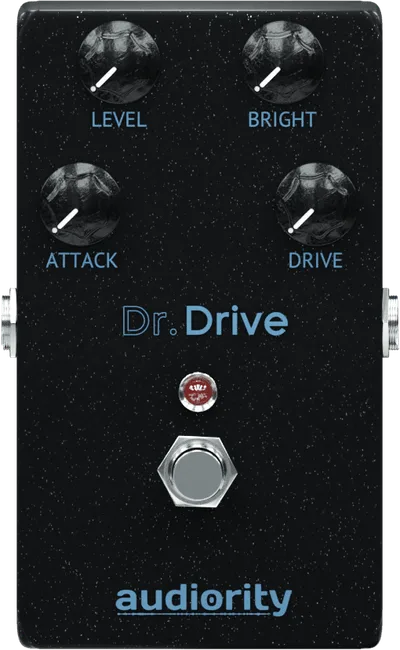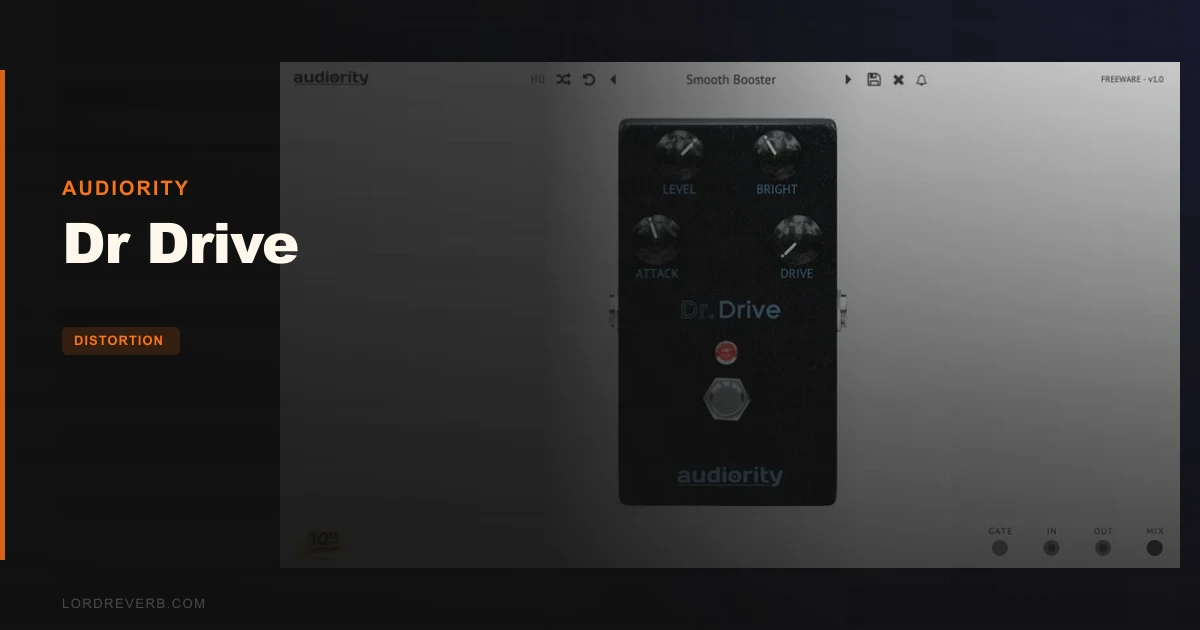
Your DI guitar track sounds lifeless, the noise floor is a constant buzz, and every free overdrive plugin you've tried sounds like a cheap SoundFont. Dr Drive by Audiority is the free answer to that exact problem: an analog-modeled overdrive built for metal guitar tones, with a noise gate baked in, and enough control to get from classic crunch to modern tight-metal aggression without loading three separate plugins.
It's free. That alone puts it in a different conversation from most overdrive plugins cluttering your downloads folder. But free doesn't automatically mean good, and Dr Drive has earned genuine praise from owners as well as a few complaints that need to be addressed before you commit to building a signal chain around it.
This Dr Drive review covers everything: what it does, where it shines, where it stumbles, and whether it deserves a permanent slot in your metal guitar rig or whether you'd be better served by one of its competitors.
The Problem This Solves
DI guitar recording is brutal. Without the natural compression and character of a mic'd amp, every flaw in your tone is exposed. The pick attack is harsh. The low mids go muddy fast. And the moment your guitarist stops playing, the noise floor turns your session into a hiss-and-hum showcase.
The standard workflow fix is to stack plugins: an overdrive for color, a separate EQ to cut boxiness around 300-500Hz, and a noise gate to tame the silence. That's three plugins doing work that, in the hardware world, one good overdrive pedal handles on its own.
Dr Drive is modeled on the Horizon Devices Precision Drive, a hardware pedal that metal guitarists love for exactly this reason. It combines overdrive, tone shaping, and a noise gate in one unit. The plugin version brings that same workflow into the box, for free, and adds a Mix control that the hardware doesn't have.
The specific frustration it targets is the boxiness problem. Guitarists chasing tight, modern metal tones hate that classic Tubescreamer-style midrange push. Dr Drive's Attack knob is designed specifically to let you add gain without dragging in that boxy quality. That's a real, specific problem with a real, specific solution. That matters.
Getting to Know the Controls
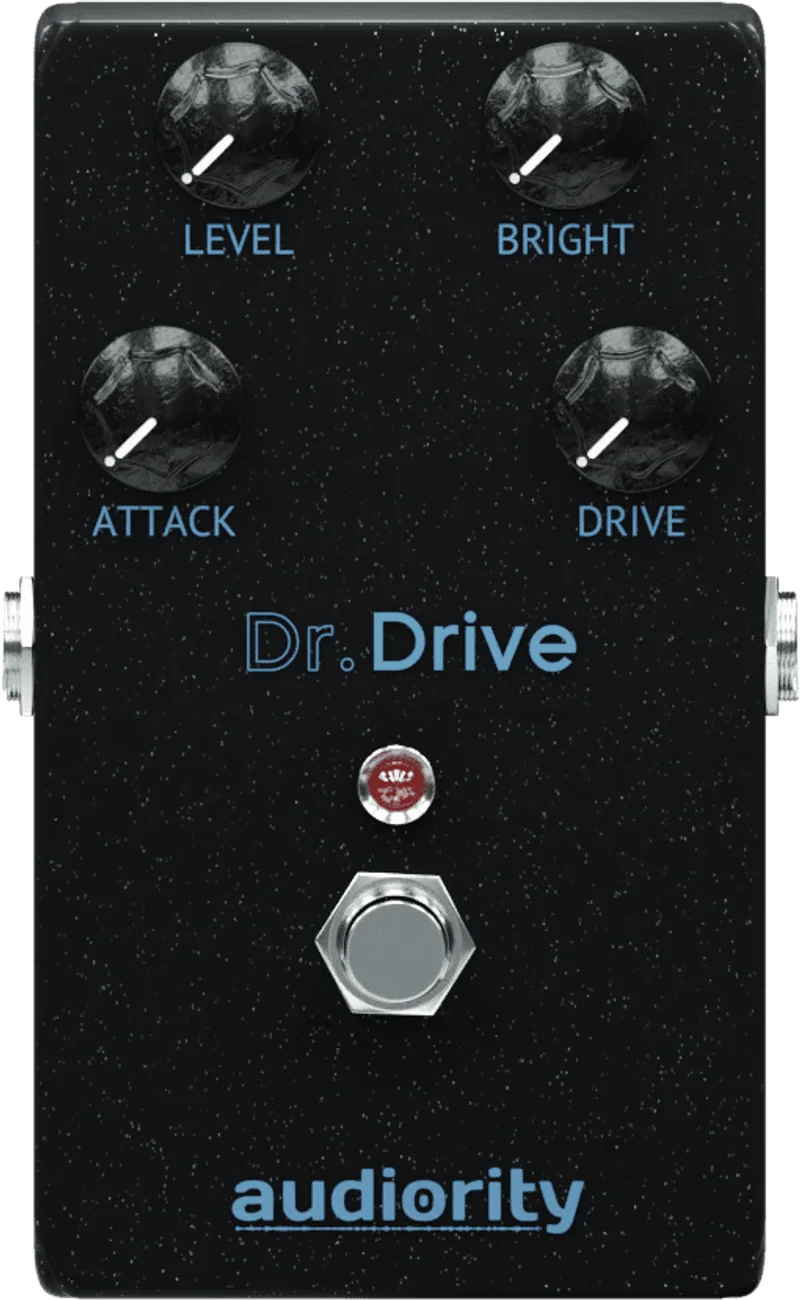
Open Dr Drive and you get six main controls plus a mode switch. It's a small surface, but each control does something distinct.
Drive
Drive is your gain control. Push it and the top end gets gritty. The distortion character stays on the right side of fizzy for most of the knob's travel, but owners describe a noticeable shift in harmonic texture as you push past the midpoint.
The key thing about Drive is what it doesn't do in isolation: it doesn't turn into a fizzy mess at high settings the way some free saturation plugins do. The analog modeling keeps enough body in the signal to stay useful at high gain, which is exactly what a metal guitarist needs.
Tone
Tone is a one-knob EQ control that shapes the high-frequency content after the drive stage. Turn it left for a darker sound. Turn it right to bring out the pick attack and string definition.
It's a simple control. It's not a full EQ. If your tone problem is mid-frequency buildup or low-end flub, Tone alone won't fix it. That's where the mode switch and the Attack knob become important.
Attack
This is the control owners talk about most. The Attack knob lets you dial in gain boost while simultaneously removing what reviewers call the "Tubescreamer-like boxiness." That mid-hump quality around 500-700Hz that makes cheaper overdrives sound congested and honky is exactly what Attack helps you avoid.
Push your Drive up and compensate with the Attack knob to bring the low-mid clarity back. What you get is a more transparent gain stage that lets the amp or amp sim character through rather than coloring it with unwanted frequency buildup.
It's a clever bit of design. Single-knob controls that do two things at once are annoying when they're clumsy, but satisfying when they're calibrated correctly. Owners report this one's calibrated correctly.
Level
Level sets the output volume after the drive stage. This is where you match the plugin's output to the rest of your signal chain without clipping the next plugin in line.
Keep an eye on this one if you're using multiple instances. Some owners report excessive output even at minimum settings in certain versions. Make sure you're on the latest version before you assume the Level control is behaving normally.
Pre and Post Gain
Pre and Post gain controls sit outside the main drive circuit. Pre gain sets how hard you're hitting the input of the drive stage. Post gain trims the output after everything else has happened.
Use Pre gain to push the drive harder without increasing the Drive knob. Use Post gain to manage your output level independently from the drive character. These two together give you meaningful gain staging flexibility that the main Level knob alone can't provide.
If you're stacking Dr Drive with an amp sim, getting this right matters a lot. Too much Pre gain and you're sending a clipped signal into the amp. Too little and you're not driving the circuit enough to get the character you want.
Mix
Mix is a parallel blend control. At 100%, you're hearing only the processed signal. Below 100%, blending in the dry signal can produce phaser or flanger-like artifacts in HQ mode, so use this control with caution.
Here's the honest warning: owners report phaser or flanger-like artifacts when Mix is set below 100%, and this is worse in HQ mode. That's a real problem if your workflow relies on parallel drive blending. It's not universal across every system, but it's been reported enough to take seriously.
The Integrated Noise Gate
This is one of Dr Drive's strongest arguments. The noise gate is baked into the plugin, and owners consistently say it works well enough to eliminate the need for a separate gate plugin in the chain.
For metal guitar specifically, a gate is not optional. High-gain tones generate noise, and that noise between chord hits is distracting at best and mix-breaking at worst. The gate sits at the right point in the signal chain: before the amp sim, at the same level the pedal would sit in a hardware rig.
Gate plugins placed later in the chain often behave differently because they're responding to an already-distorted, already-compressed signal. A gate at this point in the chain sees the input signal the way a hardware gate on a pedalboard would, before distortion and compression are applied downstream.
Tight and Fat Modes
The mode switch gives you two distinct tonal characters that change how much low-end hits the drive circuit.
Tight mode cuts bass before the distortion stage. The result is a focused, controlled low end that doesn't turn into a flubby mess under heavy distortion. If you're recording a 7-string or an 8-string guitar and the low notes are getting mushy, Tight mode is your first stop.
Fat mode does the opposite. More low-end hits the drive stage, which creates a thicker, heavier sound. Use it for single-coil guitars that feel thin, or for rhythm parts where you want more weight without touching your amp sim's EQ settings.
These two modes aren't subtle. The difference between them is audible immediately. That's exactly how a mode switch should work.
How It Performs
Dr Drive is designed to work as a tone-shaping and gain-staging tool before your amp sim, not as a standalone distortion unit.
Imagine you're tracking rhythm guitars for a modern metal mix: downtuned 7-string, palm mutes, chugging 16th-note patterns. Without a drive pedal in the chain, your amp sim is doing all the heavy lifting and the low-mid buildup turns your mix into a wall of mud. Drop Dr Drive in before the sim, switch to Tight mode, and that buildup gets tamed before it even reaches the amp. The palm mutes separate instead of blurring together.
That's the scenario this plugin was built for, and owners confirm it delivers.
The analog modeling provides character consistent with a physical pedal rather than a clipping algorithm. At high settings, the top end gets aggressive, matching the expectation for the style.
The integrated noise gate works effectively to eliminate silence between notes when the threshold is set appropriately for the input level.
Strengths and Weaknesses
The strengths start with the fact that this is a free plugin that sounds like a paid one. That's not a low bar: there are paid overdrive plugins that sound worse.
The Attack knob combines gain boost with boxy-mid reduction, allowing gain adjustment while removing Tubescreamer-like boxiness. Its placement in the overdrive stage applies correction at the right point in the signal path.
The noise gate integration works without requiring tweaking every session. Owners describe it as one of the main reasons they keep Dr Drive in their chain.
Fat and Tight modes are properly useful. They're not cosmetic.
The Mix control artifact issue is a workflow limitation: the phaser-like artifact in HQ mode makes parallel blending unreliable below 100% and affects signal chain design.
Early VST3 versions had severe stability issues with instant whine output and pegged meters. These issues appear to have been addressed in later versions.
The sound character is specific. If you want something more versatile for non-metal styles, Dr Drive isn't built for that. It does one thing. It does it well. But that's the limit.
Version History and Stability Notes
This matters more than it usually does for a plugin review, because Dr Drive has had real stability problems that affected early adopters badly.
Version 1.0.1 fixed a random loud signal overflow on startup. That's not a minor issue. If you loaded the plugin and got a sudden burst of high-level noise, it was sending your signal chain into overload. That's ear-damaging and hardware-threatening in a monitoring situation.
Version 1.1 brought framework updates, GUI improvements, persistent GUI settings, and Universal 2 Binary support for Apple Silicon Macs. The Apple Silicon support is important for anyone on an M1 or later machine: running non-native plugins through Rosetta adds latency and CPU overhead. Native support removes that problem.
The VST3 version had its own serious issues in some releases: instant whine output and meters immediately pegged. If you're on Windows or any host that defaults to VST3, check which version you're running. Owners report these issues were resolved in updates, but make sure you're on a current version before assuming stability.
The lesson here: download the latest version. Don't use an older installer you've had sitting in a folder. And if you do get unexpected noise output on startup, update before assuming the plugin is broken by design.
System Requirements and Format Support
Dr Drive runs on Windows 7 64-bit and later, with an Intel i5 or higher and 2GB RAM minimum. On Mac, the Intel version needs OSX 10.8 or later, same processor floor. The Apple Silicon version requires macOS 11.0 and an M1 or higher.
Format support is wide. VST2, VST3, AU, CLAP, and AAX 64-bit are all covered. AAX requires Pro Tools 11 or higher. CLAP support is a nice inclusion for hosts that have adopted it.
You'll need an Audiority account to download the plugin. That's the only activation requirement. It's not ideal if you're the kind of person who doesn't want to create accounts, but it's not a challenge-response or iLok system, so it's not going to block you from using the plugin offline or on multiple machines.
Screen resolution needs to hit 1024x768 minimum. The interface is resizable, which matters if you're on a high-DPI display or just prefer to see controls without squinting.
Who This Is Actually For
Dr Drive was made for metal guitarists. The developer says so directly. The Precision Drive inspiration is a metal player's pedal. Tight mode, the Attack knob, the integrated gate: all of these design decisions make sense in a metal guitar context and less sense elsewhere.
If you're tracking any kind of high-gain guitar tone, this plugin should be in your toolkit. Classic metal, modern metal, djent, deathcore, metalcore: the specific flavor of the drive will fit different subgenres with different settings, but the core tool is right for all of them.
If you're a producer rather than a guitarist, Dr Drive is worth having in your folder for session work. When a guitarist sends you a DI track and asks for a "tight modern tone," having this plugin available means you can deliver something credible without spending money on a dedicated drive plugin.
It's also worth considering for bass guitar in heavy contexts. Fat mode's low-end handling and the noise gate would be useful on bass DI tracks as well, though the developer hasn't specifically marketed it for that use. That's a workflow question for you to test with your own sessions.
Value for the Price
It's free. The value question almost answers itself, except that free plugins with stability problems and limited use cases can still be "not worth it" in terms of time spent troubleshooting them.
Dr Drive clears that bar. The core sound is good, the noise gate is genuinely useful, and the controls are intuitive enough that you can get a working tone quickly. The time investment to download, install, and dial in a sound is low.
The Mix artifact in HQ mode and the VST3 stability history are real concerns, but neither of them makes the plugin unusable once you're on a current version.
At the price of zero, Dr Drive delivers more usable metal guitar tone than most free plugins and some paid ones. The honest verdict on value is: take it. Just download the current version and read the notes above about what to avoid.
Who Should (and Shouldn't) Buy This
- ✅ Buy if you record high-gain metal guitar and want an overdrive, tone shaper, and noise gate in one free plugin without routing a sidechain gate in your DAW.
- ✅ Buy if you're on Apple Silicon and need a native AAX or AU overdrive plugin that doesn't require a Rosetta workaround.
- ✅ Buy if you want the Precision Drive character in the box and can't justify the hardware cost or don't want another physical pedal in your setup.
- ❌ Skip if you want to use the Mix control for parallel drive blending: the HQ mode artifacts make that unreliable, and you'll have a better time doing that at the DAW bus level.
- ❌ Skip if you're looking for a versatile drive plugin that works across jazz, blues, pop, and rock with equal character. Dr Drive is metal-specific in its voicing.
- ❌ Skip if you're still on Windows with an older VST3-defaulting host and you haven't verified that the latest version is stable in your specific setup.
Specs & Technical Details
| Developer | Audiority |
| Price | Free |
| Plugin Format | VST2 / VST3 / AU / AAX / CLAP (64-bit) |
| OS Support | Windows 7 64-bit or later; macOS 10.8 or later (Intel); macOS 11.0 or later (Apple Silicon) |
| Activation | Audiority account required to download; no challenge-response or iLok |
| CPU Usage | N/A |
| Trial Available | N/A (plugin is free) |
| Version Reviewed | 1.4 |
Score Breakdown
| Category | Score | Notes |
|---|---|---|
| Sound Quality | 4.5/5 | Analog-modeled character holds up; Attack knob solves a real tonal problem cleanly |
| Value for Money | 5.0/5 | Free with this feature set; no meaningful argument against downloading it |
| Ease of Use | 4.0/5 | Layout is intuitive; Mix artifact and version history add friction for new users |
| Features | 4.0/5 | Integrated noise gate and dual modes are genuinely useful; control set is narrow beyond the core four knobs |
| CPU Efficiency | N/A | Not enough data to score |
| Overall | 4.2/5 | A free, focused metal overdrive that solves real problems and earns its place in the signal chain |
Alternatives to Consider
The closest free alternative owners mention is OverDiver by Analog Obsession. It's also free, and some prefer it for specific purposes. But reports suggest it's less versatile at low-gain settings than Dr Drive. If you're running high gain all the time, the two are worth comparing directly. If you need low-gain crunch or cleaner overdrive tones, OverDiver may fall short where Dr Drive at least gives you mode switching and Attack control to compensate.
Beyond free alternatives, any paid drive plugin modeled on the hardware Precision Drive occupies the same sonic territory as Dr Drive. The question you're answering is whether the paid version's additional refinements are worth the cost when the free version already does the fundamental job for metal guitar. For most people starting out or working within a tight budget, the answer is no. Build the rest of your chain first.
| Plugin | Price | Strongest Point | Weakest Point | Best For |
|---|---|---|---|---|
| Dr Drive (Audiority) | Free | Integrated noise gate + Attack knob removes boxiness | Mix control artifacts in HQ mode; narrow sound character | Metal guitar: tight, modern, high-gain tones |
| OverDiver (Analog Obsession) | Free | Some users prefer it for specific overdrive purposes | Less versatile at low-gain settings | Users who find Dr Drive's voicing too aggressive |
The Honest Closing Word
You're recording metal guitar DI. You need something in the chain that tightens the low end, removes the boxy mid-buildup, adds drive character, and kills the noise between parts. You have exactly zero dollars to spend on a plugin right now. Dr Drive handles all four of those jobs.
Keep Mix at 100% and stay on the latest version. The HQ mode artifact is real and annoying, and the VST3 history is worth knowing about, but neither problem makes the plugin unusable once you understand them.
The Attack knob alone makes this worth installing. The fact that it comes with a noise gate that actually works and two modes that meaningfully change the tone pushes it from "decent free plugin" into "this should be in every metal producer's folder."
Fat mode on a thin single-coil. Tight mode on a 7-string in drop A. Load it, dial that in, and you'll hear exactly why owners keep recommending it.
It's free. It works. It solves a specific, real problem for metal guitar production. Download the current version, read the note about Mix, and put it to use.
Frequently Asked Questions
Is Dr Drive completely free or is there a paid version?
Dr Drive is completely free. Audiority released it to celebrate their 10th anniversary. You'll need to create a free Audiority account to download it, but there's no paid tier, no premium feature set locked behind a paywall, and no iLok or challenge-response activation required.
What is the Dr Drive plugin modeled on?
Dr Drive is modeled on the Horizon Devices Precision Drive hardware overdrive pedal. That's a pedal built for metal guitar players, which explains the design decisions throughout: Tight mode, the Attack knob, the integrated noise gate. The developer targets classic and modern metal guitar applications.
Why does Dr Drive make a phaser or flanger sound?
Owners report this artifact when the Mix control is set below 100%, and it's more pronounced in HQ mode. The fix is simple: keep Mix at 100% if you want stable, artifact-free output. If you want parallel drive blending, do it at the DAW bus level by routing the guitar to two channels, one dry and one through Dr Drive at full Mix.
Is Dr Drive stable in Pro Tools?
Pro Tools uses the AAX format, which Dr Drive supports on both Mac and Windows with Pro Tools 11 or higher. The documented stability issues affected the VST3 version in early releases. AAX stability is not specifically flagged in owner reports, but always download the latest version regardless of your host and DAW format.
What is the difference between Tight and Fat mode?
Tight mode cuts bass frequencies before they hit the drive stage, which keeps the low end controlled and focused under high gain. This is what you want for downtuned guitars or palm-muted rhythm parts where low-end flub is a problem. Fat mode lets more low end through the drive stage, adding thickness and weight. Use it on thinner-sounding guitars or when you want more body in the distortion.
Does Dr Drive work on Apple Silicon Macs?
Yes. Version 1.1 introduced Universal 2 Binary support, which means Dr Drive runs natively on M1 and later Apple Silicon Macs without needing Rosetta 2 translation. Native Apple Silicon support requires macOS 11.0 or later. If you're on an older Intel Mac, you need OSX 10.8 or later.