Efx MOTIONS is a multi-effect plugin built around movement: five motion modules (Filter, Noise, Drive, Volume, Pan) that turn static audio into something that breathes, pulses, and shifts across a timeline.
You're three hours into a session. The pad sits perfectly in key, the chord voicing is right, and it still sounds like a screenshot. Still. Frozen. It's got no life. You've tried automating the filter cutoff by hand and it sounds stiff. You've tried a trance gate and it sounds like 2005. What you want is something that moves the signal in a way that feels composed, not just chopped.
That's exactly the gap Efx MOTIONS was built for. At $99, it's priced in the range where you expect serious creative muscle, not a toy. For producers working in electronic, ambient, cinematic, or any genre where stem texture matters, it makes a strong case. It's not flawless. But the flaws are specific and liveable.
What's Inside The Plugin
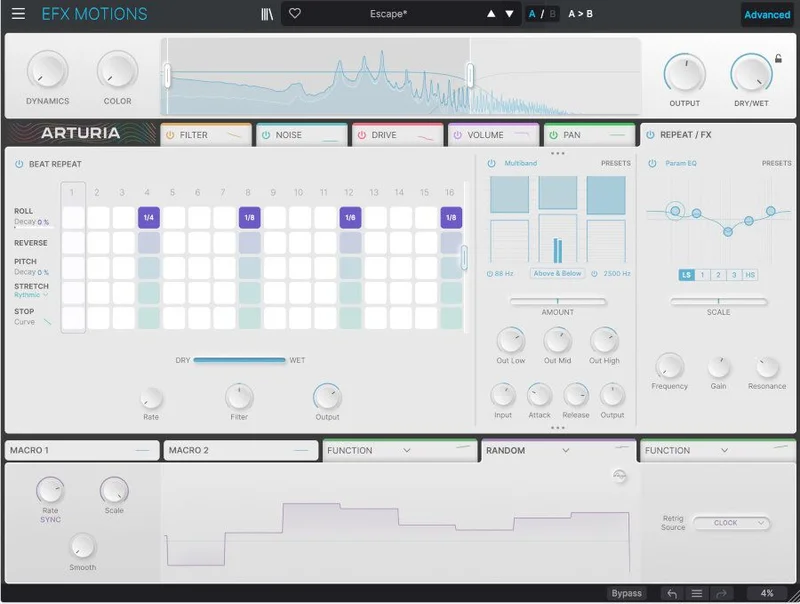
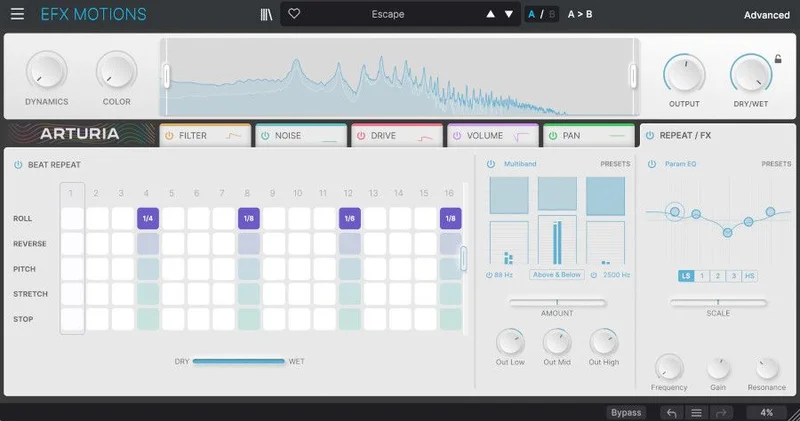
Five motion modules anchor the whole thing: Filter (5 filter types), Noise (dozens of sampled sources), Drive (10 crunch varieties including Tape, Softclip, and Germanium), Volume, and Pan. A Beat Repeater handles 16-step repeating. Two FX sends access 14 FX types.
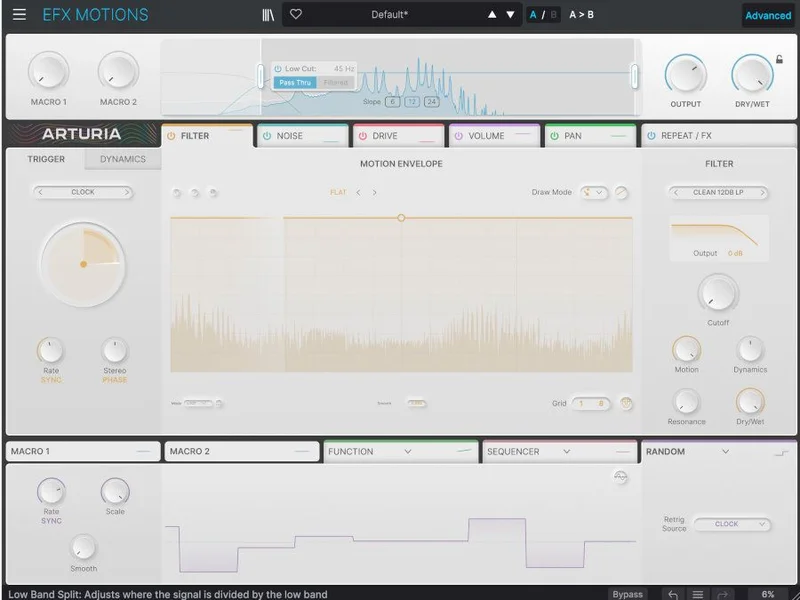
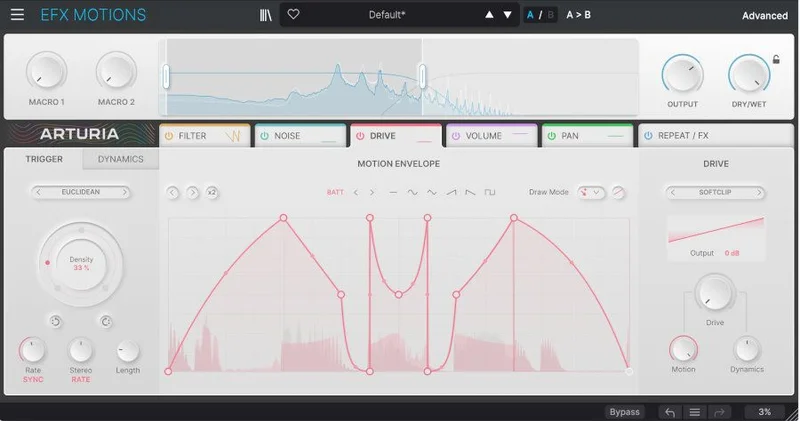
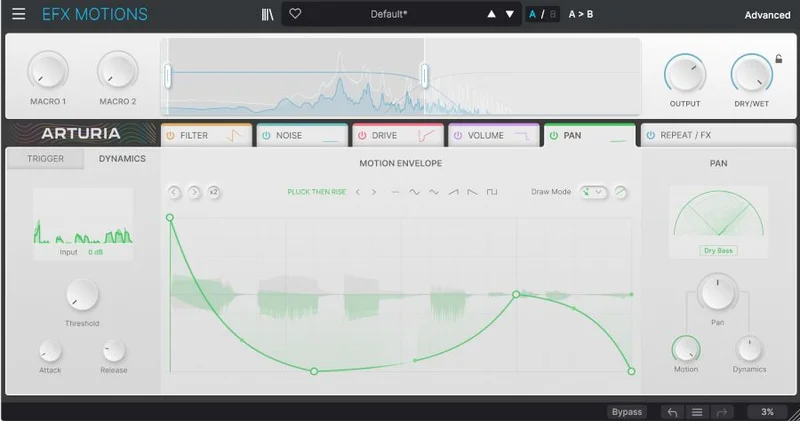
The Motion Envelope lets you draw custom shapes. The Trigger system gives you Trance Gate, Euclidean, Clock, MIDI, and Transient modes. There's a Dynamics customizer with Threshold, Attack, and Release, plus an external sidechain input. A Crossover module isolates the frequency band you want to process.
Three modulation generators (step sequencer, function, random, envelope follower) can be routed across destinations. Two macro controls are assignable and multi-destination. A/B comparison is built in. The preset library holds 330-plus presets. Formats: VST, AAX, Audio Unit, NKS.
Where It Fits In Your Workflow
Drop it as an insert on any stem that needs rhythmic or textural life. Pads, guitars, bass synths, melodic lines: owners single all of these out as natural homes for it. It sits at the end of your per-channel processing, after your EQ and compression, before the bus.
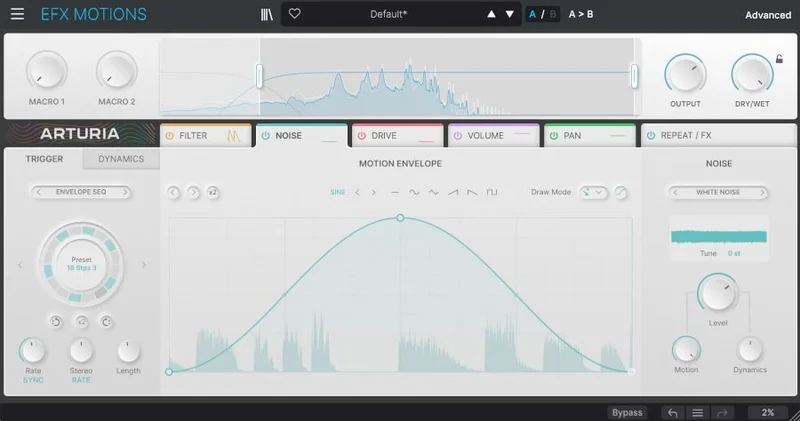
The Trigger system is where the workflow actually starts. Pick Transient mode and the plugin chases the attack hits in your audio. Pick Euclidean and you're building polyrhythmic patterns against your grid. That choice shapes everything downstream.
You'll need a 64-bit DAW. Windows 10 or later (64-bit), or Mac OS 10.13 or later, with Apple Silicon supported on Mac. Minimum 4 GB RAM, 4-core CPU at 3.4 GHz, 1 GB disk space, and OpenGL 2.0 GPU. ARM on Windows is not supported, which is worth checking if that's your machine.
This is a session insert, not a mastering tool. Think stems, not the 2-bus.
What It's Genuinely Good At
The preset quality is a real differentiator. Most glitch and movement plugins ship presets that are absurd in isolation and useless in a mix. Owners specifically report the opposite here: the presets land in the mix rather than on top of it. That means you spend less time dialling and more time finishing.
Take a bland pad, open the Filter module, and set an envelope-triggered sweep synced to your tempo. The pad stops being furniture. That's the whole pitch, and it delivers it.
The Drive section earns its place. Ten crunch types means you can reach for Tape saturation when you want warmth, Germanium when you want grit with an older character, and Softclip when you want to push transients without blowing the top end open. These aren't interchangeable.
CPU behaviour gets called out positively, even on 2012 Intel Macs. That's a satisfying result for a plugin with this many moving parts.
The Euclidean trigger is clever. It's not decoration.
The Rough Edges
The interface is bright white. There's no dark mode. If you're three hours into a session in a dim room, that's genuinely annoying. It's a frustrating oversight in 2026 when dark mode ships as standard on everything from DAWs to phone keyboards.
The 16-step sequencer needs work. Owners describe the interaction as difficult in certain places, which is a polite way of saying it fights you when you want precision edits.
No granular processing. No spectral tools. Competitors offer both. If your work lives in that territory, Efx MOTIONS won't cover it.
The panning module lacks a dry/wet control. Every other module has one. The inconsistency is hard to explain and annoying to work around.
Foley and nature noise sources can loop audibly when soloed. In a dense mix it's usually masked. In a sparse arrangement, less so.
Who This Is Really For
- ✅ Buy if you want a single plugin that handles filter movement, noise texture, and drive all in one insert slot without assembling a chain from scratch.
- ✅ Buy if you regularly work on pads, synth lines, or guitars that feel static and need rhythmic or evolving texture baked in at the stem level.
- ✅ Buy if usable, musical presets matter to you and you want to be close to finished from the moment you load one.
- ❌ Skip if you need granular or spectral processing as part of your motion toolkit. It's not here.
- ❌ Skip if dark mode is non-negotiable in your setup. It doesn't exist in this plugin.
- ❌ Skip if detailed 16-step sequencer work is central to your process. The implementation frustrates owners who rely on it heavily.
Specs & Technical Details
| Developer | Arturia |
| Price | $99 |
| Plugin Format | VST / AU / AAX / NKS |
| OS Support | Mac (10.13+, Apple Silicon supported) / Windows 10+ (64-bit, ARM not supported) |
| Activation | N/A |
| CPU Usage | Light to medium (owners report optimised performance on older hardware) |
| Trial Available | N/A |
| Version Reviewed | N/A |
Score Breakdown
| Category | Score | Notes |
|---|---|---|
| Sound Quality | N/A | Ten drive types and five filter modes give genuine sonic range; Noise module breadth is a bonus |
| Value for Money | 4.0/5 | At $99 the module count and preset quality justify the spend, though missing granular hurts at this tier |
| Ease of Use | 3.5/5 | Preset browser gets you moving fast; 16-step sequencer and the bright white UI slow things down |
| Features | 4.0/5 | Five motion modules plus Euclidean triggers and three mod generators cover most bases; no spectral tools is the gap |
| CPU Efficiency | 4.5/5 | Owners confirm light load even on older Intel hardware, which is genuinely impressive for this feature set |
| Overall | 4.2/5 | A musically focused movement plugin that earns its place in most stems-based workflows despite a few real frustrations |
Alternatives to Consider
Sugar Bytes Effectrix is the one that comes up most often in the same breath. It's a step-sequencer-first creative effect with a DJ-style feel. If the 16-step sequencer is the part of Efx MOTIONS you care most about and you find it frustrating here, Effectrix is built from that idea outward.
Cableguys Shaperbox overlaps on envelope and glitch territory but adds time shaping, bitcrusher, and flanger that MOTIONS doesn't carry. If you want more modular envelope control over individual effect parameters, Shaperbox is worth a look.
Baby Audio Transit is tighter in scope, focused on breakdowns and transitions rather than ongoing stem movement. If you want the effect specifically for builds and drops rather than living texture across a track, Transit is the more focused tool.
Infiltrator 2 offers a much larger effect roster but owners of MOTIONS specifically note that Infiltrator's size can feel overwhelming. If you love exploring, go there. If you want something you can dial in quickly, stay here.
Efx MOTIONS at $99 earns a clear recommend for producers who need a single insert to do what used to take a chain of three plugins. The white UI is love-it-or-hate-it (we hate it), the 16-step sequencer handling is difficult in certain places, and the missing panning dry/wet is a genuine head-scratcher. But the sound design breadth, the musical preset quality, and the CPU behaviour at this feature count make it a plugin you'll actually keep in rotation. If you're building electronic or cinematic music and static stems are killing your mixes, this is the right kind of solution. If granular texture is your main tool and dark mode is non-negotiable, save your money and look at the alternatives above.
Frequently Asked Questions
Does Efx MOTIONS work on Apple Silicon Macs?
Yes. Mac OS with Apple Silicon CPU is supported. Windows ARM processors are not supported, so Windows users on ARM machines should check compatibility before buying.
How many presets does Efx MOTIONS include?
The plugin ships with over 330 presets. Owners report these are more musically usable than typical glitch plugin presets, sitting in a mix rather than dominating it.
Can you sidechain Efx MOTIONS to an external source?
Yes. The Dynamics customizer includes an external sidechain option alongside Threshold, Attack, and Release controls. This opens up ducking and reactive movement tied to kick drums or other trigger sources in your session.
What plugin formats does Efx MOTIONS support?
It supports VST, AAX, Audio Unit, and NKS formats. A 64-bit DAW is required. There is no 32-bit version.
How does Efx MOTIONS compare to Cableguys Shaperbox?
Both tools work in the envelope and motion territory, but they're built around different priorities. Shaperbox leans into time shaping, bitcrusher, and flanger tools that MOTIONS doesn't include. MOTIONS counters with a broader Drive section, Euclidean triggers, and a dedicated Noise module. Which one fits depends on what kind of movement you're designing most often.