Augmented VOICES is one of the smartest hybrid vocal instruments in its price bracket, and we'd buy it ourselves at the promotional price. It's built for electronic and cinematic producers who want real human vocal texture fused with deep synthesis, and it earns that pitch in practice, not just on the spec sheet. That said, it has real weaknesses worth knowing before you spend $149.
This is not a choir library. It's not a vocal synth in the Vocaloid or iZotope VocalSynth sense either. It sits deliberately between both worlds, and that positioning is either a strength or a frustration depending on what you came looking for.
We tested it across a cinematic underscore session, a dark electronic project, and a pop production. Here's what happened.
What You're Actually Getting
Augmented VOICES runs on a 2-layer architecture. Each layer holds 2 sound sources. Each sound source can be a vocal sample or any of the 4 onboard synth engines: Virtual Analog with Arturia's TAE technology, Granular, Wavetable, or Harmonic (additive-based). That's 4 customizable sound sources per preset, all in one signal chain.
The sample library behind it is serious work. Over 80 hours of arranging, recording, and editing sessions took place in specialized studios in Hannover, Germany, using Neumann, Microtech Gefell, and Heritage Audio equipment. The result: 21 male articulations and 30 female articulations, recorded by 6 vocalists across solo and ensemble mic arrangements, close and far.
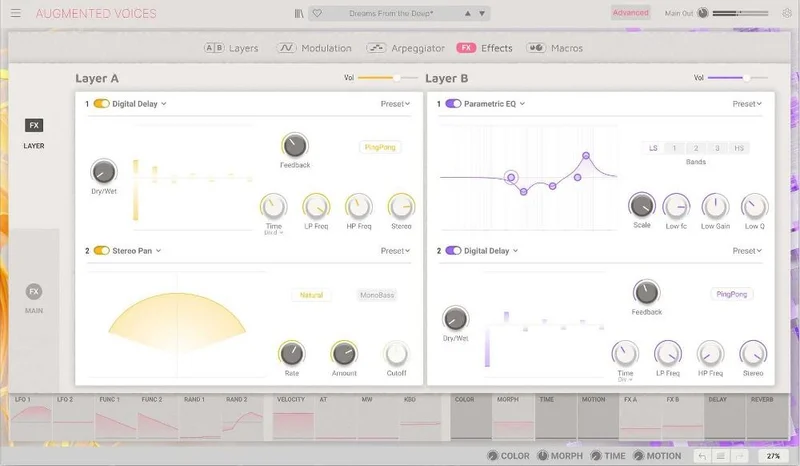
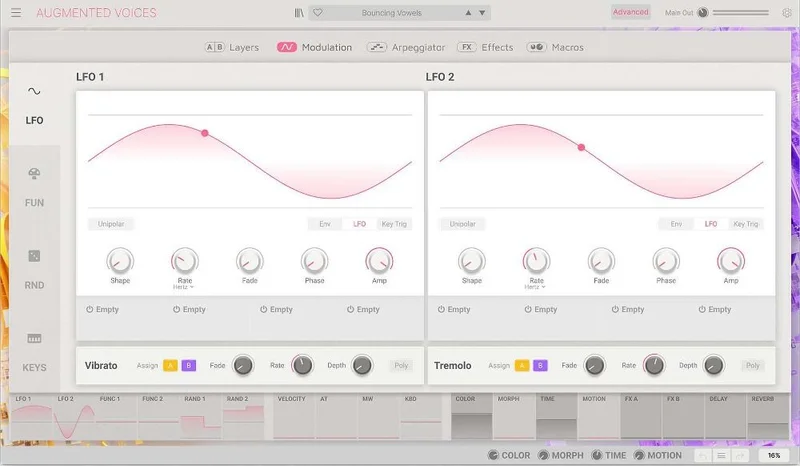
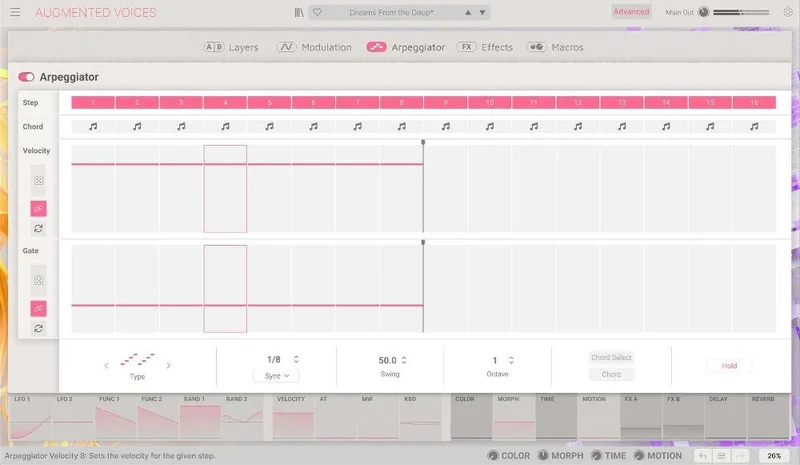
On top of that: a 16-step polymetric arpeggiator, 2 FX slots per layer, master delay and reverb, macro controls, a full modulation matrix with click-and-drag routing, and a preset browser that filters by style and type. It runs VST3, AU, AAX, NKS, and standalone. 64-bit DAWs only.
The Good
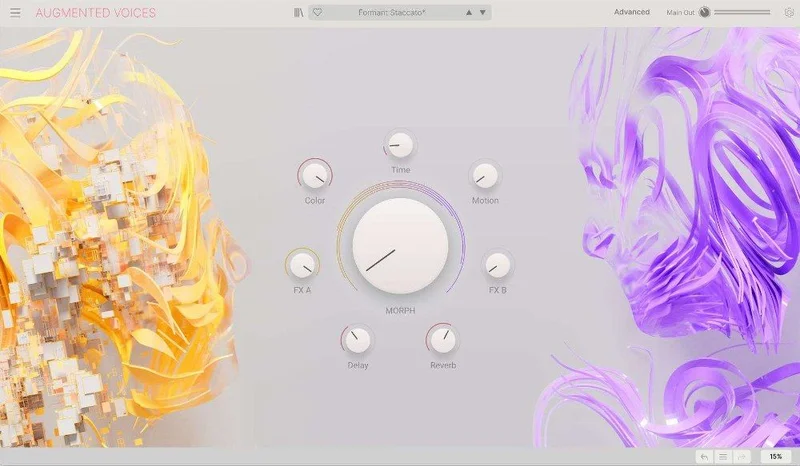
The Morph control is clever. We pulled up a preset with a close-mic female choir on Layer A and a granular texture on Layer B, then automated the Morph knob across 8 bars. The choir fades out as the granular engine rises, but it's not a simple crossfade: we had filter cutoff, reverb depth, and sample width all linked to the same sweep. One knob. Three parameters moving. The result sat in the mix as a breathing, evolving pad that cost us zero additional automation lanes.
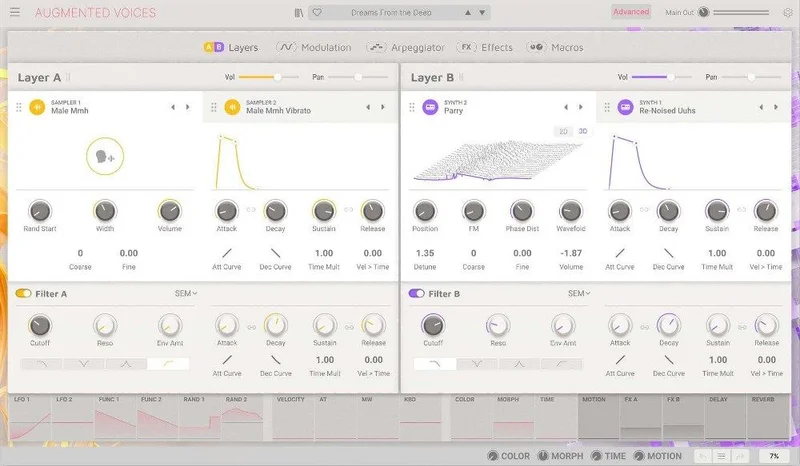
That's satisfying in a way that generic crossfade morphing is not.
The sample quality holds up under scrutiny. We pitched a female vowel articulation up a minor third. No obvious stretch artifacts at normal playback speed. The close-mic versions have a presence peak around 3-5kHz that cuts well in a dense mix without EQ surgery.
The four synth engines are not decorative. The Granular engine, in particular, produces textures you can't reasonably get from a sample library: glitched stutter voices, stretched formant tails, pitch-smeared breath sounds. We used it on a trailer cue to build a 16-bar tension ramp that never once sounded like a preset. best granular synth plugins
The preset browser earns its keep. Keyword search, style filtering, and a favourites system means you're not scrolling 400 presets at random. For a session-oriented producer, that matters.
The Not-So-Good
CPU is the honest caveat. We ran Augmented VOICES on an Apple M2 Pro MacBook Pro with a buffer of 256 samples in Logic Pro. A single preset with both layers active, moderate modulation, and the built-in reverb engaged sat at roughly 18-22% of a single core. Stack two instances on a track and a bus send, and you're at 45-55%. That's not catastrophic, but it's not light either.
Freeze and bounce liberally if you're on an older system. Arturia publishes no official benchmarks. That's annoying, and it should be fixed.
The lack of independent MIDI routing per voice layer is a real workflow snag for live players. We tried to use Layer A as a pad triggered on lower keys and Layer B as a texture triggered from a mod wheel source. Not possible without external MIDI processing. Frustrating, because the architecture almost supports it.
There's also no true legato scripting in the sample engine. Articulation changes happen on new note triggers, which means fast melodic lines in the solo vocal samples sound choppy above roughly 160 BPM. Classical realism was never the goal here, but it's worth stating clearly.
Compared to the Alternatives
Arturia's own Pigments review is the obvious internal comparison. Pigments has more synthesis depth and costs similar money, but it has zero vocal samples. Different tool entirely.
Native Instruments' Choir (part of Komplete) sits closer in intent but skews toward realism, not synthesis. It's heavier on disk space (8GB+), more CPU-friendly per instance in our experience, and sounds more like an actual ensemble. If you need classical choral realism, that's the call. If you need a sound that doesn't exist in the real world, VOICES wins.
Output's Vocalise 2 competes directly. It's more loop-based and less synthesis-forward. The morphing in VOICES is more hands-on and performance-friendly than Vocalise's phrase-matching approach. Vocalise costs around the same; VOICES gives you more design control.
iZotope VocalSynth 2 is not a competitor. It processes incoming audio. VOICES is a self-contained playable instrument. They're different categories entirely. iZotope VocalSynth 2 review
Who Should Buy This
- ✅ Buy if you produce dark electronic, modern cinematic, or hybrid orchestral music and want vocal texture that doesn't sound like a sample library.
- ✅ Buy if you want a single plugin that handles both sample-based and synthesis-based vocal sounds without rewiring your session.
- ✅ Buy if you catch it on promotion. At rewards pricing, it is one of the stronger deals in this category.
- ❌ Skip if you need realistic choir scoring for orchestral work. This is not that tool.
- ❌ Skip if your system is older than 2019 Intel. CPU headroom matters here, and you'll be fighting it.
- ❌ Skip if your main use is live performance with complex MIDI splits. The layer architecture doesn't support it out of the box.
Score Breakdown
| Category | Score | Notes |
|---|---|---|
| Sound Quality | 4.5/5 | Hannover recordings are clean; granular engine adds serious design range |
| Value for Money | 3.5/5 | Solid at promo price and harder to justify at $149 against Komplete alternatives. |
| Ease of Use | 4.0/5 | Main panel is intuitive; advanced modulation matrix has a learning curve |
| Features | 4.0/5 | Four synth engines, morph with 8 destinations, arpeggiator, per-layer FX; no per-layer MIDI routing |
| CPU Efficiency | 3.0/5 | Noticeably hungry on older systems; no benchmarks published by Arturia |
| Overall | 4.0/5 | Best hybrid vocal instrument in this price range for electronic and cinematic producers. |
Alternatives to Consider
Native Instruments Choir (Komplete): Better legato scripting and more realistic ensemble sound. Heavier on disk. Buy this if realism is the priority. Native Instruments Komplete review
Output Vocalise 2: Loop-based, less synthesis-forward, different creative workflow. Works best for producers who want phrase-matching over granular design. Output Vocalise 2 review
Arturia Pigments: If you love the synth engine architecture inside VOICES but don't need the samples, Pigments gives you more of that at a comparable price point with full multi-engine synthesis. Arturia Pigments review
Augmented VOICES is worth buying comfortably. At $149, you need to be clear it's your workflow. At rewards pricing: don't think about it, just buy it. The one person who should walk away is the producer who opened this review hoping for a film choir replacement. That's not what this is, and no amount of beautiful Hannover microphones changes that.
For everyone else building electronic beds, cinematic hybrid scores, or just looking for a vocal texture that doesn't sound like everyone else's session: we'd have this open every week.
Frequently Asked Questions
Is Augmented VOICES good for realistic choir scoring?
No, not really. It has 21 male and 30 female articulations recorded with professional equipment in Hannover, Germany, so the samples themselves are high quality. But the instrument is built for hybrid and electronic production, not classical realism. The sample engine doesn't include legato scripting, which makes fast melodic lines sound choppy. For traditional choir scoring, look at Native Instruments Choir or EastWest Hollywood Choirs instead.
How CPU-intensive is Augmented VOICES?
More than light, less than catastrophic. On an Apple M2 Pro at a 256-sample buffer, a single active instance with both layers running and built-in reverb engaged used roughly 18-22% of a single core in our tests. Stack two to three instances and you'll want to freeze tracks. Arturia doesn't publish official CPU benchmarks, which we wish they'd fix. If you're on a pre-2019 Intel machine, trial it first.
Does Augmented VOICES come with a free trial?
Yes. A free trial is available through Arturia Software Center (ASC) and via Plugin Boutique. The trial is fully functional and time-limited, which is the right way to evaluate a CPU-hungry instrument before committing money. We always recommend trialing hybrid instruments before buying, and this one especially benefits from a few days of real session use.
What's the difference between the Morph control and a simple crossfade?
A crossfade blends volume between two signals. The Morph control in Augmented VOICES does that, but it also simultaneously controls up to 8 user-assigned destinations: things like filter cutoff, reverb depth, sample width, and LFO rate, all mapped to the same knob sweep. You can automate it in your DAW, assign it to a mod wheel, or link it to velocity. It's the feature that separates this plugin from a basic sample-plus-synth layering tool.