MFX Dynamics gets compared to the big dedicated compressor suites, and we think that’s the wrong fight. It’s a pair of plugins ported from a hardware multi-effect pedal, priced at $10, and judged as a pair it’s a bargain for producers who want character over a lab-coat meter.
If you want a surgical, do-everything dynamics rack, look elsewhere. If you want something punchy you can set up in a minute, keep reading.
The other thing you’ll hear it measured against is the FX Aid and Erica Synths crowd. That’s the hardware-adjacent world, and it’s where MFX Dynamics actually lives.
How Does MFX Dynamics Stack Up Against Its Rivals Out of the Box?
The comparison people reach for is hardware effects units, not other plugins. FX Aid XL gets praised for delay and reverb quality and an easier interface. FX Aid Pro is noted for a cleaner sound and a wider range of effects. Erica Synths Black Hole DSP gets credit for short delay times at high quality.
None of those are dynamics tools. That’s the point.
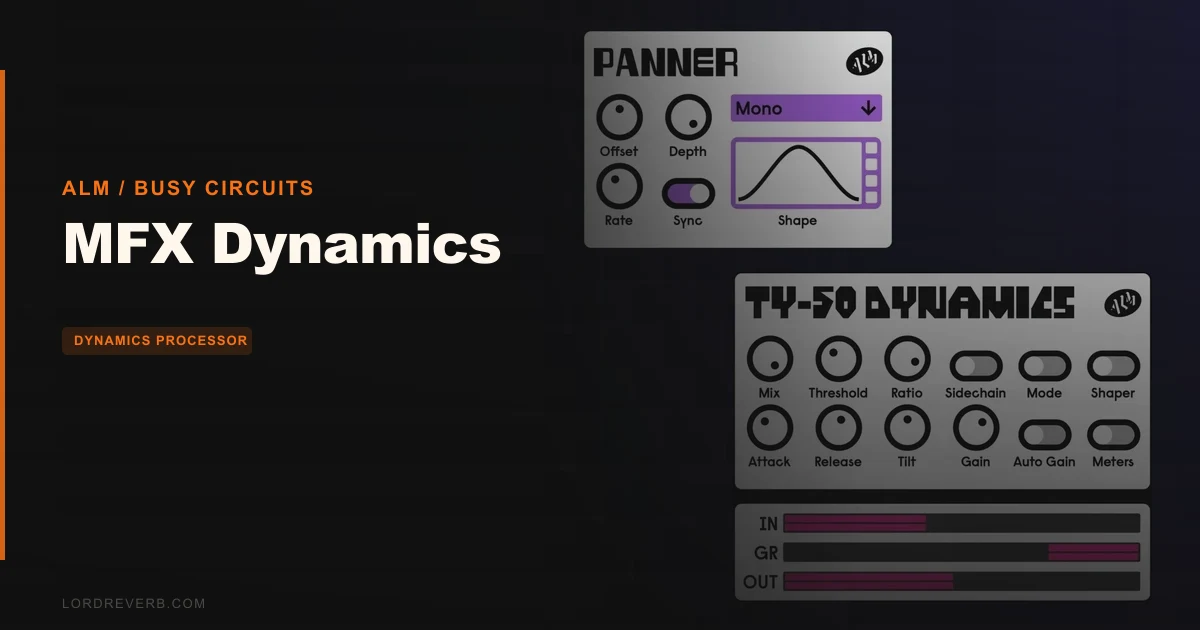
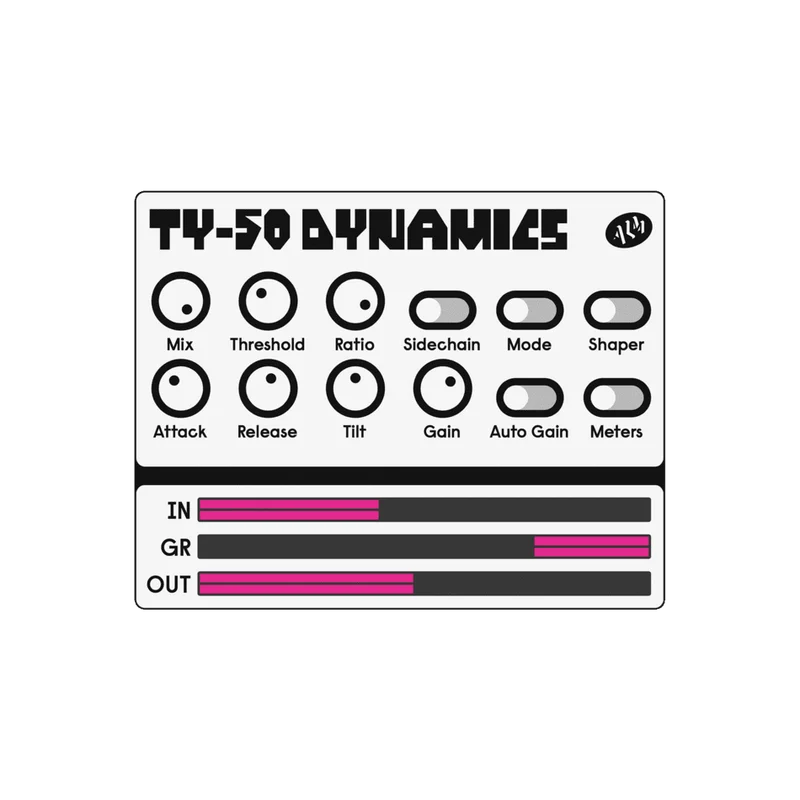
MFX Dynamics isn’t trying to be a reverb or delay box. It’s two focused plugins: TY-50 Dynamics and Modulating Panner. You get a compressor, expander and transient shaper in one, plus a stereo panner. Narrow remit, clear purpose.
Owners say the engineering is straightforward to set up and operate. Reviewers praise ALM instruments for unique character and supremely thoughtful user interfaces. First impression: less menu diving, more turning knobs.
How Does It Perform Under the Hood?
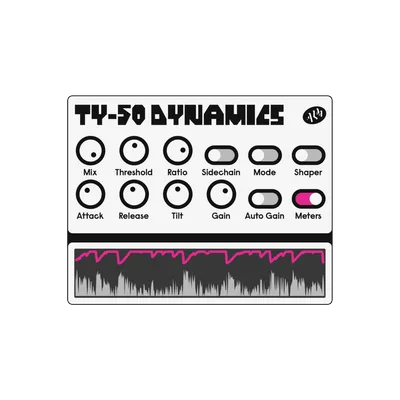
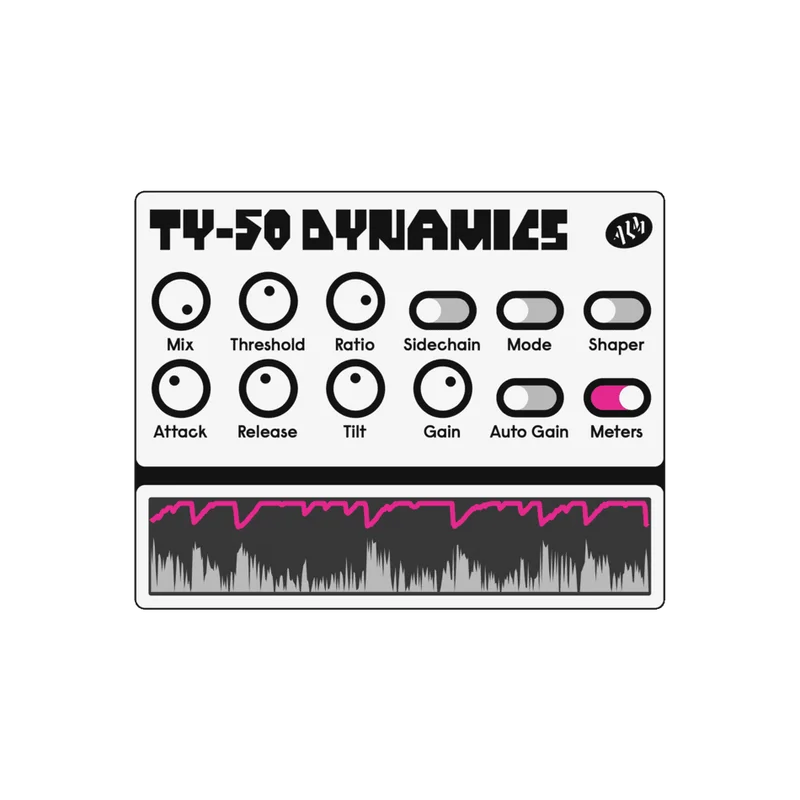
TY-50 Dynamics runs in three modes: compressor, expander and transient shaper. One plugin, three jobs. The sidechain input comes with a tilt filter, so you can lean the detector toward the low end or the top.
Picture a kick fighting a bass. Route the kick to the sidechain, tilt the filter so the detector listens to the low end, and let the bass duck. That’s the sort of job this sidechain is built for.
Two visual metering modes let you pick how you watch the gain moving. The mix control handles parallel compression, so you can crush hard and blend it back without a separate bus. Automatic gain matching keeps your A/B honest, which matters, because louder always sounds better.
The developer calls the sound punchy digital dynamics with a distinct character, using enhanced DSP code from the MFX hardware. Users report firmware updates added real usability improvements, and that it feels less noisy in digital artifacts and more stable after updates.
Here’s the gap. There’s limited independent testing of TY-50 in isolation against dedicated compressor modules. We can’t hand you a head-to-head, and we won’t invent one.
Where Does MFX Dynamics Win?
Value, first and loudest. At $10 you get two plugins, and the second one isn’t filler.
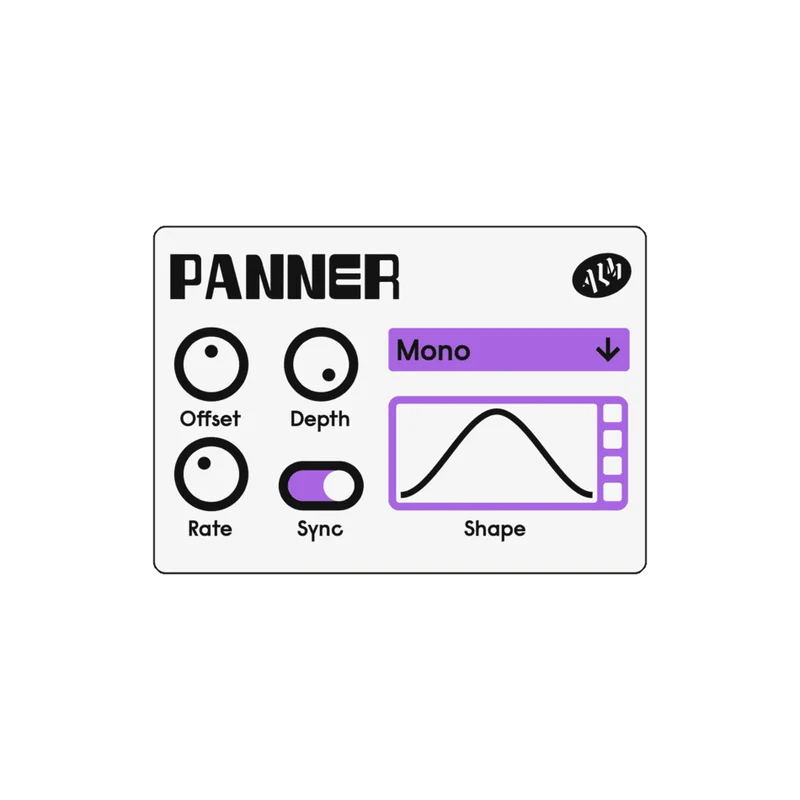
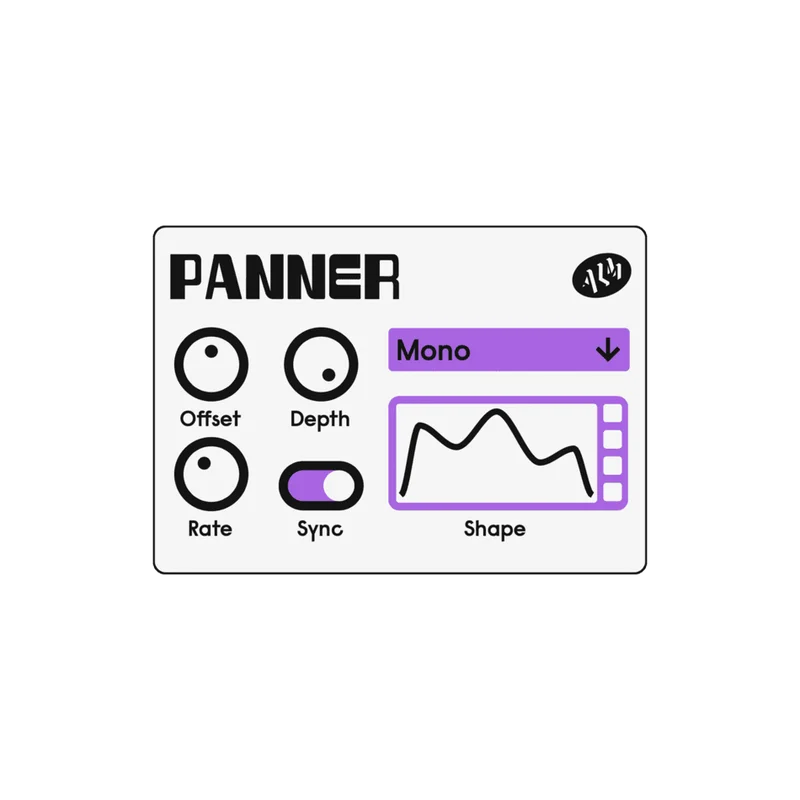
The Modulating Panner is the sleeper here. It runs free or clock synced, with an infinitely editable LFO shape and preset shapes to start from. Stereo and mono panning modes, offset and depth controls, and a scan mode that crossfades between left and right inputs. That scan mode is clever.
Draw a custom shape and sync it to your tempo. Hi-hats that drift across the field in a pattern you drew yourself. Try that with a stock DAW auto-pan.
The compressor wins on speed. Three modes and a mix knob mean you reach for fewer plugins in a session. And a hardware-derived character is a real draw if clean-and-clinical bores you.
Where Does the Competition Win?
Depth and proof. A dedicated compressor suite will give you more detector options, more metering and a long track record. We can’t claim TY-50 matches that, and the limited isolated testing makes it a leap of faith.
Compatibility is narrower than it looks. Windows needs a DAW that supports VST3. macOS needs VST3 or AU. Older DAWs on either platform are out.
And if what you really want is effects, the FX Aid XL, FX Aid Pro and Black Hole DSP crowd covers delay, reverb and short-delay work that this simply doesn’t touch. Wrong tool, wrong job.
Who Should Buy Which?
✅ Buy if you want a punchy, characterful compressor without a learning curve. ✅ Buy if you like custom LFO panning and tempo-synced movement. ✅ Buy if parallel compression on a budget sounds like your workflow.
❌ Skip if you need a mastering-grade, surgical dynamics suite. ❌ Skip if your DAW can’t load VST3 or AU. ❌ Skip if you’re shopping for reverb or delay. That’s a different product category.
Specs & Technical Details
| Spec | Detail |
|---|---|
| Developer | ALM / Busy Circuits |
| Price | $10 |
| Plugin Format | VST3 (Windows); VST3 / AU (macOS) |
| OS Support | macOS 11 Big Sur or later; Windows 10 or later |
| Activation | N/A |
| CPU Usage | N/A |
| Trial Available | N/A |
| Version Reviewed | N/A |
Score Breakdown
| Category | Score | Notes |
|---|---|---|
| Sound Quality | 4.0/5 | Punchy digital character, per the developer; limited independent testing |
| Value for Money | 4.5/5 | Two plugins at $10 |
| Ease of Use | 4.5/5 | Owners report easy setup and thoughtful UI |
| Features | 4.0/5 | Three dynamics modes, tilt sidechain, editable LFO panner |
| CPU Efficiency | N/A | No CPU data available |
| Overall | 3.9/5 | Strong value and workflow, light on independent proof |
What Are the Alternatives to Consider?
FX Aid XL. Favored for delay and reverb sound quality and a more user-friendly interface. Choose it if effects matter more than dynamics.
FX Aid Pro. Noted for cleaner sound and a wider variety of effects, including drum samples and community-designed options. A bigger toolbox for effects-first producers.
Erica Synths Black Hole DSP. Noted for short delay times at high quality. A specialist pick, not a dynamics replacement.
Is MFX Dynamics Worth It?
Yes, with one caveat. For $10, you’re getting two useful plugins with real hardware lineage, and the panner alone nearly justifies the spend.
Treat it as a character compressor and a creative panner, not a mastering dynamics suite. That’s where it earns its keep. Skip it if you need clinical precision or your DAW can’t load VST3 or AU.
Small price, honest tool.
Frequently Asked Questions
What does MFX Dynamics include?
Two plugins: TY-50 Dynamics and Modulating Panner. TY-50 works as a compressor, expander and transient shaper. The panner is a free-running or clock-synced stereo panner with an editable LFO.
Can MFX Dynamics do parallel compression?
Yes. TY-50 Dynamics has a mix control for blending the processed signal with the dry one. That makes parallel compression a one-plugin job.
What systems does MFX Dynamics run on?
It needs macOS 11 Big Sur or later, with a DAW supporting VST3 or AU. On Windows it needs Windows 10 or later and a DAW supporting VST3.
Does TY-50 have a sidechain input?
Yes, with a tilt filter. It lets you shape what the detector listens to, favoring lows or highs. Handy for ducking and de-essing-style tricks.