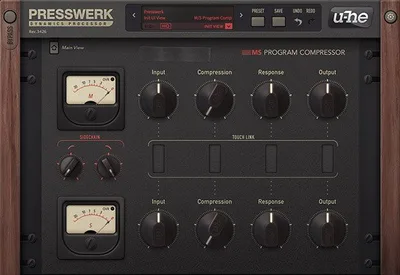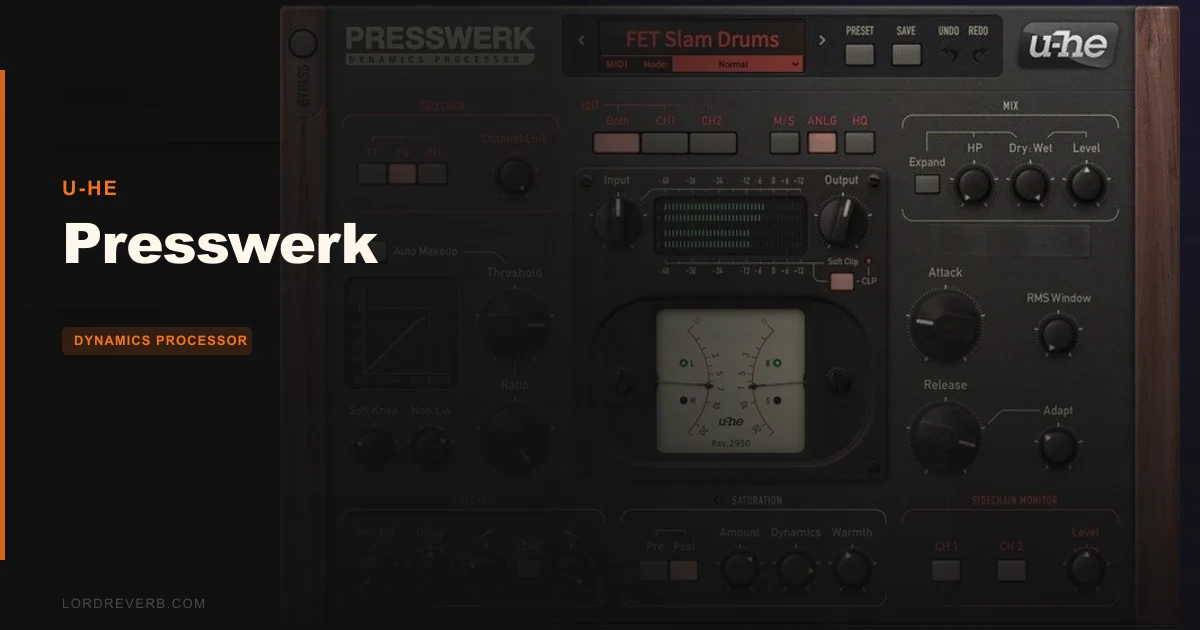
Presswerk is a compression and saturation plugin, and it earns consideration if you want one tool that colours, squashes, and saturates in a single instance. But here's the honest catch before you spend anything: saturation is not optional. It's baked into Presswerk's design philosophy, and if your session already layers multiple analogue emulations, adding Presswerk to the master bus can tip you into oversaturation fast. If you need clean, transparent limiting or you're chasing that neutral SSL glue without colour, this is the wrong purchase. Keep reading if you want vintage warmth, parallel punch, and flexibility in one interface.
The Catch Up Front
Presswerk is not a transparent compressor. The saturation circuit is part of the character, not a removable add-on. You can dial it back, but you can't fully remove the colour from the signal path when it's engaged.
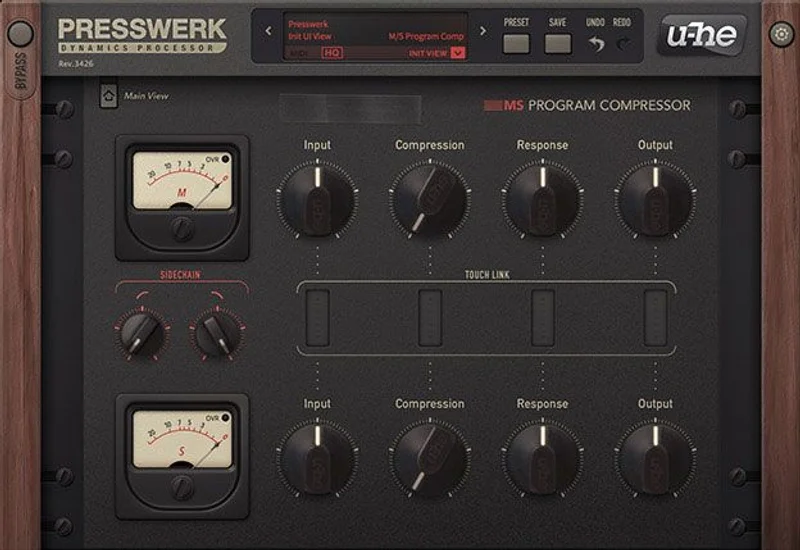
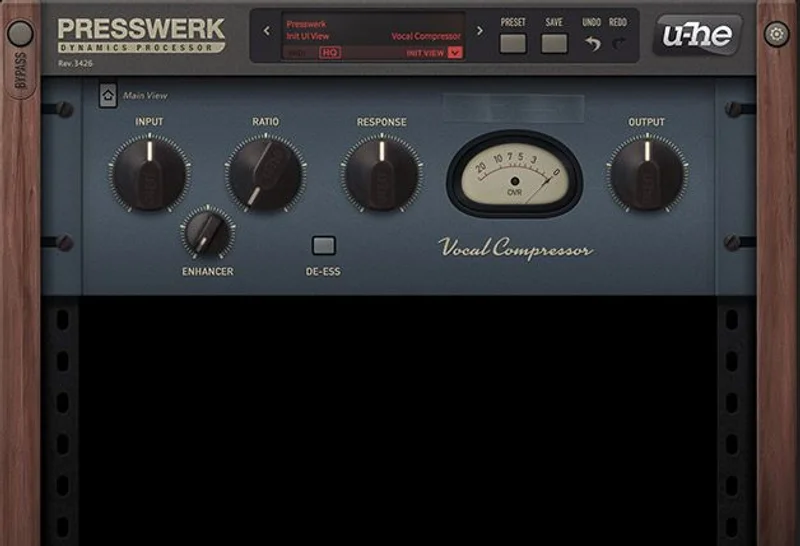
The interface is genuinely deep. Owners report a steep learning curve, and without spending time in the macro modes (M/S View and DPR View), it can feel overwhelming. The Special View macros also hide the input and output metering, so you'll need to flip back to Main View to check your levels.
Phase issues show up when running parallel compression alongside HQ or DPR modes in some DAWs. That's not a dealbreaker for everyone, but it's worth knowing before you build a session around it.
The preset library ships with 15 vintage emulation presets. Honest? Some users wish there were more. Fifteen is a starting point, not a library.
It requires a host DAW. No standalone. Mac needs OS X 10.9 or newer. Windows 7 or newer is fine. Minimum 1GB RAM, 50MB disk space, and a 1000 × 600 display.
What You Get If You Clear It
Presswerk gives you a dynamics processor with three distinct detection modes, a saturation stage, M/S processing, DPR (Dual Phase Rotation) for outboard gear phase response, internal parallel compression, and sidechain support. All in one plugin instance.
The three detection modes are where the personality lives. Feed-forward (FF) mode tracks the input signal precisely, which gives you surgical control. Feedback (FB) mode reacts to the output signal, which produces that looser, more musical compression character you associate with vintage hardware. Interactive (INT) mode blends both based on the incoming signal. Owners using INT with slow attack and release settings describe results that feel natural in a way that's rare in the digital domain.
Compression ratios run from 1:1 to 20:1. Attack spans 0.1ms to 150ms. The adjustable soft knee and soft clip feature round off harsh peaks before they distort.
The internal parallel compression Mix control blends your compressed and dry signals without leaving the plugin. A high-pass filter in parallel mode adds EQ-like clarity without touching the main signal's low end. Vintage emulation covers 1176, dbx 160, SSL 4000, and Fairchild 670 characteristics. NKS-ready for Maschine and Komplete Kontrol users.
Where It Shines
Put Presswerk on a drum bus and reach for the INT detection mode. Set attack and release to slower values, and push the ratio higher for dynamic control. The compression doesn't clamp down robotically. It breathes. Owners specifically call out its superiority over NI Supercharger on drums, citing punchiness and a faster dial-in workflow.
The M/S mode is a different kind of clever. You can compress the mid channel aggressively to tighten the mono elements while leaving the sides barely touched. Owners report it keeps the stereo field intact even when the mid is under heavy gain reduction. For a widened synth pad or a dense mix bus where you need control without narrowing, this is satisfying to work with.
The high-pass filter in parallel mode is one of those features that sounds gimmicky until you try it on vocals or acoustic instruments. Roll off the low end from the parallel signal and the result sounds like you've gently EQ'd the clarity upward. It's smooth in a way that a straight cut rarely is.
The DPR mode emulates the phase response of classic outboard compressors. For anyone who's spent time on an analogue console, this is the feature that makes Presswerk feel less like a plugin approximation and more like the real thing under your hands.
CPU usage is described as reasonably efficient. Not light, but not the kind of drain that forces you to bounce tracks mid-session on a modern machine.
Against the Field
NI Supercharger sits at the simpler end of the spectrum. It gives you SSL E Series character with almost no learning curve and a minimal footprint. If you need quick results and don't want to think about detection modes or M/S matrices, Supercharger wins on workflow speed. Presswerk wins on depth and versatility.
Waves NLS and Slate Digital Virtual Console Collection are both mentioned in the same breath as Presswerk for saturation character. At similar saturation settings with a lowered threshold, Presswerk competes directly with NLS. The difference is that Presswerk layers compression and saturation into one processing stage, while NLS is focused purely on the console emulation side.
UAD LA2A takes vocal processing in a different direction entirely. Some engineers prefer the LA2A's optical character for lead vocals, and that preference is legitimate. The LA2A is a single-character tool though. Presswerk gives you mode switching, M/S, and parallel blending that the LA2A simply doesn't offer.
For British glue on a master bus, Presswerk isn't the first choice. Owners say so clearly. If that's your primary need, look elsewhere.
Who Should Buy This
- ✅ Buy if you want compression, saturation, and parallel processing in one instance without chaining three plugins
- ✅ Buy if you're working on drums, vocals, or individual instruments where vintage colour improves the track
- ✅ Buy if you want M/S compression without buying a dedicated M/S plugin
- ❌ Skip if you need transparent, clean compression for mastering or clinical mix work
- ❌ Skip if your session already has heavy analogue emulation on the master bus
- ❌ Skip if you want British glue-style bus compression as your primary use case
Specs & Technical Details
| Developer | u-he |
| Price | $129 |
| Plugin Format | VST2, VST3 (Windows); AU2, VST2, VST3 (Mac) |
| OS Support | Mac OS X 10.9 or newer (Intel + M1), Windows 7 or newer (32/64-bit) |
| Activation | N/A |
| CPU Usage | Reasonably efficient (medium) |
| Trial Available | N/A |
| Version Reviewed | N/A |
Score Breakdown
| Category | Score | Notes |
|---|---|---|
| Sound Quality | 4.5/5 | Vintage emulations are convincing; INT mode compression on drums draws consistent praise from owners |
| Value for Money | 4.0/5 | At $129 you get compression, saturation, M/S, parallel processing and DPR in one plugin; strong bundle value |
| Ease of Use | 3.5/5 | Steep curve without macro modes; hidden metering in Special View is genuinely annoying |
| Features | 4.5/5 | Three detection modes, DPR, M/S, sidechain, parallel HPF, vintage presets: hard to fault the feature count |
| CPU Efficiency | 4.0/5 | Reasonably efficient for what it does; no reports of session-stopping drain on modern hardware |
| Overall | 4.3/5 | A well-built, colour-forward compressor that earns its price if you know what you're asking of it |
Alternatives to Consider
NI Supercharger is the fast-and-friendly route to SSL E Series compression character. It's narrower by design and the workflow is genuinely quicker. If you need one knob of glue on a drum bus and want to move on with your session, Supercharger is less frustrating to dial in. Presswerk beats it on control depth, saturation flexibility, and M/S options, but Supercharger is satisfying for simpler tasks.
Waves NLS targets a similar saturation range when you push it. The difference is focus: NLS is a channel strip saturation tool rather than a full dynamics processor. If saturation is your main goal and you're already happy with a separate compressor, NLS might be the smarter, simpler buy. But if you want compression and saturation integrated, NLS leaves a gap that Presswerk fills.
Slate Digital Virtual Console Collection covers similar console saturation territory. Like NLS, it's not a compressor, so you'd still need a dynamics plugin alongside it. The VCC is brilliant for that analogue desk texture across a mix, but it's a different problem solver. Presswerk compresses and saturates in one move. VCC just saturates. Know which you actually need.
The Bottom Line on Presswerk
If you're building sessions where tracks need to feel like they came off tape rather than out of a DAW, Presswerk at $129 is a genuinely strong call. The three detection modes alone give you more compression personality per plugin than most dynamics processors at this price point.
You'll want to spend time learning it. The interface rewards patience and punishes people who skip the macro modes and try to navigate the full Main View on day one. It's not ugly, but it's dense.
The saturation-always-on design is where some engineers will walk away. If your mix has already been through Neve channel strips, a Pultec emulation, and tape saturation on the drum bus, adding Presswerk to the 2-bus can tip things over the edge fast. That's not a flaw in Presswerk. It's just the wrong tool for that job.
On individual tracks, on drums, on a vocal chain where you want that push and a little grit behind it: this is where Presswerk earns your respect. The M/S mode is underrated even among owners who love the plugin. Use it on a dense stereo mix print and you'll understand why it's in the feature set.
The 15 vintage presets are a starting point, not a finish line. Load the 1176 or Fairchild emulation, get your bearings, then start moving controls. The plugin reveals itself fast once you stop relying on presets.
Presswerk is the kind of compressor that changes how you think about the channel strip, not just the gain stage. At $129, that's worth owning.
Frequently Asked Questions
Is Presswerk a standalone application?
No. Presswerk requires a host DAW to run. It's available as AU2, VST2, and VST3 on Mac, and VST2 and VST3 on Windows. If you don't have a DAW, you'll need one before Presswerk is usable.
Can you use Presswerk without the saturation?
Saturation is part of the design. You can dial the saturation stage back significantly, but a fully transparent, neutral compression sound isn't what Presswerk is built for. If clinical transparency is what you need, this is the wrong plugin.
Does Presswerk work on Apple M1 Macs?
Yes. Apple M1 is a supported platform for Presswerk on Mac. It also supports Intel Macs running OS X 10.9 or newer. The plugin is 64-bit only on Mac.
What vintage compressors does Presswerk emulate?
The 15 preset library covers characteristics drawn from 1176, dbx 160, SSL 4000, and Fairchild 670 hardware. These are starting-point emulations via presets, not dedicated mode switches tied to single hardware units.
Is Presswerk good for mastering?
It's not the first choice for mastering work where transparency and neutrality are priorities. Owners report it adds colour by design, and combining it with other analogue emulations on a master bus can lead to oversaturation. It's better suited to individual tracks and instrument buses.
What is DPR mode in Presswerk?
DPR stands for Dual Phase Rotation. It emulates the phase response behaviour of classic analogue outboard compressors, which affects how the compression feels and sits in the mix. It's one of the features that gives Presswerk a more analogue-adjacent character compared to purely mathematical compressor designs.