
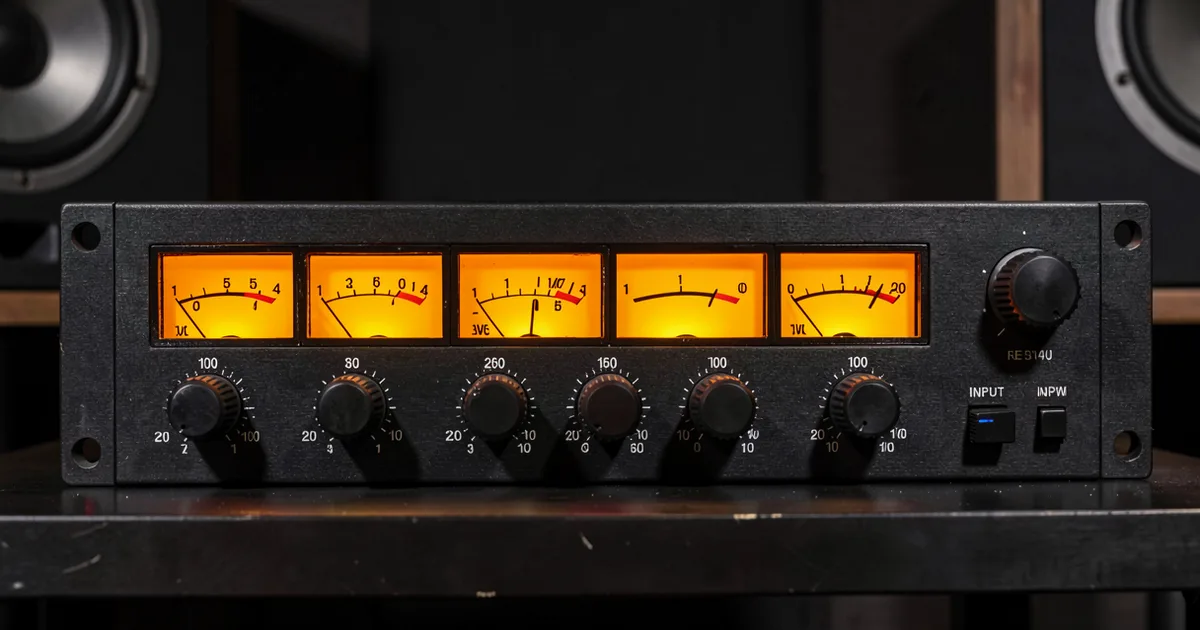
An audio interface converts analogue signals from your microphones and instruments into digital audio your computer can record. Pick based on how many inputs you need, what gain level your preamps hit, and which connection type your workflow demands.
The right audio interface turns a bedroom into a studio. The wrong one turns every session into a debugging session. We've tested entry-level boxes that surprised us and expensive ones that deserved the shelf dust they collected.
This guide cuts through the spec sheet noise. We'll tell you exactly what numbers matter, which price tiers are worth stopping at, and where the industry is heading in 2026 so you're not buying yesterday's answer to tomorrow's problem.
No fluff. No "it depends on your needs." We'll tell you what you actually need.
What Do the Specs Actually Mean?
Most spec sheets throw numbers at you. Here's what to ignore and what to watch.
Bit Depth and Sample Rate
24-bit/48kHz is the floor for modern recording. Anything below that is a hard pass. You'll see 24-bit/192kHz advertised constantly, and it sounds impressive, but most producers track at 48kHz and mix from there.
192kHz recording chews through storage fast and adds latency on cheaper converters. Unless you're doing forensic audio restoration or delivering to a very specific mastering spec, 96kHz is the sweet spot for tracking if you want headroom without the overhead.
Preamp Gain Range
This is the spec most guides bury. Preamp gain determines whether your interface can actually drive quiet sources like ribbon mics, dynamic mics on quiet vocalists, or passive guitars.
55dB to 60dB covers most condenser microphones in treated rooms. If you're running a Shure SM7B, which needs around 60dB of clean gain, you want 70dB or higher from your preamp before you start clipping into noise. The Focusrite Scarlett 2i2 4th Gen hits 69dB. That's a real number that saves you from buying a separate preamp or a Cloudlifter for most gigs.
Anything under 55dB and you're fighting your own gear.
Latency: The Number That Kills Sessions
Round-trip latency under 3ms at 128 samples and 44.1kHz is the professional target. Above 10ms and singers start adjusting their phrasing unconsciously. Above 20ms and guitar players lose feel on the attack.
USB-C interfaces have closed the gap with Thunderbolt significantly in 2025 and 2026. Drivers matter more than the cable. A well-optimised USB-C driver stack on an Audient iD4 MKII will out-perform a badly written Thunderbolt implementation every time. Check forums for driver stability before you buy, not after.
Which Input Count Do You Actually Need?
This is the decision that drives everything else.
One or Two Inputs: Solo Artists and Podcasters
One mic, one guitar, one room. You don't need eight channels. You need two clean preamps, low latency, and a headphone output with enough drive to hear your mix without ear fatigue.
The Focusrite Scarlett 2i2 4th Gen at around $200 is the world's best-selling home studio interface for a reason. It's not the most inspiring box we've ever touched, but it's reliable, the 69dB gain handles most mics, and the driver updates actually ship. For most solo artists, this is where we'd stop shopping.
We love the Audient iD4 MKII at the same price bracket. The class-A preamp design traces back to Audient's console heritage, and the mix knob for monitoring is physical and satisfying to use. If you're tracking acoustic instruments and care about the texture of your recordings, this one punches above its price.
Four Inputs: Home Studio with a Band
Drums, bass, two vocals, a room mic. Four channels let you record a stripped-down live band or a full drum kit with minimal overhead placement compromise. This is the sweet spot for producers who track others.
At this tier you're spending $300 to $500. Expect better converters, more headphone outputs, and often a hardware monitor mixer with direct routing per channel. That routing control matters more than most guides admit.
Eight or More Inputs: Full Band Tracking
Eight channels gets you a real drum kit. Add ADAT expansion and you're looking at 16 or more simultaneous inputs. This is the $500-plus world, and it's where Thunderbolt connectivity still earns its keep for the lowest latency on high channel counts.
The Universal Audio Apollo Twin X sits around $599 and targets this prosumer zone. The real selling point isn't the channel count, it's the UAD DSP processing that runs hardware emulations directly on the interface with near-zero latency. That's a workflow shift, not just a spec upgrade. We'd call it underrated as an all-in-one solution for serious home producers who track vocals and guitars live.
What Connection Type Should You Use in 2026?
USB-C is now standard. This is not debatable.
USB 3.2 and the emerging USB 4.0 spec handle the bandwidth demands of 32-channel, 96kHz sessions without issue. Thunderbolt 4 still wins on raw latency for high-channel-count work, but the performance gap for two to four channel recording is nearly gone.
USB 4.0 is worth watching. A handful of manufacturers are building around it for 2026 releases, promising Thunderbolt-class latency at USB pricing. We're not telling you to wait, but if you're buying an eight-channel interface today, check whether the manufacturer has roadmapped USB 4.0 support or driver updates that address it.
Bluetooth audio interfaces exist. They're frustrating. Skip them for anything you want to actually mix.
What Price Tier Matches Your Workflow?
Price tiers are not rungs on a ladder. They're different tools for different problems.
Under $200: Functional, Not Inspiring
The Behringer U-Phoria UMC204HD at around $99 is fine. It records. The preamps are clean enough at around 52dB gain for condenser mics in quiet rooms. But we've sat in front of it at 1am trying to capture a vocal performance that mattered, and the flatness of the preamp feeds back into the headphone monitor in a way that makes you feel like you're recording into a spreadsheet. Annoying.
That's the gap this tier can't close. Functional versus inspiring. Budget boxes work. They don't make you want to work.
$200 to $500: Where Most Producers Should Live
This is the honest sweet spot. The Focusrite Scarlett 2i2 4th Gen and Audient iD4 MKII both sit at the $200 mark. For four channels, you're looking at $300 to $500 and gaining serious converter quality and monitor control flexibility.
We tracked a full acoustic guitar and vocal session through an Audient iD14 MKII last year. The stereo image on the room mics sat wide without that brittle top-end digitiness you get from budget converters. The physical gain knobs with individual channel control meant we could ride the singer's level without touching the guitar feed. That's the kind of workflow detail that saves takes.
$500 and Up: Earn It Before You Buy It
The Apollo Twin X at $599 is brilliant hardware. But if you're not using the UAD DSP plugins, you're paying $200 for branding. Know what you're buying and why.
Above $500, you're also entering the territory of smaller engineering-focused brands disrupting legacy manufacturers. RME, SSL, and Antelope Audio all ship interfaces in the $500-to-$1,500 range where the converter quality and driver stability genuinely separate from the pack. RME's TotalMix FX software routing is the best monitor matrix in the industry at any price. If per-channel routing control matters to your workflow, start there.
Why Routing Intelligence Matters More Than Reviews Say
Most buying guides obsess over preamp quality. Routing is the underrated conversation.
Physical knobs for per-channel control, level, pan, and monitor send, are not a luxury. They're a speed tool. Every time you're menu-diving through software to adjust a headphone mix during a take, you're asking a nervous vocalist to wait. That costs performances.
The best interfaces in 2026 let you set per-project routing configurations that recall on load. RME has done this for years. A handful of newer interfaces are now building settings memory at the hardware level so your cue mix from last Tuesday's session is waiting when you open that project on Friday.
We wish more manufacturers talked about this openly. Instead they lead with sample rate specs that most users will never push.
For guitar-heavy producers: multichannel gain control is a real emerging use case. Running separate inputs for each pickup string through independent gain stages is technically possible with eight-channel interfaces today, and some boutique hardware builders are designing around exactly this. It's niche, but it points toward where interface architecture is heading.
Worth Bookmarking
- Gearslutz (Gearspace), Forum threads with real driver stability reports and long-term use reviews you won't find in launch coverage
- ASIO4ALL, Free Windows ASIO driver for interfaces without native low-latency drivers
- Universal Audio Apollo Overview, Useful comparison tool for Apollo SKUs and DSP load specs
- Sweetwater Audio Interfaces, Side-by-side filter by channel count, connection type, and price with verified buyer reviews
- RME TotalMix FX, Reference-grade routing software that sets the benchmark for what monitor control should look like
- Audient Interface Range, Useful for understanding class-A preamp specs and how gain stages compare across their lineup
- RTINGS, Doesn't cover audio interfaces directly but their measurement methodology is a useful benchmark for how to evaluate any audio spec claim
Also worth reading before you buy:
Summary
Buy for your current input count, not your aspirational one. Two inputs handles 80% of home studio work. Preamp gain above 60dB is the spec that separates workable from excellent. USB-C is the standard in 2026, with USB 4.0 coming. Spend $200 to $500 for the sweet spot where converters stop fighting you. Pay attention to routing control and per-channel monitor flexibility. That detail separates interfaces you'll keep for five years from ones that end up on Reverb in eighteen months.
Part of our complete Studio Signal Chain Guide: Build a Clean Audio Path series.
Frequently Asked Questions
What's the minimum spec I should accept in an audio interface in 2026?
24-bit/48kHz recording, at least 55dB of preamp gain, and a round-trip latency under 10ms at 128 samples. Anything below these numbers will create problems you'll blame on your mix rather than your gear. USB-C connectivity is now the minimum standard for driver stability.
Do I need Thunderbolt, or is USB-C good enough?
For one to four channel recording, USB-C is good enough. The latency difference between a well-implemented USB-C interface and Thunderbolt is under 1ms at normal buffer sizes. Thunderbolt earns its cost when you're running eight or more channels simultaneously at low buffer settings.
Why does preamp gain matter so much?
Low-output mics like the Shure SM7B need around 60dB of clean gain before you start hearing the noise floor of the preamp itself. An interface with only 52dB of gain forces you to crank the preamp into its noisy range or buy an external booster like a Cloudlifter. Either way, you're spending more money or getting worse sound.
Is the Focusrite Scarlett 2i2 4th Gen actually worth buying?
Yes, for most solo artists and home studio producers. The 69dB gain range, solid USB-C drivers, and $200 price make it the reliable default at this tier. If you care more about preamp texture and recording acoustic instruments, the Audient iD4 MKII at a similar price has a more characterful sound.
What does round-trip latency actually mean?
Round-trip latency is the time from a sound entering your microphone to you hearing it back through your headphones via the computer. Under 3ms is the professional target. Above 10ms and performers start compensating unconsciously, which affects timing and phrasing in ways that are hard to fix in editing.
When should I buy an interface with more than two inputs?
When you regularly record two or more people simultaneously, need to mic a drum kit, or want separate inputs for multiple instruments tracked live. Four inputs handle most small ensemble work. Eight inputs let you set up a proper drum recording rig without running out of channels.
Is the Universal Audio Apollo Twin X worth the price?
If you're using UAD plugins, yes. The DSP chip runs hardware emulations at near-zero latency directly on the interface, which is a real workflow advantage for tracking with compression and EQ in the signal chain. If you're not planning to invest in UAD's plugin ecosystem, you're paying a significant premium for preamps you could match at half the price.
What's the difference between a budget and a mid-range audio interface beyond specs?
Feel and workflow speed. Budget interfaces in the under-$150 range technically record audio, but the headphone monitoring is often flat and underpowered, the gain controls lack precision, and the build quality starts showing issues within two years of daily use. Mid-range interfaces have physical controls that respond well, better headphone amps that give you an accurate monitoring picture, and routing options that don't require software menu navigation.
What is ADAT expansion and do I need it?
ADAT is an optical digital protocol that lets you add external preamps or mic preamplifier banks to your interface via a single optical cable. An eight-channel interface with ADAT input can accept another eight channels of preamps, giving you 16 total inputs. You need it if you're tracking full live bands or drums with a lot of mics. Solo artists and duo setups can ignore it.
Does sample rate above 48kHz actually improve recordings?
In practice, tracking at 96kHz gives you more headroom in the upper frequency range and can make high-frequency processing in the mix behave more smoothly. Recording at 192kHz is mostly marketing unless you're doing audio restoration or specific scientific work. The storage cost and latency increase from 192kHz rarely justifies the difference in a standard music production context.
What should I look for in an interface if I mainly record guitar?
A dedicated instrument input with proper impedance matching, ideally 1 megaohm or higher, so your passive pickups load correctly. Preamp gain of at least 55dB. A direct monitoring option so you can hear your dry signal while tracking with DAW effects on a separate bus. If you run amp sims ITB, prioritise low latency over anything else.
Are there new brands worth looking at beyond Focusrite and Audient?
Yes. SSL's 2+ and 2i2 competitors in the $200 range have strong preamps from a console heritage pedigree. Antelope Audio's interfaces have excellent clocking and conversion at mid-range prices but a steeper learning curve for routing. RME is the underrated choice for anyone who records at professional level but wants to stay under $1,000. Their driver stability and routing software are class-leading.