reTune is the plugin you reach for when a full-mix key change needs to happen and you don't have stems: it handles polyphonic pitch shifting in real time better than almost anything else at $155, but the 140ms latency and stale macOS support keep it from being an unconditional recommendation.
Most pitch tools are built around monophonic sources. Vocal tuners, guitar correction, single-instrument repair. reTune is built differently. It's designed for polyphonic audio, meaning chords, arrangements, even mixed stems. That changes who it's for completely.
The target buyer is a producer who gets handed a bounced session at the wrong pitch, or a sync editor who needs to match a key without waiting on new stems. For those people, reTune solves a problem that almost nothing else solves cleanly. For everyone else, the picture is more complicated.
If you need a vocal tuner, skip this. If you need a standard pitch shifter for a single instrument, skip this. But if polyphonic key shifting is your actual problem, keep reading.
What You're Actually Getting
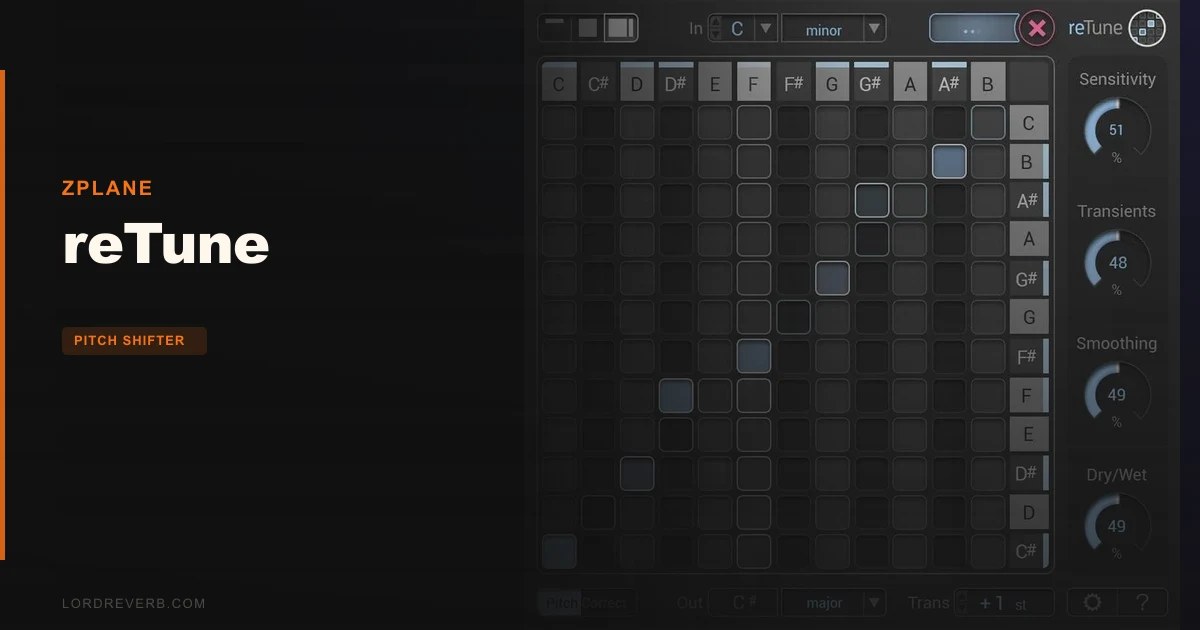
reTune is a real-time multi-pitch modification plugin from zplane. It maps each detected input pitch to a configurable output pitch across the full chromatic scale.
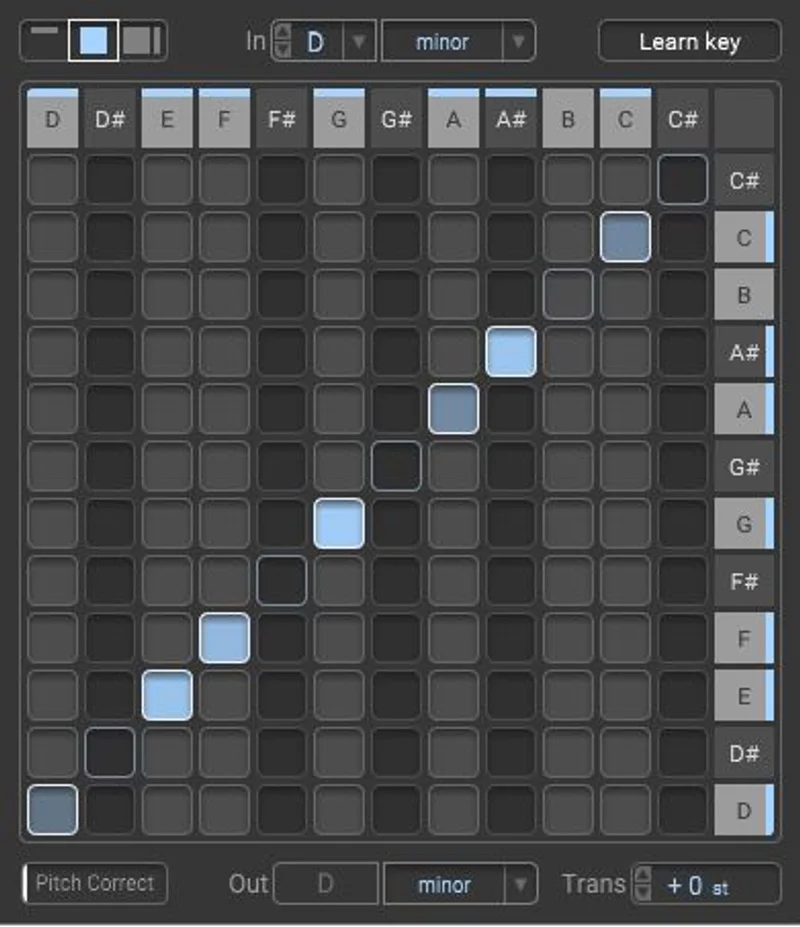
The shift range is ±24 semitones. You get 11 scale presets covering major, minor, church modes, gypsy, and chromatic scales. There's also a fully manual pitch mapping mode where you set input-to-output relationships yourself.
Under the hood, zplane's TONART V2 engine handles automatic key detection. The additional controls cover pitch detection sensitivity, transient conservation, and pitch contour smoothing. There's also a dry/wet mix for blending shifted and original signal.
MIDI control lets you delimit input pitch to a ±6 semitone window, which tightens detection on material with wide pitch content. Plugin latency is fixed at 140ms. Formats are VST2, VST3, AU, and AAX.
The Good
We dropped reTune across a bounced Rhodes + guitar chord loop that needed to move from E major to C major. Three semitones down, two instrument types, no stems available. Melodyne would have required slicing and separating every note manually. reTune did it in about thirty seconds.
The result wasn't artifact-free. But it was usable. The chord voicings tracked. The piano-style attack on the Rhodes held its shape. That's the transient conservation control doing real work.
That control is one of the cleverer design decisions here. Without it, pitch-shifted attacks on percussive sources blur into each other. With it dialled up, individual note onsets retain their punch even after a large shift. On a strummed acoustic pushed down 4 semitones, the difference was audible and worth the CPU.
The pitch sensitivity control is equally useful. On material with vibrato or expressive playing, dropping sensitivity reduces over-correction. On quantized synth pads, pushing it high snaps every partial to the nearest target pitch cleanly. It's a satisfying control to work with once you understand what it's actually doing.
Automatic key detection via TONART V2 is reliable on most tonal material. We've seen it misread ambiguous modal content, but on clear diatonic sources it earns its place. Saves real time compared to manually mapping pitches you're not certain about.
The Not-So-Good
The 140ms fixed latency is annoying. Not fatal in a post-production or arrangement context, but if you're monitoring through reTune in real time, you'll hear the delay immediately. DAW latency compensation handles it in most modern hosts, but you cannot reduce it. It's baked in.
The macOS support ceiling is Monterey. That's a frustrating cap for 2026. Ventura and Sonoma users are not officially supported. Reviewers running newer systems report varying results, but zplane hasn't updated the spec sheet. That's a real risk if you've upgraded your OS and didn't check first.
Quality at large transpositions degrades. Shifts beyond ±12 semitones on dense polyphonic material start generating audible artifacts that are hard to clean up downstream. On a strummed guitar, ±8 semitones sounded workable. At ±16 it started smearing. That's not unusual for this category, but worth knowing before you buy.
VST2 is still listed as a supported format. We'd rather see that CPU gone and VST3 optimised. It's a small thing, but it signals that the plugin hasn't been deeply touched in a while.
Compared to the Alternatives
Melodyne 5 is the honest comparison point. It handles polyphonic material with more accuracy, especially at large intervals, and it lets you edit individual note blobs with surgical precision. But Melodyne is not real-time. It requires audio transfer, editing, and bounce. reTune's workflow is faster when you need a quick key shift and the quality difference is acceptable.
For PSP HertzRider2, the use case is different. HertzRider2 is a pitch shifter built for creative modulation and monophonic material. It doesn't attempt polyphonic correction to scale targets. Different tool, different job.
BandLab's integrated Retune feature sits at the opposite end of the workflow spectrum. It's browser-based, built into a DAW, and aimed at beginners who want pitch editing without installing anything. The quality ceiling is lower, the accessibility is higher. If you're already ITB in a proper host, reTune's standalone precision wins. If you're new and browser-native is your world, BandLab's approach removes more friction.
For a broader look at what separates these tools under the hood, our pitch shifter plugins guide covers the five things that actually matter when choosing.
Who Should Buy This
- ✅ Buy if you regularly receive finished mixes or stems at the wrong key and need a fast, good-enough solution without manual note editing.
- ✅ Buy if you're doing sync work where key-matching arrangements quickly matters more than absolute transparency.
- ✅ Buy if you want creative polyphonic pitch mapping, like remapping a chord's pitches to a different scale or mode in real time.
- ❌ Skip if you need vocal pitch correction. This isn't a tuner. There are better tools built specifically for that job.
- ❌ Skip if you're on macOS Ventura or Sonoma. The official support stops at Monterey and we wouldn't bet a session on unofficial compatibility.
- ❌ Skip if you need large transpositions (beyond ±12 semitones) to sound pristine. At that range, the artifacts become the story.
Specs & Technical Details
| Developer | zplane |
| Price | $155 |
| Plugin Format | VST2 / VST3 / AU / AAX |
| OS Support | Windows 10-11 / macOS 10.15 Catalina - 12 Monterey (Intel & Apple Silicon M1) |
| Activation | N/A |
| CPU Usage | Medium |
| Trial Available | N/A |
| Version Reviewed | N/A |
| Latency | 140ms (fixed) |
| Transposition Range | ±24 semitones |
| Scales | 11 presets (major, minor, church modes, gypsy, chromatic) + custom mapping |
| Audio Channels | 1-2 (mono/stereo) |
| Sample Rate Support | 44.1 kHz - 192 kHz |
| MIDI Control Range | ±6 semitones input delimitation |
Score Breakdown
| Category | Score | Notes |
|---|---|---|
| Sound Quality | 4.0/5 | Solid up to ±12 semitones on polyphonic material; artifacts increase beyond that |
| Value for Money | 3.5/5 | Fair for a specialist tool, but stale OS support erodes the ask |
| Ease of Use | 4.5/5 | Auto key detection and clear controls make dialling in fast |
| Features | 4.0/5 | Polyphonic mapping, 11 scales, transient control: covers the brief well |
| CPU Efficiency | 3.5/5 | Medium load acceptable, but the fixed 140ms latency is a real constraint |
| Overall | 4.0/5 | A genuinely useful specialist tool that earns its place for polyphonic key work |
Alternatives to Consider
Melodyne 5 (Celemony) is the gold standard for polyphonic pitch editing. It's slower to work with since it requires audio transfer before editing, but the note-level control and transparency at large shifts beat reTune in quality. If accuracy matters more than speed, Melodyne wins.
PSP HertzRider2 is a pitch shifter with a different aim. It's built for creative monophonic shifting and pitch modulation, not polyphonic correction. Better for single instruments and sound design.
Auto-Tune Pro X (Antares) handles vocal pitch correction and has limited polyphonic capability, but its real strength is melodic single-voice material. Don't buy it to do what reTune does.
For a full breakdown of how these tools compare on the things that actually matter, see our pitch shifter plugins explained guide.
reTune is a specialist tool for a specialist job. It doesn't pretend to be a vocal tuner or a broad-purpose pitch processor. At $155, you're paying for the ability to shift a full polyphonic signal to a target key in real time, with workable quality up to around ±12 semitones. That's a real, underserved problem. If it's your problem, this is probably your solution.
If you're on macOS Sonoma or newer, or you need pristine results at extreme transpositions, sit this one out until zplane updates the spec sheet. That day hasn't come yet.
Frequently Asked Questions
Does reTune work on vocals?
It can process vocal audio, but it's not built for vocal tuning. reTune is designed for polyphonic material like chords and arrangements. For single-voice pitch correction, a dedicated tool like Melodyne or Auto-Tune will give you better results and more control over individual notes.
Is reTune compatible with macOS Ventura or Sonoma?
Not officially. The listed macOS support stops at Monterey. Some users report it working on newer versions, but zplane hasn't updated the spec to confirm compatibility. We wouldn't run it on an unsupported OS during a critical session.
How does the 140ms latency affect live use?
It doesn't affect offline or recorded audio processing since your DAW's latency compensation handles it. It does mean you can't monitor through reTune in real time without hearing a noticeable delay. Plan for this in your signal chain and compensate in your DAW settings.
What's the difference between reTune and a standard pitch shifter?
Standard pitch shifters move all audio up or down by a fixed interval. reTune maps individual pitches within a polyphonic signal to specific target pitches based on a chosen scale or custom mapping. That means you can change a chord's key without just transposing every frequency equally. It's a meaningfully different process. See our pitch shifter plugins guide for a deeper breakdown.