The big claim is that the SSL 4000 Collection captures the real console’s dynamics and EQ with stunning fidelity, and the answer is: partly, it depends on what you ask of it. At $129, it’s a strong buy for drum-heavy mixing and a shaky one if your machine is modest or you hate paying to keep plugins alive.
Here’s the split. Owners rave about the channel strip on snare and the expander on ringy room mics. Others find the top end scratchy and the buss compressor unconvincing.
Both camps are describing the same bundle.
That’s why we won’t hand you a blanket yes. The collection is five plugins that each do a slightly different job, and your verdict will track which of those jobs you actually need. Read on and match yourself to the right section.
The Claim: Does It Capture "the Essence of an SSL"?
Waves says the collection embodies the essence of an SSL rather than simply emulating one. It also leans on the console’s reputation: punchy, deep, rich, and the backbone of records from a long list of famous artists.
That’s marketing, and marketing is cheap.
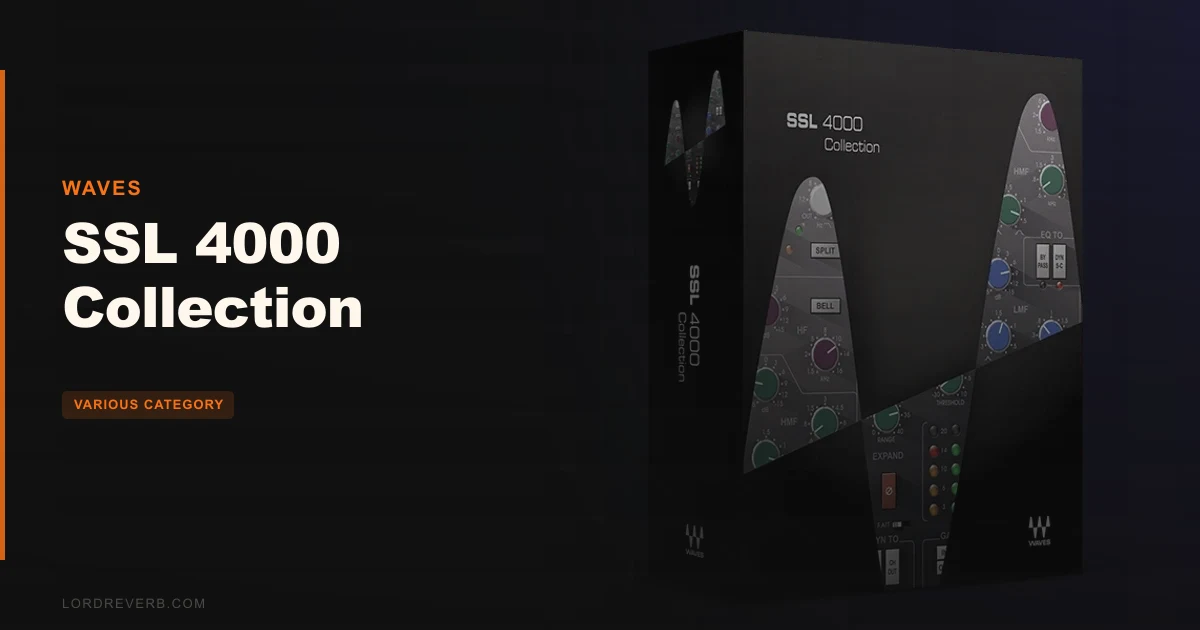
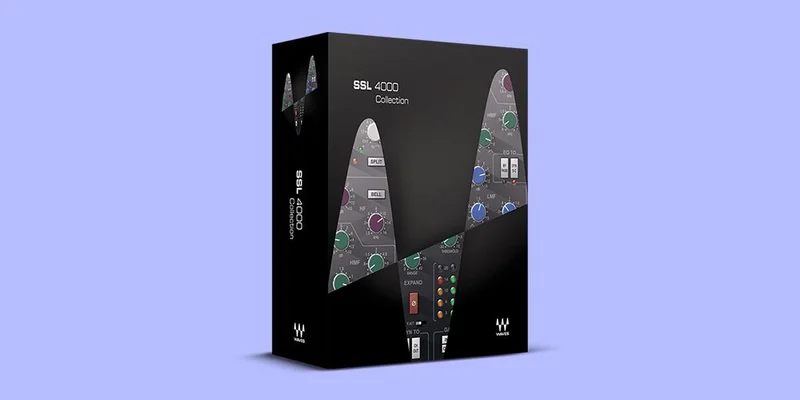
What’s concrete is the lineup. You get SSL E-Channel, SSL G-Channel, SSL G-Equalizer, SSL G-Master Buss Compressor, and SSL EV2 Channel. Hundreds of presets from Grammy-winning engineers come with it.
The pitch is simple. Pick classic E-series bite or the smoother, modern G-series sound, then run the SSL VCA compressor and gate for mix dynamics. Whether the sound lives up to the legend is a matter of taste, and owners disagree. We’ll lay out both sides honestly.
Is the Channel Strip as Good on Drums as People Say?
Most of the praise lands here. Owners say the channel plugin excels on drums, snare especially, with the compressor and EQ both called exceptional.
Picture the scene. Your snare is a flat, papery thing and the kit sounds like it was recorded through a cardboard box. You open a channel strip, push the compressor until the attack snaps, and lift the high band. That’s the move this bundle was built for.
We’d call the drum result the strongest reason to own it. A snare through a good SSL-style strip is satisfying in a way a generic stock compressor rarely matches. Notice, though, that this praise comes from owners rather than from anything we can verify on your material.
The VCA compressor and gate
The collection includes an SSL VCA compressor and gate for mix dynamics, and the gate is half of why the channel strip earns its spot on drums.
Close a gate on a tom track and the spill between hits falls away. Owners describe the whole dynamics section as the backbone of the plugin. We’d treat it as the reason to buy the channel strips over the EQ alone.
The expander
The expander gets its own mention from owners. They say it performs brilliantly at smoothly drying out ringy room mics and isolating mics.
That’s a real workflow win. Say you’ve got a drum room mic that rings on every floor tom hit. An expander pulls that tail down without the chatter a hard gate can add. Owners love it for exactly that, and it’s one of the cleverer details in the bundle.
What Does the EQ Section Actually Give You?
The EQ is where opinions split hardest. Some owners use it daily. At least one user found the high end scratchy and un-smooth, and disliked that it reproduces the parts of an SSL they never liked in the first place.
That’s a fair complaint, and it cuts to the heart of an emulation. If the original console had a hard top end, a faithful copy will too.
Reach for it when you want that forward, assertive character. Skip it when you want transparent. The 8K boost, for instance, gets praised as a brightness lift for guitar and vocal top-end work. The same boost is what the scratchy-top-end critic may be reacting to. Same control, opposite reactions.
The G-Equalizer
The G-Equalizer is a four-band parametric EQ with variable Q on the mid bands. It adds 18dB/octave high-pass and low-pass filters.
Those filters are practical. Clean the rumble off a vocal with the high-pass. Roll the fizz off a bright overhead with the low-pass. Variable Q on the mids lets you go from a broad scoop to a narrow notch, and that’s the control you’ll use most when carving space.
The EV2 Channel and its black and brown options
The SSL EV2 Channel includes both black and brown knob EQ options. Those names come from the colour of the EQ knobs on the original hardware, and they stand for two different tonal personalities.
Having both in one plugin is handy. You can audition each on the same vocal and keep whichever sits better. We like that choice more than a single fixed voicing.
E-Series or G-Series: Which Do You Pick?
The collection lets you choose between the classic E-series sound and the modern G-series sound. This is the decision you’ll make most often.
Think of it as a dial between edge and polish. E-series gives you the older, more aggressive character. G-series is the smoother, more current take. Neither is “better”.
Our advice is to start on G for vocals and mix-bus work where you want control, and try E for drums where bite matters. That’s a starting point, not a rule. Flip between them on the same track and trust your ears over any label.
How Does the G-Master Buss Compressor Hold Up?
This is the weakest link in the chain according to the reports in front of us. The G-Master Buss Compressor offers ratios from 1:1 to ∞:1 and release times from 0.1 to 4.0 seconds. That’s a wide range on paper.
But one user stated they dislike the Waves SSL compressor and found it unconvincing as a master buss compressor. One voice, not a verdict. Still, it’s the kind of complaint that matters, because the buss compressor is the plugin people buy SSL bundles for.
Our take: demo it on your own stereo bus before you commit. If glue on the master is your main reason to buy, this is the part you must hear first. A single bad review doesn’t sink it. It just means the claim isn’t proven for everyone.
Will It Eat Your CPU?
Yes, and this is where the product disappoints. Owners report high CPU usage that forces them to freeze tracks once they hit 6 to 7 instances at the same time, even on top-line rigs.
That’s annoying. Picture a 40-track session where every drum channel carries a full strip. By track seven your playback starts stuttering and you’re bouncing stems just to keep working.
If you mix with a handful of instances, you’ll be fine. If you like a strip on every channel, plan on freezing or committing as you go. The sound may justify it. The workflow tax is real.
Is It Hard to Learn?
There’s a learning curve, owners say, but the presets soften it. The collection ships with hundreds of presets from Grammy-winning engineers, and that’s the smart part of the package.
Load a snare preset, then adjust from there. You learn by seeing where a pro parked the knobs. That’s a far better teacher than a blank panel.
We love that approach for anyone new to SSL-style channel strips. Skip the presets and you’re staring at a lot of controls with no map.
What About Licensing, Updates and Compatibility?
Here’s where our patience wears thin. Users report that licences can’t be transferred to another computer without renewing the update plan. That’s a ridiculous hurdle if you upgrade your machine.
Mac owners report a related sting. After macOS upgrades, compatibility problems can require paid upgrades to keep the plugins working. You buy the bundle, then you may pay again to keep it alive.
There’s more. Some users report GUI instability under Sonar when running multiple plugins. And on the format side, the Windows version supports VST and AAX but not AU.
System requirements
The Mac version needs macOS Monterey 12, Ventura 13, Sonoma 14, or Sequoia 15, and supports VST, AU, and AAX. The PC version needs Windows 10 or later, with VST and AAX.
Check your OS and DAW format before you buy. A mismatch here is avoidable and annoying.
Who Should Buy It, and Who Should Walk Away?
The drum-heavy mixer
You track live kits or work with sampled drums that need weight and snap. The channel strip and expander are the draw, and owners back them strongly. Buy it.
The singer-songwriter or bedroom producer
You mix your own vocals and guitars on a mid-range laptop. The 8K boost helps top end, but the CPU load will bite you faster than it bites a studio rig. Wait. Demo first and see how many instances your machine tolerates.
The mix-bus perfectionist
You want one definitive glue compressor on the master. With at least one user finding the G-Master unconvincing, don’t buy this bundle for that job alone. Skip it unless the demo wins you over.
The engineer who changes computers often
Licence transfer needs an update plan renewal, and Mac upgrades can cost extra. If you move machines or chase every OS release, this will irritate you. Skip it, or budget for the upkeep.
The mixer who wants the classic SSL attitude
You like forward, assertive channel strips and don’t mind a bit of grit up top. The bundle is built for you. Buy it, and lean on the presets.
The Verdict
The SSL 4000 Collection is good, not great, and that’s the honest middle. It shines on drums and rewards anyone who wants that punchy channel-strip bite.
It stumbles on CPU weight, licensing strings, and a buss compressor that at least one owner didn’t buy. At $129, we’d recommend it to drum and tracking mixers who can demo it first, and we’d steer away anyone who needs frictionless licensing or a standout master-bus glue.
Specs & Technical Details
| Spec | Detail |
|---|---|
| Developer | Waves |
| Price | $129 |
| Plugin Format | Mac: VST, AU, AAX. Windows: VST, AAX |
| OS Support | Mac: macOS Monterey 12, Ventura 13, Sonoma 14, Sequoia 15. Windows 10 or later |
| Activation | N/A |
| CPU Usage | Heavy |
| Trial Available | N/A |
| Version Reviewed | N/A |
Score Breakdown
| Category | Score | Notes |
|---|---|---|
| Sound Quality | 3.5/5 | Drums and snare praised; scratchy top end and an unconvincing buss compressor for some |
| Value for Money | 3.5/5 | Five plugins and hundreds of presets, offset by paid upgrades and licence limits |
| Ease of Use | 3.5/5 | Learning curve softened by strong presets |
| Features | 4.0/5 | E and G series, black and brown EQ, VCA compressor, gate, expander |
| CPU Efficiency | 2.5/5 | Freezing needed around 6 to 7 instances |
| Overall | 3.5/5 | Excellent on drums, held back by CPU load and licensing friction |
Last Word: Buy for the Snare, Not the Legend
Buy the SSL 4000 Collection for $129 if a punchy snare and a tamed room mic are what your mixes lack. Walk away if you need light CPU use, free licence transfers, or one perfect master-bus compressor.
It’s a drum-mixer’s bundle wearing a legend’s name. Judge it by the first snare you run through it.
Related reviews: Benn Jordan Bundle · Tape, Tubes & Transistors
Frequently Asked Questions
What plugins are in the SSL 4000 Collection?
You get SSL E-Channel, SSL G-Channel, SSL G-Equalizer, SSL G-Master Buss Compressor, and SSL EV2 Channel. It also includes an SSL VCA compressor and gate for mix dynamics, plus hundreds of presets from Grammy-winning engineers.
Does the SSL 4000 Collection use a lot of CPU?
Yes. Owners report needing to freeze tracks once they run around 6 to 7 instances at once, even on top-line rigs. If you like a strip on every channel, plan to commit or freeze as you mix.
Which operating systems and formats does it support?
Mac needs macOS Monterey 12, Ventura 13, Sonoma 14, or Sequoia 15, with VST, AU, and AAX. Windows needs Windows 10 or later, with VST and AAX only. There's no AU on the PC version.
Can I move my licence to a new computer?
Users report you can't transfer a licence to another computer without renewing the update plan. Mac owners also report that OS upgrades can require paid upgrades to keep the plugins working. Factor that ongoing cost in before you buy.