The claim most often made about Doppler is that it adds motion to a mix that no other effect can create, and that one holds up in practice, with one real asterisk. At $29.99, it’s a quick, clever way to send sounds flying past the listener, and it’s built for sound designers, mixers and anyone who wants a fly-by without building one from automation. The asterisk is sample rate: it won’t run in 96 kHz or 192 kHz sessions, and for some of you that ends the conversation before it starts.
Quick Verdict
Worth it. We score Doppler 4.2 out of 5. It does one job, sounds travelling past a listener, and it makes that job easy at $29.99. Skip it if you work at 96 kHz or above, or if you want deep control and don’t mind a steep learning curve. For everyone else, it’s a sensible buy.
The Claim: Motion No Other Effect Can Create
Waves says Doppler recreates the pitch and frequency shift of a sound travelling past you. The pitch of a passing siren drops as it goes by, and that cue tells your brain where things are.
Waves also says it places sounds inside a realistic space. And it says the plugin works on percussion, hi-hats, guitars, synths and background vocals, not only on effects.
That’s a big pitch for a single plugin.
What Holds Up
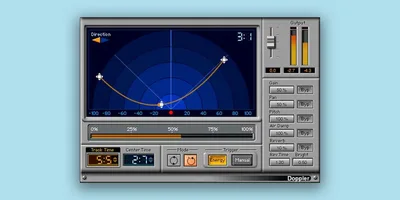
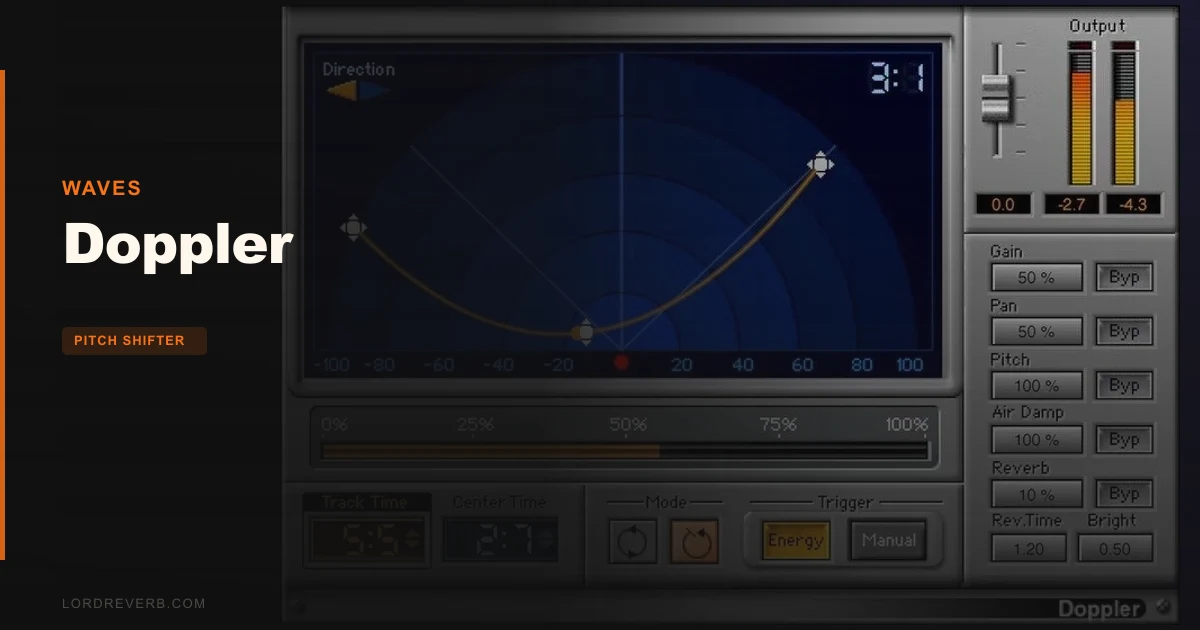
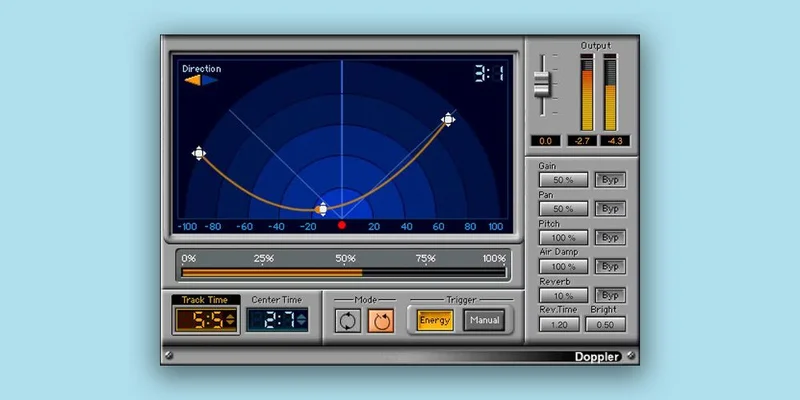
The core promise is real. You get control over track curve, center time, pitch, start and end points. A display shows how the sound moves through space, so you’re not guessing.
Sweeps can fire manually or by threshold, as one-shots or continuous. That’s the difference between a single car pass and a looping ambience.
Air Damp is the clever bit. It emulates the high-frequency loss as a source moves away, which is half of what makes distance believable.
Owners report out-of-the-box ease of use, with no long manual session. They also report absolute control over gain, panning and pitch, and stable behaviour in VST format with professional DAWs.
Here’s a scene you’ll hit. You’ve got a hi-hat loop and you want it to whip past your head on the way into the chorus. Pitch-shifting would normally wreck the tempo feel. Bypass the pitch shift and keep the movement, and the pattern stays locked while the space does the work. That’s satisfying.
The 20 presets cover the usual movements, so you can audition a fly-by in seconds.
What Doesn't
The sample rate limit is the big one. Doppler does not work in 96 kHz or 192 kHz sessions. If you track or design at those rates, you’ll be bouncing down or working elsewhere. Annoying.
Then there’s the reverb. The tail generator emulates reflections from the surroundings, which is a good idea. Owners report the onboard reverb doesn’t sound great. You can switch it off, and for most serious work you’ll want to send the signal to a dedicated reverb instead.
Picture the scene. You’ve got a synth stab flying past on a bridge. The pitch movement is convincing, but the built-in tail sounds thin next to your main room reverb. You mute it and feed a send instead. Fine, but now a feature you paid for is off.
And ease of use cuts both ways. Some users prefer GRM Doppler, which works at 96 kHz and 192 kHz and offers more advanced control. It asks for more learning and practice before it pays off.
Who It Suits
You’ll love it if you do sound design for video, games or trailers and you need fly-bys fast. It suits mixers who want a bit of movement on percussion, guitars or background vocals without hand-drawing automation.
It’s right for you if you work at standard sample rates and you’d rather spend ten minutes on a result than an evening learning a toolbox.
It’s wrong for you if you work at 96 kHz or 192 kHz. It’s also wrong if you want surgical, deep control and don’t mind the climb. In that case, look at GRM Doppler.
The Verdict
Buy it if your sessions run at standard rates and you want fly-bys without the fuss. At $29.99, the speed and the clear display make it good value for a focused tool. Turn the reverb off and feed your own, and it’s even better.
Skip it if high sample rates are your daily reality. Hard pass in that case.
Specs & Technical Details
| Spec | Detail |
|---|---|
| Developer | Waves |
| Price | $29.99 |
| Plugin Format | VST / AU / AAX on Mac; VST / AAX on PC |
| OS Support | Mac: macOS Monterey 12, Ventura 13, Sonoma 14, Sequoia 15. PC: Windows 10 or later |
| Activation | N/A |
| CPU Usage | N/A |
| Trial Available | N/A |
| Version Reviewed | N/A |
Score Breakdown
| Category | Score | Notes |
|---|---|---|
| Sound Quality | 4.0/5 | Convincing pitch and Air Damp movement; onboard reverb is weak |
| Value for Money | 4.5/5 | Focused tool at a low price with 20 presets included |
| Ease of Use | 4.5/5 | Owners report easy out-of-the-box use with a clear display |
| Features | 4.0/5 | Curve, timing, triggering, pitch bypass; no 96 kHz or 192 kHz support |
| CPU Efficiency | N/A | No CPU figures to report |
| Overall | 4.2/5 | Fast, clear fly-bys held back by sample rate and reverb limits |
Alternatives to Consider
GRM Doppler
Pick this if you work at 96 kHz or 192 kHz, or you want more advanced control. It asks for more learning and practice to master.
Dedicated reverb plugin on a send
Not a Doppler rival, but the smartest companion. Turn off Doppler’s onboard reverb and route the signal to the reverb you already trust.
Doppler is a cheap, quick way to throw a sound past the listener’s head. Buy it at $29.99 if your sessions sit at standard rates, and pass if 96 kHz is your home.
Frequently Asked Questions
Does Doppler work at 96 kHz or 192 kHz?
No. Doppler does not work in 96 kHz or 192 kHz sessions. If you work at those rates, GRM Doppler is the alternative some users prefer, since it runs there.
Can I use Doppler on drums without messing up the tempo?
Yes. You can bypass the pitch shifting and keep the movement, which retains tempo with rhythmic instruments. It's useful on hi-hats and percussion loops.
Is the built-in reverb any good?
Owners report it doesn't sound great. You can disable it and send the signal to a dedicated reverb instead.
What systems and formats does Doppler support?
On Mac it runs on macOS Monterey 12, Ventura 13, Sonoma 14 and Sequoia 15, in VST, AU and AAX. On PC it needs Windows 10 or later, in VST and AAX.