Melodic Arps for InstaComposer Review: 40 Presets That Do Their Job, With a Catch
We were three hours into a trance-adjacent track. The chord progression was locked. The bass was sitting right. But the midrange felt hollow. We needed something that moved, something with rhythm and pitch together, not just a pad sitting there doing nothing. We loaded InstaComposer, pulled up Melodic Arps, and cycled through a few presets. One hit immediately. An intricate 16th-note pattern with just enough variation in velocity to feel hand-played rather than robotic. We dropped it into the project, transposed it to match the key, and the hole was filled in under two minutes.
That’s the pitch for Melodic Arps for InstaComposer. It delivers that moment reliably. Whether it’s worth your money depends entirely on one thing: whether you already own InstaComposer.
First Impressions: Clean Install, Immediate Dependency Check
Opening the pack is straightforward. The presets load into InstaComposer without fuss. There’s no additional installer, no separate plugin to authorise. If you have InstaComposer running, you’ll see the presets populated and ready.
That’s also the moment the hard dependency becomes real. This isn’t a standalone instrument. It’s not a sample pack you can drag into any DAW. It’s a preset library for one specific plugin. If you were hoping to run this inside Ableton, Logic, or FL without InstaComposer already in your signal chain, you’re stopped before you start.
First impressions are clean and fast. But they assume you’ve already cleared the entry requirement.
Getting It Into a Real Workflow
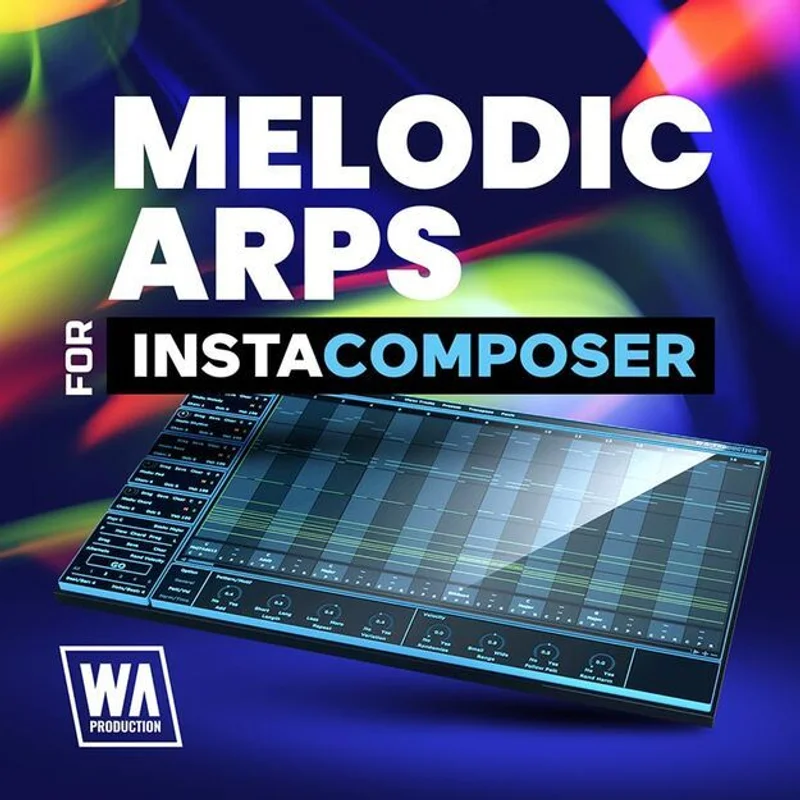
Here’s how we actually used it: InstaComposer sits on a MIDI track. Melodic Arps feeds it melodic pattern data. The MIDI output routes to whatever synth you want to drive. That last part matters. The sound design is yours. Melodic Arps handles the pattern and note structure. You choose the synth, the filter, the envelope.
This is clever design, honestly. It means the pack doesn’t get stale the way a standard sample library would. The same preset sounds completely different through a Moog-style bass versus a glassy pad.
The friction point is the routing. Getting InstaComposer’s MIDI output into your synth correctly adds a setup step that’ll trip up newer producers. It’s not complicated once you’ve done it twice. But the first session, expect to spend 15 minutes on routing before you hear a single note.
We also noticed that transposing some presets outside their designed range introduced awkward voicing. A few patterns felt like they were built for a specific octave and resisted being moved more than a fifth up or down. Annoying when you’re building in an unusual key.
What It's Genuinely Good At
The velocity programming on the better presets is where this pack earns its price. We loaded a background texture preset onto a Serum pad, held a chord trigger in InstaComposer, and the output had natural-feeling velocity swells. The kind that would take 20 minutes to program manually in a piano roll.
Forty presets across three functional roles: leads, background textures, and integral melodic elements. That breakdown is genuinely useful. You’re not just browsing a wall of arps with names like “Arp 37”. The categorisation points you toward function first.
Genre coverage is real, not marketing copy. We tested presets against EDM, cinematic underscore, and pop production contexts. Most of the lead presets crossed over without needing heavy customisation. The trance-focused patterns had the tightest rhythmic resolution, which made them love working in high-BPM contexts.
Royalty-free licensing for commercial work. No per-track fees, no streaming restrictions. That’s the baseline expectation in 2026, but it’s still worth confirming.
The Rough Edges
Thirty percent of the presets feel like filler. Not bad, exactly. Just not interesting enough to reach for again once you’ve found the eight or ten that actually work.
The pack also doesn’t come with any guidance on sound design pairing. There’s no documentation suggesting which synth types suit which presets. We figured it out by testing, but a one-page guide would make this noticeably more useful for producers who are still building their sound design instincts.
The hard dependency on InstaComposer is the biggest hesitation. If W. A. Production ever changes their licensing structure, updates InstaComposer in a breaking way, or pulls the plugin, this pack becomes worthless. You’re not just buying presets. You’re buying presets tied to one piece of software.
That’s a real risk. Not a theoretical one.
Who This Is Really For
- ✅ Buy if you already own InstaComposer and use it regularly in your productions.
- ✅ Buy if you produce EDM, trance, cinematic, or pop and want melodic arp variation without manual piano roll work.
- ✅ Buy if you're working fast on commercial sessions and need royalty-free patterns you can drop in and trust.
- ❌ Skip if you don't own InstaComposer. This pack is worthless without it, full stop.
- ❌ Skip if you want a standalone instrument or a sample pack you can use across multiple plugins and DAWs.
- ❌ Skip if you're comfortable programming arps manually. The time saving won't justify the cost for you.
Score Breakdown
| Category | Score | Notes |
|---|---|---|
| Sound Quality | 3.5/5 | Best presets have convincing velocity variation; bottom third are forgettable |
| Value for Money | 4.0/5 | Anniversary pricing makes this a low-risk purchase for existing InstaComposer users |
| Ease of Use | 3.0/5 | MIDI routing setup adds friction for less experienced producers |
| Features | 3.5/5 | 40 presets across three functional roles is a solid spread; no documentation is a miss |
| CPU Efficiency | 4.0/5 | Adds no meaningful CPU load on top of InstaComposer |
| Overall | 3.8/5 | Solid expansion for the right user; useless for everyone else |
Alternatives Worth Considering
If you don’t own InstaComposer but want fast arpeggio workflows, Cthulhu by Xfer Records review is the comparison you need to make first. Cthulhu is a standalone chord and arp plugin with its own preset library, no dependency chain required.
For producers who want MIDI pattern libraries they can use across any instrument, best MIDI packs for producers 2026 covers options that aren’t locked to a single plugin.
If you’re already deep in the W. A. Production ecosystem, InstaComposer full review is the piece to read before deciding whether this expansion belongs in your setup. The host plugin review gives you a clearer picture of whether this workflow suits you at all.
The Verdict
Melodic Arps for InstaComposer does exactly what it promises. Forty presets. Melodic patterns ready to drop into leads, backgrounds, and focal elements. Commercial use cleared. Genres covered.
The catch isn’t subtle. This pack has no value without InstaComposer in your session. It’s not a plugin. It’s not a sample library. It’s a preset expansion for one specific tool.
At W. A. Production’s anniversary pricing, the financial risk is low for existing InstaComposer users. Buy it on sale, get a dozen presets you’ll actually reach for, call it done.
If you’re not already in the InstaComposer ecosystem, spend that money on the host plugin first. Or spend it on Cthulhu instead. But don’t buy the expansion pack before you own the thing it runs on.
That would be a frustrating way to waste your money.
Frequently Asked Questions
Do I need InstaComposer to use Melodic Arps?
Yes. This is a hard dependency, not a suggestion. Melodic Arps is a preset expansion that loads inside InstaComposer. Without InstaComposer installed and activated, these presets have no host to run in and no way to produce audio or MIDI output.
How many presets does Melodic Arps include?
The original Melodic Arps pack includes 40 presets. A follow-up, Melodic Arps 2, adds another 40 fresh presets for users who want more variation. Both packs cover lead sounds, background textures, and integral melodic elements.
Can I use Melodic Arps presets in commercial music?
Yes. W. A. Production licenses these presets as royalty-free for commercial use. You can release music built around these patterns on streaming platforms, sync licensing, or any other commercial context without per-track fees.
What genres work best with Melodic Arps for InstaComposer?
The pack covers EDM, trance, pop, and cinematic production contexts most directly. Trance-oriented presets have the tightest rhythmic resolution and work best at high BPM. Cinematic and pop presets skew toward background texture use rather than lead roles. Most presets cross genres reasonably well when paired with the right synth sound.