You’re halfway through a club arrangement, the drop needs a gated tail, a crunchy clip stage and a wide modulation sweep, and you’re already juggling five plugin vendors with five different interfaces. That’s the itch Essential FX Bundle 1 scratches. It’s a set of 15 effects from Vengeance Sound for $119, built for dance and club producers who’d rather have one consistent toolkit than a folder of mismatched freebies.
We like it more than we expected to. Not every corner is polished, though, and a couple of omissions will annoy you.
Quick Verdict
Our call: 4.2 out of 5. For $119 you get 15 effects that owners say barely touch the CPU, with a Delay and an Impulse Reverb that punch above the bundle’s weight. It’s a strong buy for club, hardstyle and modern dance producers. Skip it if you want tempo-synced phasing or a serious EQ, or if you hate licence housekeeping.
The Problem This Solves
Effects shopping is a slow leak. You buy a reverb here, a bitcrusher there, a distortion from someone else. Every plugin looks different, behaves differently and sits in a different corner of your template.
Then comes the CPU bill. Stack twenty instances across a busy project and the fan spins up before the first chorus.
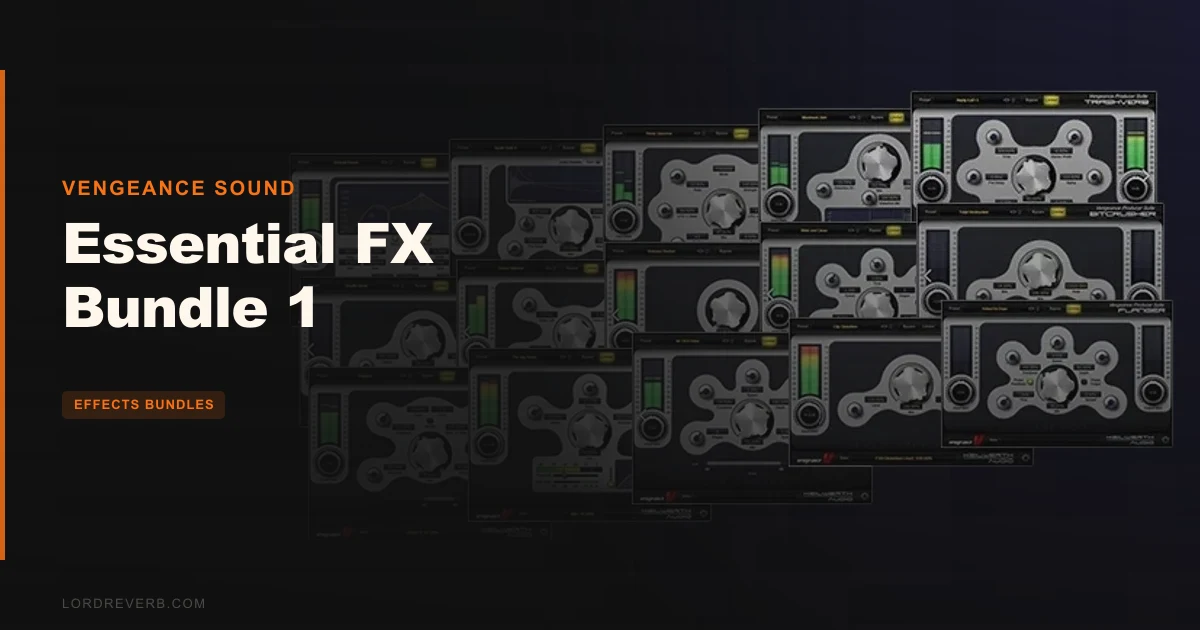
Vengeance’s pitch is simple: one vendor, one visual language, 15 effects, and a big smooth Mix knob in the centre of every plugin. That consistency is the real product.
What's Actually in the Box?
The bundle holds 15 unique plugins. Reverb and space: Impulse Reverb, Trash Verb and Gated Reverb. Time and modulation: Delay, Flanger, Chorus, Phaser and Multi Mod. Distortion and dynamics: Clip Distortion, Multiband Distortion, Limiter and Compressor. Shaping: Equalizer, Stereo Matrix and Bitcrusher.
Every plugin has a built-in limiter, and you can switch it off. That’s a sensible safety net when you’re pushing feedback, and it won’t fight you when you want raw level.
All parameters are automatable by your host. Presets, many of them made for modern club music by Manuel Schleis, ship with the lot.
How Does It Run on Your CPU?
Owners consistently report very low CPU usage. That’s the single most useful thing a bundle like this can say about itself.
Picture a loaded project: four returns, a pile of insert effects on the drum bus, and your DAW already sweating. Low-overhead plugins are the difference between leaving things live and freezing tracks.
We can’t give you a measured figure for the load here, and we won’t invent one. What we can say is that the reports line up in one direction, and that’s the direction you want.
Does the Interface Make Sense?
Owners praise the consistent, intuitive GUI design. Learn one plugin and the other fourteen are familiar.
The big, smooth Mix knob sits at the centre of every window. That’s a smart choice. Parallel processing is the first thing most of us reach for, and you shouldn’t have to hunt for the wet/dry control.
It also means less mental load mid-session. You open a plugin and your hands already know where to go.
How Good Is the Impulse Reverb?
The impulse library
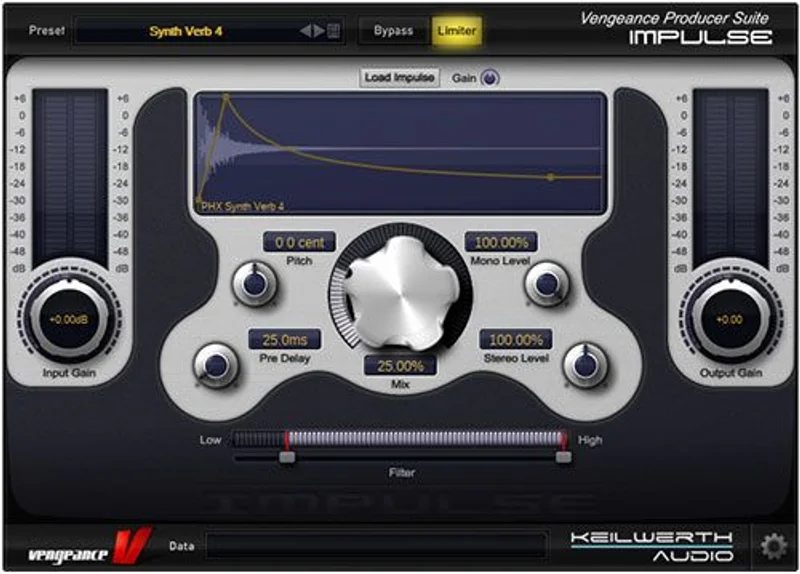
The Impulse Reverb ships with over 60 first-class impulse responses and runs with zero latency. Zero latency matters when you’re printing a reverb on a vocal chop and need it to line up with the grid.
Graphic curve editing
Owners respect the graphic curve editing. Instead of loading an impulse and living with it, you reshape it visually. Roll the highs off the tail so it sits behind a bright lead, or pinch the decay so it doesn’t swamp a fast hi-hat pattern.
That kind of editing is where a reverb stops being a preset browser and starts being a tool.
What Can the Delay Do?
Owners call the Delay well-designed, with eight modes including Pattern presets. Beyond Pattern, you get PingPong and tape effects.
Here’s a quick scene. You’ve got a sparse vocal hook and the arrangement feels empty. Drop the Delay on a send, pick a Pattern mode, and let the repeats stitch the gaps. Then roll back the Mix until you only notice it when it’s gone.
Tape-style repeats add a worn, smeared quality that sits behind the dry signal instead of fighting it. Pattern modes give you rhythmic, stuttering echoes without drawing automation by hand.
One early issue: a feedback loop or crash problem in the Delay, plus a graphical bug in the Compressor, was reported. Fixes arrived in v1.0.1, so make sure you’re on that version or later.
Gated Reverb and Trash Verb: Two Very Different Moods
Gated Reverb
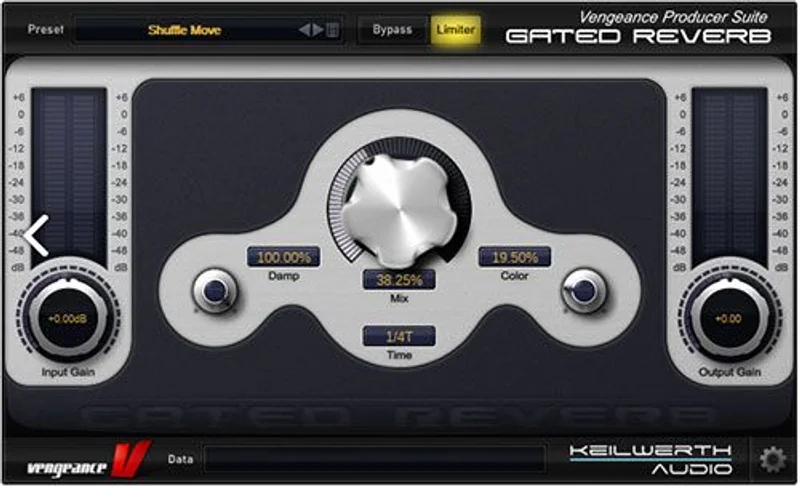
The Gated Reverb is syncable to note times. That’s the detail that makes it usable. A gated tail that’s off the grid sounds like a mistake. One locked to the tempo sounds like a decision.
Put it on a snare or a clap and let the gate chop the tail on a musical division. The classic big-room punch, but tidy.
Trash Verb
Trash Verb can sound ugly or sweet. We love that honesty. Push it into ugly territory on a drum loop and it adds grit and smear. Pull it back and you get something almost pretty.
It’s the one to reach for when a clean reverb feels too polite.
Which Modulation Effects Earn Their Place?
Multi Mod
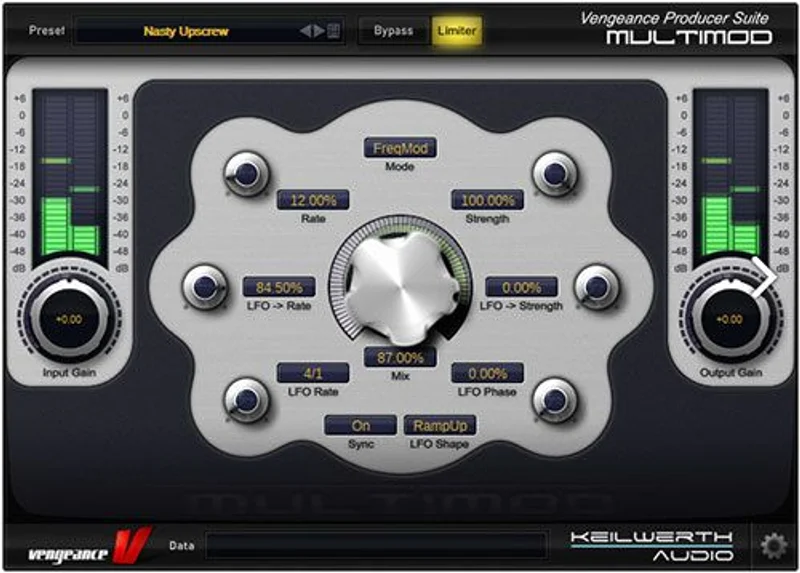
Multi Mod is the standout of the group. It offers aggressive FM, Ring Modulation and Auto pan. Owners praise the LFO tempo sync and the six LFO shapes across four operational modes.
That’s real sound-design territory for a bundle plugin. Ring mod on a synth stab turns it metallic and clangy. FM adds bite. Auto pan with a synced LFO makes a static pad swirl across the stereo field.
Chorus
The Chorus provides a warm and thick sound. In plain terms, it stacks detuned, delayed copies so a single voice sounds like several. It’s good on pads, plucks and anything thin that needs body.
Flanger
The Flanger offers stereo spread and high feedback. High feedback is where flangers get dramatic, with that metallic jet sweep.
Here’s the frustrating part. Some users report the Flanger sounds weird, and it’s suspected to be a bug with no reported resolution. Your copy may or may not do it. Test it on a few sources before you build a track around it.
Phaser
The Phaser runs up to 12 stages with stereo separation. More stages means deeper, more complex notches. It’s lovely on guitars and chords.
But Phaser and Flanger both lack tempo sync. In a bundle aimed at dance music, that’s a ridiculous omission. You’ll be automating rate by hand to keep sweeps in time, and that’s annoying.
What About the Distortion Plugins?
Clip Distortion
Clip Distortion is effective for Hardstyle. If you’ve ever tried to build a distorted kick and ended up with mush, a dedicated clipping stage is the right tool. Clip it hard and the transient squares off into that aggressive, saturated punch.
Multiband Distortion
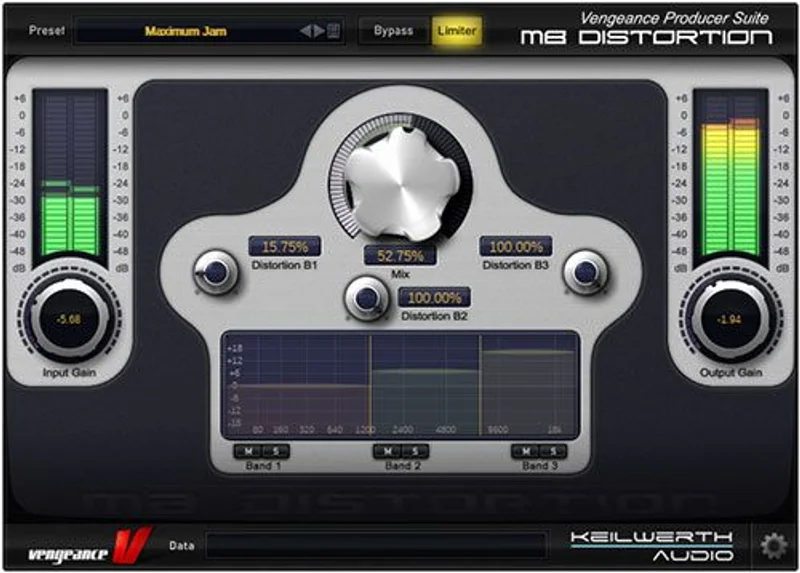
Multiband Distortion is a 3-band unit. Splitting the signal into three bands means you can push the mids hard without turning the low end into fizz. On a bass, keep the sub band clean and let the upper bands get nasty.
Bitcrusher
Bitcrusher is heavily used in modern dance styles. Crush a vocal or a break and it gets lo-fi and brittle. Use the Mix knob and you can blend that grit under the clean signal.
Does the Dynamics and Utility Side Hold Up?
Compressor
The Compressor has a selectable autogain feature. Autogain keeps the output level matched to the input so you judge the sound, not the loudness. Handy for A/B work.
Limiter
The Limiter is a distortion-free brick wall design. Use it on the master or on a loud bus to catch peaks.
Stereo Matrix
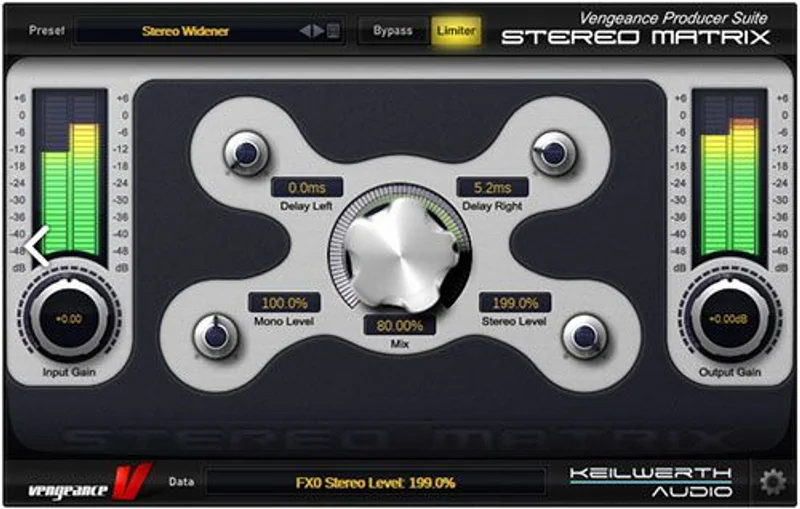
Stereo Matrix includes an M/S Matrix function. Mid/side lets you treat the centre and the sides separately. Widen the sides on a pad without touching the mono kick and bass.
Equalizer
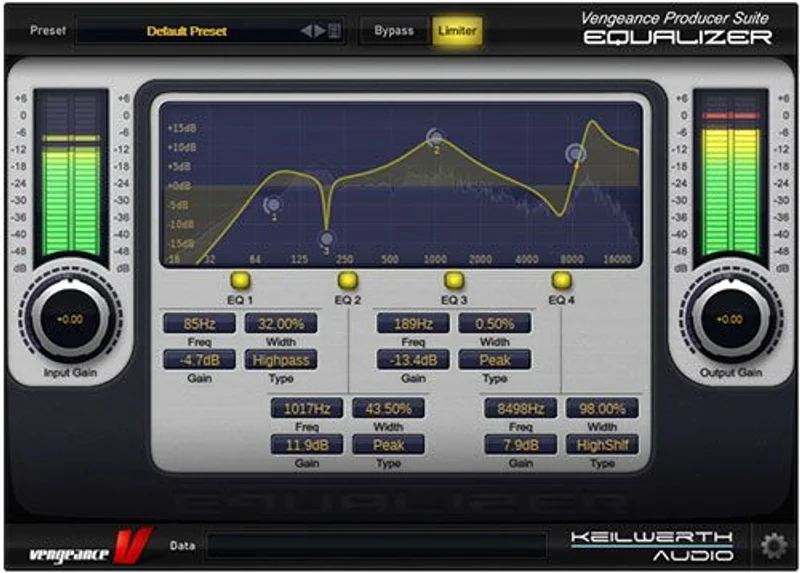
The Equalizer is a 4-band parametric with hi/low shelves and hi/low cut. It does the job. But it’s surpassed by most DAW-bundled EQs, and that’s the truth of it. Use it where convenience matters and reach for your stock EQ when precision does.
Strengths and Weaknesses
The strengths are clear. Low CPU, a consistent interface, a Delay with eight modes, an Impulse Reverb with curve editing and a Multi Mod that goes deep. Club-oriented presets save time.
The weaknesses are just as clear. No tempo sync on the Phaser or Flanger. A weak EQ. A Flanger some users say sounds off. Early bugs in the Compressor and Delay, fixed in v1.0.1.
None of these sink the bundle. They shape who it’s right for.
The Licence and Dongle: Read This Before You Buy
The licence needs refreshing every 90 days, either through V-Manager or an offline key file. It’s a chore, and you’ll forget it right before a deadline.
If you use the USB dongle, plug it directly into the PC. Users report it won’t work through a hub. That’s irritating on a laptop with a single port and a dock.
Check your setup. If you work offline a lot, plan for the key file.
What Do You Need to Run It?
On Mac you need macOS 10.9 or later, an Intel 1.5 GHz processor or Apple Silicon, and a 64-bit host that supports VST2, VST3, AU and AAX. On Windows you need Vista or higher, 64-bit only, with a VST2, VST3 and AAX compliant host.
Both platforms want 2 GB RAM and an OpenGL 3.2 capable GPU. Formats are VST, AU and AAX, with VST3 standard support.
The product page mentions 32-bit and 64-bit versions, but the system requirements say 64-bit only. Confirm what your host loads before purchase.
Value for the Price
At $119, you’re paying for breadth, low CPU and a unified workflow. The developer calls the price unbeatable. That’s marketing, but owners do report competitive value for money.
Here’s the honest comparison. DAW-bundled effects offer comparable functionality at no extra cost. So the question is need, not quality: do you want what your DAW’s stock effects don’t give you?
For club and dance producers, the Gated Reverb, Clip Distortion, Multi Mod and Delay are worth it. For everyone else, it’s a closer call.
Who Should (and Shouldn't) Buy This
- ✅ Buy if you make club, hardstyle or modern dance music and want effects tuned for it.
- ✅ Buy if CPU headroom matters and you stack lots of effects.
- ✅ Buy if you want one consistent interface across 15 effects.
- ❌ Skip if you need tempo-synced phasing or flanging.
- ❌ Skip if you want a precision EQ to replace your DAW's.
- ❌ Skip if a 90-day licence refresh or a direct-plug dongle sounds like a headache.
Specs & Technical Details
| Spec | Detail |
|---|---|
| Developer | Vengeance Sound |
| Price | $119 |
| Plugin Format | VST3 / AU / AAX |
| OS Support | Mac / Windows |
| Activation | V-Manager or offline key file, refresh every 90 days; USB dongle option |
| CPU Usage | Light (reported by owners) |
| Trial Available | N/A |
| Version Reviewed | N/A (fixes noted in v1.0.1) |
Score Breakdown
| Category | Score | Notes |
|---|---|---|
| Sound Quality | 4.0/5 | Delay, Impulse Reverb and Multi Mod praised; Flanger reports are a worry |
| Value for Money | 4.5/5 | 15 effects at $119, though DAW stock effects overlap |
| Ease of Use | 4.5/5 | Consistent GUI and a central Mix knob on every plugin |
| Features | 4.0/5 | Deep Multi Mod and Delay, but no tempo sync on Phaser or Flanger |
| CPU Efficiency | 4.5/5 | Owners report very low CPU usage |
| Overall | 4.2/5 | Strong club-focused bundle with a few clear gaps |
Alternatives to Consider
FabFilter
Excellent quality, but a more generalist approach. If you want polish and precision across all genres, it’s the grown-up option. It’s less focused on club sounds.
U-He products
Noted for exceptional build and more versatile capability. A better pick if you want depth over a big bundle of quick tools.
Soundtoys
Positioned as excellence in sound design. Reach for it when character and creative processing matter more than breadth.
Your DAW's stock effects
Comparable functionality at no extra cost. Try them first. If they cover you, skip the purchase.
Our Recommendation
Buy it at $119 if you write club music and want a low-CPU, consistent set of effects with a great Delay, a flexible Impulse Reverb and a Multi Mod that earns its keep. We’d happily keep it in a dance template.
Skip it if tempo-synced phasing, a serious EQ or hassle-free licensing matter to you. Those are the three places it’ll let you down.
The Gated Reverb locked to your tempo is worth the entry fee alone.
Frequently Asked Questions
How many plugins are in Essential FX Bundle 1?
The bundle contains 15 unique effects plugins from Vengeance Sound. They cover reverbs, delay, modulation, distortion, dynamics and stereo tools. Every plugin has a big Mix knob in the centre.
What formats does Essential FX Bundle 1 support?
It supports VST, AU and AAX, with VST3 standard support. Mac needs a 64-bit host that handles VST2, VST3, AU and AAX. Windows needs a 64-bit host that handles VST2, VST3 and AAX.
Is Essential FX Bundle 1 heavy on CPU?
Owners report very low CPU usage.
Does the Phaser or Flanger have tempo sync?
No. Users report both lack tempo sync. If you need synced sweeps, you'll automate the rate by hand or use Multi Mod, which does offer LFO tempo sync.
How does the licensing work?
The licence needs refreshing every 90 days through V-Manager or an offline key file. If you use the USB dongle, connect it directly to the PC and not through a hub.
Is the EQ good enough to replace my DAW's EQ?
Probably not. It's a 4-band parametric with hi/low shelves and cuts, but it's surpassed by most DAW-bundled EQs. Use it for quick moves and keep your stock EQ for detailed work.