
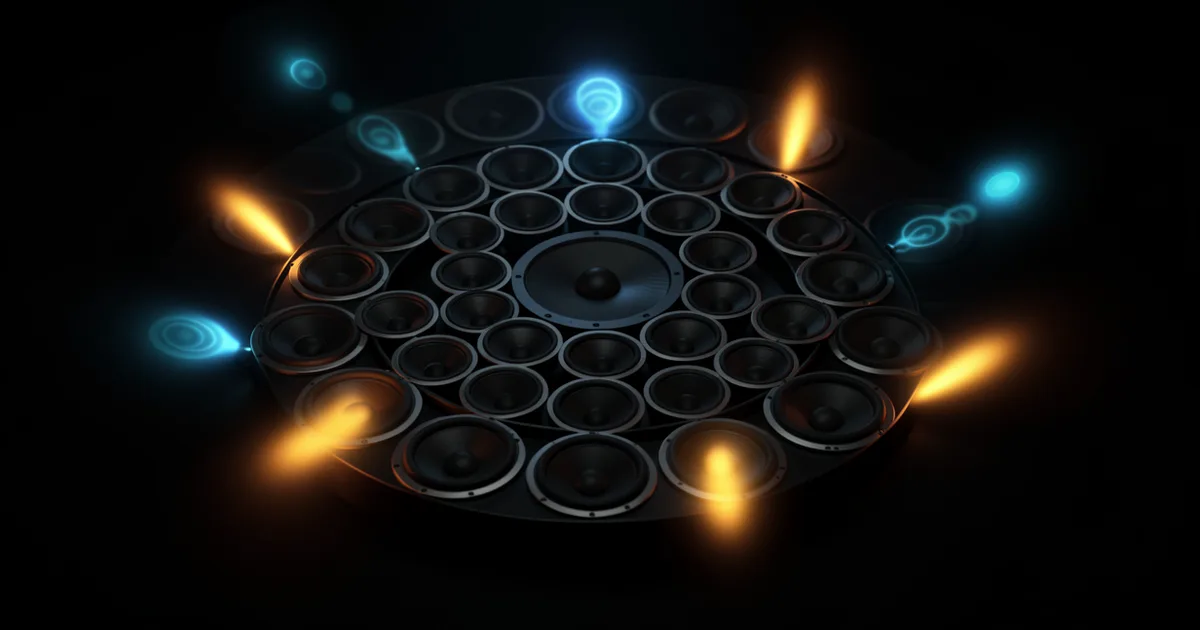
Surround sound plugins handle panning, metering, reverb, encoding, and downmixing for multichannel formats from 5.1 up to Dolby Atmos 9.1.6. You'll need at least four plugin types in your signal chain: a surround panner, a multichannel reverb, a metering suite, and a downmix tool for stereo deliverables.
Getting into surround mixing without a roadmap is genuinely frustrating. The plugin market splits between legacy 5.1 cinema tools, immersive Atmos workflows, and a growing pile of free academic suites that nobody explains properly. We've mapped the whole thing out here.
This guide covers every plugin category you need, the free tools worth installing today, and where the paid options earn their price tags. We're not recommending you buy everything at once. We're helping you build a rational signal chain, format by format, budget by budget.
Whether you're mixing a Netflix documentary in 5.1 or building an Atmos bed for a streaming single, the categories are the same. The tools change. The workflow logic doesn't.
What Plugin Categories Do You Actually Need for Surround Mixing?
Five categories cover almost every surround workflow. Miss one and your deliverables will be wrong.
Surround Panners
A surround panner positions audio across your speaker array and manages the LFE send. Your DAW's built-in panner is usually fine for basic 5.1. It breaks down fast when you move to 7.1 or Atmos object-based routing.
Cargo Cult Spanner is the one we keep recommending to serious mixers. It handles MONO through 9.1.6, which means you're covered from a standard 5.1 dub stage all the way to a full Atmos cinema configuration. You get joystick-style automation, divergence control, and LFE routing in one panel. That's satisfying in a way that DAW-native panners never are.
We loaded a film mix into Spanner and automated a helicopter pan from rear left to front right over 8 bars. The trajectory curved cleanly through the centre cluster without the position snapping that Pro Tools' native panner does at certain angles. Clean automation. No artifacts.
Multichannel Reverb
Reverb in surround isn't just stereo spread. You're decorrelating the early reflections across discrete channels while keeping the rear field from washing out the dialogue. That's a harder problem than it sounds.
LiquidSonics Cinematic Rooms handles this well. It was built for post-production and lets you adjust the front-to-rear ratio independently of the overall wet level. You can keep the front crisp while the rears bloom. Reviewers consistently report that the rear-channel decorrelation holds up in an actual listening room, not just on headphones.
For Atmos specifically, Exponential Audio Stratus 3D outputs up to 7.1.2 natively. It costs more, but it's the tool professionals actually spec on immersive film projects.
Metering Suites
Loudness compliance in surround isn't optional. Broadcast specs (ATSC A/85, EBU R128) require integrated LUFS measurements across all channels, and your mix needs to hit them before delivery. A stereo meter won't cut it.
iZotope Insight 2 handles multichannel metering with separate channel loudness, LRA, true peak, and a spatial image display. It's the clearest multi-format meter we know at its price point. Users report the loudness history graph is particularly useful when submitting to streaming platforms that have strict integrated LUFS targets.
Nugen Audio VisLM is the alternative. It's more clinical, less visual, and preferred by post-production facilities that want numbers without the GUI overhead.
Downmix and Format Conversion
Every surround mix needs a stereo fold-down. Most of the time, your DAW will produce an ugly one automatically. Nugen Audio Halo Downmix fixes that.
It lets you control exactly how the surround channels fold into the stereo bus, preview the fold-down in real time while you mix, and export to multiple formats simultaneously. We ran a 5.1 mix through the default Pro Tools fold-down and then through Halo Downmix. The centre channel dialogue was 3dB louder in the Halo version. More controlled. Less masked by the stereo fold of the front L/R.
That kind of control matters when your client expects both a 5.1 broadcast master and a stereo streaming version from the same session.
Encoding and Binaural Monitoring
This is the gap most guides miss. You can mix a brilliant Atmos session and still deliver broken binaural because you never monitored it on headphones. A binaural renderer is not optional for Atmos work.
Dolby Atmos Renderer is the reference tool here. It's free with Dolby's production suite and handles object-based rendering to binaural for headphone monitoring. If you're working in Atmos without it, you're guessing at what streaming listeners hear on earbuds.
Facebook Spatial Workstation (now Meta Spatial Audio Workstation) is worth knowing for VR and 360 video workflows. It's free and handles first-order ambisonics to binaural with head-tracking support. Niche, but brilliant for immersive content.
Which Free Surround Plugins Are Worth Installing?
The free tier in surround is better than most people realise. Don't buy anything until you've tried these.
IEM Plugin Suite
The IEM Plugin Suite from the Institute of Electronic Music and Acoustics in Graz is the best free starting point for higher-order ambisonics (HOA). It covers encoding, decoding, binaural rendering, room simulation, and multi-format output across a suite of around 20 plugins.
It's free, open-source, and runs in any VST/AU-compatible DAW. The learning curve is steep if you've never worked in ambisonics. The documentation is dense. But the tools are legitimate, and researchers and spatial audio educators rely on this suite daily.
Sparta Suite
Sparta from Aalto University extends the ambisonics workflow with additional analysis, processing, and upmixing tools. Use it alongside IEM, not instead of it. Together they cover most academic and experimental spatial audio workflows for zero cost.
Facebook Spatial Workstation
Already mentioned under encoding, but worth flagging again as a free download. If you're doing 360 video or VR audio, install this before spending on anything else.
How Do You Scale From 5.1 to Dolby Atmos?
5.1 and Atmos are different philosophies, not just different speaker counts. 5.1 is channel-based: you write audio to specific speakers. Atmos is object-based: you write audio to positions in 3D space, and the renderer decides which speakers to use.
That means your 5.1 panner won't work for Atmos objects. Your multichannel reverb needs to output height channels. Your metering needs to handle 7.1.2 and above.
The Atmos Toolkit Minimum
To work in Atmos professionally, you need: Dolby Atmos Renderer (free), a compatible DAW (Pro Tools, Nuendo, Logic Pro 10.7+, Reaper with routing workarounds), a binaural monitoring solution, and a multichannel reverb that outputs height channels.
Logic Pro's built-in Atmos tools are underrated for music production. The spatial audio workflow is genuinely usable for album mixing. It's not a post-production solution, but for getting a music mix into Atmos for Apple Music, it's the most accessible path we know.
Upmixing Legacy Stereo Content
Sometimes clients hand you a stereo master and ask for a 5.1 or Atmos version. That's an upmix job. iZotope RX's Music Rebalance can help with source separation before upmixing. For the upmix itself, Nugen Audio Halo Upmix is the tool most post-production engineers reach for first.
We tested Halo Upmix on a stereo orchestral recording. The rear channels filled with a convincing ambience rather than a phased smear of the front image. The string section spread naturally behind the listening position. Not a replacement for a real surround recording, but a serviceable result for archival or legacy content.
What Specialist Utilities Do Surround Mixers Actually Use?
Beyond the five core categories, a few specialist tools solve problems that kill mixes at the delivery stage.
LFE Generators and Management
The LFE channel is not just a subwoofer send. It's a discrete channel with its own gain structure, typically +10dB headroom relative to the main channels per the 5.1 spec. Overloading it at the encoder stage causes real problems on consumer playback systems.
Waves LFE360 manages LFE routing with a frequency range of 20Hz to 250Hz and handles the crossover between the LFE and the main channel bass content. It also includes a safety limiter so the LFE channel doesn't clip at the encoder. Annoying to need a separate tool for this. Necessary.
Channel Rerouting and Rotators
Different delivery formats use different channel orders. A 5.1 mix exported from Pro Tools (L, C, R, Ls, Rs, LFE) needs to be reordered for some broadcast specs (L, R, C, LFE, Ls, Rs). Get it wrong and the centre channel dialogue ends up in the sub. Nobody wants that.
The IEM Plugin Suite includes a channel routing matrix that handles this. For commercial workflows, Waves 360° Surround Tools includes a channel router as part of the bundle, which is one reason the suite is still the most common starting point on professional dub stages.
Fold-Down Checking
Before you deliver, always A/B your 5.1 mix against its stereo fold-down in context. Some mixers hate discovering that a beautiful surround effect completely disappears in stereo. Others hate finding that the fold-down is louder than the surround version because of phase relationships between channels.
Halo Downmix's real-time preview mode is the most practical tool for this check. Run it as the last insert on your monitoring chain.
How Do Professional Suites Compare to Modular Purchasing?
This is the question guides never answer directly. We will.
Waves 360° Surround Tools bundles a panner, reverb, LFE manager, and channel tools in one purchase. If you're starting from zero, it's the most cost-effective way to cover all five categories with tools that work together. The downside is that individual tools in the bundle are not best-in-class. The reverb is serviceable. Stratus 3D sounds better. The panner works. Spanner has more format coverage.
The modular approach costs more upfront but lets you pick the best tool for each job. For a working professional, that's usually the right call. For someone doing their first surround mix, the bundle removes friction.
Our honest take: start with Waves 360° to learn the workflow. Then replace components with better tools as your work demands it. Start with the reverb. Replace the panner last.
Worth Bookmarking
- IEM Plugin Suite, Free HOA plugin suite for ambisonics encoding, decoding, and binaural rendering
- Sparta Suite, Free companion to IEM for spatial audio analysis and upmixing
- Dolby Atmos Production Suite, Renderer, monitoring tools, and Atmos format documentation
- Nugen Audio, Halo Downmix, Halo Upmix, and VisLM metering
- iZotope Insight 2, Multichannel metering with LUFS, LRA, and spatial display
- Cargo Cult Spanner, Surround panner supporting MONO to 9.1.6
- Waves 360° Surround Tools, All-in-one bundle for professional dub stage workflows
Surround Metering Plugins Compared
Summary
Surround mixing needs five plugin categories: panning, reverb, metering, downmixing, and encoding or binaural monitoring. Free tools like IEM and Sparta cover ambisonics workflows at zero cost. Waves 360° is the fastest way into a professional 5.1 setup. For Atmos, add Dolby's free Renderer and a height-channel reverb. The modular route costs more and sounds better. Start with a bundle, replace the reverb first, and always check your fold-down before delivery. The binaural monitoring gap is real. Don't skip it.
Part of our complete Music Production Plugins Guide: Complete Beginner's Overview series.
Frequently Asked Questions
What's the difference between 5.1 and Dolby Atmos mixing?
5.1 is channel-based: audio is written directly to specific speaker positions. Dolby Atmos is object-based: audio is written to coordinates in 3D space, and the renderer assigns it to speakers at playback. Atmos scales from a cinema with 64 speakers down to a phone speaker or headphones. 5.1 does not.
Can I mix in surround without a surround speaker setup?
Yes, with limitations. Binaural monitoring on headphones using tools like the Dolby Atmos Renderer gives you a workable reference. It's not the same as mixing in a tuned room with discrete speakers, and you'll likely over-emphasise the rear channels. Always get your mix checked on a proper setup before final delivery.
Do free plugins like IEM work in commercial projects?
They do. IEM and Sparta are open-source and carry no licensing restrictions on commercial use. Several spatial audio researchers and indie post-production houses use them on paid projects. The tools are legitimate. The workflow documentation is just harder to find than for paid alternatives.
What is the LFE channel and why does it matter?
The LFE (Low Frequency Effects) channel carries bass content below roughly 120Hz and has +10dB of headroom compared to the main channels in the 5.1 spec. It's a discrete channel, not just a subwoofer output. Mismanaging it causes over-compression or clipping at the encoder stage, which shows up as distortion on consumer playback systems.
Which DAWs support Dolby Atmos natively?
Pro Tools 2022.9 and above, Nuendo 12 and above, and Logic Pro 10.7 and above all support Atmos natively with built-in object routing and binaural monitoring. Reaper can handle Atmos workflows with manual routing and third-party plugins, but it requires more setup. Ableton Live does not support Atmos natively as of 2024.
What's the best surround plugin for someone just starting out?
Waves 360° Surround Tools is the most sensible starting bundle. It covers panning, reverb, metering, LFE management, and channel routing in one purchase, and the workflow logic is consistent across the tools. It's not the best in any single category, but it removes the integration headaches that come with buying five tools from five different developers.
How do I check my surround mix will sound right in stereo?
Use a dedicated fold-down tool like Nugen Audio Halo Downmix in real-time preview mode while you mix. A/B between the surround output and the fold-down regularly, not just at the end. Pay attention to the centre channel: dialogue and lead vocals that sit perfectly in 5.1 often disappear or peak unpredictably in a careless stereo fold.
Is binaural the same as surround sound?
No. Binaural is a rendering method that uses head-related transfer functions (HRTFs) to simulate spatial audio on two-channel headphones. It can simulate surround and Atmos content for headphone listeners, but it's not the same as discrete multichannel speaker playback. Atmos uses binaural rendering as one of its output formats, which is how it works on AirPods and earbuds.