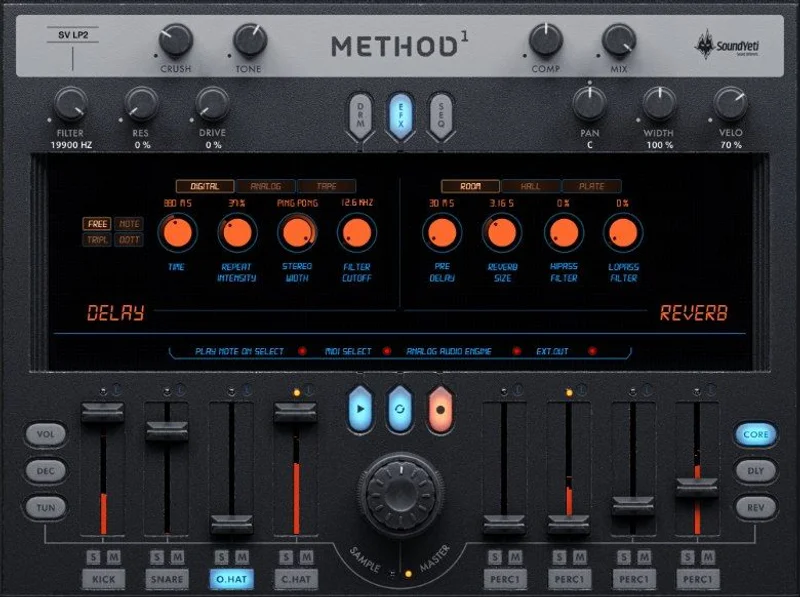
You've spent 45 minutes flipping through a sample pack looking for a kick that sits right. You found three candidates, none of them cut through the 2 o'clock low-mids, and you've built exactly zero bars of music. That's the problem Method 1 by Sound Yeti exists to fix. It's a Kontakt-powered virtual drum machine stocked with over 10,000 samples, a built-in 8-track step sequencer, and 500 loop templates, all priced at $169. It's built for producers making hip hop, trap, boom bap, and modern urban beats who want to stop hunting and start building.
We put it through its paces across multiple sessions. Here's the honest verdict.
The Beat-Making Rabbit Hole This Solves
The dirty secret of sample-based beat making is how much time disappears before a single bar exists. You open a folder. You audition kicks. You pull one into your DAW, hate the transient, go back to the folder. Twenty minutes later, nothing is recorded.
Method 1 collapses that process. Every sound ships with 7 core character variations per sample, so you're not hunting for the right processed version across separate folders. The lo-fi, the smashed, the analogue tape treatments are already there, attached to the source sound.
Add 225 preset kits and 500 loop templates, and the gap between "open plugin" and "playable beat" shrinks to minutes, not hours. For producers whose enemy is blank-page paralysis, that matters more than any single sound in the library.
How It Actually Performs in a Session
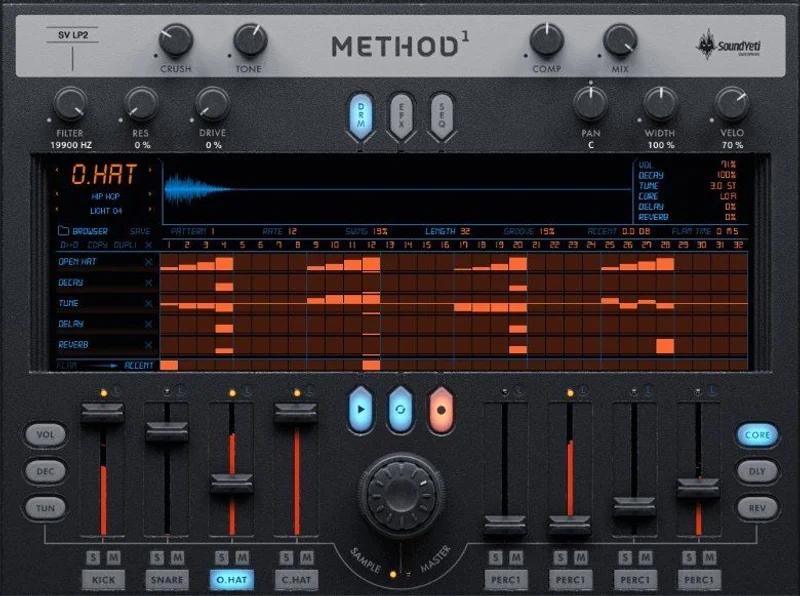
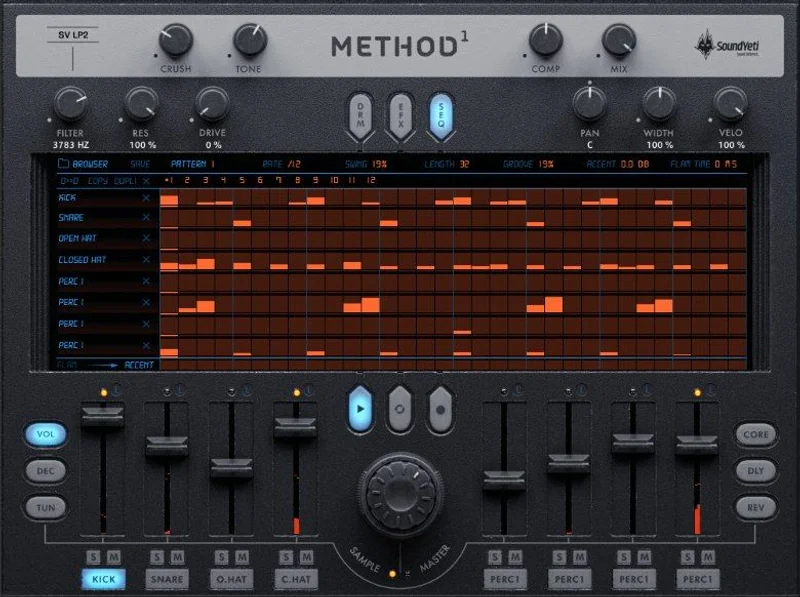
We loaded a boom bap snapshot and dropped into the 32-step, 8-track sequencer. Step entry is fast. The copy and paste function for sequences and lanes works as advertised, which means building variations on a groove takes seconds, not full rebuilds.
Here's a specific moment worth naming. We pulled a snare from the analogue tape character variant, set decay to around 60% via the per-step decay control, dialled in a touch of reverb at the step level, and engaged the drive on the channel effects strip. The result sat behind the kick without fighting it. No separate reverb send, no routing gymnastics. It happened inside Method 1 in under two minutes.
The MIDI drag and drop is the other standout. We dragged a finished 4-bar groove directly from Method 1 into an Ableton arrangement view. It landed perfectly timestamped. That single feature justifies a lot of the workflow promise.
Reviewers report the 12 pattern banks per snapshot give enough structural room to build a full song's worth of drum arrangements inside the plugin before you ever touch your DAW's timeline. We found that accurate. It makes sketching an arrangement faster than working purely in a piano roll.
The 8 stereo output architecture is also worth flagging. You can route individual drums to separate DAW channels for compression and EQ work outside the plugin. That's not a given at this price point in the Kontakt instrument space. It's a genuinely clever decision.
Users keep running into one honest limitation: the per-step effects (tune, decay, reverb, delay) are useful but light. If you want surgical control over reverb tail length per step, you'll hit a ceiling. The global effects strip gives you compression, tone, crush, delay, and reverb, but with limited parameter depth compared to a dedicated plugin chain.
Strengths and Weaknesses
The library is the obvious strength. 10,000+ samples covering everything from Roland TR-series-inspired sounds to SP-1200-style grit is a serious starting point. The 7 character variants per sound (clean, close room, lo-fi, slowed, smashed, analogue tape, tube) do real work. They're not cosmetic.
The NKS compatibility with KOMPLETE KONTROL and MASCHINE is a satisfying bonus. If you're in the Native Instruments hardware ecosystem, Method 1 maps cleanly without custom setup.
The weaknesses are real, though. Sound design depth is thin. Method 1 is a beat-building tool, not a synthesis environment. You can tune, filter, and drive sounds, but you can't meaningfully reshape them. The frustrating part is that the effects routing stops just short of where experienced producers will want to push it.
The system requirements documentation is also showing its age. It lists OS X 10.10 through 10.12, which puts current macOS compatibility in a grey zone that Sound Yeti should address more directly. We'd love clearer guidance on Apple Silicon support.
CPU usage isn't published in detail anywhere. Annoying. Running 8 tracks with step effects active, we didn't hit problems on a modern machine, but producers on older rigs are flying blind without benchmark data to reference.
Is the Price Justified?
At $169, Method 1 competes against building a comparable library from individual sample packs and a sequencer plugin separately. When you price that out honestly, Method 1 wins on convenience and integration. You're not paying for boutique sound design tools. You're paying for a fast, self-contained beat machine that works the moment it's installed.
The free Kontakt Player compatibility is the key financial detail. You don't need a full Kontakt license. That removes a significant barrier. For producers who don't own Kontakt already, it's a clean, no-extra-cost entry.
If you already own a deep drum library and a sequencer you love, the value case weakens. But if you're starting out or building a second dedicated drum rig for urban production, $169 is fair.
Who Should Buy This (and Who Should Skip It)
- ✅ Buy if you make hip hop, trap, boom bap, or modern urban beats and want a single plugin that covers the full workflow from sounds to pattern arrangement.
- ✅ Buy if you don't own a full Kontakt license and want a serious drum machine that runs on the free Player.
- ✅ Buy if blank-page paralysis kills your sessions and you need templates, presets, and variations already built in.
- ❌ Skip if you produce primarily outside hip hop and urban genres. The library doesn't translate to rock, orchestral, or electronic styles cleanly.
- ❌ Skip if deep sound design control matters to you. The effects are workflow tools, not synthesis engines.
- ❌ Skip if you're on a very old machine or an Apple Silicon system without confirmed compatibility details from Sound Yeti.
Specs & Technical Details
| Developer | Sound Yeti |
| Price | $169 |
| Plugin Format | VST / AU / AAX (via Kontakt Player or full Kontakt 6) |
| OS Support | Mac (OS X 10.10+), Windows 7/8/10 |
| Activation | Native Instruments / Kontakt Player activation via NI Service Center or Native Access |
| CPU Usage | Not officially published; light to medium on modern hardware in testing |
| Trial Available | No |
| Version Reviewed | Kontakt 6 compatible version (Kontakt Player 6.1.1+) |
| Sample Library Size | 3GB uncompressed, 10,000+ samples |
| Standalone Mode | Yes |
| NKS Ready | Yes (KOMPLETE KONTROL and MASCHINE) |
Score Breakdown
| Category | Score | Notes |
|---|---|---|
| Sound Quality | 4.0/5 | Strong vintage and modern hip hop coverage; 7 character variants per sample do genuine work |
| Value for Money | 4.0/5 | Free Kontakt Player compatibility removes the biggest financial barrier; competitive for what's included |
| Ease of Use | 4.5/5 | Fast from install to playable beat; MIDI drag and drop is the standout workflow feature |
| Features | 3.5/5 | Sequencer and per-step effects are solid; sound design depth stops short of where pros will want to push |
| CPU Efficiency | 3.5/5 | No published benchmark data; performed fine on modern hardware but older rigs are an unknown |
| Overall | 4.0/5 | A well-built, genre-specific drum machine that earns its place in any urban producer's signal chain |
Alternatives Worth Considering
If you want a broader Kontakt instrument ecosystem to compare against, our Kontakt instruments guide covers five things beginners need to know before buying and will save you from a few expensive mistakes.
Battery 4 by Native Instruments is the comparison producers reach for first. It's more open-ended as a sampler and better for sound design, but it ships with a smaller curated library. You'd be buying sample packs separately. It runs on a full Kontakt license, not the free Player. For producers who want to build their own kits rather than work from curated ones, Battery 4 wins. For producers who want to work fast inside a pre-built system, Method 1 wins.
XO by XLN Audio takes a completely different approach: AI-powered sample organisation from your own library, with a sequencer built in. If you already have thousands of samples and your problem is finding them, XO is the smarter buy. If you're building a library from scratch, Method 1 is more complete out of the box.
Loot Audio Palm Mute Piano won't replace a drum machine, but if you're building out a wider Kontakt instrument setup, our Palm Mute Piano review shows what boutique Kontakt instruments do well and is worth reading alongside this one.
For producers asking broader questions about the best Kontakt instruments for hip hop production, Method 1 sits comfortably near the top of the genre-specific category.
The Verdict
Method 1 is a love letter to hip hop drum machine culture that actually functions as a working tool, not just an aesthetic exercise. It's not the deepest instrument Sound Yeti could have built. It's the fastest.
At $169 with free Kontakt Player support and MIDI drag and drop baked in, it's a legitimate buy for urban producers who need to stop auditioning samples and start finishing beats. Skip it if you're outside the genre or you want real synthesis control. It won't pretend to be something it's not.
Neither should you. Buy the tool that fits the music you actually make.
Related reviews: Glass Review 2026 · Continuo Review
Frequently Asked Questions
Does Method 1 require a full Kontakt license?
No. Method 1 runs on the free Kontakt Player (version 6.1.1 or higher). You don't need to own the full version of Kontakt to use it. This is one of the cleaner financial decisions Sound Yeti made with this product. Download Native Access, install the free Player, and you're ready to go.
Is Method 1 compatible with Apple Silicon Macs?
The official system requirements list OS X 10.10 through 10.12, which predates Apple Silicon. Native Instruments has updated Kontakt Player for M-series chips, so compatibility through the Player should hold. That said, Sound Yeti hasn't published updated M1/M2/M3 compatibility documentation directly. We'd contact their support team to confirm before buying if you're on an Apple Silicon machine.
Can I use Method 1 without a DAW?
Yes. Method 1 runs in standalone mode, which means you can build and play beats with nothing but a computer. The built-in sequencer, pattern banks, and sample library are all fully accessible in standalone. It's a legitimate option for live performance sketching or sessions away from your studio setup.
How does Method 1 handle MIDI output to a DAW?
Method 1 supports MIDI drag and drop directly from the plugin to your DAW timeline. You can also use MIDI input and MIDI learn for hardware controller mapping. The 8 stereo output architecture lets you route individual drum channels to separate DAW tracks for external processing. It's more flexible than a lot of self-contained drum plugins at this level.