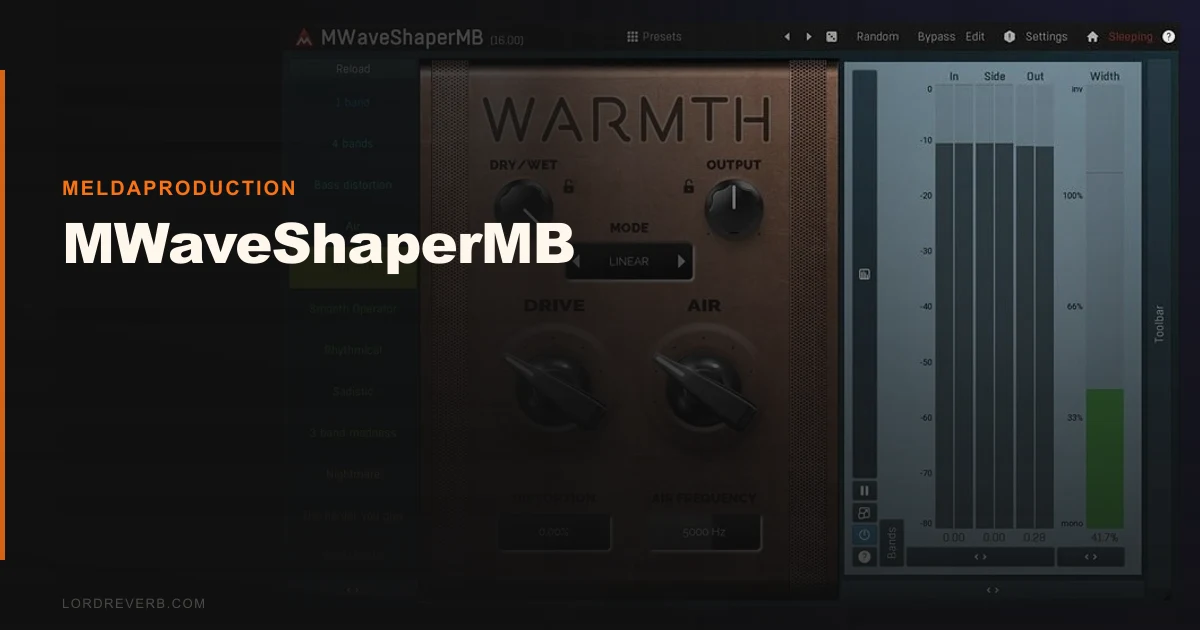
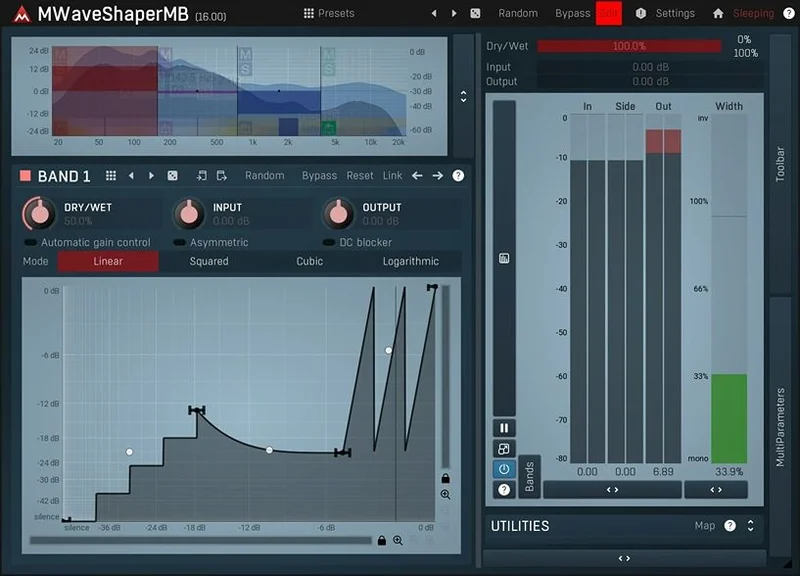
MWaveShaperMB is a multiband waveshaping distortion plugin from MeldaProduction that splits your signal into up to 6 frequency bands and lets you draw a custom transfer curve for each one. We pulled it into a session on a dense synth pad that was eating up the low-mids, and within 10 minutes we had the 200-500Hz band being gently soft-clipped while the top two bands stayed completely clean. That kind of surgical control over where and how distortion happens is the whole point here. It's aimed at producers and sound designers who want distortion to behave, not just saturate everything equally.
What MWaveShaperMB Actually Does (and Where It Falls Short)
This is a multiband distortion and waveshaping tool. Not a traditional saturation plugin. Not an overdrive emulation. It won't give you the feel of a specific tape machine or a tube preamp warming up your mix bus.
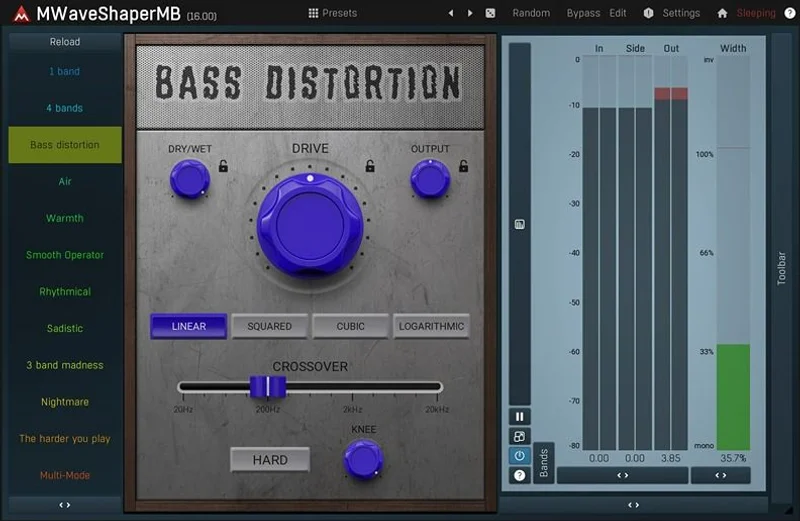
What it does is give you a transfer function editor per band. You draw the curve. You modulate the curve. You automate the curve. That's the weapon here.
It's not great for fast, grab-and-go saturation. The preset library helps, but getting the most out of MWaveShaperMB means spending time in the advanced UI, which has a lot of parameters per band. If you want quick colour on a vocal, reach for something else. If you want to build a distortion effect that behaves differently across 6 frequency ranges and responds to a sidechain input, this is one of the few tools at this price that can do it.
Living With It: What Daily Use Actually Looks Like
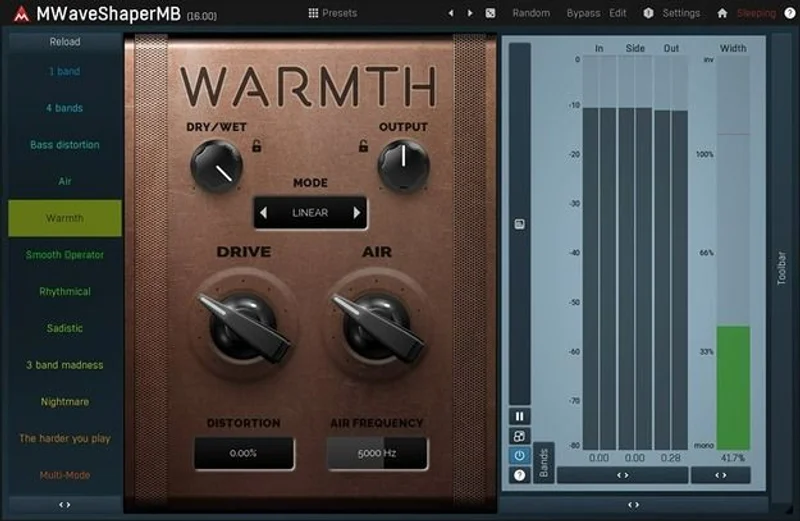
The dual UI is a smart call from MeldaProduction. Simple mode shows you the core waveshaper and band controls. Advanced mode opens up 4 global modulators with LFO capabilities, per-band parameters, and the A-H preset morphing system.
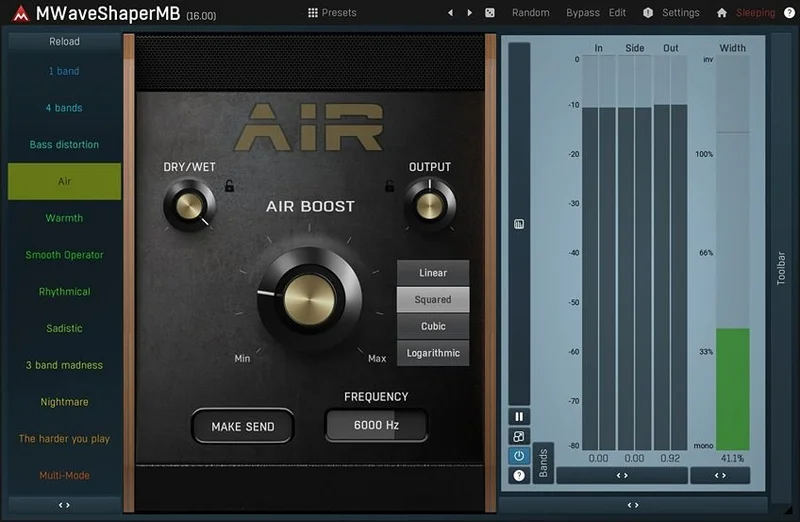
We spent a session running a drum bus through it. We pulled up three bands: one covering 20-80Hz for the kick sub, one around 2-5kHz for the snare crack, and one above 8kHz for the cymbal sheen. The crossover gave us three algorithm choices: analog, linear-phase, and hybrid. We tested all three on the drum bus. The analog crossover introduced subtle phase shift that actually felt good on the low end. Linear-phase kept the transients tighter up top. We ended up on hybrid and left it there.
The modulation system is where we hit a wall on the first pass. Wiring an LFO to a band's drive amount isn't obvious from the UI. It took us about 20 minutes and a read of the manual section on modulation routing before it clicked. Once it did, we had the low-mid band pulsing at 0.5Hz against the kick, which turned a flat synth bass into something that breathed. Frustrating to get there. Satisfying once we arrived.
The A-H preset slots with X-Y pad morphing is clever on paper. You load different waveshaping curves into up to 8 slots, then morph between the first 4 using the X-Y pad. Automate the X-Y position and you get continuously evolving distortion. We used it on a sound design project for transitional texture work. It earned its keep there.
CPU load: with 16x upsampling active across two instances, we saw around 8-12% CPU on an M2 MacBook Pro. At 4x upsampling, that dropped to 2-3%. Run it on a mix bus at max upsampling and it's fine. Stack six instances on individual synth layers and you'll feel it.
The Trade-Offs You Need to Know
The depth here is real. Six bands, custom transfer functions, 3 crossover algorithms, 4 modulators per instance, and a brickwall safety limiter that keeps things from blowing up. At $43, that spec sheet is hard to argue with.
But depth costs time. MWaveShaperMB has the steepest learning curve of any tool in its price tier we've tested. The UI is dense. MeldaProduction's design language prioritises functionality over immediacy, and that's a genuine trade-off: you get more power, but you earn it.
The automatic gain compensation is a real help. Without it, the loudness jumps when you push the waveshaper hard would constantly fool your ears. With it on, you can make honest A/B comparisons at matched levels.
The bigger practical issue is the lack of third-party user documentation. Plugin Boutique, ADSR, and Vintage King all list MWaveShaperMB with zero customer reviews at time of writing. The MeldaProduction community forum has some threads, but there's no deep library of user tips and tutorials for this specific plugin the way there is for FabFilter Saturn 2. You're largely on your own with the manual.
Against the Field: Where the Competition Wins
FabFilter Saturn 2 costs significantly more (check FabFilter's site for current pricing) and it's the cleaner, more intuitive multiband saturation option. FabFilter Saturn 2 review The per-band modulation in Saturn 2 is easier to route on a deadline. If you need multiband saturation and you're working quickly, Saturn 2 is worth the extra spend.
iZotope Trash 2 is a closer fight on price and shares the sound design orientation. iZotope Trash 2 review Trash 2's convolution distortion engine gives it sounds MWaveShaperMB c
an’t do. But MWaveShaperMB’s per-band waveshape drawing gives you control that Trash 2’s preset-driven approach doesn’t match.
For best multiband distortion plugins, MWaveShaperMB sits in an underserved price tier. It wins on per-band waveshape control and modulation depth for the price.
The Real Verdict
MWaveShaperMB is underrated in the sound design space. The per-band waveshaping with modulation is a legitimate creative tool that very few plugins at this price can match.
Skip it if you want fast, intuitive saturation. Skip it if you work on tight deadlines and hate reading manuals. Skip it if you need the warmth of analogue emulation, because that's not what this does.
Buy it if you work in sound design, experimental production, or electronic music and you want granular control over where and how distortion affects each frequency range. Check the MeldaProduction site for current pricing before buying. The bundle deals they run regularly make this even harder to ignore.
Score Breakdown
| Category | Score | Notes |
|---|---|---|
| Sound Quality | 4.0/5 | 16x upsampling keeps artifacts in check; analog crossover mode adds pleasing phase character on low end |
| Value for Money | 4.5/5 | Six-band waveshaping with full modulation is hard to beat at this price tier. |
| Ease of Use | 2.5/5 | Dual UI helps, but modulation routing requires real time investment before it becomes intuitive |
| Features | 4.5/5 | Per-band waveshape drawing, 4 global modulators, A-H morphing, 3 crossover algorithms: deep spec for the price |
| CPU Efficiency | 3.5/5 | Fine at moderate upsampling; taxing if you run multiple instances at 16x |
| Overall | 3.9/5 | Excellent for patient sound designers; wrong tool for quick saturation work |
Alternatives to Consider
FabFilter Saturn 2 is the premium option. Better UI, faster workflow, and it sits beautifully on mix bus work. FabFilter Saturn 2 review You pay more for it, but the time you save is worth the difference if you're working commercially.
iZotope Trash 2 lives in similar territory on price and creative ambition. iZotope Trash 2 review It's stronger on convolution-based distortion textures. MWaveShaperMB wins on waveshape precision per band.
MeldaProduction MWaveShaper (single-band version) is worth checking first if you're new to MeldaProduction's workflow. best waveshaper plugins Cheaper, less complex, and it'll tell you quickly whether you get on with the UI before committing to the multiband version.
MWaveShaperMB is the kind of plugin you love or forget about. You either spend the hour learning the modulation system and build something you couldn't make any other way, or you close it after ten minutes and never open it again. We've done both. The second time we opened it, we stayed.
Frequently Asked Questions
Is MWaveShaperMB good for beginners?
It's not ideal as a first distortion plugin. The simple mode lowers the barrier, but getting real value from the multiband waveshaping requires time with the manual and the modulation routing system. Beginners wanting quick saturation should start with something simpler. If you're a beginner specifically interested in learning sound design through waveshaping, the 30-day trial means you can find out without spending anything.
How does the upsampling affect CPU load?
At 4x upsampling, CPU load is light enough to run several instances without issue on a modern computer. At 16x, load climbs significantly. We saw roughly a 4-5x increase in CPU draw between 4x and 16x settings on an M2 MacBook Pro. Use 16x on key tracks where artifact reduction matters most, not across your entire session.
Can MWaveShaperMB be used for subtle saturation or only extreme effects?
It handles subtle saturation well. A soft-knee S-curve on a single band with automatic gain compensation active gives you clean, gentle harmonic addition. The plugin's reputation for extreme sound design is earned, but it's not limited to aggressive use. The crossover quality at the analog algorithm setting is good enough for mix bus work at conservative settings.
How does MWaveShaperMB compare to standard MWaveShaper?
MWaveShaper processes your full signal with one waveshaping curve. MWaveShaperMB splits it into up to 6 bands before waveshaping, so each frequency range gets its own transfer function. That means you can saturate the low-mids without touching the high end, or distort the sub frequencies while keeping 500Hz-8kHz clean. If you need that kind of frequency-specific control, the multiband version is the right tool. If you just want a good waveshaper on your full signal, the standard MWaveShaper is cheaper and simpler.