RX Post Production Suite 9 is a strong buy if dialogue cleanup is your daily work, and an expensive pile of tools you’ll barely touch if it isn’t.
It’s a split decision. The restoration side is excellent. The refinement-not-revolution update story is a harder sell at $1,799.
Quick Verdict
We land at 3.5 out of 5. At $1,799, the suite earns its place for post-production editors who clean dialogue for a living and want mixing, vocal and metering plugins in the same bundle. Everyone else is paying for a big toolbox they’ll open twice a month. Reviewers call this update closer to “RX 8.5” than a true RX 9, and the Ambience Match problems haven’t gone away.
The Moment You Reach for It
It’s 11pm. The location recording has a hum under every line, a boom operator’s footsteps in the quiet bits, and the director wants the cut locked tomorrow.
You open the file in RX 12 Advanced. The spectrogram shows the hum as a bright horizontal stripe. You reach for Dynamic De-hum, which runs up to 1024 adaptive notch filters, and the stripe fades without dulling the actor’s voice.
That’s the buyer’s moment. Not “I want a nice plugin bundle.” It’s “I have a broken recording and a deadline.”
If that scene sounds like your week, keep reading. If it doesn’t, the rest of this review is mostly a list of reasons to look at something cheaper.
What It Is (and What It's Not)
The suite bundles RX 12 Advanced, Neutron 5, Nectar 4 Advanced, Insight 2, Equinox and Tonal Balance Control 3. RX 12 Advanced is the anchor: a standalone audio editor plus plugins for your DAW, with 50+ tools for editing and restoration.
The rest is the supporting cast for mixing, vocals, metering and reverb.
What it’s not: a casual podcast fixer. SpectraLayers offers a simpler route, with free options for basic noise reduction. Audacity is the free tool for casual jobs. Adobe Podcast is podcast-focused with built-in features, and Descript leans on transcription and collaboration.
If your problem is “my voice memo is noisy,” this suite is a sledgehammer for a thumbtack.
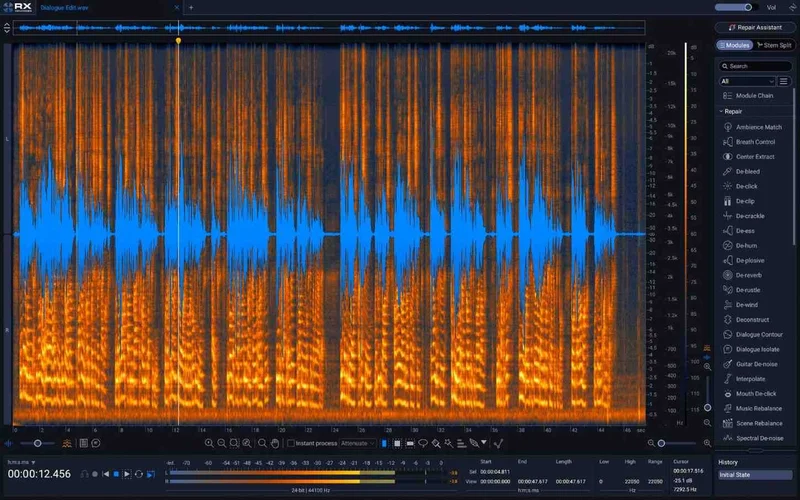
RX 12 Advanced: The Reason the Suite Exists
Everything else orbits RX. So start there.
Spectrogram, Search and History
RX 12 gets a larger Spectrogram, a module search, and a resizable History panel. The expanded undo history shows 30 steps at a time. Small stuff, but you’ll use it constantly.
Module search is the quiet winner. Fifty-plus tools means you’ll forget where things live, and typing a name beats hunting through menus.
Restore Selection
Restore Selection lets you revert specific edits without undoing the work after them. Picture it: you de-clicked a whole scene, then realise one cut sounds dull. Roll back just that selection and keep everything else.
We love this workflow. It’s the kind of feature you stop noticing because it just prevents panic.
Dynamic De-hum
The Dynamic De-hum module uses up to 1024 adaptive notch filters for transparent reduction. Owners report less dialogue coloration than before. Hum that drifts in pitch, like a dying fridge compressor, is exactly what adaptive filtering is built for.
Trim Silence
Trim Silence detects and deletes gaps based on threshold settings. Set the threshold just below your quietest breath and it strips dead air from a long interview. Set it too high and you’ll chew off word endings, so audition the result.
The New Separation Tools: Dialogue Isolate, Music Rebalance and Scene Rebalance
This is where RX 12 gets its headline value.
Dialogue Isolate
Dialogue Isolate uses neural networks for speech and vocal separation, offline and real-time. Owners report noticeably cleaner results than the legacy algorithm, with a stable sound instead of gating artifacts. Users who avoided it for fear of over-cooking the voice say it’s changed their workflow.
Now the annoying part. Owners also report the new algorithm runs significantly slower than the legacy version. Plan for it when you’re batch-processing a feature’s worth of dialogue.
Music Rebalance
Music Rebalance splits vocals, bass, percussion and other instruments using source separation, in offline and real-time modes. Think of a client sending you a stereo bounce and asking for the vocal up 3dB. Now you can actually try.
Scene Rebalance and Stems View
Scene Rebalance adjusts dialogue, music and effects levels independently. Stems View visually splits audio into stems through Scene Rebalance, Music Rebalance and Dialogue Isolate. Seeing the stems laid out makes it obvious which one is bleeding where.
For a post editor handed a flattened mix, this is brilliant.
De-bleed
De-bleed uses machine learning to remove interference such as headphone playback and instruments, with a real-time plugin mode. A vocal take with click track leaking through the cans is the textbook case.
Breath Control
Breath Control uses machine learning to detect, reduce and remove breaths from vocals and speech. Use it carefully. Strip every breath and the performance sounds like a robot reading a script.
Ambience Match: The Feature That Frustrates
We wish this section were shorter. It isn’t.
Owners report that Ambience Match Complex Mode produces looping artifacts and fails to work reliably across different material. They also report Complex Ambience Match now includes dialogue fragments in the output, so you need clean-only learning audio.
Imagine building room tone for a patched ADR line. You feed it a few seconds of “silence” that has a stray breath in it, and the generated bed starts whispering back at you. Ridiculous for a flagship tool.
Treat it as a maybe. Audition every result, and keep a manual room-tone fallback.
Neutron 5: The Mixing Half of the Bundle
Neutron 5 arrives as a mothership with 10 component modules, 11 plugins in total. It supports 7.1 surround, offers zero-latency mode in all 7 modules, and runs natively on Apple silicon including M1, M1 Pro and M1 Max.
The Module Lineup
You get Equalizer, Compressor, Gate, Exciter, Transient Shaper, Sculptor and Unmask. There’s also a multiband-capable Clipper with oversampling, a Density module for intelligent upward compression, and a Phase module to fix asymmetrical waveforms and out-of-sync signals.
Mid/side and transient/sustain channel modes run across modules. Delta buttons in every module let you hear exactly what you’re changing. That one’s underrated: soloing the difference is how you catch yourself over-processing.
The Assistants
Mix Assistant uses machine learning to build a custom signal chain for your audio. Balance Assistant sets levels using Relay and Visual Mixer. Target Library lets Neutron match tone to a sample or stem.
Assistants are starting points, not finished mixes. Take the suggested chain, then move things by ear.
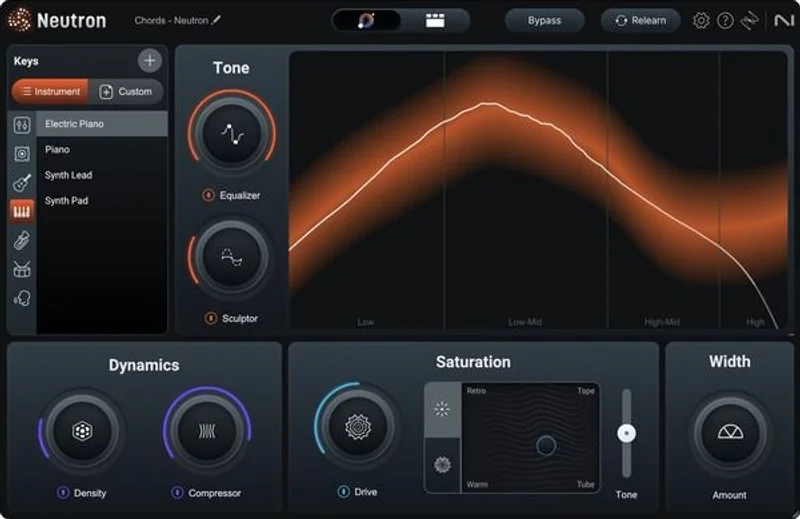
Visual Mixer and Relay
Visual Mixer lets you place tracks in virtual space through iZotope inter-plugin communication. Relay controls level, panning and stereo image, and talks to other communication-enabled plugins. It’s a tidy way to run a mix from one screen.
Nectar 4 Advanced, Insight 2 and Equinox
Nectar 4 Advanced
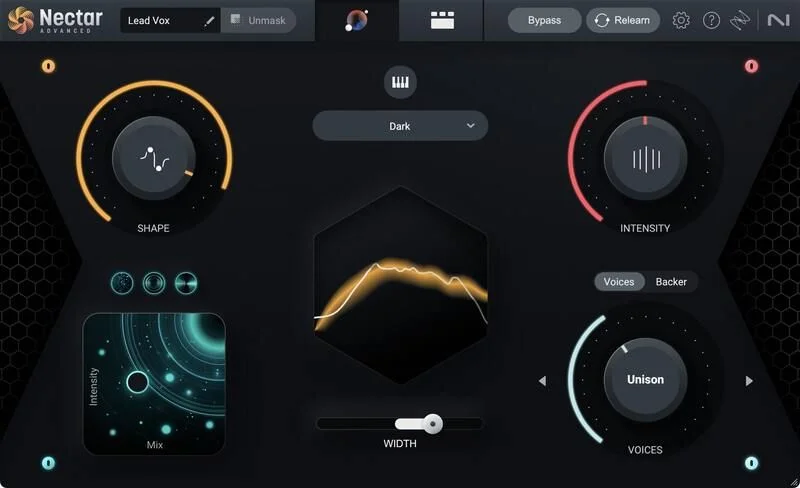
Nectar 4 Advanced packs 13 component plugins for vocals. That covers De-esser, Compressor, Gate, Auto-Leveler, Breath Control, Pitch Tracking, Dynamic EQ, and effects like Reverb, Delay, Saturation and Dimension.
The Auto-Level Module includes a Tame Noise feature. The Voices Module offers 11 auto-harmonies and a MIDI mode. The Backer Module shifts a vocal into eight backup-singing styles. Vocal Assistant matches tone to custom reference tracks, and Audiolens separation technology can match the tone of any vocal. Celemony Melodyne 5 Essential is included too.
Insight 2 and Tonal Balance Control 3
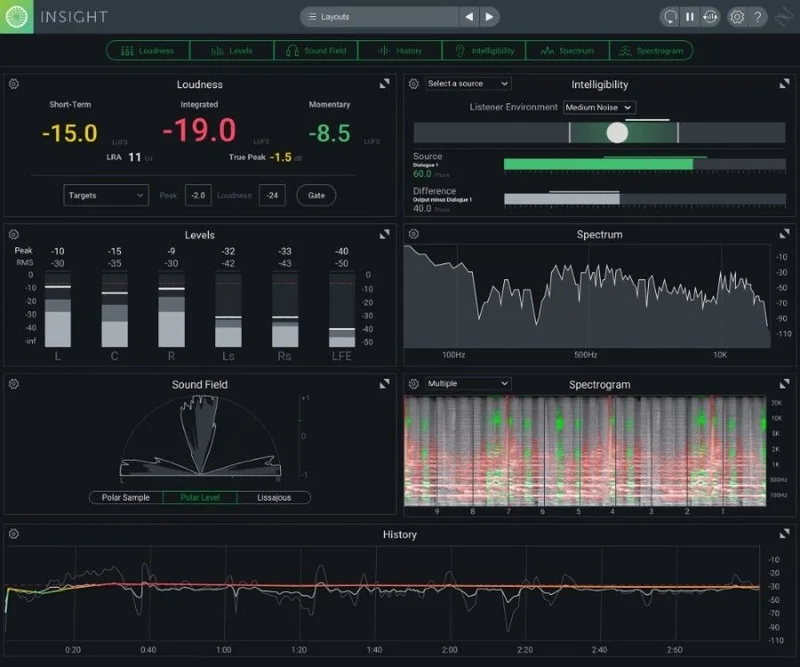
Insight 2 provides multichannel support for Dolby Atmos 7.1.2. Tonal Balance Control 3 helps keep music of any genre on target. Metering won’t make a mix sound better by itself, but it stops you fooling yourself.
Equinox
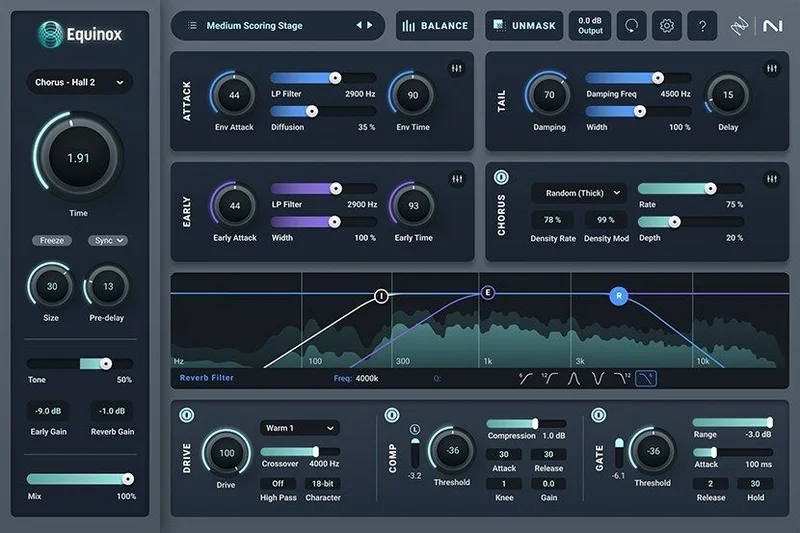
Equinox ships over 1250 professional presets built on Exponential Audio’s Stratus and Symphony reverb engines. iZotope says it fuses those algorithms with adaptive unmasking technology and calls it an industry first in immersive and surround reverb. That’s their claim, and we haven’t verified it.
Where It Fits In Your Session
Here’s the full run. A dialogue-heavy project lands on your desk.
Start in RX 12 Advanced standalone. Fix hum with Dynamic De-hum, trim dead air, and lift speech with Dialogue Isolate where the room is a mess. Use Restore Selection when a fix goes too far.
Bounce clean dialogue to your DAW. Put Nectar 4 Advanced on voice for de-essing and leveling, and Neutron 5 on the music and effects buses. Check the finished mix against Insight 2 and Tonal Balance Control 3.
Real-time processing demands a powerful computer, owners say. Don’t expect a modest laptop to run several machine-learning modules live while you mix.
The Trade-Offs
The strengths are real. Dialogue Isolate is cleaner than the old algorithm. Dynamic De-hum is transparent. Professional post users call RX 9 a valuable investment for film, TV and ADR work.
The weaknesses are just as real. Ambience Match Complex Mode is unreliable. The new Dialogue Isolate is slower. Spectral editing has a learning curve if you’re new to it.
Then there’s the update itself. It reads as a refinement, not a major release. If you own an earlier RX Post Production Suite, the upgrade case is thinner than the box art suggests.
Against the Field
SpectraLayers wins on simplicity, and it has free options for basic noise reduction. Pick it if you rarely do deep restoration.
Descript wins when transcription and collaboration drive your workflow. Editing audio by editing text is a different way of working.
Adobe Podcast wins for podcasters who want built-in features without a learning curve. Audacity wins on cost for casual use, and it’s free.
None of them match the breadth of 50+ restoration tools plus a full mixing and vocal chain. They don’t try to.
The Real Verdict
Buy it if you clean dialogue for film, TV or ADR and want mixing and vocal tools alongside RX 12 Advanced. At $1,799, you’re paying for a professional toolbox, and that’s where it earns its keep.
Skip it if you make podcasts, voiceovers or casual edits. Skip it if you already own the previous suite and expect a major leap. It’s a refinement.
Specs & Technical Details
| Spec | Detail |
|---|---|
| Developer | iZotope |
| Price | $1,799 |
| Plugin Format | N/A |
| OS Support | N/A |
| Activation | N/A |
| CPU Usage | N/A (owners report real-time processing needs a powerful computer) |
| Trial Available | N/A |
| Version Reviewed | RX 12 Advanced (RX Post Production Suite 9) |
Score Breakdown
| Category | Score | Notes |
|---|---|---|
| Sound Quality | 4.0/5 | Dialogue Isolate and Dynamic De-hum are cleaner than before |
| Value for Money | 3.0/5 | Deep bundle, but a refinement update |
| Ease of Use | 3.0/5 | Spectral editing has a learning curve |
| Features | 4.5/5 | 50+ RX tools plus Neutron 5, Nectar 4 Advanced, Insight 2, Equinox |
| CPU Efficiency | 2.5/5 | Real-time needs a powerful machine; new Dialogue Isolate runs slower |
| Overall | 3.5/5 | Superb restoration toolkit, held back by Ambience Match, speed and price |
Alternatives to Consider
SpectraLayers
Comparatively simple, with free options for basic noise reduction. Best for editors who want a lighter touch and don’t need the full post-production toolkit.
Descript
Built around transcription and collaboration. Best for spoken-word creators who edit by text and share work with a team.
Audacity
A cost-effective free tool for casual use. Best for quick, occasional clean-ups where a professional suite is overkill.
The Last Word
If your deadlines are built on broken location audio, $1,799 buys you the best-stocked rescue kit here. If your audio is already decent, you’re buying a fire engine to light a candle.
Frequently Asked Questions
What's included in RX Post Production Suite 9?
The suite includes RX 12 Advanced, Neutron 5, Nectar 4 Advanced, Insight 2, Equinox and Tonal Balance Control 3. RX 12 Advanced is the standalone editor and plugin set with 50+ tools. The others cover mixing, vocals, metering and reverb.
Is the new Dialogue Isolate better than the old one?
Owners report it sounds noticeably cleaner, with stable results instead of gating artifacts. The catch is speed: it runs significantly slower than the legacy version. Expect longer waits on big batches.
Does Ambience Match work reliably?
Not according to owners. Complex Mode produces looping artifacts and is hit-or-miss across material. It can also pull dialogue fragments into the output, so feed it clean-only audio and audition every result.
Do I need a powerful computer?
For real-time processing, yes. Owners say the suite needs a powerful machine for that. Offline processing is a different story, but the new Dialogue Isolate is slower there too.
Is it worth upgrading from an earlier version?
Reviewers describe the update as incremental, closer to RX 8.5 than a major RX 9. If you're happy with your current suite, the upgrade case is modest. Cleaner Dialogue Isolate and Dynamic De-hum are the main draws.