If you're wondering whether a free MIDI generator can actually replace the expensive ideation tools in your signal chain, Harvest Mini answers that directly: yes, for melodic sketching and chord inspiration, it pulls real weight, but it comes with compatibility limitations that will stop some of you cold before you even load it.
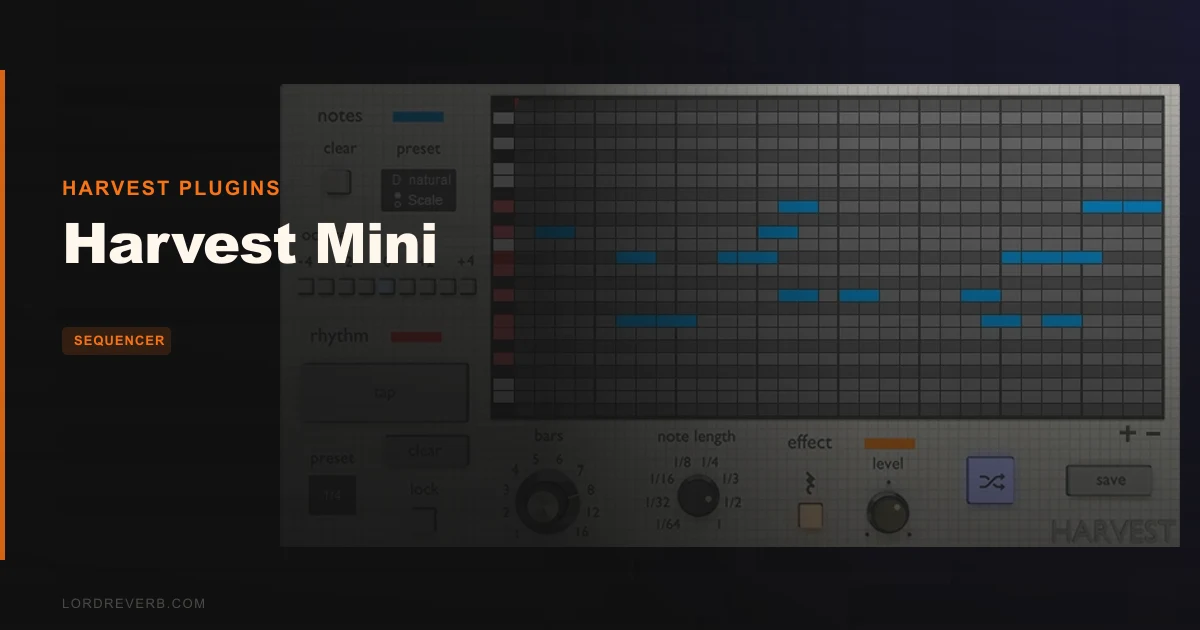
Harvest Mini is a VST plugin from Harvest Plugins. It generates melodies, chord progressions, and drum patterns from a simple interface built around scale selection, rhythm presets, and a piano roll. It's the free tier of the Harvest ecosystem, and it's aimed squarely at composers and songwriters who stall at the blank-session problem.
This isn't a plugin for sound designers looking for deep modulation routing. It's for the producer who opens a new session, stares at an empty arrangement, and needs something to react to. That workflow, and only that workflow, is where Harvest Mini delivers.
New to sequencers? Start here
Does It Actually Deliver on Its Promise?
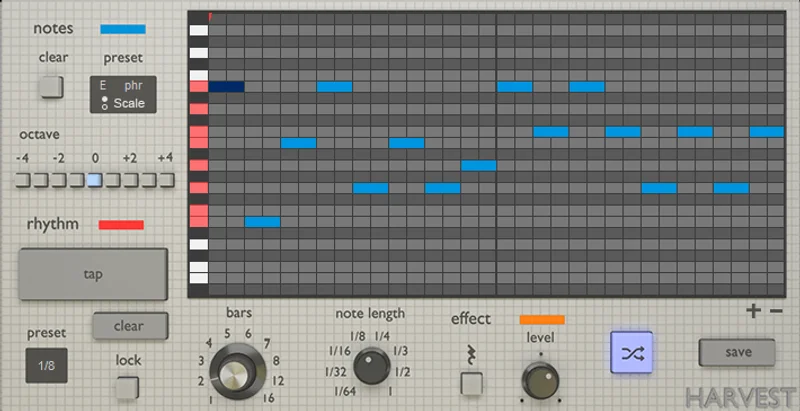
Harvest Plugins built this tool around one core pitch: stop running out of ideas. The interface keeps that promise visible. You pick a scale, select a rhythm preset, and hit regenerate until something clicks. That's the whole loop.
The regenerate button is the real workhorse here. Tap it repeatedly and you get melodic and rhythmic variations within your chosen scale and preset structure. It's not random noise. The output stays musically coherent because the scale lock keeps every generated note diatonic.
Reviewers on KVRAudio rate it 4.75 out of 5, with the Equipboard community landing at 4.1 across 411 ratings. That's a meaningful spread. The KVRAudio crowd skews toward composers testing its melodic output. The wider Equipboard audience is more mixed, which tracks with the plugin's narrower use case.
Our honest read: it delivers on its core promise with a satisfying efficiency. It does not deliver on anything beyond that core. Know the difference before you load it.
Where Harvest Mini Shines
The Scale-Locked Generation System
This is the feature that justifies the download. You select a key and mode, and every generated note stays locked inside that scale. No wrong notes. No awkward chromatic surprises breaking your chord progression.
We put it to work on a minor pentatonic lead line over a 90 BPM hip-hop session. We hit regenerate eight times. Four of those variations had a genuinely usable hook buried in them. That's a 50% hit rate on melodic ideas worth developing. For a free plugin doing the heavy lifting of inspiration, that's a clever result.
The scale system isn't just major and minor. The preset library covers enough modes and rhythmic templates to serve most songwriter contexts without feeling like you're fighting the plugin to get variety.
Tapped Rhythms and Piano Roll Editing
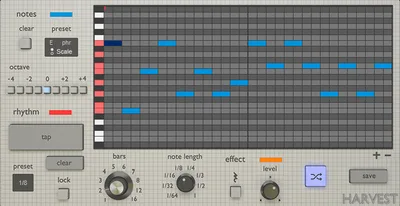
The mouse-tappable rhythm input is one of the better-implemented ideas in the plugin. You tap a rhythm pattern with your mouse in real time, and the generator uses that rhythmic skeleton as the grid for its melodic output. It's an underrated feature that most people skip in tutorials.
Here's a specific moment that sold us on it: we tapped a syncopated two-bar rhythm in 4/4, set the scale to Dorian, and generated a bass melody. The output landed a dotted eighth note pattern on the upbeat of bar two that we wouldn't have written ourselves. We dragged that note down a minor third in the piano roll, and the phrase locked into the groove immediately.
That piano roll drag-editing is low-friction. Notes move. Lengths stay. It won't replace your DAW's piano roll, but for quick tweaks before you drag the MIDI out into your session, it works without fighting you.
The Blank-Page Workflow
The satisfying part of Harvest Mini isn't any individual feature. It's the speed of the ideation loop. Open plugin, pick scale, tap rhythm, regenerate, drag a note, drag the MIDI into your DAW. You can go from empty session to a two-bar melodic idea in under three minutes.
That speed matters for composers working to deadlines. Reviewers consistently flag this as the tool's biggest practical value: not the quality of any single output, but the volume of raw material it generates fast. Some producers report using it purely as a starting constraint, generating a melody and then building away from it deliberately. Both approaches work.
See how SEQUND Lite handles the same blank-page problem with more control
Where It Falls Short
Compatibility Is a Genuine Problem
The Mac support stops at macOS 10.13 High Sierra. That's not a minor footnote. If you're on a modern Mac, especially anything running Apple Silicon, Harvest Mini will not run. Full stop. There's no workaround mentioned in any documentation we found.
The Windows requirements are more reasonable: Windows 7 SP1 through Windows 10. But in 2026, Windows 11 isn't listed, which is an annoying gap for a plugin you'd want to keep in your toolkit long-term.
Plugin format is VST only. No AU. No AAX. Logic Pro users and Pro Tools sessions are locked out entirely. That's a frustrating exclusion for a tool that otherwise has broad appeal across production styles.
No MIDI Export Depth
You get what the piano roll shows you. There's no per-note velocity control in the free version. No MIDI CC output. No pattern chaining or song-mode arrangement. The generated sequence is a flat loop. What you see is what you drag into your DAW.
For deeper melodic work, that ceiling shows quickly. If you need velocity curves on a generated string line, you're doing all of that work post-export in your DAW's piano roll. That's not a dealbreaker for the target audience, but it's worth naming clearly.
Version History Is Opaque
The last documented KVRAudio review dates to November 2021. We couldn't find clear current version documentation or a published changelog. For a free plugin, that's less alarming than it would be for paid software. But if you're building a template or a teaching workflow around it, you want to know whether the developer is still active. Right now, that information is hard to pin down.
How It Stacks Up Against Real Competition
The two closest free or low-cost MIDI generators worth comparing are BlueArp and Chordjam's trial functionality, and each serves a meaningfully different need.
BlueArp is an arpeggiator first. It takes MIDI input and generates arpeggiated patterns from held chords. Harvest Mini generates from scratch without requiring you to play anything first. If you don't play keys, Harvest Mini's approach is more accessible. If you do play keys and want rhythmic arpeggio control, BlueArp wins that specific task.
Chordjam is built for chord progression generation with more harmonic intelligence than Harvest Mini's scale-lock system. It's a paid tool, which already changes the comparison. But if chord writing is your actual bottleneck rather than melodic lead generation, Chordjam addresses it more directly. Harvest Mini is stronger for lead lines and bass sequences than full chord stacking.
Read our Strokes sequencer review for a different take on generative MIDI
For the free tier of sequencer tools, Harvest Mini sits above most zero-cost options in terms of musical coherence. It's not the deepest tool available. But its competition at this price point is thinner than you'd expect.
Is the Price Fair?
Harvest Mini is free. That reframes every criticism above.
The macOS compatibility wall is genuinely frustrating, and on a paid tool it would drop the score significantly. At free, it's an inconvenience that narrows the audience rather than a value failure. The VST-only format hurts Logic users, but again, the barrier to trying it is zero.
If it generates even one usable melodic idea that becomes part of a finished track, it has returned more than it cost. That math is hard to argue with. The honest caveat: check your OS version and your DAW format before you get attached to it.
Specs & Technical Details
| Developer | Harvest Plugins |
| Price | Free |
| Plugin Format | VST (no AU, no AAX) |
| OS Support | Windows 7 SP1 / 8 / 10; Mac OS X 10.7–10.13 only |
| Activation | N/A (free, no license required) |
| CPU Usage | Light (MIDI generator, no audio processing) |
| Trial Available | N/A (full plugin is free) |
| Disk Space Required | 20MB |
| Version Reviewed | Harvest Mini (version documentation not publicly available) |
Score Breakdown
| Category | Score | Notes |
|---|---|---|
| Sound Quality | 3.5/5 | MIDI output only, coherence is strong but velocity control is absent |
| Value for Money | 5.0/5 | Free with no strings; the math works even if only one idea lands |
| Ease of Use | 4.5/5 | Genuinely shallow learning curve; scale-lock makes output safe to use immediately |
| Features | 3.0/5 | Core feature set works well but depth ceiling is low; no velocity, no MIDI CC |
| CPU Efficiency | 5.0/5 | MIDI generation only; near-zero CPU draw |
| Overall | 3.5/5 | A brilliant free ideation tool that earns its place only if your system can run it |
Alternatives to Consider
SEQUND Lite is our first recommendation for producers who try Harvest Mini and immediately want more control. It offers pattern sequencing with deeper modulation options and broader DAW format support.
Strokes by Cong Burn is worth a look if you're drawn to generative MIDI that reacts to your playing rather than generating from scratch. It's a different creative angle, but the results can be equally inspiring and the workflow snaps into place faster than you'd expect.
BlueArp is the free alternative for producers who play chords into their DAW and want rhythmic arpeggio generation on top of that input. It's not in the same generation-from-scratch category as Harvest Mini, but for keyboard players it fills a connected need.
The full Harvest plugin is the natural next step if you love the Harvest Mini workflow and keep hitting its ceiling. Velocity control, more pattern depth, and presumably ongoing support make it worth investigating once you've proven the workflow fits how you write.
Our Verdict: Download It, Then Know When to Move On
Harvest Mini is a love-it or hit-its-ceiling situation. We love what it does in the first twenty minutes: scale-locked generation, tappable rhythms, fast regeneration, drag-and-drop piano roll editing. The speed of the ideation loop is genuinely satisfying for composers who write melodic leads and bass sequences.
We hit the ceiling at minute twenty-one. No velocity control. No MIDI CC. VST only. macOS stuck at a version from 2017. These aren't opinions. They're hard limits that define who this tool actually serves.
The buy recommendation is straightforward: if you're on Windows with a VST-compatible DAW and your session keeps starting from nothing, download it right now. The install is 20MB and it costs nothing. There is no reasonable argument against trying it.
The skip recommendation is equally straightforward: Logic users, Pro Tools engineers, and anyone on a modern Mac should look at SEQUND Lite or Strokes instead. Harvest Mini won't even load on your system, and there's no point in getting attached to a workflow you can't run.
For everyone in the middle, use it as a sketch tool. Generate ten ideas, steal the best two, build from there. That's the workflow it was built for, and inside that workflow it doesn't embarrass itself once.
The best MIDI generators make you react to something instead of staring at nothing. Harvest Mini does that. Just make sure your OS doesn't kill the session before it starts.
Frequently Asked Questions
Is Harvest Mini really free, or is there a catch?
It's genuinely free with no trial period, no locked features behind a paywall, and no email signup required at install. The "catch" is that it's the limited version of a paid plugin. The full Harvest plugin adds more depth, but the Mini version is fully functional within its feature set and costs nothing.
Does Harvest Mini work on macOS Ventura, Sonoma, or Apple Silicon Macs?
No. The documented Mac support stops at macOS 10.13 High Sierra. If you're running anything newer, including any Apple Silicon machine, Harvest Mini won't run. This is the single biggest limitation of the plugin in 2026, and there's no documented update addressing it.
What DAWs can I use Harvest Mini with?
Any DAW that accepts VST plugins on Windows 7 through Windows 10. That covers Ableton Live, FL Studio, Reaper, Cubase, Studio One, and most Windows-based production environments. Logic Pro, GarageBand, and Pro Tools are incompatible because Harvest Mini doesn't ship in AU or AAX format.
Can I use Harvest Mini to generate drum patterns, or is it only for melodies?
The plugin is marketed for melodies, chord progressions, and drum patterns. The scale-lock system is built around melodic and harmonic content, so melodic lead lines and bass sequences are where it performs most reliably. Drum pattern generation is part of the feature set, but reviewers consistently report stronger results on melodic material than rhythmic percussion programming.
How does Harvest Mini compare to writing MIDI manually in my DAW's piano roll?
It doesn't replace manual piano roll work. It accelerates the starting point. The workflow is: generate a loop with Harvest Mini, drag the MIDI into your DAW, then edit from there using your DAW's native piano roll for velocity adjustments, note lengths, and arrangement. Think of it as a sketch tool, not a finished product.