If you're already in the Motion ecosystem and comparing this crossgrade against just staying with Portal or picking up Fragments instead, here's the short answer: Fractal is the most accessible granular FX tool Excite Audio has shipped, and at $29 for existing Motion users, it's worth it. That's where this review lands. The longer answer involves a hexagon.
Motion: Fractal is a dual granular engine with a reactive trance gate, stutter-repeat effects, and a 32-step sequencer. The crossgrade is $29 for anyone owning a full Motion product, an intro promo at half the regular price. The full version has a higher regular price, with a lite edition available separately.
This is not a deep granular synthesis tool. Excite Audio positions it closer to Autochroma or Glow than to Portal or Fragments. If you want grain-level surgery on a vocal, this isn't your plugin. If you want a pad texture to dissolve into glittering chaos with two clicks, it might be your favourite thing this year.
How Fractal Stacks Up Against Portal and Fragments Out of the Box
Portal is the obvious comparison. Both live in the granular FX space, both run inside your DAW as insert effects, and both target producers who want texture and motion rather than pitch correction.
The difference is immediate. Portal gives you a single granular engine with deep modulation routing. Fragments goes further into slicing, spectral processing, and granular resampling. Fractal sits between them in terms of depth but ahead of both in terms of speed.
We dropped Fractal onto a synth pad, hit a preset called "Glass Drift," and had something useful in under 20 seconds. Portal took longer to dial in a similar texture. That's not a knock on Portal's quality. It's a real workflow difference that matters on a deadline.
BEAM is another parallel. Both tools lean into real-time performance. But BEAM focuses on beam-based spectral manipulation rather than grain-based processing. They're not direct substitutes.
Performance Deep Dive: Grain Engines, the Hexagon, and CPU Reality
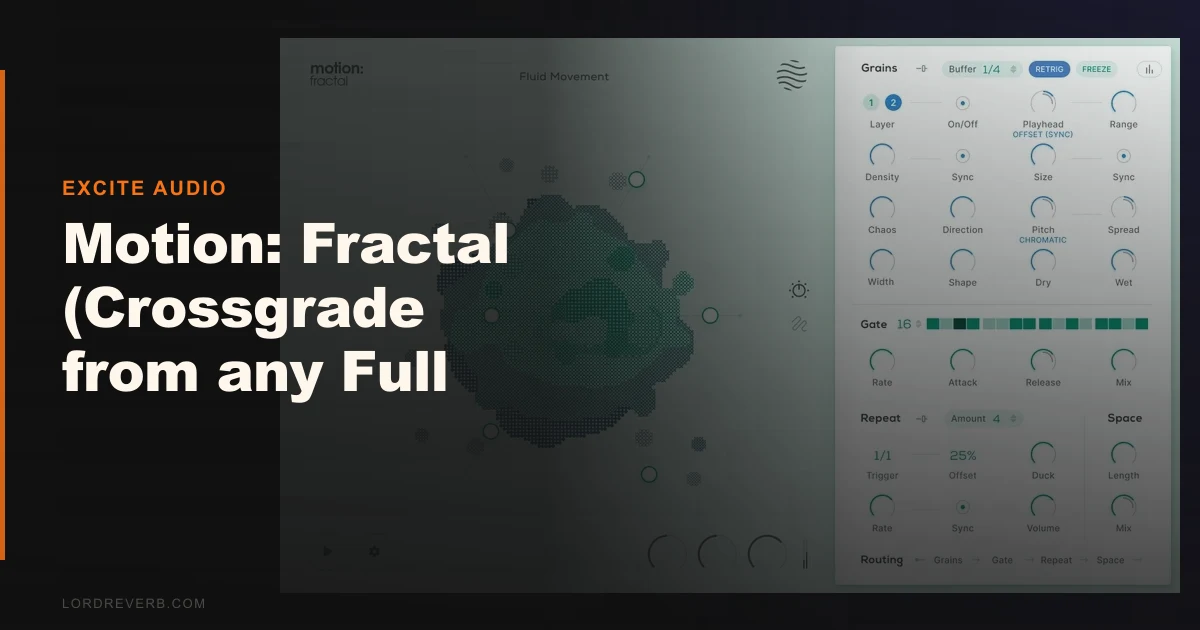
Fractal runs two independent granular engines simultaneously. Each engine handles grain size, position, pitch scatter, and density separately. You can crossfade between them or run them in parallel for layered textures.
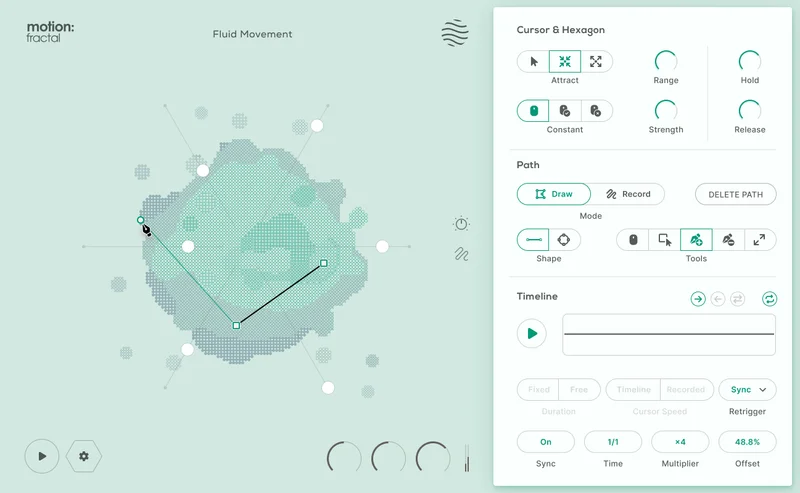
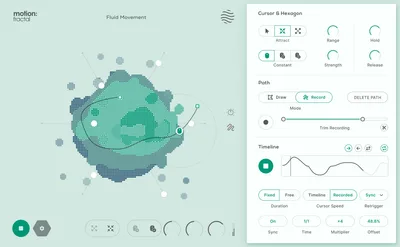
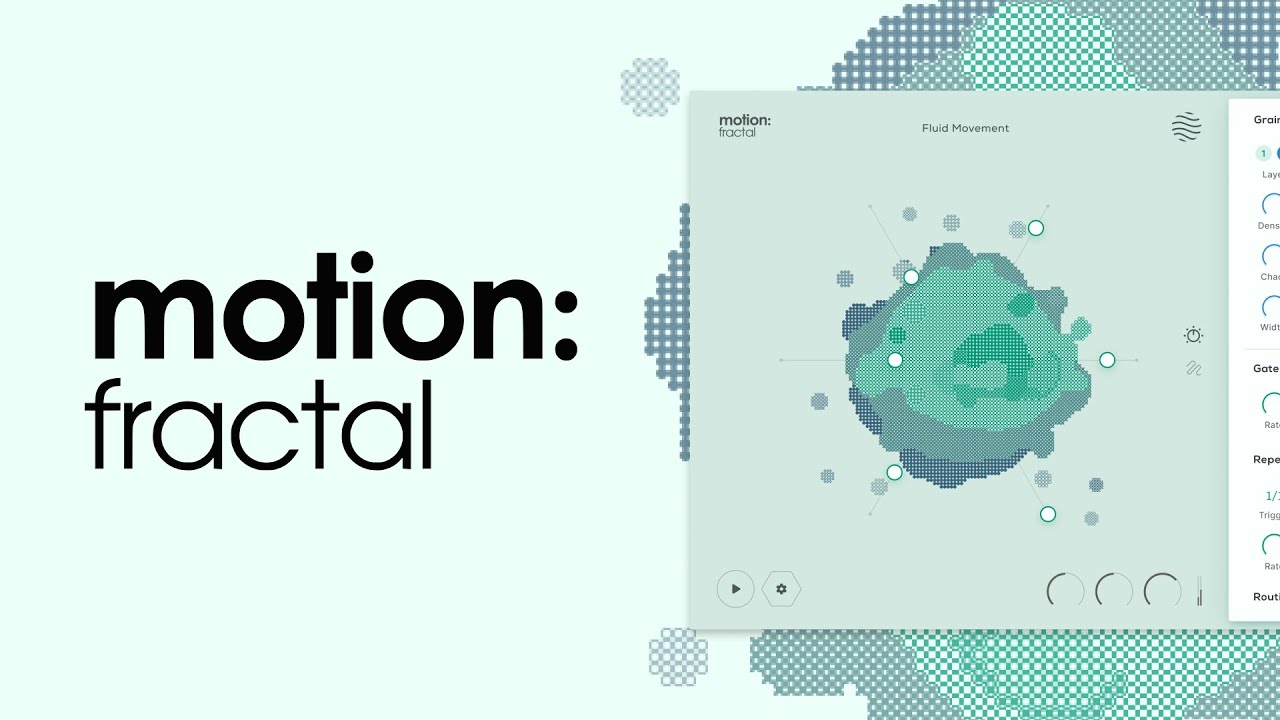
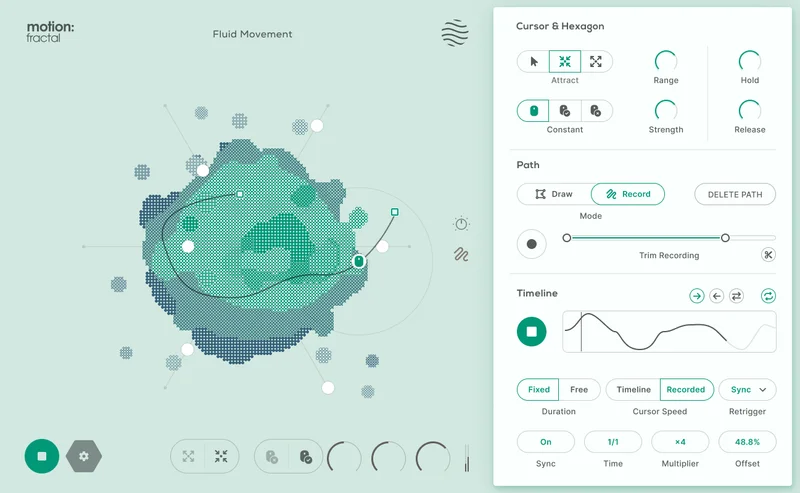
The Hexagon controller is the thing people will talk about. It replaces the standard XY pad with a six-slider hexagonal interface. Each vertex controls a parameter. You draw paths between states and the plugin morphs along that path over time. We assigned grain density to one vertex and pitch scatter to another, drew a curved path through two more, and got a slowly evolving texture that would have taken three LFOs to replicate manually.
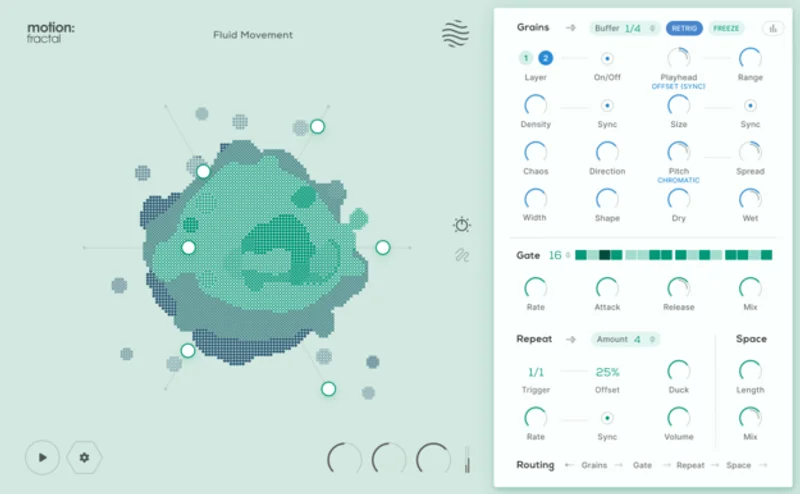
The 32-step trance gate sequencer runs independently of the grain engines. You can set steps to different velocity levels, giving rhythmic gate patterns that cut through the granular wash. Think of it as a step sequencer for gating, not for notes.
Now the honest part. CPU usage sits higher than Portal at comparable grain settings. On our M2 MacBook Pro in Logic Pro 11, a single instance of Fractal at moderate density pulled roughly 8-11% CPU. Portal at a similar density setting ran 5-6%. That gap matters if you're stacking these on multiple tracks. It's not a dealbreaker, but it's real. Available in VST3, AU, and AAX on both Mac and Windows.
Where Fractal Wins
The Hexagon controller is a genuinely clever piece of UI design. We've used XY pads on dozens of plugins. Most of them let you automate two parameters. The Hexagon lets you assign six, draw a path, and set a timing curve. That's a real creative advantage.
The trance gate sequencer changes the character of granular processing. Most granular FX produce continuous textures. The 32-step gate gives Fractal rhythmic potential that Portal simply doesn't have without external sidechain tricks.
Preset quality is high. We loaded 15 presets across vocal, synth, and drum bus contexts. Twelve of them were immediately useful or usable with minor tweaks. That's a better hit rate than we usually see at this price.
For Motion series owners, the crossgrade is a satisfying addition to an existing toolkit. The macro system integrates with the same cursor-responsive sliders and path-drawing mechanics familiar from other Motion products. Nothing to relearn.
Where the Competition Wins
Fragments beats Fractal badly on depth. If you need independent control over grain envelope, spray, reverse grain probability, and spectral filtering in the same plugin, Fractal won't cover it. Fractal is not built for that. We wish it were a bit more explicit about that limitation in its marketing.
Portal wins on CPU efficiency. That 3-5% gap per instance adds up across a full session. On older machines, that could mean the difference between running four instances or two.
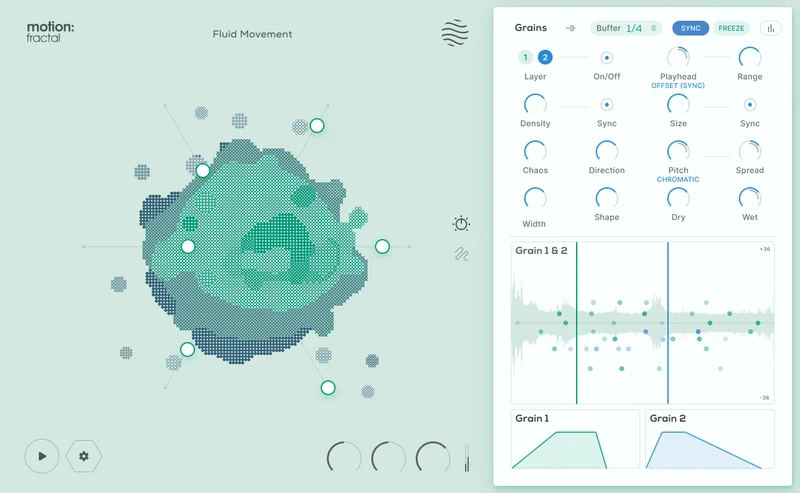
The learning curve on grain density interaction between the two engines is annoying. The UI looks simple, but the relationship between Engine 1 and Engine 2 density at high feedback settings produces unpredictable results. We g
ot three instances of digital clipping before we understood the gain staging behaviour. A gain meter on each engine would fix this.
No pitch correction. No spectral editing. No MIDI note input for grain pitch mapping. Those aren't complaints about Fractal specifically. They're a reminder that this is an FX tool, not a synthesis environment.
Who Should Buy Which
- ✅ Buy Fractal if you already own a full Motion product and want granular textures without a new learning curve.
- ✅ Buy Fractal if you produce ambient, cinematic, or electronic music and want real-time performance control over grain parameters.
- ✅ Buy Fractal if you need a rhythmic trance gate integrated with granular processing in a single insert.
- ❌ Skip Fractal if you need deep grain-level editing. Get Fragments instead.
- ❌ Skip Fractal if CPU efficiency is a hard constraint. Portal runs leaner.
- ❌ Skip Fractal if you don't own a Motion product yet. The full version needs to compete harder against Portal at its price.
Score Breakdown
| Category | Score | Notes |
|---|---|---|
| Sound Quality | 4.0/5 | Grain engines sound clean; dual-engine layering produces genuine depth |
| Value for Money | 4.5/5 | $29 crossgrade is hard to beat for existing Motion users |
| Ease of Use | 3.5/5 | UI looks simpler than it is; gain staging between engines needs attention |
| Features | 4.0/5 | Hexagon controller and 32-step gate are genuinely differentiating |
| CPU Efficiency | 3.0/5 | Runs heavier than Portal at comparable settings |
| Overall | 4.1/5 | Best granular FX entry point in the Motion ecosystem at this price |
Alternatives to Consider
Portal by Output is the most direct competitor. It runs lighter on CPU and goes deeper on modulation routing. Portal by Output review We'd pick Portal for sustained studio work where session CPU overhead matters.
Fragments by Unfiltered Audio is the right tool if you want granular surgery rather than granular FX. best granular plugins for producers It's more complex, costs more, and rewards the time investment if you actually need that depth.
BEAM by Unfiltered Audio covers spectral beam processing rather than granular grain engines, but lands in similar creative territory for ambient and cinematic production. Unfiltered Audio BEAM review Worth comparing if real-time spectral performance is your main use case.
If you're building out a granular FX toolkit from scratch, check our granular FX plugins buyer's guide before committing to any single plugin.
Fractal is the right crossgrade at the right time for Motion series owners. At $29, the Hexagon controller alone justifies the spend. Just go in knowing it's a creative FX tool, not a granular workstation. If you want deep, surgical grain control, that's the wrong lens entirely. Buy it for the performance, the trance gate integration, and the fact that it sounds brilliant on synth pads and vocal textures in under a minute. Skip it if your sessions are already hitting CPU limits or you need grain-level editing depth.
Frequently Asked Questions
Do I need to own a specific Motion product to get the crossgrade price?
Yes. The intro crossgrade price, below the regular price, requires ownership of any full Motion product. That includes Motion: Drum, Motion: Vocal, or any other full-tier release in the Motion series. The lite editions don't qualify. Check Excite Audio's site to confirm your licence before purchasing.
How does the Hexagon controller work compared to a standard XY pad?
A standard XY pad assigns one parameter to the X axis and one to the Y axis, giving you two simultaneous controls. The Hexagon uses six sliders arranged around a hexagonal shape, each assignable to a different granular parameter. You then draw a path between states, and the plugin morphs through those states over time. It's genuinely faster for complex modulation than any XY pad we've tested.
Is Motion: Fractal CPU-heavy compared to other granular FX plugins?
Heavier than Portal, yes. We measured 8-11% CPU per instance on an M2 MacBook Pro in Logic Pro 11 at moderate grain density. Portal ran 5-6% at comparable settings. On newer machines this isn't a dealbreaker. On older Intel systems or heavily loaded sessions, it's worth testing the trial before committing.
Can Motion: Fractal replace Fragments or Portal in a production setup?
Not as a straight replacement for either. Fragments goes much deeper on grain-level editing and spectral processing. Portal has a more established modulation routing system and lighter CPU draw. Fractal is best positioned as a fast, performance-oriented granular FX tool that complements those plugins rather than replacing them. If you only own one granular FX plugin and need maximum depth, Fragments is the better single purchase.