
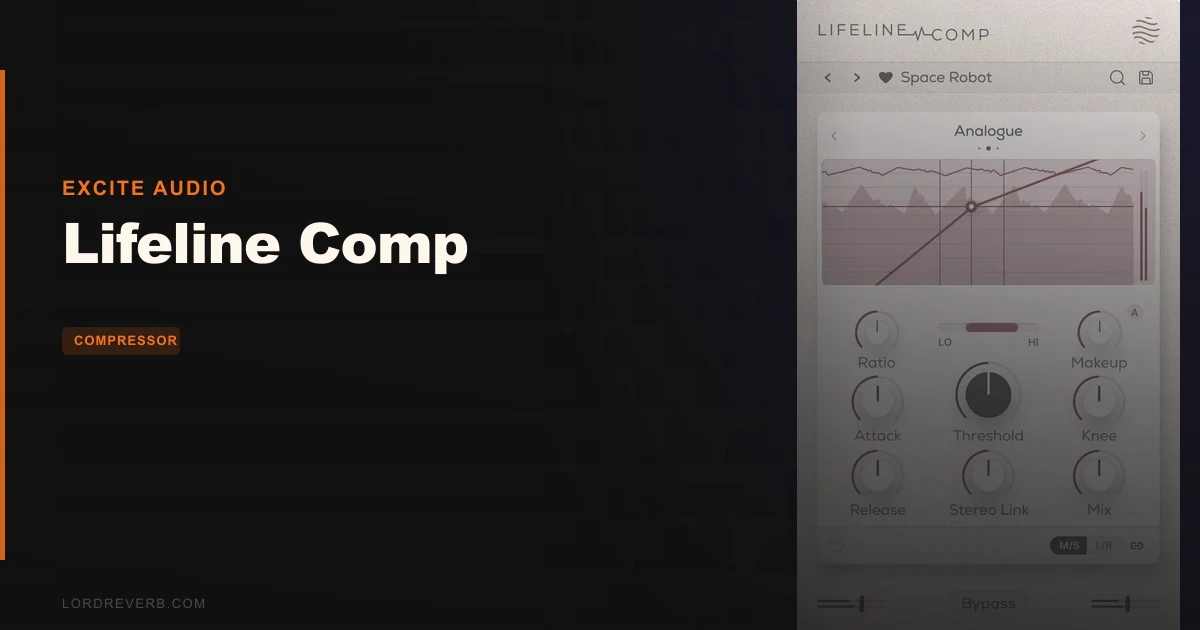
Lifeline Comp is a focused, well-built compressor plugin that covers the daily compression jobs most producers actually face, and it does it without the menu-diving that makes some rivals feel like piloting a commercial aircraft.
At $8, it sits in that interesting bracket where you're not paying for features you'll never touch, but you also need to be honest about what it can't do. Three compression styles, zero latency, M/S processing, a bandpass filter for frequency-specific work, and 50 presets. That's the deal. If you need 12 algorithms and four sidechain modes, you're shopping in the wrong aisle. If you need clean, musical dynamics control that sounds like something and doesn't slow your session, this is worth a serious look.
It's built for producers, mixers, and beatmakers who want compression that makes decisions faster, not slower.
What You're Actually Getting
Excite Audio built Lifeline Comp around three compression styles: Analogue, Transparent, and Variable. Each one behaves differently by design, not just by name.
Analogue mode smooths signals and adds the kind of character you'd associate with hardware units. Transparent mode catches peaks while leaving the body of the sound intact. Variable mode's response changes depending on the input signal itself, which is where Excite Audio says it shines on vocals, bus glue, and mastering work.
The control set is exactly what you'd expect: Threshold, Ratio, Attack, Release, Input/Output Gain, and a Dry/Wet mix for parallel compression. Auto-Makeup gain listens to the signal and applies the required make-up automatically. The bandpass filter lets you compress based on a specific frequency range rather than the full signal, which is a real workflow tool, not a gimmick. M/S and L/R modes let you compress the stereo field independently. Zero latency throughout.
The UI is resizeable. The gain reduction meter is present. Global bypass works. It's 64-bit only, supports Intel and Apple Silicon on Mac, and runs on macOS 10.15 or higher and Windows 7 or higher.
The Three Compression Styles in Practice
The choice between Analogue, Transparent, and Variable isn't cosmetic. Each one handles transients and sustain differently, and picking the wrong one for a source is a fast way to confuse yourself about why something isn't sitting right.
Analogue Mode
This is the mode that earns the plugin its keep on sources where you want compression to do something, not just control levels.
Transparent Mode
Transparent mode is where you go when the sound is already right and you just need to manage dynamics. Vocals running into a chorus that jumps 3dB, a lead synth with a tail that creeps up in the mix: these are Transparent mode jobs. This mode is clean and fast without sounding digital-harsh. It retains body, which is exactly what you need when you're trying not to thin out a carefully processed vocal chain.
Variable Mode
Variable mode's input-dependent response makes it the most interesting of the three. The harder you push the signal, the more the compressor reacts. If you're mixing a vocalist who performs dynamically, this mode can feel almost intelligent about when to clamp down and when to breathe. It's also the mode Excite Audio specifically recommends for mastering buses and glue compression, and that framing makes sense. It doesn't impose a fixed character; it responds to what's happening.
Controls Worth Understanding
Auto-Makeup Gain
Auto-Makeup is genuinely clever. It listens to the signal and applies the gain needed to compensate for what compression takes away. When you're A/B-ing settings quickly, this stops you from fooling yourself that something sounds better just because it's louder. Turn it off if you prefer manual control. But for faster workflows, leave it on.
Bandpass Filter
The bandpass filter for frequency-specific compression is underrated in how much work it can do. You're not sidechain EQ-ing a separate signal here; you're telling the compressor to respond primarily to a specific frequency range. If a vocalist's 2-4kHz presence area is triggering the compressor too aggressively, dial the bandpass in around that range and let the detection circuit focus. This is the kind of feature that looks minor in a feature list but changes how you use the plugin week to week.
Dry/Wet and Parallel Processing
The Dry/Wet control handles parallel compression without any extra routing. It's a one-knob solution that doesn't require setting up a return channel, which keeps sessions cleaner.
Mid/Side and Left/Right Processing
M/S and L/R processing opens up a lot of stereo control options without needing a separate plugin. Compress the mid channel harder than the sides to tighten a mix that's too wide. Or compress the sides gently to control excessive stereo movement in room mics. The Stereo-Link control is there when you want both channels to track together. It's a flexible system that a lot of compressors at this price point skip entirely.
The Not-So-Good
Three compression styles is a reasonable number for most workflows. But if you're used to something like FabFilter Pro-C 2 with its range of algorithm choices, the ceiling here feels lower. There's no optical emulation, no VCA-style mode by name, no transient-specific mode. The three modes cover a lot of ground, but a sound designer trying to match a specific hardware flavour may find themselves wishing for more options to compare.
The bandpass filter for detection is useful, but Lifeline Comp doesn't offer a fully separate sidechain input from an external source. If you need to duck a bass to a kick drum by sending the kick into the sidechain, you'll need to check whether your DAW can route that externally. The plugin's own controls don't surface that in the same way more advanced compressors do.
Fifty presets sounds like a solid starting library. But presets on a compressor are honestly hit or miss. They're source-dependent in a way that reverb presets aren't. Use them as starting points, not finished settings.
Annoying but minor: Windows users don't get AU. That's not a fault of the plugin; AU is an Apple format. But if you've seen AU listed under compatible formats and you're on Windows, that's worth knowing upfront. On Windows, you're getting VST3, AAX, and Standalone.
Compared to the Alternatives
FabFilter Pro-C 2 offers more compression algorithms and deeper control over every parameter in the signal chain. If you're mixing professionally at a high volume and need surgical options, Pro-C 2 is the longer-term tool. Lifeline Comp's advantage is simplicity and speed. Less to think about, faster decisions, which matters when you're deep in a session and need compression to work, not to be configured.
UAD emulations take a different angle. They're modelled on specific hardware units and carry the character of those units. Lifeline Comp's Analogue mode is a general character mode, not a model of a specific unit. If you need a 1176 or an LA-2A feel with high accuracy, UAD hardware emulations are built for that. Lifeline Comp is built for producers who want character without committing to one specific vintage flavour.
FabFilter Pro-MB and Brainworx bx_console both come up in conversations about Mid/Side processing. Pro-MB is a multiband compressor with detailed M/S control, which is a fundamentally different tool. Bx_console offers M/S as part of a broader console strip. If advanced M/S work is your primary goal, those are valid options. Lifeline Comp's M/S implementation is solid but sits within a standard compression workflow, not a dedicated M/S processing environment.
Who Should Buy This
- ✅ Buy if you want a single compressor plugin that handles tracking, mixing, and light mastering without switching tools.
- ✅ Buy if zero latency is non-negotiable in your real-time monitoring or recording workflow.
- ✅ Buy if M/S compression is something you want to add without buying a specialist plugin.
- ❌ Skip if you need algorithm variety to match specific hardware character. Three modes isn't enough for that job.
- ❌ Skip if external sidechain routing is core to how you mix. Check compatibility with your DAW before committing.
- ❌ Skip if you're on Logic Pro for Mac and need AU format; Lifeline Comp's macOS version includes AU, but Windows users should note AU is not available on that platform.
Specs & Technical Details
| Developer | Excite Audio |
| Price | $8 |
| Plugin Format | VST3 / AU / AAX / Standalone (macOS); VST3 / AAX / Standalone (Windows) |
| OS Support | macOS 10.15 or higher / Windows 7 or higher |
| Activation | N/A |
| CPU Usage | N/A |
| Trial Available | N/A |
| Version Reviewed | N/A |
Score Breakdown
| Category | Score | Notes |
|---|---|---|
| Sound Quality | 4.0/5 | Three modes cover most daily tasks; Analogue mode has real character |
| Value for Money | 4.5/5 | The M/S processing and zero latency deliver solid value for a focused compression tool |
| Ease of Use | 4.5/5 | Clean layout, Auto-Makeup gain, resizeable UI; faster to dial in than most rivals |
| Features | 3.5/5 | Bandpass filter and M/S are strong; algorithm count is the ceiling |
| CPU Efficiency | N/A | No data available |
| Overall | 4.0/5 | A focused compressor that does its job well and stays out of the way |
Alternatives to Consider
FabFilter Pro-C 2
FabFilter Pro-C 2 offers more compression algorithm choices and deeper per-parameter control. It's the go-to for mixers who need to match specific compression behaviour or want the most precise control over knee, lookahead, and style. The trade-off is a steeper learning curve and a longer time to get a usable setting in place. If Lifeline Comp's three modes feel limiting, Pro-C 2 is the logical step up.
UAD Emulations
UAD hardware emulations are built to model specific units. If you want the compression character of a named vintage piece of hardware and you're willing to invest in the UAD platform, that's a different product category from Lifeline Comp. Lifeline Comp doesn't model specific units; it delivers character more broadly in Analogue mode. For producers who just want character without a hardware history lesson, Lifeline Comp is the simpler path.
FabFilter Pro-MB
If your primary need is detailed Mid/Side compression across multiple frequency bands, FabFilter Pro-MB is a more complete tool. It's a multiband compressor with full M/S per-band control. Lifeline Comp's M/S capability works well within its wideband compression framework, but it's not a substitute for a dedicated multiband M/S tool on a mastering chain where precise band-specific stereo work matters.
Lifeline Comp earns its place at $8 by being a compressor that respects your time. You're not getting the deepest feature set on the market. What you're getting is three well-voiced modes, a genuinely useful bandpass detection filter, M/S processing, and zero latency, all wrapped in a layout that doesn't make you work to get a result.
The producers who'll love it most are the ones who've spent time in sessions where compression became the problem instead of the solution. Lifeline Comp is built to be the solution. If you want to go deeper than three modes, or if external sidechain routing is central to your workflow, look at what FabFilter offers. But for the daily compression jobs on vocals, drums, buses, and light mastering work, this holds its own with confidence.
It's not the most ambitious compressor plugin available. It is, however, one of the least frustrating ones to use.
Frequently Asked Questions
Is Lifeline Comp compatible with Logic Pro?
Yes, on macOS. Lifeline Comp supports AU format on macOS, which is what Logic Pro requires. The Windows version does not include AU, but Logic Pro is macOS-only, so that's not a practical limitation for Logic users. Confirm your macOS version is 10.15 or higher before installing.
What is the difference between the three compression styles in Lifeline Comp?
Analogue mode adds character and smooths signals in the way hardware compressors do. Transparent mode controls peaks without changing the colour of the sound. Variable mode adjusts its response based on the input signal level, making it useful for dynamic vocals, bus glue, and mastering situations. Each one behaves differently by design, and picking the right one for the source matters.
Does Lifeline Comp work in real-time without added latency?
Yes. The plugin operates at zero latency. This makes it usable on a live monitoring chain during tracking, not just in a mixing session after the fact. For producers who record through plugins in real time, that's a meaningful feature.
What does the bandpass filter in Lifeline Comp do?
The bandpass filter shapes the frequency range that the compressor's detection circuit responds to. Instead of reacting to the full signal, the compressor focuses on the frequency band you set. It's a detection filter, not a filter on the output signal. This gives you more control over what triggers compression, which is useful on complex sources like vocals or full mixes.
Can I use Lifeline Comp for Mid/Side mastering?
Lifeline Comp includes Mid/Side and Left/Right processing modes, so yes, you can apply compression independently to the mid and side channels. This is useful for mastering and stereo bus work. If you need multiband M/S compression across separate frequency ranges, you'd want a dedicated multiband M/S tool instead. For wideband M/S compression, Lifeline Comp handles it well.
Does Lifeline Comp support Apple Silicon Macs?
Yes. The macOS version supports both Intel and Native Apple Silicon. It runs on macOS 10.15 or higher and is 64-bit only. If you're on an M-series Mac running a current macOS version, you're in the clear.