Melt is a good buy at $139 if you want dark, moving textures in minutes, and a poor one if your music lives in light, airy territory.
Picture the scene. You’ve got a thriller cue at 90 seconds and the bed under it is dead. A pad won’t fix it. You need something that breathes, shifts, and sounds a bit unwell.
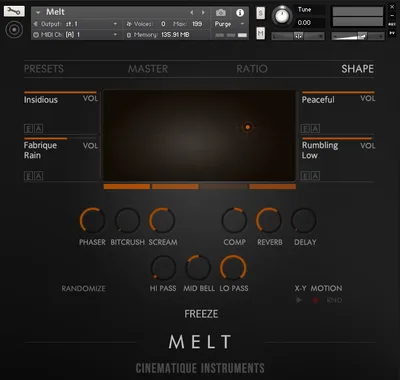
That’s the moment Melt is built for. You drag a cursor around an XY pad and four sound layers blend into each other while you listen.
It’s a Kontakt instrument from Cinematique Instruments, with 64 sound sources in roughly 0.7 GB. It suits scorers, sound designers and ambient writers. It does not suit anyone on the free Kontakt Player, and we’ll explain why further down.
Our verdict is split on purpose. The core idea is clever. The edges are rough.
What's In The Box
Melt ships as a Kontakt instrument with about 0.7 GB of uncompressed data. It needs the full version of Kontakt 5.6.8 or higher.
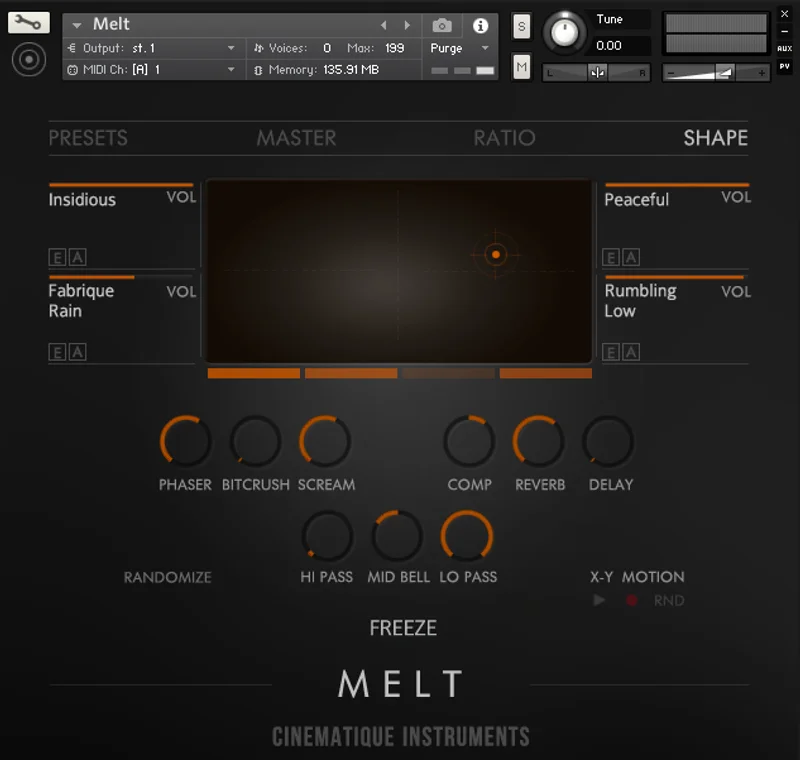
Four sound layers sit in the corners of an XY pad. Each layer is shaped by 9 effects, including filters, distortion, phaser, reverb and delay. Each layer also gets an 8-step sequencer.
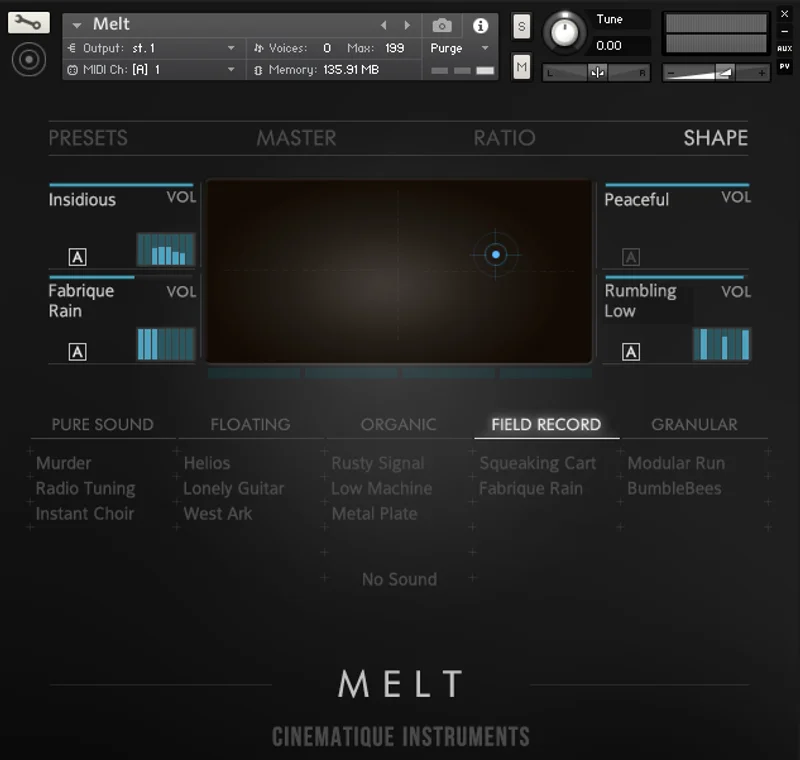
There are 64 sound sources in total. That’s 21 ambiences and textures, 16 field recordings, 8 organs and electric pianos, 5 pure synths, 10 organic sounds like guitars, and 4 string sounds.
On top of that, you get over 120 presets. Categories include Basic Sounds, Calm and Quiet, Synthetic, Organic Pieces, Ambiances, Strings, Complex Melts, Ambients, Wide and Open, Shorts, Rhythmic and Experimental.
Hard requirement, and an annoying one: the free Kontakt Player keeps Melt in demo mode. If you don’t own full Kontakt, add that cost to the real price.
Where It Fits In Your Workflow
Melt sits early in a session, when you’re hunting for a mood. It isn’t a lead instrument. It’s a texture generator you steer by hand.
Say you’re building an ambient intro. Load a preset from Calm and Quiet, then drag the cursor toward a field recording corner. The balance of all four layers shifts as you move.
Say you’re scoring a tense scene instead. Start from a Complex Melts preset, record the cursor motion as a loop, and let it run under the picture. You can record that loop inside Melt or within a DAW track.
You can also let the cursor run randomly. Hit that when you’re stuck and want something you wouldn’t have chosen.
Plan your Kontakt setup first. Melt needs the full version, so check your Kontakt version number before you buy. Below 5.6.8 and it won’t load properly.
The XY Pad: Four Sounds, One Cursor
This is the whole point of Melt, and the owners we’ve read agree. They call the XY motion function the best part of the instrument.
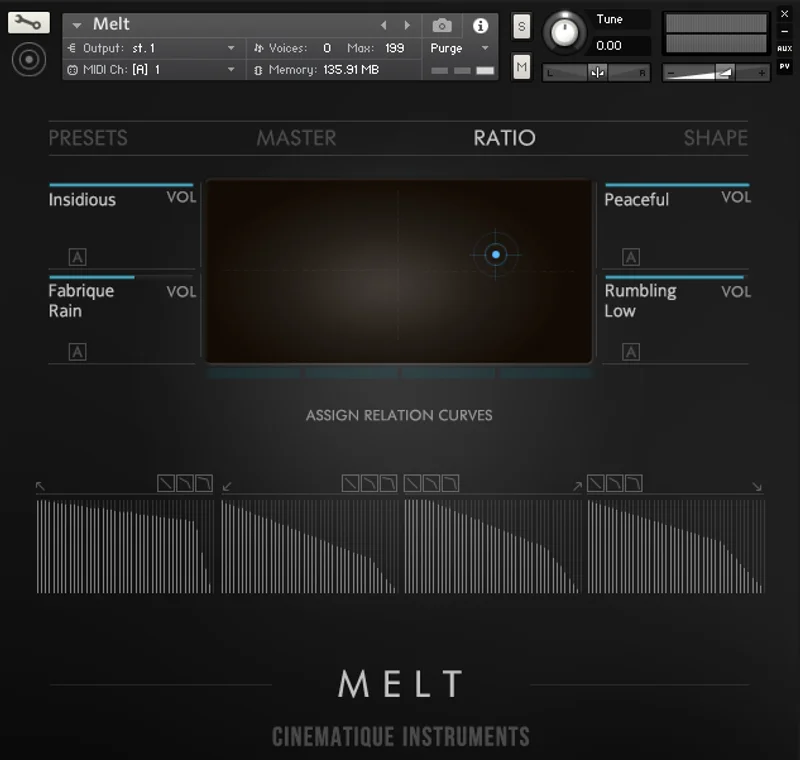
Each corner loads a separate sound source. Melt calculates the main sound from the cursor position, using the ratios of all four layers. Sit in a corner and you hear mostly one source. Sit in the middle and you get an even blend.
That makes sound design physical. You don’t dial in four volume faders. You drag.
Recording cursor motion
You can record the cursor path as a loop. Do a slow circle and the texture evolves on repeat. The loop can live inside Melt or inside a DAW track, so it’s easy to line up with a project.
The ratio table
Each instrument has a ratio table that adjusts how the cursor relates to the layers. It’s a small control with a big effect on how the pad feels under your hand. Spend ten minutes on it.
Random mode
The cursor can wander on its own. It’s brilliant for idea generation and ridiculous for hands-off drones. Set it, bounce a few minutes, and mine the result.
Freeze Mode And The 9 Effects
Every sound source runs through 9 effects. Filters, distortion, phaser, reverb and delay are in the mix.
Freeze Mode is the clever bit. The interface turns blue, and the 9 effect parameters become global controls for all 4 sound sources at once. One move reshapes the entire patch.
Think of it as a macro layer. You’re not tweaking four chains. You’re pushing one set of knobs.
Use it for transitions. Say you want a drone to close down into a muffled wash over eight bars. Freeze Mode lets you pull the whole sound along in one gesture.
The catch is that the effects are the same set for every layer. If you want a specific third-party reverb on one source, that’s a job for your DAW after the fact.
The Sequencer: Rhythm Inside The Texture
Each sound layer has an 8-step sequencer. It can morph sustained notes, or morph between 4 different sequencer types.
That opens the door to polyrhythmical sounds. Run different step patterns on different layers and they drift against each other. The result is movement that doesn’t loop in an obvious way.
Try the Rhythmic presets to hear the idea quickly. Then switch off the steps on three layers and keep one. Suddenly you’ve got a pulse sitting under an otherwise still bed.
It’s not a full step-sequencer workstation. It’s eight steps per layer. That’s enough for pulses and ticks, and not enough for a drum pattern.
What It's Genuinely Good At
Dark and suspenseful material is where Melt earns its price. Owners report that it excels at suspenseful and dark atmospheres, and that matches how the sound sources are built: field recordings, strings, organs and granular-style textures stack into something uneasy fast.
Presets are another strength. Owners call them very good starting points that need only minor tweaking. Load one, nudge the cursor, done.
Speed matters too. The developer talks about complex, dynamic sounds in the twinkling of an eye, which is salesman talk, but the XY pad backs it up in practice. You’re hearing results while you move, not after you render.
Variety is decent for the size. 64 sources split across ambience, field recordings, keys, synths, organic sounds and strings is a spread you can actually navigate. It isn’t a sprawling library you’ll never finish.
The Rough Edges
First, the Kontakt wall. Full Kontakt 5.6.8 or higher, no exceptions. The free Player leaves Melt in demo mode.
Second, you can’t drag and drop your own sounds in. The sources are the 64 that ship. If you want to blend your own field recordings through that XY pad, you can’t. That’s a real shame for an instrument all about blending.
Third, lighter sounds fight you. Owners report that ethereal, soothing material is harder to achieve than dark material. Warm, bright, open pads are not where Melt wants to live.
Fourth, the sleek GUI. It’s quick for manipulation, but owners say it can hinder usability. Some details are harder to read and reach than they should be.
Fifth, sustaining. Owners report that holding some sounds doesn’t always give the result you wanted, and some presets need tweaking to behave with sustained notes.
Is It Worth $139?
Value depends on what you already own and what you write.
If you score tense picture or build dark ambient, $139 buys a fast idea machine with a strong hook. You’ll use the XY pad every session you open it. That’s a good rate of return.
If you write bright, light ambient or chill music, the price is harder to justify. You’d spend your time fighting the instrument’s natural lean.
Then there’s the Kontakt tax. No full Kontakt? The real cost is higher than $139. Factor it in before deciding.
And a cheaper or free route can work. If you only want one evolving pad, a simple synth with an LFO and a reverb gets you most of the way. You’d lose the four-way blend, the field recordings and the recordable motion. That’s what the money pays for.
Our read: fair for the right buyer, mediocre for the wrong one.
Who This Is Really For
✅ Buy if you already own full Kontakt and write dark, tense or cinematic material.
✅ Buy if you like shaping sound by hand and want an XY pad doing the heavy lifting.
✅ Buy if you want starting-point presets that need only small tweaks.
❌ Skip if you only have the free Kontakt Player, because Melt stays in demo mode there.
❌ Skip if your music is bright, soft and airy, since those sounds take real work here.
❌ Skip if you need to load your own samples into the four layers, because that isn’t possible.
Specs & Technical Details
| Spec | Detail |
|---|---|
| Developer | Cinematique Instruments |
| Price | $139 |
| Plugin Format | Kontakt instrument (full Kontakt 5.6.8 or higher) |
| OS Support | N/A |
| Activation | N/A |
| CPU Usage | N/A |
| Trial Available | N/A |
| Version Reviewed | N/A |
Score Breakdown
| Category | Score | Notes |
|---|---|---|
| Sound Quality | 3.5/5 | Strong for dark, suspenseful textures. Lighter sounds take more effort. |
| Value for Money | 3.3/5 | Fair for scorers who own Kontakt. Weaker once you add the Kontakt requirement. |
| Ease of Use | 3.5/5 | The XY pad is quick, but the GUI hides some details. |
| Features | 3.8/5 | 4 layers, 9 effects each, 8-step sequencer, Freeze Mode, recordable motion. |
| CPU Efficiency | N/A | No CPU data available. |
| Overall | 3.5/5 | A clever blender for dark textures, held back by Kontakt-only access and no custom sources. |
The Verdict
Melt is a one-trick instrument, and the trick is good. Drag a cursor, hear four sounds fold into each other, and walk away with a dark, moving bed in minutes.
At $139, it’s right for scorers and ambient writers who already own full Kontakt and lean toward tension. It’s wrong for anyone on the free Player, anyone who wants to load their own samples, and anyone chasing soft, bright pads.
Buy it for the menace. Don’t expect it to smile.
Frequently Asked Questions
Does Melt work in the free Kontakt Player?
No. Melt needs the full version of Kontakt 5.6.8 or higher. In the free Kontakt Player it stays in demo mode, so you can't use it properly.
How many sounds and presets come with Melt?
Melt has 64 sound sources and over 120 presets. The sources cover ambiences, field recordings, organs and electric pianos, synths, organic sounds and strings. Presets are sorted into categories such as Calm and Quiet, Rhythmic and Experimental.
Can I load my own samples into Melt?
No. Owners report that Melt can't accept drag-and-drop custom sound sources. You work with the 64 sources that ship with it.
Is Melt good for light, ethereal sounds?
It can do them, but it's not the strength. Owners report that lighter, soothing sounds are harder to realize than suspenseful and dark ones. If bright pads are your main use, look elsewhere.