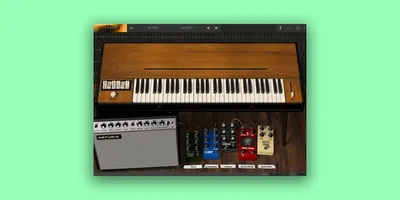
Arturia's big claim for Clavinet V is that you can't tell it from a real Hohner D6 in a blind test. That claim mostly holds up. Owners who've done exactly that kind of comparison back it. The physical modeling engine is the reason: it generates the sound from scratch rather than replaying recorded samples, and that difference shows up most where samples always fall apart, in the mute bar behavior, the string resonance, and the lowest-register damping. If you just need mix-ready funk in 30 seconds and don't care how deep the rabbit hole goes, the picture gets more complicated.
The Claim Arturia Is Making
Arturia describes Clavinet V as a faithful reproduction of the D6 built with "award-winning modeling technology," promising an experience indistinguishable from the real thing. They say only modeling can deliver genuine faithfulness to a vintage Clavinet, and that it brings both the original features and new creative additions. The marketing leans hard into authenticity, which is exactly the right angle to sell this tool to serious keyboard players and producers who've struggled with sampled alternatives that feel static or fake.
The promise is specific enough to be testable. And it mostly survives the test.
What the Modeling Engine Actually Gets Right
The mute bar is where Clavinet V separates itself from every sampled option on the market. With sampled Clavinets, you're choosing between a damped preset and an undamped one. Clavinet V gives you a continuous slider. Push it halfway and you get something in between: that slightly choked, rhythmic thump that live players spend years chasing. It's satisfying in a way that a binary switch simply cannot be.
String resonance and release time both respond physically. The lowest strings show actual pitch downturn during release, which is how wool damping works on the hardware. That's not a sample crossfade. It's the model reacting.
The pickup system models 4 upper and lower pickup combinations, and each adds generated pickup noise to the signal. Dial the pickup noise up on a rhythm part and it adds that subtle hum and presence that makes a Clavinet sound lived-in. It's a detail that sampled instruments either bake in or leave out entirely. Here, you control it.
The tone circuit runs 4 bands: brilliant, treble, medium, and soft. Stack brilliant and treble and the top end turns bright and almost percussive. Pull everything back to soft and medium and you're closer to a muted, jazzy tone. These aren't just EQ shelves. They're modeled after the original switching circuit, and the interaction between bands behaves accordingly.
The Advanced Mode: Where It Gets Genuinely Interesting
Most players won't go near Advanced mode. That's a mistake, but an understandable one.
Advanced mode exposes the physical model itself: hammer hardness, hammer noise, key release noise, dynamics, string tuning, and harmonic profile selections. Change the hammer hardness and the attack character shifts from soft and warm to brittle and bright. Push hammer noise up and you hear the mechanical action more clearly on the transient.
The velocity curve editor lets you shape how the model responds to your playing touch. If you're coming in heavy-handed from a stiff MIDI controller, you'll want to soften the curve. If you're on a light synth action trying to coax dynamics out of a subtle performance, steepen it. This is real workflow usefulness, not a feature added for the spec sheet.
Harmonic profile selections change the character of the vibrating string model. The differences are subtle but real, and they matter most when you're running the instrument through heavy overdrive downstream. Different profiles saturate differently.
The Amp, Reverb, and the Effects Pedalboard
The signal chain runs through a modeled Fender Twin amp with a modeled spring reverb, and you choose between on-axis and off-axis mic placement. On-axis gives you more presence and bite. Off-axis softens the top and adds a bit of room. Owners describe the Fender Twin model as delivering genuine crunch when pushed, and that amp section is what makes Clavinet V work without reaching for a separate amp sim plugin.
The effects pedalboard sits post-output and includes wah, auto-wah, flanger, phaser, compressor, chorus, analog delay, overdrive, and a vocal filter. Nine effects. They can be reordered. The ability to put overdrive before the phaser, or compressor before the wah, makes a genuine difference to the texture you get.
Owners report the pedalboard creates psychedelic textures with real presence in a mix. That tracks. Stack the flanger and vocal filter together and the Clavinet stops being a rhythm instrument and starts being a synth. It's genuinely fun.
But there are real problems here.
The Cry Baby-style wah has no bypass switch once you select it. It stays engaged. If you're building an arrangement where you need wah on a verse and clean on a chorus, you're working around a design decision that really should have been caught before release. Annoying isn't a strong enough word. Frustrating is closer.
The effects LFOs aren't tempo-syncable. Every time-based effect you set is in fixed milliseconds or hertz, not tied to your project tempo. The flanger sweeps at its own pace. The chorus drifts independent of your grid. For anything beyond studio texture work, this creates real synchronization headaches.
Then there's the delay. Engaging it drops the output volume significantly. Owners flag it as a performance issue, and they're right. A volume drop on delay engagement mid-session is a show-stopping bug in live or recording contexts.
CPU Load: The Real Cost of Physical Modeling
Physical modeling is heavier than sample playback. That's not a flaw, it's physics: the engine is computing string behavior in real time rather than reading audio files. But Clavinet V's CPU draw is heavier than sampled alternatives, and owners confirm it.
Windows users face steeper requirements: 4-core CPU at 3.4 GHz with 4.0 GHz Turbo-boost. Mac users get a slightly lighter spec. Neither is unreasonable on a modern machine, but if your session is already strained, this isn't a light insert to drop on a track. ARM processors on Windows aren't supported, which is something to check before buying if you're on that architecture.
The OpenGL 2.0 GPU requirement is worth checking on older machines. It's a real technical floor, not a marketing note.
The Preset Browser and the 88-Note Range
Seventy-four factory presets cover clean funk, muted rhythm, ambient pads, and heavily processed textures. The browser lets you search by name or tags, mark favorites, leave comments, and build playlists. That last feature is genuinely clever for live-set preparation or session organization.
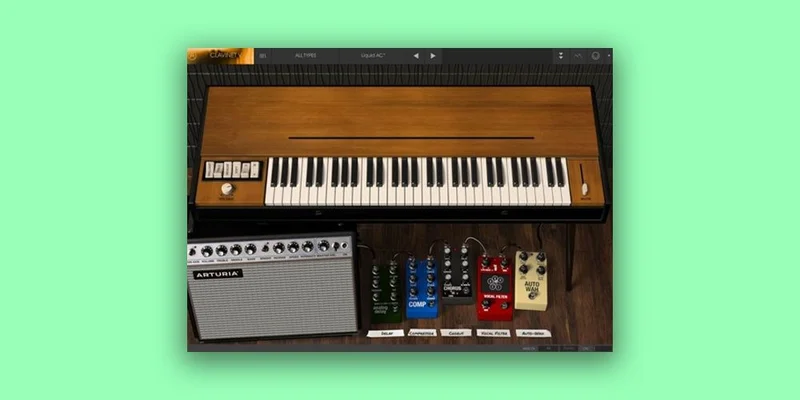
The original D6 ran from F to E across 60 notes. Clavinet V extends that to the full 88-note range. It's a creative expansion that opens up lower bass territory and higher melodic register. Whether the modeled tone holds convincingly at the extremes is something to check on your own material, but the choice to expand rather than restrict is the right call.
Who Should Buy Clavinet V
The Funk and Soul Producer
You're building a track around a Clavinet rhythm part and you want the mute bar to behave the way it does in your head. Physical modeling is the only ITB option that gets you there. The continuous mute slider, the pickup combinations, the tone circuit: all of it works. The effects pedalboard will cover your wah and chorus needs, with caveats. Buy it.
The Sound Designer
You want something that starts as a Clavinet and ends somewhere else entirely. Advanced mode, the harmonic profile editor, the velocity curve, the reorderable effects chain: this is a tool built for that. The psychedelic textures owners describe come from exactly this kind of deep configuration. Buy it.
The Working Session Keyboardist
You need to drop a convincing Clavinet on a session quickly and move on. The preset browser is serviceable, and the factory presets are genuinely varied. But the wah bypass problem and the non-syncable LFOs will irritate you on deadline. If the session calls for wah, you'll work around a design flaw under pressure. Buy it, but know the wah limitation before you commit to that feature in a session.
The Live Performer
The delay volume drop is a real problem live. The LFO sync issue is another one. The wah without bypass is a third. If you're performing live with this as your primary Clavinet, you're managing three significant workarounds at once. That's one too many. Wait for a patch, or use a sampled alternative for live work.
The Budget-Conscious Producer Who Just Needs Funk Tone
If you only occasionally need Clavinet and you don't care about the modeling depth, a sampled alternative gets you to a usable tone faster and cheaper. Check the alternatives below.
The Verdict
Clavinet V is the most physically accurate Clavinet plugin available, and that matters most to people who know what a real D6 actually feels like. The mute bar behavior alone justifies the purchase for producers who've been fighting with binary damped/undamped sample switching. The Advanced mode is underrated. The effects chain is genuinely creative when it works.
The wah bypass issue, the LFO sync limitation, and the delay volume drop are real problems that Arturia should have fixed. They don't kill the instrument. But they do mean you need to know what you're buying. This earns its place in a serious producer's toolkit if the Clavinet is a core part of your sound. If it's a once-a-project addition, a sampled option is more practical.
Specs & Technical Details
| Developer | Arturia |
| Price | $99 |
| Plugin Format | VST / AAX / Audio Unit / NKS / Standalone |
| OS Support | Mac OS 10.13 or higher / Windows 10 or higher (64-bit) |
| Activation | N/A |
| CPU Usage | Heavy (heavier than sampled alternatives; Windows requires 4-core at 3.4 GHz / 4.0 GHz Turbo) |
| Trial Available | N/A |
| Version Reviewed | N/A |
Score Breakdown
| Category | Score | Notes |
|---|---|---|
| Sound Quality | 4.5/5 | Physical modeling delivers mute bar and string behavior no sample library matches |
| Value for Money | 4.0/5 | Justified at the price for core users; less so for occasional Clavinet needs |
| Ease of Use | 3.5/5 | Core instrument is accessible; Advanced mode has a learning curve; effects bugs add friction |
| Features | 4.0/5 | Deep editing, reorderable effects, 74 presets; LFO sync and wah bypass are missing |
| CPU Efficiency | 3.5/5 | Heavier than sampled alternatives; modeling cost is real on older or loaded sessions |
| Overall | 4.2/5 | Best physical Clavinet model available, held back by specific but frustrating effects bugs |
Alternatives to Consider
Scarbee Clavinet/Pianet, the go-to sampled option if you want the most authentic recorded Clavinet tone without the CPU overhead of modeling. No mute slider subtlety, but the core tone is excellent and it drops into sessions without friction.
Pianoteq 8, worth considering if disk space and playability are priorities. Different instrument family but shares the physical modeling approach and the lean install footprint.
Native Instruments Clavinet, if you need mix-ready funk tone in 30 seconds, this is the faster path. Less editing depth, but less setup time and fewer workflow surprises.
Clavinet V wins on modeling depth and realism. The others win on simplicity and workflow speed. Pick based on how central the Clavinet is to your sound.
The instrument earns its keep for producers who love what the D6 actually does. The effects bugs are real, and Arturia should fix them. But the core instrument is the best physical Clavinet model you can run ITB, and that's not a small thing.
Frequently Asked Questions
Is Clavinet V better than sampled Clavinet plugins?
For physical realism, yes. The continuous mute bar slider, string resonance, and release behavior all respond in ways that sampled instruments can't replicate. Sampled options are faster to set up and lighter on CPU. If you're doing deep Clavinet work, the modeling advantage is real. If you need a quick funk part and won't dig into the controls, a sampled option may serve you better.
Does Clavinet V work on Apple Silicon Macs?
Mac OS 10.13 or higher requires a 2.5 GHz CPU. ARM processors on Windows are not supported. For Apple Silicon Mac compatibility, contact Arturia directly, as native support status may vary.
Can the wah effect be bypassed after it's selected?
No. Owners report the Cry Baby-style wah has no bypass switch once you engage it. It stays in the signal chain until you remove it from the effects order entirely. For any performance or session work where you need clean-to-wah switching, this is a significant workflow limitation and worth accounting for before you build a session around it.