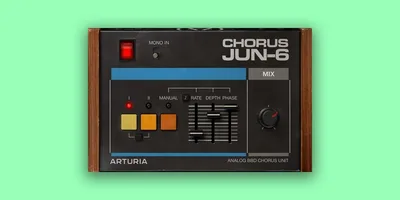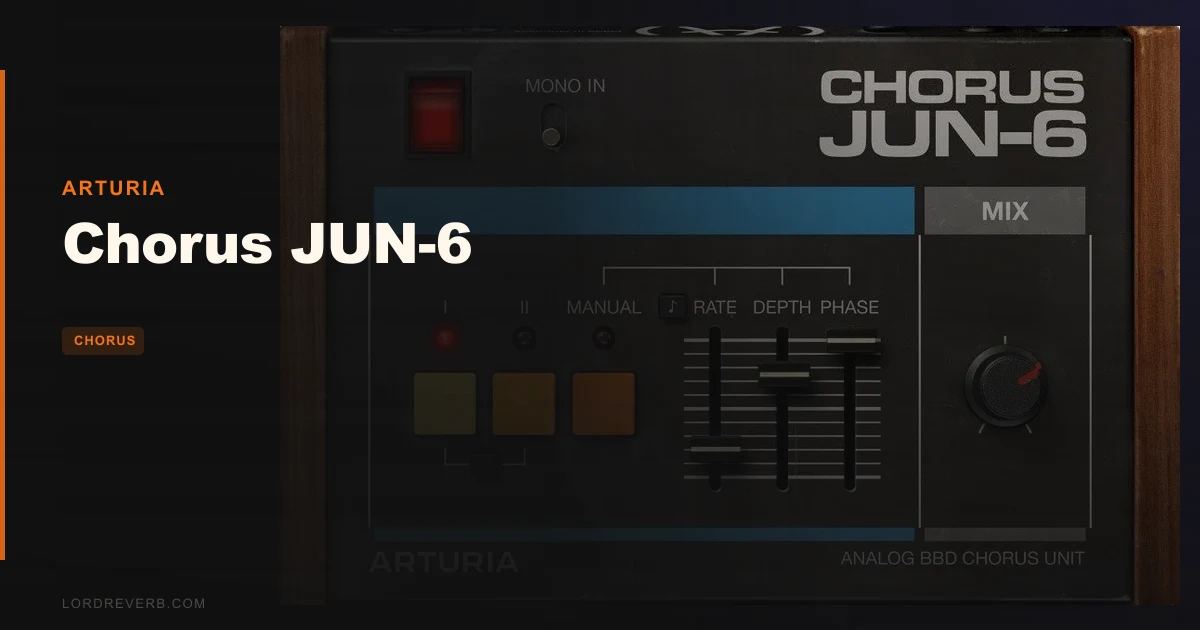
The Arturia Chorus JUN-6 is worth buying if you produce synth-based music, ambient work, soft-rock vocals, or anything that benefits from that specific Roland Juno shimmer. It's the closest a plugin currently gets to the real BBD chorus circuit, and a natural choice for a static pad that needs life without mud.
Quick verdict: This is a focused, honest emulation of a very specific piece of hardware. The controls are minimal, the presets are immediately usable, and owners consistently call it the most accurate Juno chorus plugin available today. There are real frustrations: aliasing at the top end under certain conditions, and the I+II combined mode falls short of what the hardware actually does. But at $49 and with four modes that each do something distinct, the Chorus JUN-6 earns its place in your signal chain. Score: 4.3/5.
Where Does the Chorus JUN-6 Actually Belong?
That slow, warm stereo swirl is exactly what synth brass and string patches from the late 80s and early 90s were built around. If you've ever tried to replicate that quality with a generic chorus plugin and found it too clean, too fast, or too sharp, you already know the gap this fills.
Ambient and lo-fi producers will find it brilliant on sustained tones. Choir samples that feel too stiff in the room respond well here. The subtle modulated movement the BBD circuit introduces isn't the same as pitch vibrato or a digital LFO sweep. It's softer, slightly imprecise in a satisfying way.
Shoegaze and dream pop guitar tracks are another strong fit. Rhythm guitars layered with Mode I sit wide in the mix without fighting the centre. You get stereo width without phasing cancellation when you hit mono.
Vocals respond differently than you'd expect. Owners report richness added to vocal stems, and the dry/wet Mix control makes it easy to blend enough movement without pushing the lead too far off-centre. It's not a lead vocal effect for most pop styles, but on background vocals or harmonies it's underrated.
Mode II increases both rate and depth. That makes it less suited for gentle background textures and more appropriate for pronounced chorus on bass synths or upfront melodic lines. The difference between Mode I and Mode II is noticeable and meaningful. They aren't subtle variations of the same thing.
Drum tracks get an honourable mention here. It adds stereo colour on drums, particularly useful on overheads or a full room bus. On overheads or a full room bus, a very low mix setting in Mode I adds spatial character without turning drums into something that sounds processed.
Melodies, strings, brass lines, and software synthesizers are where most owners spend their time with this plugin. That tracks. It's a very specific tool optimised for a very specific sonic job, and within that job it performs at a level most competing plugins don't reach.
Where It Doesn't Belong
If you're running a budget machine, the system requirements will frustrate you. A 4-core CPU at 3.4 GHz minimum is not a light ask. Add the 4 GB RAM requirement and the OpenGL 2.0 compatible GPU, and this is a plugin that expects to run on a properly spec'd production system. Older laptops will struggle.
Windows users on ARM processors are completely locked out. That's an annoying hard limit with no workaround listed, and it matters more as ARM-based Windows hardware grows.
If you want a versatile multi-mode chorus with deep modulation routing, tape-style flanging, or ensemble options beyond the Juno circuit, skip this. The Chorus JUN-6 is not trying to be a general-purpose modulation tool. It does one thing.
The I+II combined mode underperforms compared to the hardware equivalent. If that specific mode is what you're after, the hardware Juno or a different emulation may give you more of what you're hearing in your head. The plugin version is, by user report, noticeably thinner there.
Very bright source material with lots of high-frequency energy can trigger the aliasing issue. Reported as high-end raspiness, it's a real problem rather than a subtle artefact. If your source material is already aggressive up top, test carefully before committing the effect to a bounce.
Breaking Down Every Control
Mode I: The Foundation
Mode I is where most people live. It delivers the classic warm stereo swirl the Juno 6 hardware is known for. The LFO rate and depth in this mode are reproduced to behave like the original circuit, not approximated with a generic LFO shape. That distinction matters to the character of the effect.
On a pad that feels static, Mode I widens the stereo image and adds movement without reverb or delay. The stereo image widens, the sound breathes, and you haven't added reverb or delay. It's the difference between a pad that sits in the mix and one that floats above it.
This is the setting owners describe as immediately nice right out of the box. No tweaking required. The default preset in Mode I is a good starting point for most applications.
Mode II: More Movement
Mode II increases both rate and depth relative to Mode I. The effect is more pronounced and more obviously chorused. Where Mode I suggests motion, Mode II announces it.
This works well on bass synth lines where you want the effect to be part of the sound's character, not a behind-the-scenes treatment. It also suits guitar parts where you want a more overt 80s chorus character rather than subtle width.
Push the depth control higher in Mode II and the sound starts to pitch-shift noticeably. For certain melodic applications that's a feature. For anything where pitch accuracy matters, back the depth off and let the rate do more of the work.
Combined I+II Mode: The Honest Assessment
The combined I+II mode sums both circuits in mono for a retro sound. On the hardware Juno, this position is a defining character setting. In the plugin, it doesn't get there.
Owners describe the plugin version as wimpier than the hardware equivalent. That's a fair observation. The mono summing and the interaction between both LFO circuits doesn't replicate what happens in the original circuit at this position. If the I+II mode is your target sound, you should know going in that this is where the emulation is least convincing.
That said, the combined mode isn't useless. For lo-fi and retro aesthetics where precision isn't the goal, it contributes the right kind of aged, slightly compressed character. Just don't expect it to match what you hear on old Juno recordings.
The Original I+II Position: Vibrato
The original I+II position gives you a vibrato-like sound. This is distinct from the combined mono mode. The pitch modulation is more forward, more wobbly, and sits in a different register of effect than the standard chorus modes.
It's a specific sound with specific uses. On strings and sustained instruments, it evokes a particular vintage feel. On vocals it's too pronounced for most uses unless you're going for something overtly stylised. On leads in a cinematic or ambient context, it's a clever tool.
Manual Mode and the Full Control Set
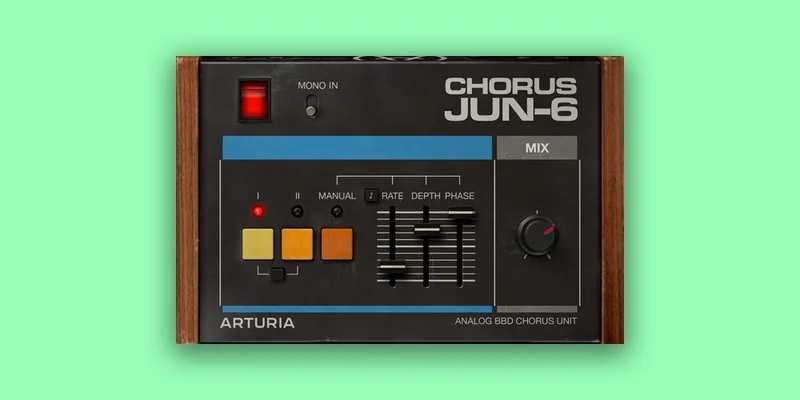
Manual mode is where the Chorus JUN-6 stops being a one-click tool and becomes something you can actually dial in. It unlocks independent access to rate, depth, LFO phase, and mix.
The Rate control syncs to host tempo or runs free. Synced rate is useful for rhythmic material where you want the modulation to feel connected to the groove rather than floating over it. Free rate is better for ambient and non-rhythmic applications where tempo-tied LFOs feel mechanical.
The Depth control is straightforward. Higher depth means wider pitch variation and more pronounced movement. Lower depth gives you that just-barely-moving quality that works on material where you want width without audible modulation.
The LFO Phase knob adjusts the stereo width of the effect. Narrowing the phase difference between left and right channels reduces the stereo spread. Opening it wider gives a more dramatic spatial impression. If you're using the plugin as a stereo widener rather than a tone colouring tool, the phase knob is your main dial.
The Mix control sets the dry/wet balance. Full wet gives you the raw chorus tone without the dry signal, which reduces the fundamental. Most owners blend it between 40 and 70 percent for musical results. At 100 percent wet you lose the fundamental of the original sound, which can work on send channels but is risky on a direct insert.
The Mono Input Button
The Mono Input button sums stereo input to mono before processing. This changes how the plugin handles the signal. On a stereo synth patch, summing to mono first and then applying the chorus produces a different spread than treating the stereo channels separately.
The stereo input path uses left and right delay lines independently. That creates a more complex stereo field since the left and right delay lines process the stereo channels independently. Choose between these two paths based on whether you want the chorus to build the stereo image from scratch or sit on top of existing stereo information.
BBD Imperfection: What It Actually Does
Bucket brigade device circuits have a specific kind of noise floor, a slight compression characteristic, and a non-linear response to fast transients. The Chorus JUN-6 recreates this imperfection.
The result is that the effect doesn't sound clinically clean. There's a slight darkening. The top end rolls off slightly compared to what a pure digital chorus does. Owners describe the feel of the BBD original as captured, even if not 100 percent accurate in every parameter.
This is what separates it from TAL Chorus LX and other alternatives. TAL is brighter and more digital in character. That's not a criticism of TAL. It's a different sonic goal. If you specifically want the analogue warmth and slight top-end softening of a real BBD circuit, that's what the Chorus JUN-6 is trying to give you.
The aliasing issue sits in tension with this. The BBD imperfection is a wanted quality. The aliasing raspiness reported by users is an unwanted artefact at certain settings. They're different problems, and it's worth distinguishing them. The BBD character is consistent and musical. The aliasing issue is a technical limitation that appears under specific conditions.
How to Use It Well
If you're dropping the Chorus JUN-6 on a synth pad for the first time, start with Mode I and leave the mix at 50 percent. Don't reach for Manual mode yet. The default behaviour in Mode I is already calibrated to the original circuit's sweet spot, and most of the time you don't need to deviate from it.
Use it on a send channel when you have multiple instruments that could benefit. A short send with a low wet mix lets you apply the same chorus character across a group of synths without committing each one individually. This also makes it easier to adjust the overall amount in the mix without reopening every channel.
If you've got a vocal stem that sounds too dry and stiff but adding reverb makes it feel distant, try the Chorus JUN-6 on a send at a low mix value to add richness without pushing the sound back in the room. The movement it adds is different from reverb. It widens without pushing the sound back in the room.
For guitar, the mono input button sums stereo input to mono before processing. This gives a more consistent stereo image and avoids left-right imbalances when the guitar recording itself has natural variation in the stereo field. The mono-to-stereo approach is the more predictable path for guitar bus treatment.
If you hit the aliasing problem, back off the depth control first. The high-end raspiness that owners report tends to emerge when depth is pushed high in combination with certain source material. Reducing depth, or switching from Mode II to Mode I, often resolves it without losing the character you're after.
The LFO Phase knob is underused by most people. Wide phase settings produce more dramatic width adjustment through the LFO Phase knob. If your track needs to play on mono playback systems, test your phase settings in mono periodically. What sounds wide in stereo can thin out in mono if the phase relationship isn't careful.
Tempo-sync the rate control when the chorus is on rhythmic material. A chorus that breathes at the right subdivision adds groove rather than fighting it. Free rate is best reserved for sustained, non-rhythmic elements where a tempo-locked LFO would feel imposed.
Against the Field
TAL Chorus LX is a comparison point. It's brighter and more digital in character than the Chorus JUN-6. If you need the analogue warmth and BBD imperfection, TAL won't get you there. But it's free, it's lightweight, and for applications where brightness is fine, it's a strong tool without the system requirements.
OSL Chorus is mentioned in comparison but described as a less accurate emulation of the Juno. If accuracy to the original circuit matters to your workflow, OSL is the step below, not the alternative to consider seriously.
HornetChorus60 is similarly positioned as less accurate than Arturia. It's a viable option for producers who need Juno-style colour without strict emulation accuracy, but the consensus from owners who've compared them directly places the Chorus JUN-6 ahead on accuracy.
If you're on a tight budget or a lighter machine, TAL Chorus LX is a viable alternative that runs lightweight. If you want the most accurate Juno chorus in plugin form and your machine can handle the system requirements, the Arturia is the clear choice.
The Verdict
The Chorus JUN-6 is a love letter to a specific circuit, and it delivers on most of what that letter promises. The aliasing issue is real and annoying. The I+II combined mode falls short of the hardware. But Mode I, Mode II, and the vibrato position are the modes most people actually use, and there the emulation is the closest thing to the real BBD sound in plugin form.
At $49, it's not a casual purchase, but it's not a stretch either. If Roland Juno chorus is a sound you reach for regularly, the price is justified by the accuracy. If you're building a genre-specific plugin palette around vintage analogue modulation, this one belongs in it.
Skip it if your machine doesn't meet the system requirements, if you're on Windows ARM, or if the I+II combined mode is specifically what you need. For everyone else producing synth-forward music with a properly spec'd system, this one's worth the money.
Specs & Technical Details
| Developer | Arturia |
| Price | $49 |
| Plugin Format | VST, AAX, Audio Unit, NKS |
| OS Support | Mac OS 10.13+ / Windows 10+ (64-bit) |
| Activation | N/A |
| CPU Usage | Heavy (requires 4-core CPU at 3.4 GHz / 4.0 GHz Turbo) |
| Trial Available | N/A |
| Version Reviewed | N/A |
Score Breakdown
| Category | Score | Notes |
|---|---|---|
| Sound Quality | 4.5/5 | Most accurate Juno BBD emulation available; aliasing at high depth settings is the only meaningful blemish |
| Value for Money | 4.0/5 | Justified at $49 for its specific use case; less convincing if you only need the I+II combined mode |
| Ease of Use | 4.5/5 | Default presets are immediately musical; Manual mode is straightforward once you need it |
| Features | 4.0/5 | Four distinct modes and meaningful manual controls; no chorus routing beyond the Juno circuit |
| CPU Efficiency | 3.5/5 | 4-core at 3.4 GHz minimum is a real barrier; not a plugin for lightweight systems |
| Overall | 4.3/5 | Focused, accurate, and satisfying on synths, strings, and vocals; held back by aliasing and heavy system demands |
Alternatives to Consider
TAL Chorus LX is the free option most producers compare it to. It's brighter and more digital, which is a real sonic difference. But it's free, it runs light, and for applications where the analogue warmth of the BBD circuit isn't the specific goal, it covers the ground well. Choose TAL if your machine is mid-spec or your budget is tight.
OSL Chorus sits below the Chorus JUN-6 on accuracy by owner consensus. It's a Juno-style chorus, but the emulation is less detailed. Worth considering if you find the Arturia's system requirements prohibitive and TAL's brightness is too far in the other direction.
HornetChorus60 is similarly rated as less accurate than the Arturia by users who've done direct comparisons. It's a reasonable option for producers who want Juno-flavoured colour without strict circuit accuracy as a priority. Not a direct replacement if accuracy matters.
If none of those fill the gap, the hardware Juno 6 or a Juno 106 in your signal chain will obviously outperform any of them. For in-the-box work, the Chorus JUN-6 is the closest available option to the real thing.
The Chorus JUN-6 is the plugin that finally makes owning a software version of the Juno chorus feel like less of a compromise. It's not perfect, and the I+II mode honestly might send you back to looking at hardware. But for Mode I and Mode II on synths, strings, and vocals? This is where the gap between plugin and hardware gets smallest.
Frequently Asked Questions
Is the Chorus JUN-6 worth buying if I already own TAL Chorus LX?
The Chorus JUN-6 is worth considering if you find other options too clean or too sharp on synths and strings where you want BBD warmth. Owners who've compared it to alternatives like TAL Chorus LX consistently prefer the Arturia for analogue accuracy.
What DAWs does the Chorus JUN-6 work with?
It supports VST, AAX, Audio Unit, and NKS formats in 64-bit DAWs only. If you're running a 32-bit DAW you're locked out entirely, though that's an increasingly rare situation in 2026.
Does the Chorus JUN-6 work on Apple Silicon Macs?
Yes. Apple Silicon CPUs are listed as a supported processor option alongside the 4-core Intel CPU requirement. Mac users on M-series hardware should have no compatibility issues. Mac OS 10.13 or later is the OS requirement on the Mac side.
Why does the I+II combined mode sound different from a hardware Juno?
Owners and users report that the I+II combined mode sounds thinner than the equivalent hardware position. The hardware Juno 6 does something at that switch position involving the interaction between both BBD circuits that the plugin doesn't fully replicate. This is the most significant accuracy gap in the emulation. If the I+II mode is your primary target sound, this is worth factoring into your buying decision.
What causes the aliasing and high-end raspiness some users report?
The aliasing issue appears to emerge under specific conditions, likely at higher depth settings or when processing bright source material. It's reported as high-end raspiness rather than general audio quality degradation. Users have reported that reducing depth settings or using Mode I instead of Mode II may help mitigate the issue. It's a real limitation worth testing during any trial period before committing.
Can I use the Chorus JUN-6 as a stereo widener rather than a traditional chorus effect?
Yes, and the developer explicitly describes this as a use case. The LFO Phase knob controls the stereo width, and the Mix control lets you blend the effect subtly. At low mix values with moderate depth settings, the plugin adds stereo width without an obvious chorus character. Test the result in mono to check for phase cancellation, since wide stereo effects built from LFO phase differences can thin out on mono playback systems.