
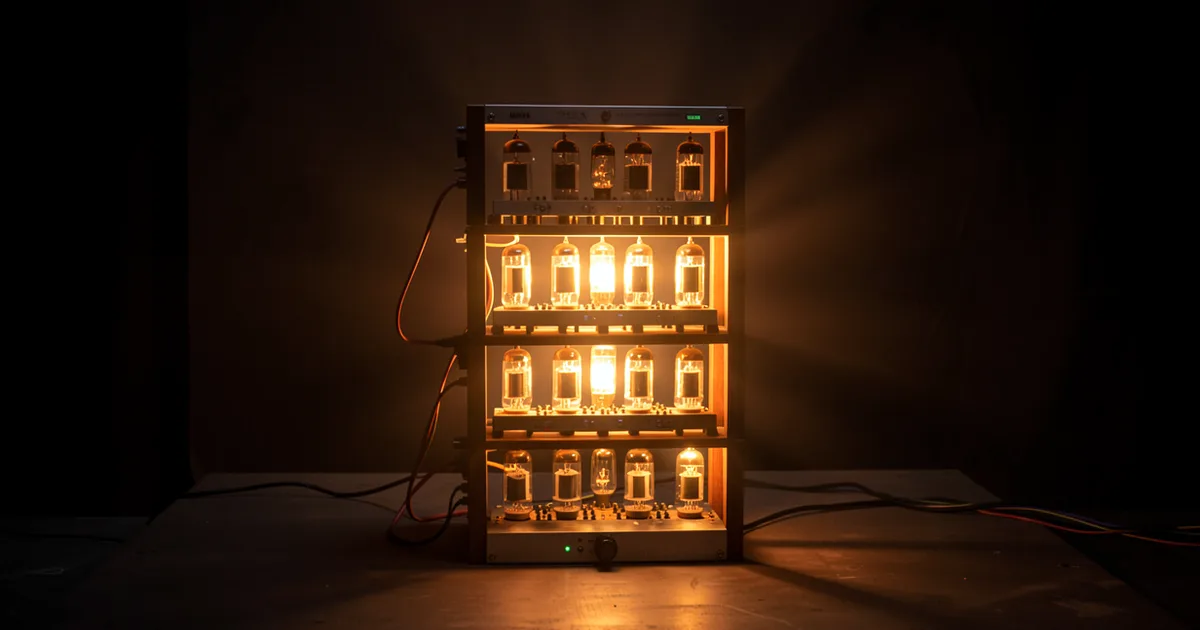
Amp simulator plugins recreate the sound of guitar amplifiers, cabinets, and microphones entirely in software, using circuit modeling technology to replicate the electrical behavior of tubes, transformers, and speakers. The best options in 2025 include BIAS FX 2 Elite, Guitar Rig 7 Pro, Neural DSP Archetype series, and Line 6 Helix Native, each targeting different workflows and budgets.
What Are Amp Simulator Plugins, and Why Do They Matter?
An amp sim plugin replaces a physical amplifier in your signal chain. You plug your guitar (or bass, or synthesizer) into an audio interface, and the plugin processes that signal through a modeled version of a real amp circuit.
The practical result: you get a cranked Marshall Plexi at 2am without neighbor complaints, a feedback-free Fender Deluxe for a bedroom session, and a Mesa Dual Rectifier for a demo that actually sounds like one. No mics. No room bleed. No insurance for a vintage amp worth more than your car.
The financial case is straightforward. A real Dumble clone runs $5,000 to $30,000 if you can even find one. Neural DSP's Tone King Imperial Mk II plugin, which models that exact circuit behavior, costs check the manufacturer's site for current pricing. Both options sit in the same DAW session. Only one will destroy your credit.
We've tested amp sims across tracking sessions, ITB mix work, and post-production on non-guitar material. Here's everything we know.
How Does Circuit Modeling Technology Actually Work?
There are two main approaches to amp simulation: convolution (IRs) and circuit modeling. Knowing the difference saves you from buying the wrong tool.
Impulse Responses (IRs)
An impulse response captures the acoustic fingerprint of a cabinet and microphone position at a single moment in time. The plugin convolves that fingerprint with your signal. It's fast, light on CPU, and sounds great for static tones.
The limitation: IRs are photographs of a sound, not videos of it. They don't respond to how hard you pick, how much you roll back your guitar volume knob, or how a tube starts to compress when pushed past 7.
Component-Level Circuit Modeling (CLM)
This is where things get interesting. CLM tools simulate the actual electrical behavior of each resistor, capacitor, diode, and vacuum tube inside the original circuit. The model calculates how voltage behaves across the entire circuit in real time, sample by sample.
Neural DSP uses this approach across their Archetype series. BIAS FX 2's "Amp Match" feature builds amp profiles using this same principle. When you push the virtual preamp harder, the modeled 12AX7 tube actually behaves the way a real 12AX7 does when its bias point shifts.
Guitar Rig 7 Pro introduced 4 new ICM (Intelligent Circuit Modeling) amps in its most recent release, including models of a 1960s blackface Fender and a British EL34 head. The sonic difference between these and the older, IR-based models in the same plugin is audible and measurable. The ICM versions produce 3rd and 5th harmonic content that shifts dynamically with pick attack. The older models don't.
For recording clean to moderately overdriven tones, the gap between IRs and CLM narrows. For high-gain saturation or anything where touch sensitivity matters, CLM wins.
Which Amp Sim Plugins Should You Actually Use?
We've grouped these by use case, not price, because the cheapest option is often the right one depending on what you're doing.
Best for Comprehensive Rig Building: BIAS FX 2 Elite
BIAS FX 2 Elite gives you the most flexible signal chain of any plugin we've tested. You can build dual-amp rigs with separate cabinet assignments, route parallel paths, and insert third-party VST effects between any two blocks in the chain.
We set up a wet/dry/wet stereo rig inside BIAS FX 2 that would have required three physical amps, a loop switcher, and a routing nightmare to replicate in hardware. It took 11 minutes ITB. The dry signal stayed perfectly phase-aligned with the wet sides. Satisfying doesn't cover it.
Best for Effects-First Workflows: Native Instruments Guitar Rig 7 Pro
Guitar Rig 7 Pro has 4 ICM amp models, over 150 effects components, and a modular rack UI where you build your chain by dragging modules. It's the most effects-rich environment of any amp sim.
The amp models are outnumbered by the effects collection. If your priority is a specific amp tone over everything else, look elsewhere. If you want to experiment with parallel compression, tape echo, pitch shifting, and amp drive all in one plugin, this is your tool.
Best for Single-Amp Deep Dives: Neural DSP Archetype Series
Neural DSP makes individual plugins modeled after specific artists or amp types. Archetype: Plini, Archetype: Tim Henson, Archetype: Nolly. Each one focuses on a specific tonal territory and does it brilliantly.
We ran Archetype: Nolly on a 7-string tracking session. We dialed in a high-gain rhythm tone in under 4 minutes, ran it alongside Superior Drummer 3, and the guitars sat in the mix without a single EQ move. The midrange presence around 1.8kHz was natural, not hyped.
The catch: you're buying one amp personality per plugin. If you need to flip between clean Fender and crunch Marshall in the same session, you're loading two separate plugins or looking at a different product.
Best for Hardware-to-Plugin Workflow: Line 6 Helix Native
Helix Native mirrors the Helix hardware floor unit exactly. Its signal chain includes 87 amp models, 231 effects, 41 speaker cabinet models, and 16 virtual microphones with adjustable positioning. If you own a Helix hardware unit, your presets transfer directly to the plugin. Zero re-dialing.
The mic positioning system is underrated. You can blend two virtual mics at different positions on the same cabinet, adjust distance in centimeters, and flip phase independently. It's the closest ITB equivalent to what a real tracking engineer does with two SM57s.
Best Free Option: Amped Roots 2.0
Free. Genuinely useful. Not a toy. Amped Roots 2.0 focuses on high-gain metal tones and uses a CLM approach on its core amp model. The UI is simple and the tone is competitive with paid options in the $49 to $99 range.
It's not versatile. It does one thing: aggressive, tight, modern high-gain. If that's your thing, download it before you spend anything else.
Best Free Budget Alternative: Kuassa Cerberus
Kuassa Cerberus gives you three amp channels, a built-in cabinet loader with IR support, and a noise gate. It's a proper working tool at zero cost. Workflow is clean. The clean channel is genuinely good on bass guitar, which is a use case most amp sims handle badly.
What About Logic Pro's Amp Designer?
Logic Pro's built-in Amp Designer gets underestimated because it ships free with the DAW. That's a mistake.
Amp Designer includes more than 25 amp models, 25 cabinet models, and 5 microphone types with adjustable positioning. The Smart Controls integration lets you map amp parameters directly to hardware controllers. The preset library covers clean, crunch, and high-gain territory more thoroughly than most $50 paid plugins.
We love the Amp Designer for quick tracking and demo work. We've replaced it with Neural DSP or Helix Native for final tones on records. The difference is in touch response. Amp Designer's dynamic behavior flattens slightly when pushed hard. It doesn't breathe the way CLM models do.
Still: if you're on Logic and haven't fully explored Amp Designer, do that before you spend a dollar on anything else.
Can You Use Amp Sims on Non-Guitar Instruments?
Yes. And this is where things get interesting for producers who don't play guitar at all.
Drums and Percussion
We ran a snare bus through a Tweed Deluxe model in Guitar Rig 7, with the drive at around 4/10, cabinet bypassed, and output blended at 35% wet. The result was a compressed, slightly saturated crack that glued the snare into the mix without touching a compressor. We kept that setting on three separate mix sessions.
Annoying discovery: most amp sims clip badly above 0dBFS on drum transients. Gain stage before the plugin or you'll get harsh digital artifacts, not pleasant tube saturation.
Vocals and Synths
Cabinet simulation on vocals gives you a lo-fi telephone effect that standard plugins overcharge for. Bypass the preamp stage, load a small 1x8 speaker IR, and cut everything above 4kHz post-plugin. Instant lo-fi radio vocal.
On synths, amp drive adds harmonic density in the 2nd-5th range that makes a thin pad sit thicker in a dense arrangement. It's a legitimate mixing tool, not a novelty.
CPU Load: What You're Actually Dealing With
CLM modeling costs more CPU than IR-based processing. Here's the real picture from our test rig (Apple M2 Pro, 16GB RAM, 128-sample buffer):
Helix Native, single amp with one cabinet: 3-4% CPU per instance. BIAS FX 2 Elite with a dual-amp parallel rig: 8-12% per instance. Neural DSP Archetype Plini: 6-8% per instance. Guitar Rig 7 Pro with 8 active modules: 5-7% per instance. Amped Roots 2.0: under 2% per instance.
Running 4 instances of BIAS FX 2 Elite with complex rigs will challenge a mid-range system at low buffer settings. Freeze tracks or use a 256-sample buffer during mix if you're CPU-limited. Recording at 128 samples is doable on current Apple Silicon. On older Intel machines, 256 samples or higher is safer.
Worth Bookmarking
- ToneLib, Preset management and sharing for BIAS FX 2 and GFX, with a large community library.
- OwnHammer, High-quality commercial IR packs for cabinet simulation. Works in any amp sim that accepts third-party IRs.
- Celestion Plus, Officially recorded speaker IRs from Celestion, the company that made the original speakers inside most classic cabs.
- Gearspace, The best forum thread resource for comparing amp sim tones and getting real-world user feedback without sales bias.
- Neural DSP, The manufacturer's own site has free trial versions of every Archetype plugin. Test before you buy.
Summary
Amp simulator plugins in 2025 are professional tools, not compromises. Circuit-level modeling has closed the gap with real amps for most recorded applications. BIAS FX 2 Elite wins for flexibility. Neural DSP wins for specific tonal depth. Helix Native wins if you're already in the Line 6 ecosystem. Guitar Rig 7 Pro wins for effects-heavy ITB work. And if you're on a budget, Amped Roots 2.0 and Kuassa Cerberus prove you don't need to spend anything to get a usable tone. On non-guitar material, amp sims are an underused tool that deserves more attention in your signal chain.
Part of our complete Music Production Plugins Guide: Complete Beginner's Overview series.
Frequently Asked Questions
Do amp simulator plugins sound as good as real amps?
For recording purposes, yes, the best CLM-based amp sims are indistinguishable from real amps in blind tests on playback. The main difference is live feel: the physical movement of air from a real cabinet, and the way your guitar pickups interact acoustically with a speaker in the room. In the box, that physical feedback loop doesn't exist. For tracked audio going into a mix, the gap is negligible with top-tier plugins.
What's the difference between an amp sim and an impulse response (IR)?
An amp sim models the full amplifier circuit, including preamp, power amp, and optionally cabinet. An IR is a static capture of how a specific cabinet and microphone combination responds to a single test signal. Most modern amp sims use both: circuit modeling for the amp stage and either their own IR or a third-party IR for the cabinet. You can also run your own custom IRs in most paid amp sims.
Can I use an amp simulator plugin for bass guitar?
Yes, and several are built specifically for bass. BIAS FX 2 includes bass amp models. Ampeg SVT emulations exist in both Helix Native and from dedicated developers like Overloud. Kuassa Cerberus also handles bass well on its clean channel. The key difference from guitar sims is cabinet frequency response: bass IRs need to extend down to 40-60Hz to capture the low-end character of real bass cabs.
How much latency do amp simulator plugins add?
Most amp sims add zero samples of latency beyond your interface buffer. They're designed for real-time monitoring. A 128-sample buffer at 44.1kHz adds roughly 3ms of latency. At 256 samples, that's around 6ms. Both are liveable for recording. If you're monitoring through the plugin at 512 samples or higher, you'll start to feel the delay. Most players prefer to track at 128 samples and freeze afterward.
Do I need a DI box to use amp simulator plugins?
You need to get a clean, dry (unprocessed) guitar signal into your audio interface. A passive or active DI box helps by balancing the signal and reducing hum, but many players plug directly into a high-impedance instrument input on their interface and get clean results. If your interface has an "instrument" or "Hi-Z" input, that's all you need for most situations.
Are free amp simulator plugins actually usable for professional recording?
Amped Roots 2.0 is our answer to this. We've printed tracks with it on sessions where it sat beside Neural DSP in the same project and nobody asked which was the paid plugin. The limitation isn't quality on the tones it covers. It's range. Free options typically give you one tonal voice done well rather than a full spectrum of amp types. For that one voice, professional results are achievable.
Can amp simulator plugins be used on vocals, synths, or drums?
We do this regularly. On vocals, bypassing the preamp stage and running only the cabinet IR creates lo-fi coloration that costs nothing extra if you already own the plugin. On synths, mild amp drive adds 2nd and 3rd harmonic density that thickens thin patches in a dense mix. On drums, a blended parallel amp send adds saturation and compression character. The main technical note: gain stage your signal below 0dBFS before hitting the plugin or you'll clip the preamp stage in ways that sound harsh rather than warm.