
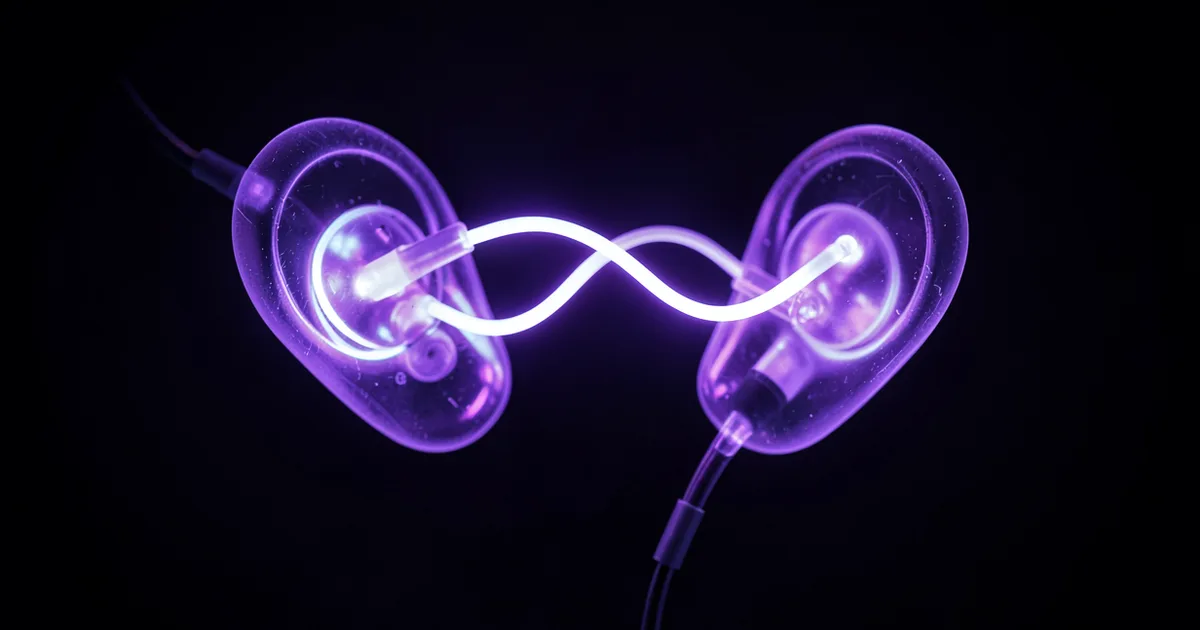
IEMs (in-ear monitors) for mixing are precision earphones worn inside the ear canal that provide acoustic isolation and detailed frequency reproduction, letting you monitor your mix without room reflections corrupting what you hear. Mix engineers use them to catch detail that room problems would otherwise hide, and to work anywhere a treated studio isn't available.
IEMs for mixing are earphones built to a much stricter standard than consumer headphones. They sit inside your ear canal, block environmental noise by up to 26dB, and deliver the flattest frequency response their driver configuration can manage. That last part is what separates a mixing tool from a listening tool.
We've used IEMs on sessions ranging from hotel rooms during tours to proper control rooms when a client's main monitors went down mid-session. They're not a magic fix. But used right, they're one of the most underrated pieces of monitoring gear available.
This guide covers what makes an IEM work for mixing, what the different driver types actually mean for your ears, where the approach falls short, and how to build a workflow around them that produces results you can trust.
Why Do Mix Engineers Use IEMs Instead of Headphones?
The short answer: fit and isolation. IEMs sit inside the ear canal with a silicone or foam tip forming a seal. That seal is doing acoustic work before a single driver fires.
A standard pair of open-back headphones gives you maybe 5-10dB of passive isolation. Quality IEMs with foam tips deliver 25-26dB. In a loud environment, that's the difference between hearing your 80Hz shelf clearly and guessing at it.
The second reason is frequency response consistency. With over-ear headphones, the fit varies every time you put them on. Tilt the cup slightly and your high-frequency response shifts. IEMs with a good seal reproduce within a much tighter tolerance between sessions, which matters when you're making decisions you'll stand behind the next morning.
What About Just Using Studio Monitors?
Monitors are still the reference we'd reach for first in a treated room. Room acoustics add information your ears have learned to read: how low frequencies pressurize the space, how the stereo field spreads in three dimensions.
IEMs don't replicate that. They can't. But they do something monitors can't: they let you work anywhere without the room lying to you.
We've tracked mix revisions in airport lounges and hotel rooms. Without IEMs, those sessions would have been guesswork. With IEMs, the detail work holds up once we're back on speakers.
What Driver Types Are In Mixing IEMs?
Driver type shapes the character of everything you hear. There are three main configurations. Each has a different strength and a different weakness.
Balanced Armature Drivers
Balanced armature (BA) drivers are tiny, fast, and live inside a sealed housing. They were originally designed for hearing aids, which tells you everything about their priority: accuracy over impact.
BA drivers are brilliant at resolving detail. Sibilance, transient attacks, the texture of a reverb tail. They're precise in a way that feels almost clinical.
Their limitation is low-frequency extension. A single BA driver typically rolls off somewhere around 50-60Hz without DSP compensation. You'll hear the kick's attack clearly. You won't feel the weight of it in the same way a dynamic driver delivers.
Multi-driver BA configurations address this. The KZ AS16 Pro runs 16 BA drivers. The KZ Sonata stacks 28. Each driver handles a specific frequency range, which is clever in theory. In practice, crossover integration between 28 drivers is a hard engineering problem, and the results vary widely between manufacturers.
Dynamic Drivers
Dynamic drivers move more air than BA drivers. Full stop. That movement is what creates the physical sensation of sub-bass frequencies.
For mixing kick drums and 808s, a quality dynamic driver often tells you more about what's happening below 80Hz than any BA-only design. The tradeoff is detail. Dynamic drivers are generally less resolving in the high-mid and treble range where things like de-essing decisions live.
Hybrid Configurations
Hybrid IEMs combine at least one dynamic driver for low frequencies with one or more BA drivers handling the midrange and highs. This is the approach most serious mixing IEMs now use.
64 Audio's range uses their APEX module technology alongside hybrid driver arrays. Alclair's higher-end customs use multi-BA configurations tuned for their specific studio-neutral voicing. The 64 Audio house sound leans toward detail and brightness. Alclair leans toward a darker, smoother neutrality.
Neither is objectively better. Choose based on whether you tend to over-bright or over-dark mixes when you're tired. The IEM should compensate for your habits, not reinforce them.
What Frequency Response Should a Mixing IEM Have?
Flat. That's the goal. In practice, it's complicated.
The target curve for IEM frequency response isn't the same as for studio monitors. Because of how the ear canal responds to direct-coupled sound, a measurement that looks flat on a rig will sound treble-forward to human ears. The industry has converged on the Harman Target Curve as a reference, developed from listening tests with thousands of subjects.
The Harman target has a gentle bass lift (roughly 3-5dB below 100Hz) and a presence peak around 2-4kHz. It's designed to replicate what a flat loudspeaker sounds like in a good room, as perceived through an IEM.
Not every mixing engineer loves it. Some prefer a flatter in-ear response and compensate mentally. What matters is that you know your IEM's deviation from flat and you learn to mix through it consistently.
How to Verify Your IEM's Frequency Response
The database at Crinacle's IEM Graph Tool has measured frequency response plots for hundreds of IEMs. You can overlay your model against the Harman target and see exactly where it deviates. This is genuinely useful before you buy, and after.
If your IEM sits 4dB hot at 8kHz, you'll know why your cymbals keep ending up buried in the final bounce.
Where Do IEMs Fall Short for Mixing?
Two places. And we'd rather be honest about both than pretend the limitations don't exist.
Bass Perception Without Room Pressure
Low frequencies do something in a room that IEMs can't replicate. Below about 80Hz, you feel as much as hear. The air in the room pressurizes. Your chest registers it. Your ears read it alongside room reflections and your body's physical response.
IEMs deliver the frequency content to your eardrums. They can't deliver the physical sensation. This means bass-heavy decisions, like how much 40Hz content to keep, how aggressively to high-pass a sub, how a 808 tail decays, require a cross-reference on a system that moves air.
This isn't a deal-breaker. It's a workflow consideration. Finish the detailed work on IEMs. Check the low end on speakers before you bounce.
Stereo Imaging
IEMs present a stereo image inside your head rather than in front of you. The left-right separation is often exaggerated compared to how a mix sounds on speakers. Elements panned hard left and right sound wider in IEMs than they'll translate on playback systems.
The fix is crossfeed. Crossfeed processing blends a small amount of the left channel into the right and vice versa, simulating the natural acoustic crosstalk that occurs between two ears listening to loudspeakers. It narrows the headphone image and makes it more representative of real playback conditions.
ToneBoosters Morphit is worth knowing here. It applies both crossfeed and headphone-specific EQ correction curves based on your specific IEM model, translating the in-ear experience much closer to loudspeaker monitoring. It costs around $19 and runs inside your DAW on a dedicated monitoring bus.
We've run sessions where we left Morphit off and sessions where we had it on. The mixes from the sessions with crossfeed active translated better to playback systems. It's not placebo.
How Do You Actually Use IEMs in a Mixing Workflow?
The hybrid approach is what we'd recommend. IEMs for the detailed work. Monitors for the gut checks.
What to Use IEMs For
IEMs are where we catch problems that a mediocre room hides. We ran a vocal through a de-esser chain recently that sounded clean on the monitors in our secondary room. On IEMs, a 7.5kHz resonance from the reverb pre-delay was obvious enough that we'd been missing it for two passes. Fixed a 1.8dB notch there. Done.
They're the right tool for: checking automation rides, catching low-level noise floors, evaluating reverb tails, and making EQ decisions in the upper midrange where room modes aren't interfering.
What to Cross-Reference on Monitors
Anything involving sub-bass depth. Stereo width decisions. Low-mid density (that 200-350Hz range where mud accumulates). And overall energy balance across the full frequency range, because you want at least one pass where you're hearing the mix the way most listeners will hear it: through a speaker system in an imperfect room.
Budget Considerations
You don't need to spend $1,000 to get usable results. In the sub-$500 range, the Moondrop Blessing 2 (around $320 at launch, check current pricing) and the Etymotic ER4SR (around $349 street) give you a reliable flat-ish response that holds up for detailed work. The Etymotic's single BA design is clinical and honest. Annoying to some, but that's what you want from a monitoring tool.
If your budget reaches the $1,000-$1,600 range, custom IEMs from Alclair or universal fits from 64 Audio become practical. Custom shells (molded from your ear canal) improve isolation and fit consistency. That consistency is worth the cost once you're mixing professionally.
Alclair's custom range starts at $149 for a single-driver model and runs to $2,499 at the top. 64 Audio's universals sit between $300 and $3,000 depending on configuration. The sweet spot for mixing is somewhere in the $700-$1,200 range where you're getting multi-driver accuracy without paying for audiophile tuning that doesn't serve a monitoring workflow.
Worth Bookmarking
- Crinacle IEM Graph Tool, Measured frequency response for hundreds of IEMs. Overlay against the Harman target before you buy.
- ToneBoosters Morphit, IEM/headphone correction and crossfeed plugin. Run it on your monitoring bus when mixing on IEMs.
- Headphonology, Community and measurement database specifically for production use. Good for understanding your specific IEM's mixing strengths and weaknesses.
Are IEMs Replacing Studio Monitors?
No. And anyone telling you otherwise is either selling something or hasn't spent long enough mixing on both.
What they are doing is filling a real gap in how modern production actually works. Producers are working on laptops in untreated rooms, on tour buses, in hotel rooms. The room problem isn't going away. IEMs give you a way to do serious work outside a treated space without producing garbage that you'll regret when you're back on good monitors.
We love this about IEMs: they make you accountable. There's nowhere for a bad mix decision to hide at 26dB of isolation. The detail is either there or it isn't. That honesty is frustrating when you're tired and hoping a problem is smaller than it is. It's satisfying when you nail something and the IEMs confirm it before you bounce.
Summary
IEMs for mixing are precision in-ear monitors that trade room acoustics for isolation and detail. Balanced armature drivers win on resolution. Dynamic drivers win on bass feel. Hybrids try to do both. The real limitation isn't the driver tech: it's stereo imaging and bass pressure, both of which you solve with crossfeed plugins and a hybrid monitoring workflow.
Use IEMs for detailed work. Cross-reference low end and width decisions on speakers. At the $300-$1,200 range, there are options for every production level. Measure your IEM's frequency response on Crinacle's tool before you trust it for critical decisions.
Related guides: headphones for mixing guide
Frequently Asked Questions
Can you mix a full track using only IEMs?
Yes, with caveats. You can complete a competent full mix on quality IEMs with crossfeed processing active. The results are less reliable for sub-bass decisions and stereo width, so we'd still recommend a final reference pass on speakers or even consumer earbuds before delivering. Many working engineers do exactly this when a studio isn't available.
What's the difference between IEMs and regular earphones for mixing?
Consumer earphones are voiced for pleasurable listening, which typically means boosted bass (often +6-10dB below 100Hz) and elevated highs to create perceived clarity. That tuning makes your mix decisions unreliable. Mixing IEMs target a flat or Harman-aligned response so you hear frequency content as it actually exists in your session. The seal quality also matters for isolation: cheap consumer earphones rarely achieve more than 10dB attenuation.
Do I need custom-fit IEMs for mixing or will universal tips work?
Universal IEMs with quality foam tips work well for most production contexts. Custom-molded IEMs improve fit consistency (which means more consistent frequency response between sessions) and increase isolation by a few dB. If you're mixing professionally and spending 4+ hours a day on IEMs, customs are worth the investment. For occasional use or if you're still finding your preferred sound, universals make more sense.
What is crossfeed and do I actually need it?
Crossfeed is a signal processing technique that mixes a small, time-delayed portion of each stereo channel into the opposite ear. It simulates the acoustic crosstalk that naturally occurs when you listen to two speakers in a room. Without it, IEMs present an unnaturally wide stereo image that can lead to over-narrow mixes. We'd call it necessary for any serious stereo mixing work on IEMs. ToneBoosters Morphit handles both crossfeed and IEM-specific EQ correction in one plugin.
How much should I spend on IEMs for mixing?
The useful range starts around $300, where options like the Etymotic ER4SR deliver honest, flat-ish monitoring at a workable price. Between $700 and $1,200 you're getting multi-driver accuracy that covers professional production work. Above $1,600 you're buying refinements that serve audiophile listening more than mixing accuracy. Skip anything under $150 unless you're only using it for rough A/B checks.